1. Pengenalan
This manual provides essential information for setting up, operating, and maintaining your NIMO 17.3 Gaming Laptop. Please read this manual thoroughly to ensure proper usage and to maximize the performance and longevity of your device. Keep this manual for future reference.

Imej 1.1: Depan view of the NIMO 17.3 Gaming Laptop. The laptop features a large display, a full-sized keyboard, and a sleek design.
2. Kandungan Pakej
Sahkan bahawa semua item terdapat dalam pakej:
- 1 x NIMO 17.3 Gaming Laptop (Model Nimo N175)
- 1 x Type-C 100W PD Fast Charger
- 1 x Manual Pengguna (dokumen ini)
- Windows 11 Home Operating System (pre-installed)
3. Produk Lebihview
3.1. External Components and Ports
Familiarize yourself with the various ports and components of your NIMO laptop:
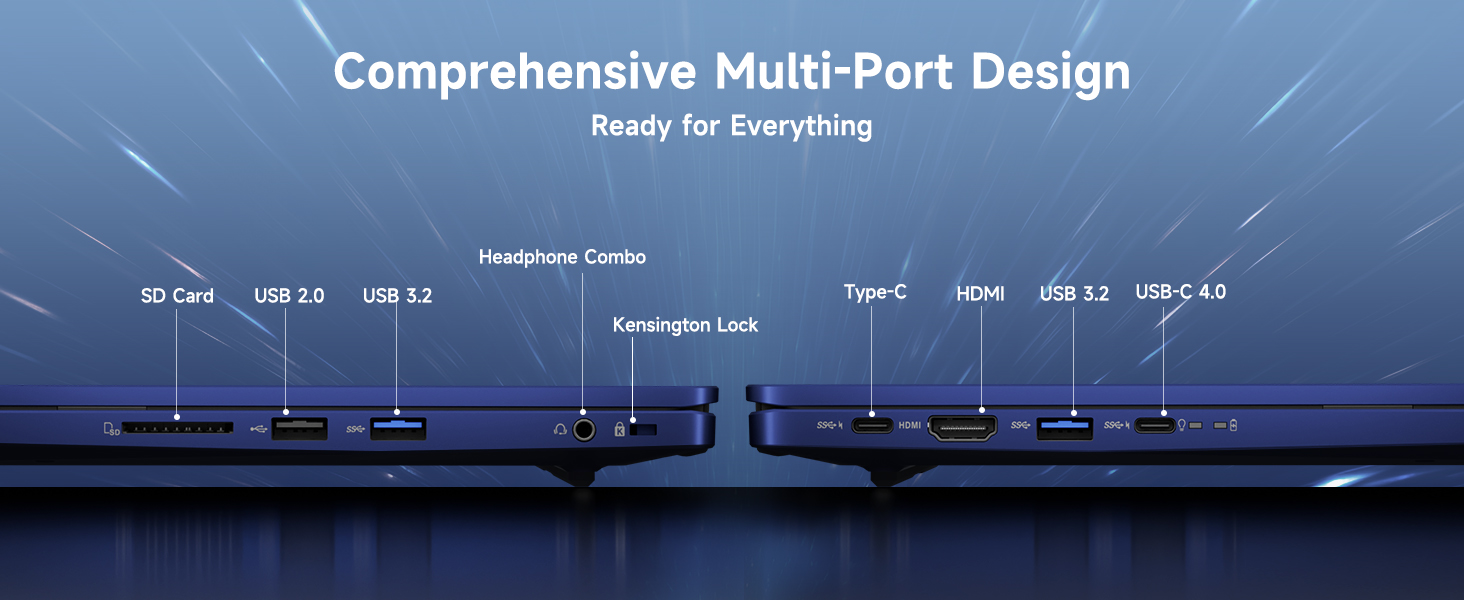
Imej 3.1: Selesaiview of the comprehensive multi-port design on the NIMO laptop. Ports include SD Card reader, USB 2.0, USB 3.2, Headphone Combo jack, Kensington Lock slot, Type-C, HDMI, and USB-C 4.0.
- Bahagian Kiri: SD Card Reader, USB 2.0 Port, USB 3.2 Port, Headphone Combo Jack, Kensington Lock Slot.
- Sebelah Kanan: Type-C Port, HDMI Port, USB 3.2 Port, USB-C 4.0 Port.
- Top (Display): Bersepadu Webcam with Privacy Switch.
- papan kekunci: Backlit Keyboard, Fingerprint Reader (integrated into power button or touchpad area).
4. Persediaan
4.1. Kuasa Awal Hidup
- Connect the 100W Type-C PD Fast Charger to the laptop's USB-C port and a power outlet.
- Buka penutup komputer riba.
- Tekan butang kuasa untuk menghidupkan komputer riba.
- Follow the on-screen instructions to complete the Windows 11 initial setup, including language, region, network connection, and user account creation.
4.2. Menyambung Peranti
Use the available USB ports (USB 2.0, USB 3.2, USB-C 4.0) to connect external devices such as a mouse, keyboard, or external storage drives. The HDMI port allows connection to an external monitor or TV.
4.3. Sambungan Rangkaian
During initial setup, you will be prompted to connect to a Wi-Fi network. You can also manage network settings via Windows Settings > Network & Internet.
5. Arahan Operasi
5.1. Pengurusan Kuasa
- Hidupkan/Mati Kuasa: Tekan butang kuasa untuk menghidupkan. Untuk mematikan, klik butang Mula, kemudian Kuasa > Tutup.
- Mod tidur: Tutup penutup atau klik butang Mula, kemudian Kuasa > Tidur.
- Mulakan semula: Klik butang Mula, kemudian Kuasa > Mulakan semula.
5.2. Menggunakan Papan Kekunci dan Pad Sentuh
The laptop features a full-sized keyboard with a numeric keypad and a precision touchpad. The keyboard is backlit for use in low-light conditions. Adjust backlight settings via function keys (refer to your specific model's key layout).
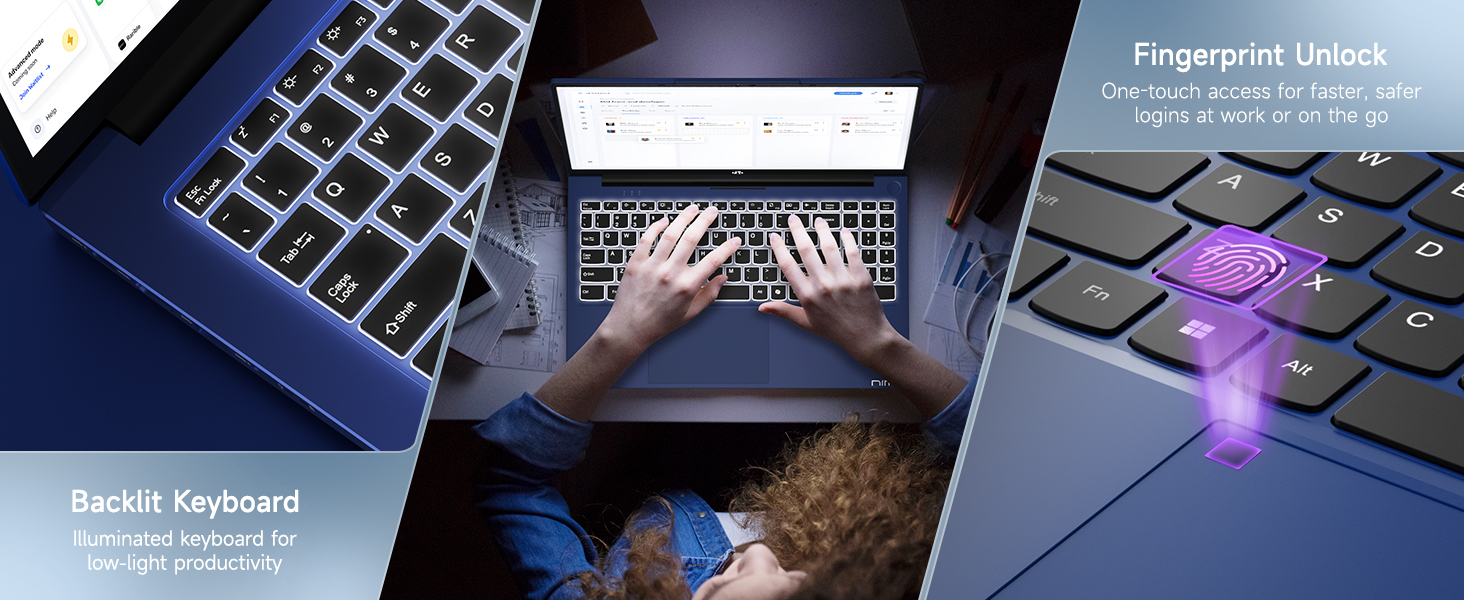
Image 5.1: The backlit keyboard illuminates for visibility in dim environments, and the fingerprint sensor provides quick, secure access.
5.3. Buka Kunci Cap Jari
For enhanced security and quick access, configure the fingerprint reader:
- Pergi ke Tetapan Windows > Akaun > Pilihan log masuk.
- Under 'Windows Hello Fingerprint', click 'Set up' and follow the on-screen instructions to register your fingerprint.
5.4. Webcam Privacy Switch
Yang bersepadu webcam includes a physical privacy switch to ensure your privacy. Slide the switch to cover or uncover the camera lens as needed.
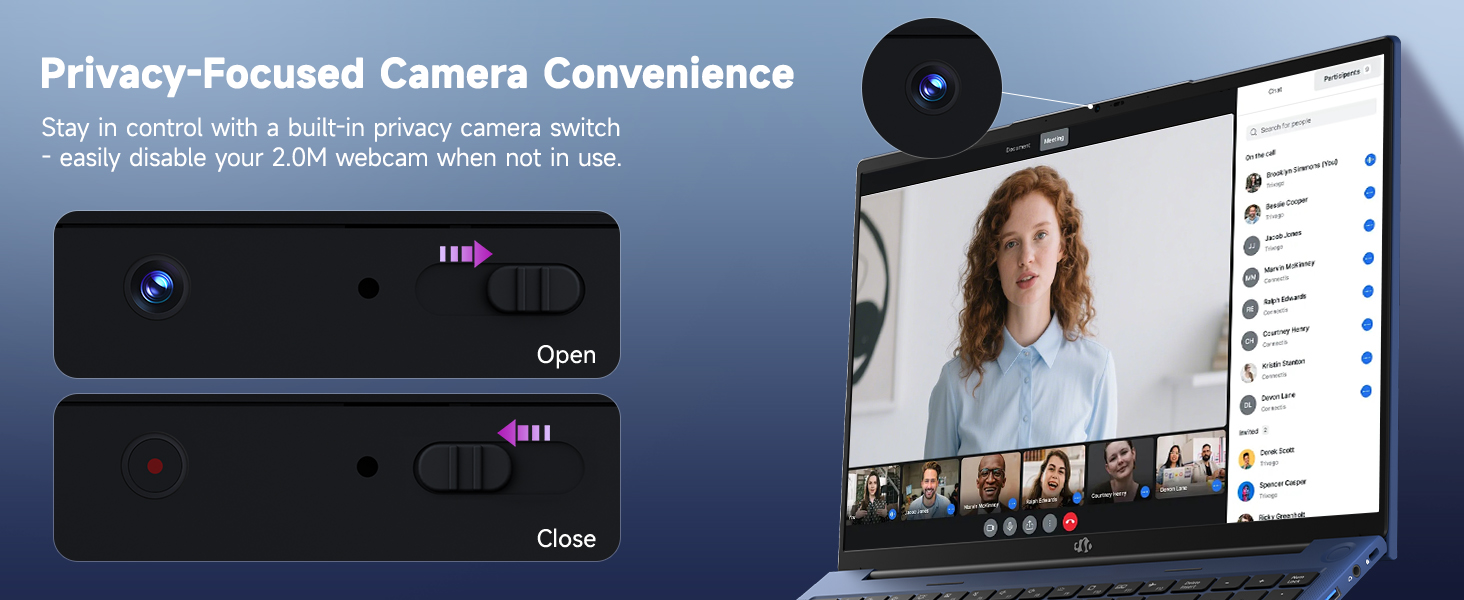
Imej 5.2: The webcam features a physical privacy switch, allowing users to disable the camera when not in use for enhanced security.
5.5. USB-C 4.0 Functionality
The USB-C 4.0 port offers versatile connectivity:
- Pemindahan Data: Supports high-speed data transfer with compatible devices.
- Paparan luaran: Connects to external monitors using a compatible USB-C to display adapter (not included).
- Penghantaran Kuasa (PD): Used for charging the laptop with the provided 100W PD charger.
- Sokongan eGPU: Compatible with external GPU (eGPU) docks for enhanced graphics performance (eGPU dock not included).
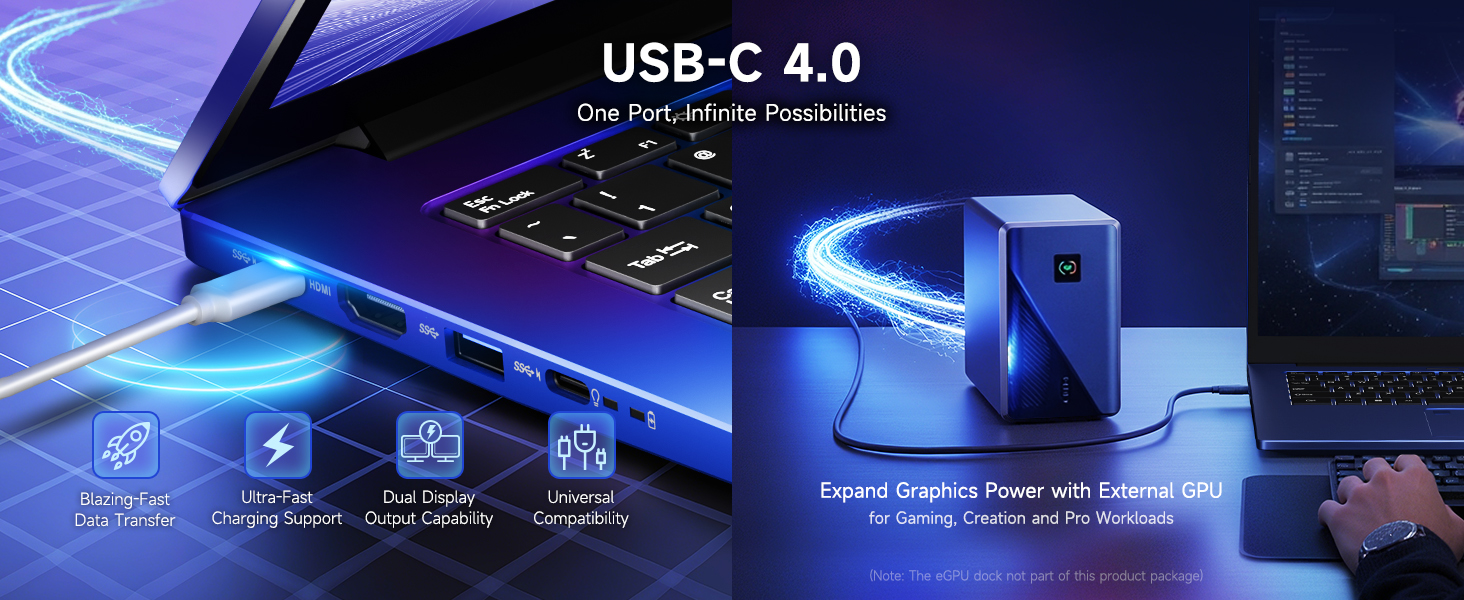
Image 5.3: The USB-C 4.0 port provides blazing-fast data transfer, external display output, charging support, and compatibility with external GPU docks.
6. Penyelenggaraan
6.1. Pembersihan
- Gunakan kain lembut dan tidak berbulu untuk membersihkan skrin dan permukaan luar.
- Untuk tanda degil, sedikit dampen kain dengan air atau larutan pembersih skrin.
- Elakkan bahan kimia, bahan pengkakis atau pelarut yang keras.
- Gunakan udara termampat untuk membersihkan habuk dari kekunci papan kekunci dan bolong.
6.2. Penjagaan Bateri
Untuk memanjangkan hayat bateri:
- Elakkan menyahcas sepenuhnya bateri dengan kerap.
- Simpan komputer riba di tempat yang sejuk dan kering apabila tidak digunakan untuk tempoh yang lama.
- Use the provided 100W PD charger for optimal charging.
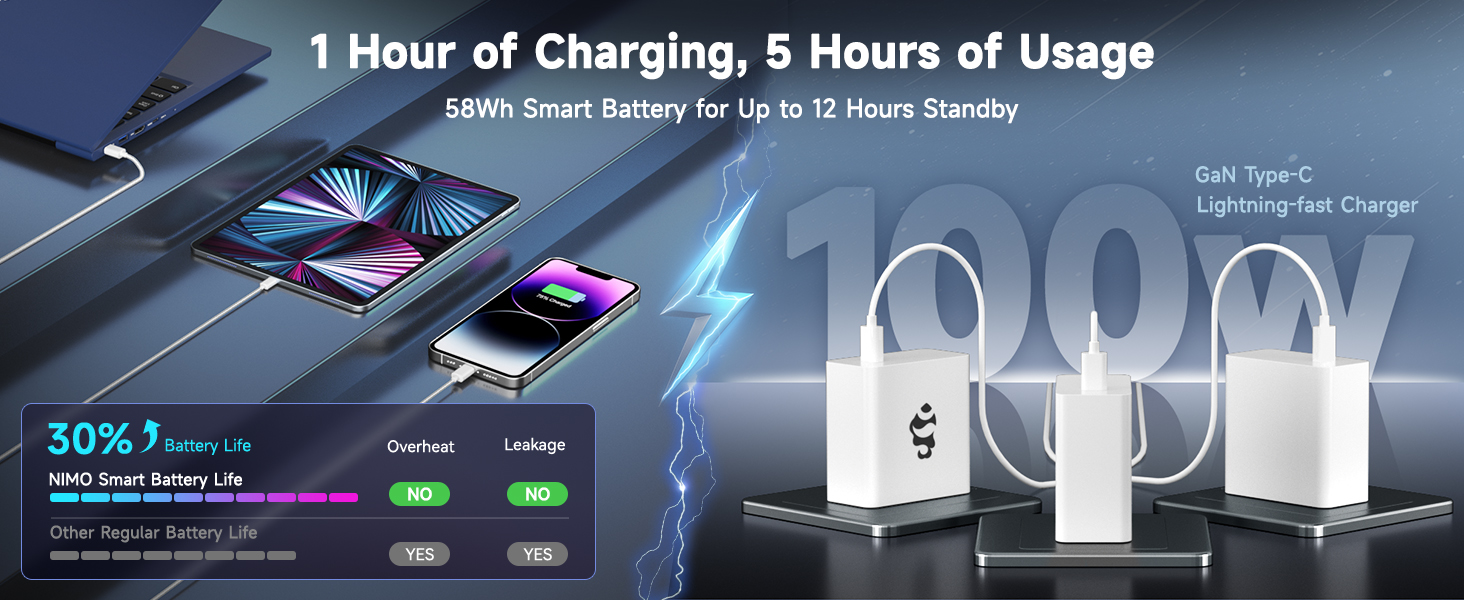
Image 6.1: The 100W GaN charger provides efficient power delivery, contributing to the laptop's smart battery optimization for extended usage.
6.3. Kemas Kini Perisian
Regularly check for and install Windows updates and driver updates to ensure optimal performance and security. Go to Windows Settings > Windows Update.
7. Penyelesaian masalah
Bahagian ini menangani isu biasa yang mungkin anda hadapi.
- Komputer riba tidak dihidupkan: Ensure the charger is properly connected and the power outlet is functional. Try holding the power button for 15-20 seconds to perform a hard reset.
- Skrin kosong atau berkelip-kelip: Restart the laptop. If connected to an external display, try disconnecting it. Check display settings in Windows.
- Isu sambungan Wi-Fi: Ensure Wi-Fi is enabled in Windows settings. Restart your router and the laptop. Update network drivers if necessary.
- Prestasi perlahan: Close unnecessary applications. Check for background processes in Task Manager. Ensure sufficient free space on the SSD. Run a system scan for malware.
- Pembaca cap jari tidak berfungsi: Ensure your finger is clean and dry. Re-register your fingerprint in Windows settings if the issue persists.
Untuk isu yang tidak diliputi di sini, sila rujuk bahagian Waranti dan Sokongan untuk maklumat hubungan.
8. Spesifikasi
| Ciri | Perincian |
|---|---|
| Nama Model | Nimo N175 |
| Paparan | 17.3-inch Full HD (1920x1080) IPS |
| Pemproses | AMD Ryzen 9 8945HS (5.2 GHz Max Boost, 8 Cores) |
| Grafik | AMD Radeon 780M |
| RAM | 16GB DDR5 (4800 MHz) |
| Penyimpanan | 1TB SSD |
| Sistem Operasi | Windows 11 Home |
| Kesambungan Wayarles | 802.11a/b/g/n/ac |
| Pelabuhan | 1x USB 2.0, 3x USB 3.0 (or 3.2), 1x USB-C 4.0, 1x HDMI, 1x SD Card Reader, 1x Headphone Combo, 1x Kensington Lock |
| Hayat Bateri | Approximately 6 hours (up to 12 hours standby) |
| Pengecas | 100W Type-C PD Fast Charger |
| Dimensi (LxWxH) | 14.07 x 8.98 x 0.76 inci |
| Berat badan | 3.8 paun |
| Ciri Khas | Backlit Keyboard, Fingerprint Reader, HD Audio, Numeric Keypad, Webcam Privacy Switch |
9. Maklumat Waranti dan Sokongan
NIMO is committed to providing reliable products and customer service.
9.1. Waranti
Your NIMO laptop comes with a Waranti 2 tahun from the date of purchase, covering manufacturing defects and hardware malfunctions under normal use conditions.
9.2. Polisi Pemulangan
A Polisi pemulangan percuma 90 hari is provided, allowing returns for any reason within 90 days of purchase.
9.3. Sokongan Pelanggan
For technical assistance, warranty claims, or any product-related inquiries, please contact our U.S.-based support team:
- e-mel: service@nimopc.com
- dalam talian: Visit the official NIMO webtapak untuk sumber sokongan dan pilihan hubungan.

Image 9.1: NIMO offers 2-year support, 90-day free returns, and dedicated customer service to ensure user satisfaction.


