1. Pengenalan
This manual provides essential information for the safe and efficient use of your Azeyou A733 Android 15 Tablet. Please read this manual thoroughly before operating the device to ensure proper functionality and to prevent damage. Keep this manual for future reference.

Image: The Azeyou A733 Android 15 Tablet, showcasing its 12-inch display and core specifications.
2. Maklumat Keselamatan
- Jangan dedahkan tablet kepada suhu yang melampau, cahaya matahari langsung atau kelembapan yang tinggi.
- Elakkan daripada menjatuhkan atau meletakkan tablet kepada kesan yang teruk.
- Gunakan hanya pengecas dan aksesori yang diluluskan oleh pengilang.
- Jangan cuba membuka atau membaiki tablet sendiri. Rujuk kakitangan servis yang sah.
- Keep the tablet away from children and pets to prevent accidental damage or injury.
3. Kandungan Pakej
Sahkan bahawa semua item terdapat dalam pakej produk anda:
- Azeyou A733 Android 15 Tablet
- Kabel Pengecasan USB Jenis-C
- Penyesuai Kuasa (Pengecas Pantas 20W)
- Manual Pengguna (dokumen ini)
- SIM Ejector Tool (if applicable for models with cellular support)
4. Peranti Lebihview
Biasakan diri anda dengan komponen fizikal tablet anda.

Imej: Sisi view of the Azeyou A733 tablet, illustrating the placement of buttons and ports.
- Butang Kuasa: Terletak di sisi, digunakan untuk menghidupkan/mematikan tablet atau membangunkan/menidurkan skrin.
- Butang Kelantangan: Laraskan kelantangan audio.
- Port USB Jenis-C: Untuk pengecasan dan pemindahan data.
- Gril Pembesar Suara: Located on the sides for audio output.
- Kamera Depan: Untuk panggilan video dan swafoto (5MP).
- Kamera Belakang: Untuk mengambil foto dan video (13MP).
- mikrofon: Untuk input suara.
- Slot Kad TF: Untuk storan yang boleh dikembangkan sehingga 1TB.
5. Persediaan
5.1 Pengecasan Awal
Before first use, fully charge your tablet. Connect the provided USB Type-C cable to the tablet's Type-C port and the power adapter, then plug the adapter into a wall outlet. The tablet supports 20W fast charging.
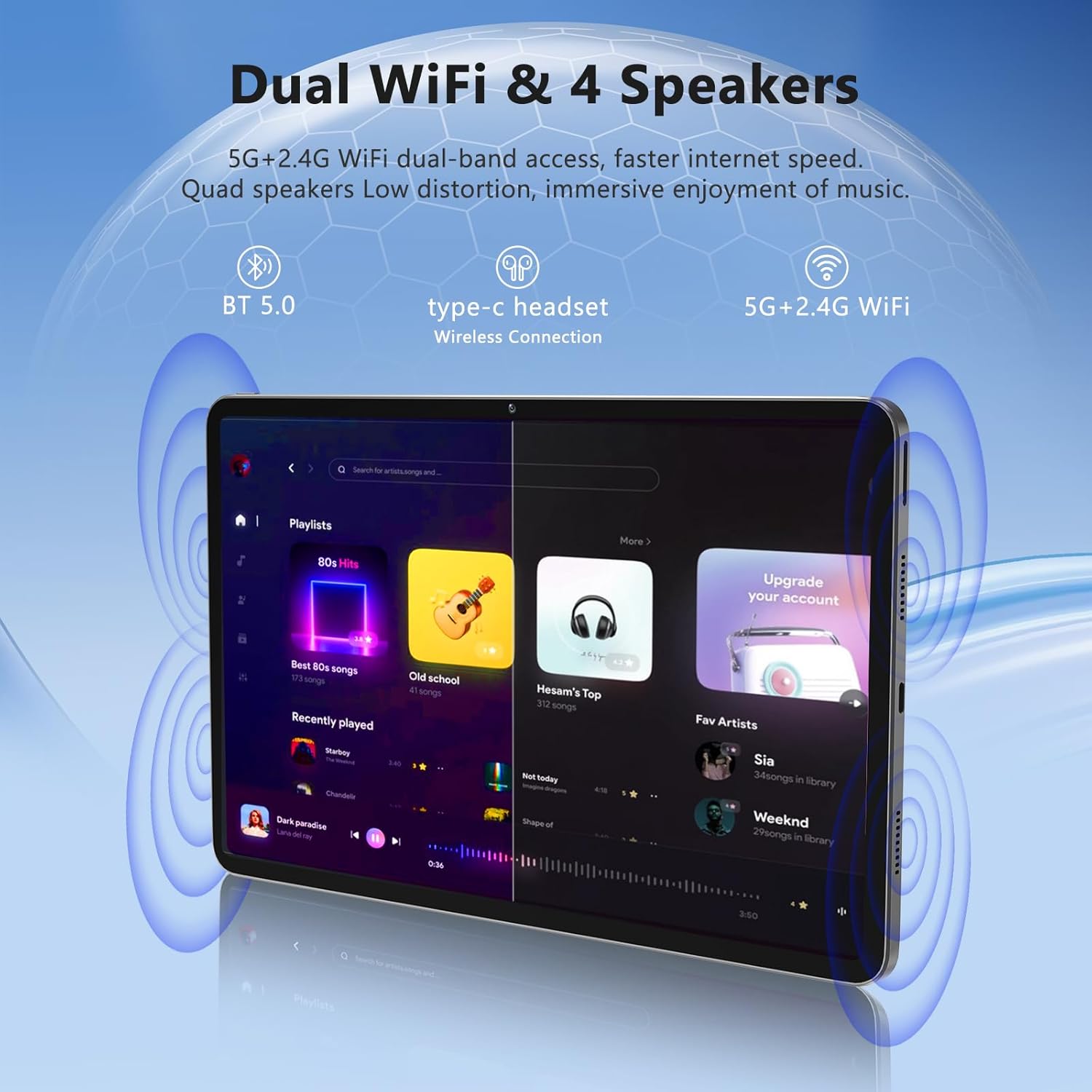
Image: The Azeyou A733 tablet connected to a charger, illustrating its fast charging feature.
5.2 Hidupkan/Mati Kuasa
- Untuk Menghidupkan: Press and hold the Power button until the Azeyou logo appears.
- Untuk Mematikan: Press and hold the Power button until the power options appear on screen, then select "Power off."
- Untuk Mulakan Semula: Press and hold the Power button until the power options appear, then select "Restart."
5.3 Wizard Persediaan Awal
Upon first power-on, the tablet will guide you through an initial setup process:
- Pilih bahasa pilihan anda.
- Sambung ke rangkaian Wi-Fi.
- Log masuk dengan akaun Google anda atau buat yang baharu.
- Review dan terima terma dan syarat.
- Sediakan kunci skrin (PIN, corak atau kata laluan).
5.4 Storan Boleh Diperluas
To expand storage, insert a TF (microSD) card into the designated slot. The tablet supports up to 1TB expansion.

Image: Visual representation of the tablet's memory configuration, including 20GB RAM, 128GB ROM, and 1TB expandable storage.
6. Mengendalikan Tablet
6.1 Navigasi Asas
The Azeyou A733 tablet uses touch gestures for navigation:
- Ketik: Pilih item atau buka apl.
- Leret: Tatal melalui skrin atau senarai.
- Cubit: Zum masuk atau keluar pada imej dan web muka surat.
- Tekan lama: Akses menu kontekstual atau alihkan ikon.
6.2 Sambungan Wi-Fi
Untuk menyambung ke rangkaian Wi-Fi:
- Pergi ke tetapan > Rangkaian & internet > Wi-Fi.
- Togol Wi-Fi On.
- Pilih rangkaian yang anda inginkan daripada senarai.
- Masukkan kata laluan jika digesa, kemudian ketik Sambung.
The tablet supports Wi-Fi 6 for faster and more stable connections.

Imej: Tablet itu menunjukkanasing its dual Wi-Fi capabilities and quad speakers for enhanced audio experience.
6.3 Sambungan Bluetooth
To pair with a Bluetooth device (e.g., headphones, keyboard, mouse):
- Pergi ke tetapan > Peranti yang disambungkan > Bluetooth.
- Togol Bluetooth On.
- Pastikan peranti Bluetooth anda berada dalam mod berpasangan.
- Select the device from the list and follow any on-screen prompts to complete pairing.
6.4 Pengurusan Apl
Your Azeyou A733 tablet is GMS certified, allowing full access to the Google Play Store for downloading and managing applications.
- Pasang Apl: Open the Play Store app, search for your desired app, and tap Pasang.
- Nyahpasang Apl: Long-press an app icon on the home screen or app drawer, then drag it to "Uninstall" or select "App info" and choose "Uninstall."
6.5 Penggunaan Kamera
The tablet features a 5MP front camera and a 13MP rear camera.
- Buka Kamera apl.
- Ketik ikon suis kamera untuk menogol antara kamera hadapan dan belakang.
- Ketik butang pengatup untuk mengambil foto atau memulakan/menghentikan rakaman video.
Imej: Terperinci view of the tablet's 13MP rear camera and 5MP front camera, illustrating their positions and use.
6.6 Fungsi Skrin Pisah
To use two apps simultaneously:
- Buka aplikasi pertama.
- Tap the recent apps button (usually a square icon).
- Long-press the icon of the first app at the top of its card.
- Select "Split screen."
- Pilih aplikasi kedua daripada senarai aplikasi terkini atau laci aplikasi.
6.7 AI Air Gesture
The tablet supports AI Air Gesture for hands-free control. Specific gestures and their functions can be configured in tetapan > Kawalan Pintar (or similar menu name).
6.8 Sitting Posture Detection
This feature helps users maintain a healthy sitting posture by providing alerts or guidance. Access and configure this feature in tetapan > Kesejahteraan Digital & kawalan ibu bapa or a dedicated health/posture app.

Image: Demonstrations of AI air gesture for tablet control and the sitting posture detection system.
6.9 Main Semula Media (Widevine L1)
The tablet is Widevine L1 certified, enabling high-definition (HD) content streaming on platforms such as Netflix, Amazon Prime Video, Hulu, and HBO.

Image: The tablet displaying logos of popular streaming services, signifying its Widevine L1 certification for HD playback.
7. Penyelenggaraan
7.1 Pembersihan
Use a soft, lint-free cloth to clean the tablet screen and body. Avoid using harsh chemicals or abrasive materials.
7.2 Penjagaan Bateri
The 8000mAh battery provides extended usage. To prolong battery life:
- Elakkan menyahcas sepenuhnya bateri dengan kerap.
- Jangan biarkan tablet dicas untuk tempoh yang terlalu lama selepas ia penuh.
- Keep the tablet within a moderate temperature range.

Image: An infographic detailing the 8000mAh battery and its estimated performance across various activities.
7.3 Kemas Kini Perisian
Semak dan pasang kemas kini perisian secara berkala untuk memastikan prestasi dan keselamatan yang optimum. Pergi ke tetapan > Sistem > Kemas kini sistem.
7.4 Pengurusan Storan
To manage your 128GB internal storage (expandable to 1TB):
- Pergi ke tetapan > Penyimpanan kepada view penggunaan dan mengosongkan ruang.
- Kosongkan data cache daripada aplikasi secara berkala.
- Bergerak besar files to an inserted TF card.
8. Penyelesaian masalah
8.1 Isu Lazim
- Tablet tidak boleh dihidupkan: Pastikan bateri telah dicas. Sambungkan ke pengecas selama sekurang-kurangnya 30 minit sebelum cuba menghidupkannya.
- Apl ranap atau beku: Close and reopen the app. If the issue persists, clear the app's cache (Settings > Apps > [App Name] > Storage & cache > Clear cache). Restart the tablet.
- Isu sambungan Wi-Fi: Restart your Wi-Fi router and the tablet. Forget the network in tablet settings and reconnect.
- Prestasi perlahan: Tutup aplikasi latar belakang yang tidak diperlukan. Kosongkan cache dan sementara files. Consider performing a factory reset if performance issues persist after other troubleshooting steps.
8.2 Tetapan Semula Kilang
A factory reset will erase all data from your tablet and restore it to its original factory settings. Back up important data before proceeding.
- Pergi ke tetapan > Sistem > Tetapkan semula pilihan.
- Pilih Padam semua data (set semula kilang).
- Sahkan keputusan anda dan ikut arahan pada skrin.
9. Spesifikasi

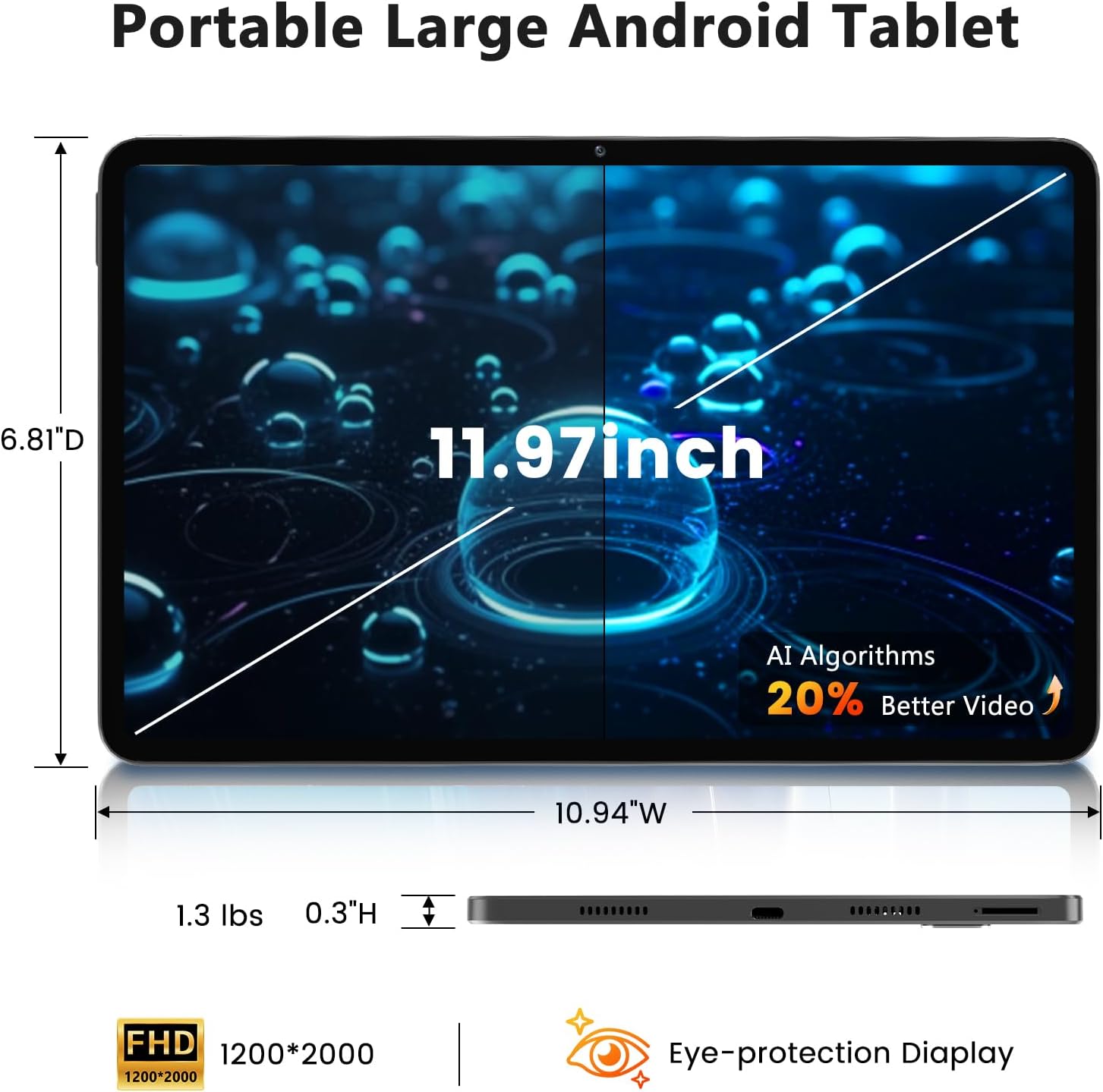
Image: A visual representation of the tablet's physical dimensions and weight.
| Ciri | Spesifikasi |
|---|---|
| Jenama | Azeyu |
| Model | A733 |
| Sistem Operasi | Android 15 |
| Pemproses | A733 Octa-Core |
| RAM | 20GB (6GB Fizikal + 14GB Maya) |
| Storan Dalaman (ROM) | 128GB |
| Storan Boleh Dikembangkan | Sehingga 1TB melalui kad TF (tidak termasuk) |
| Saiz Skrin | 11.97 Inci |
| Resolusi Skrin | 1200 x 2000 Pixels (2K Display) |
| Kamera Belakang | 13 MP |
| Kamera Depan | 5 MP |
| Kapasiti Bateri | 8000mAh |
| Mengecas | 20W Fast Charge, Type-C Port |
| Kesambungan Wayarles | WiFi 6 (802.11ax), Bluetooth 5.0 |
| Dimensi (LxWxH) | 11.97 x 6.81 x 0.3 inci |
| Berat Barang | 3.15 paun |
| Ciri Khas | GMS Certified, Widevine L1, Dual Speakers, AI Air Gesture, Sitting Posture Detection, Split-screen function |
10. Waranti dan Sokongan
Your Azeyou A733 Tablet comes with a standard manufacturer's warranty. Please refer to the warranty card included in your package for specific terms and conditions, including warranty duration and coverage details.
For technical support, troubleshooting assistance, or warranty claims, please contact Azeyou customer service through the retailer where the product was purchased or visit the official Azeyou support weblaman web (jika ada).
Please have your product model number (A733) and purchase information ready when contacting support.


