1. Pengenalan
The NYXI Warrior Wireless Switch Controller is a versatile gaming peripheral designed for enhanced gameplay across multiple platforms. It features advanced technologies such as Hall Effect Joysticks and Triggers for precision and longevity, micro mechanical switch buttons for rapid response, HD Rumble for immersive feedback, and a 6-axis gyroscope for motion sensing. This controller is compatible with Nintendo Switch, Nintendo GameCube (NGC), Wii, and PC.

Image: NYXI Warrior controllers in various colors, highlighting the product line.
2. Kandungan Pakej
- NYXI Warrior Wireless Switch Controller
- Penerima Wayarles USB
- Kabel Pengecas USB-C
- Manual Pengguna (dokumen ini)

Image: The NYXI Warrior controller and its wireless receiver.
3. Panduan Persediaan
3.1 Mengecas Pengawal
Before first use, fully charge the controller. Connect the supplied USB-C charging cable to the controller's USB-C port and the other end to a USB power source (e.g., console, PC, or USB wall adapter). The indicator lights on the controller will show charging status and turn off when fully charged. A full charge typically takes approximately 2-3 hours.
3.2 Menyambung ke Peranti
3.2.1 Sambungan Nintendo Switch
- Hidupkan konsol Nintendo Switch anda.
- Dari Menu HOME, pilih Pengawal, kemudian Tukar Pegangan/Pesanan.
- Tekan dan tahan butang Butang Berpasangan on the top of the NYXI Warrior controller for 3 seconds until the indicator lights begin to flash rapidly.
- Once connected, the corresponding player indicator light(s) on the controller will remain solid.
3.2.2 PC/NGC/Wii Connection (via USB Wireless Receiver)
- Insert the USB Wireless Receiver into an available USB port on your PC, NGC, or Wii console.
- Ensure the NYXI Warrior controller is powered on.
- The controller should automatically connect to the receiver. The indicator light on the receiver and controller will become solid once a connection is established.
- For PC, additional driver installation may be required depending on the operating system. Refer to your PC's documentation for USB device setup.

Image: The NYXI Warrior controller connected to a laptop via its USB receiver, demonstrating PC compatibility.

Image: The NYXI Warrior controller with a Nintendo Wii console, illustrating Wii compatibility.
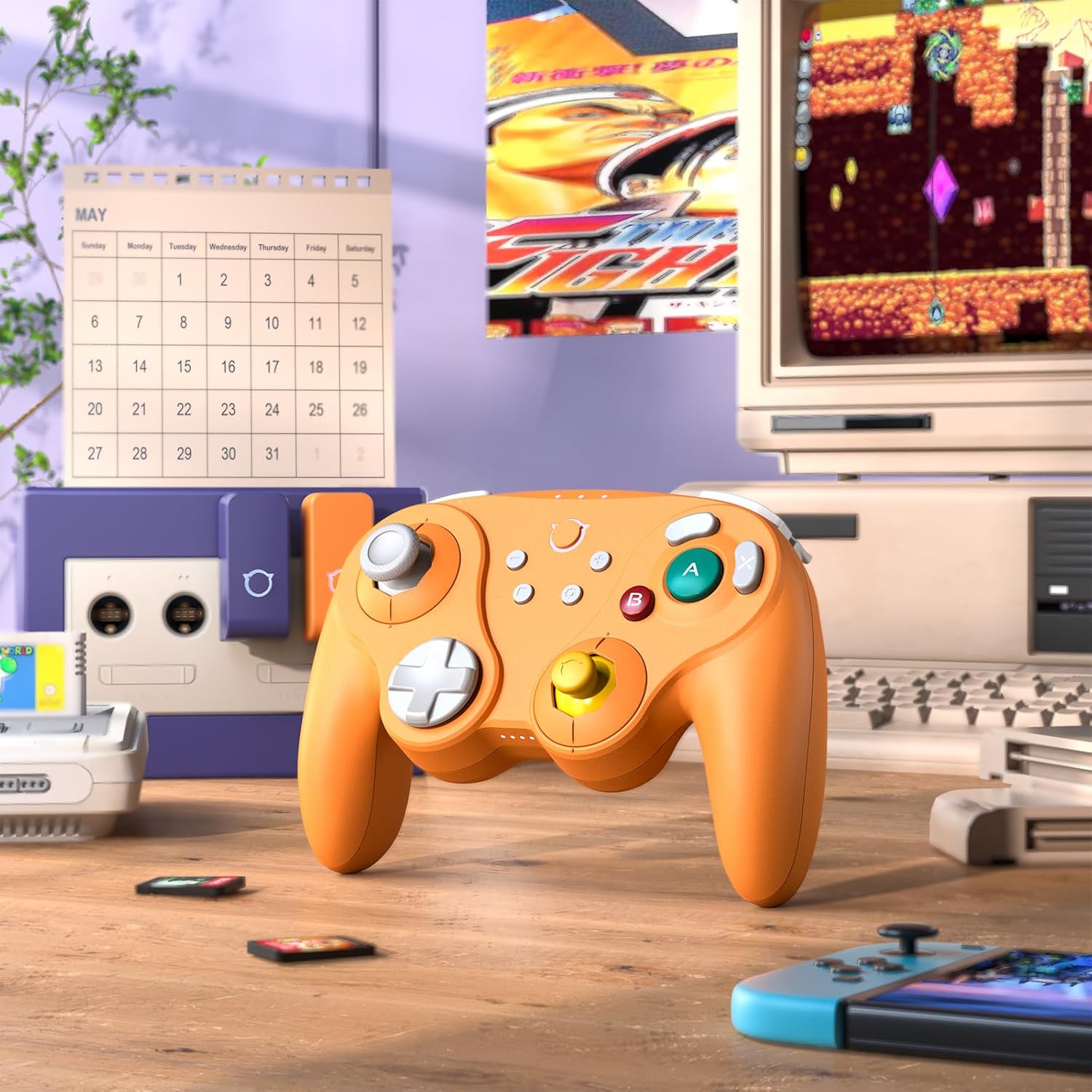
Image: The NYXI Warrior controller with a retro gaming setup, illustrating GameCube compatibility.
4. Arahan Operasi
4.1 Susun atur dan Fungsi Butang
The NYXI Warrior controller features a comprehensive button layout for various gaming needs:
- Tongkat Analog Kiri: Untuk pergerakan dan kawalan kamera.
- D-Pad: Input arah.
- Kayu Analog Kanan: For camera control or specific in-game actions.
- Butang A/B/X/Y: Action buttons with micro mechanical switches for precise and rapid input.
- Butang L/R: Butang bahu.
- ZL/ZR Triggers: Hall Effect analog triggers for precise input, adjustable for different gameplay styles.
- +/- Butang: Start/Select or Menu functions.
- Butang rumah: Kembali ke skrin utama konsol.
- Butang Tangkapan Skrin: Menangkap tangkapan skrin.
- Programmable Back Paddles (M1/M2): Located on the underside, these can be assigned to various button functions.

Imej: Depan view of the NYXI Warrior controller, illustrating its button layout.

Imej: Belakang view of the NYXI Warrior controller, highlighting the programmable back paddles.

Imej: Bahagian hadapan atas view of the NYXI Warrior controller, showing triggers and charging port.

Image: Two users playing with NYXI Warrior controllers, demonstrating in-game use.
4.2 Ciri Lanjutan
4.2.1 Kayu Ria dan Pencetus Kesan Hall
The controller utilizes Hall Effect technology for its joysticks and triggers. This magnetic sensing technology prevents stick drift and ensures precise, long-lasting input. The triggers are also adjustable, allowing users to fine-tune their activation distance based on personal preference or game requirements.

Image: Illustration of the Hall Effect Joystick technology.

Image: Adjustable Hall Sensing Triggers feature.
4.2.2 Micro Mechanical Switch Buttons
The A/B/X/Y buttons and D-pad utilize micro mechanical switches, offering a short travel distance of approximately 0.3mm and a response speed of 0.2ms. This design provides tactile feedback and minimal latency, crucial for competitive gaming.

Image: Microswitches for A/B/X/Y buttons and D-pad.
4.2.3 6-Axis Gyroscope
The integrated 6-axis gyroscope supports motion sensing, particularly useful for games on the Nintendo Switch that utilize tilt or motion controls.

Image: 6-Axis Gyroscope feature illustration.
4.2.4 HD Rumble
The controller features HD Rumble, providing enhanced vibration feedback that can convey a wider range of sensations, from subtle tremors to powerful impacts, enriching the gaming experience.

Image: HD Rumble feature illustration.
4.2.5 Programmable Back Paddles and Turbo Function
The interchangeable back paddles (M1 and M2) can be programmed to replicate other button inputs, offering additional customization and ergonomic advantages. The controller also supports a turbo function for rapid, repeated button presses. Refer to the specific programming instructions provided with the controller for detailed steps on assigning functions to the back paddles and activating turbo mode.

Image: Interchangeable Back Paddle Design.
5. Penyelenggaraan
- Pembersihan: Gunakan kain lembut dan kering untuk membersihkan permukaan pengawal. Untuk kotoran degil, gosok sedikitampen kain dengan air. Elakkan menggunakan bahan kimia yang keras atau bahan yang melelas.
- Storan: Simpan pengawal di tempat yang sejuk dan kering jauh dari cahaya matahari langsung dan suhu yang melampau.
- Penjagaan Bateri: To prolong battery life, avoid fully discharging the controller frequently. If storing for an extended period, charge the battery to approximately 50% every few months.
- Pengendalian: Elakkan daripada menjatuhkan pengawal atau dikenakan hentaman kuat, kerana ini boleh merosakkan komponen dalaman.
6. Penyelesaian masalah
6.1 Pengawal Tidak Menyambung
- Pastikan pengawal dicas secukupnya.
- Verify the USB Wireless Receiver is securely plugged into the console/PC.
- For Switch, ensure you are in the "Change Grip/Order" menu.
- Try re-pairing the controller by pressing the pairing button.
- Restart your console/PC and the controller.
6.2 Input Lag atau Butang Tidak Responsif
- Ensure there are no strong wireless interference sources nearby (e.g., Wi-Fi routers, other wireless devices).
- Move closer to the console/PC.
- Check if the controller's battery is low.
- Perform a controller reset (refer to manufacturer's specific reset procedure if available, typically a small pinhole button).
6.3 Joystick Calibration
While Hall Effect joysticks are designed to prevent drift, if you experience any unusual behavior, you may need to recalibrate them through your console's system settings (e.g., Nintendo Switch System Settings > Controllers and Sensors > Calibrate Control Sticks).
7. Spesifikasi
| Nombor Model | Pahlawan |
| ASIN | B0FB9577L9 |
| Dimensi Pakej | 7.64 x 7.52 x 3.58 inci |
| Berat Barang | 1.54 paun |
| Bateri | 1 bateri Lithium Ion (termasuk) |
| Tarikh Mula-mula Tersedia | 24 Mac 2025 |
8. Waranti dan Sokongan
For information regarding warranty coverage, technical support, or replacement parts, please refer to the official NYXI website or contact the retailer from whom the product was purchased. Keep your proof of purchase for warranty claims.
Official NYXI Store: NYXI Store on Amazon


