pengenalan
The Browning Strike Force FHDR 40MP Trail Camera is a high-performance device designed for wildlife monitoring, game tracking, and property surveillance. This manual provides essential information for setting up, operating, and maintaining your camera to ensure optimal performance.

Image: The Browning Strike Force FHDR 40MP Trail Camera shown with its complete bundle, including the 32GB SDHC Memory Card, Hi-Speed USB SD Card Reader, and AA batteries.
Kandungan Bundle
- 1 × Browning Strike Force FHDR 40MP Trail Camera
- 1 × 32GB SDHC Memory Card
- 1 × Hi-Speed SD USB Card Reader
- 2 × Packs of 4 AA Batteries (Total of 8 Batteries)
- 1 × Black Microfiber Camera and Lens Cleaning Cloth
Panduan Persediaan
Follow these steps to prepare your Browning Strike Force FHDR camera for use.
1. Pemasangan Bateri
The camera requires six (6) AA batteries for operation. Ensure batteries are inserted with correct polarity.
- Buka pintu petak bateri yang terletak di sisi atau bawah kamera.
- Insert six new AA batteries, matching the positive (+) and negative (-) terminals as indicated inside the compartment.
- Tutup pintu petak bateri dengan ketat untuk memastikan kedap air.
2. Pemasangan Kad SD
A 32GB SDHC Memory Card is included for storing images and videos.
- Cari slot kad SD, biasanya berhampiran petak bateri atau di bawah penutup pelindung.
- Insert the 32GB SDHC card into the slot with the label facing the correct direction until it clicks into place.
- Untuk mengalih keluar, tolak kad masuk perlahan-lahan sehingga ia keluar.
3. Memasang Kamera
The camera is designed for tree mounting and outdoor use.

Image: The Browning FHDR40 Trail Camera securely mounted on a tree, demonstrating its intended outdoor deployment for capturing wildlife.
- Choose a suitable location, such as a tree or post, that provides a clear view kawasan yang anda ingin pantau.
- Use the included mounting strap or a compatible mounting accessory to secure the camera firmly.
- Adjust the camera's angle to ensure optimal coverage and avoid direct sunlight or strong backlighting.
4. Hidupkan Awal dan Tetapan Asas
After installing batteries and SD card, power on the camera and configure basic settings.
- Switch the camera to the "ON" position.
- The camera's internal display will activate. Navigate through the menu using the control buttons.
- Tetapkan tarikh dan masa semasa.
- Format the SD card (this will erase all data on the card, so ensure it's empty or backed up).
- Select your desired capture mode (e.g., Photo, Video, Photo + Video, Time-Lapse).
Mengendalikan Kamera
Understand the key features and operational modes of your trail camera.
Capture Modes and Settings
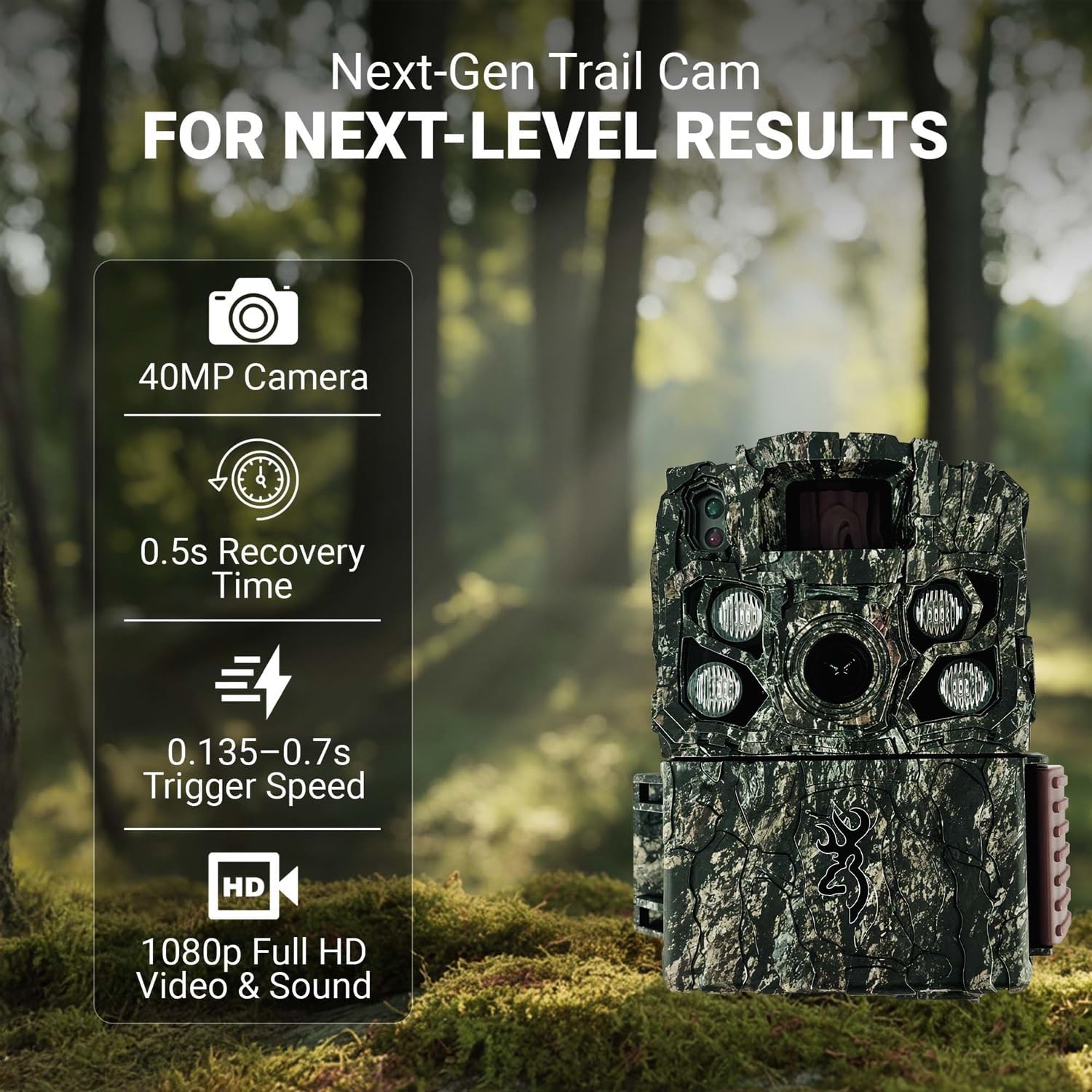
Image: The Browning Trail Camera highlighting its core performance metrics: 40MP camera, 0.5s recovery time, 0.135-0.7s adjustable trigger speed, and 1080p Full HD video with sound.
- Kualiti gambar: Capture stunning 40-megapixel still images, providing exceptional detail and clarity.
- Rakaman Video: Record high-definition 1080p Full HD videos with audio. The Smart IR Video feature ensures continuous recording as long as motion is detected.
- Kelajuan Pencetus: The adjustable trigger speed ranges from 0.135 to 0.7 seconds, allowing for quick capture of fast-moving subjects.
- Masa Pemulihan: A rapid 0.5-second recovery time minimizes the delay between captures, ensuring you don't miss subsequent events.
- Julat Pengesanan: The camera features an 80-foot detection range, effectively covering a wide area.
Night Vision and Illumination
The Strike Force FHDR is equipped with advanced night vision capabilities for clear imaging in low-light conditions.

Image: A clear night vision photograph of two deer, demonstrating the camera's ability to capture detailed images in complete darkness.
- Gen 2 Night Optics: Enhanced optics for superior performance in dark environments.
- Radiant 4 Night IR Illumination: Provides powerful infrared light for bright, clear night images without disturbing wildlife.
- Adjustable IR Flash: Choose between Long Range, Fast Motion, and Economy modes to optimize flash performance based on your needs and conserve battery life.
Pengambilan Data
To access your captured images and videos, use the included Hi-Speed USB SD Card Reader.
- Turn off the camera and remove the SD card.
- Insert the SD card into the Hi-Speed USB SD Card Reader.
- Connect the USB card reader to your computer's USB port.
- The SD card will appear as a removable drive. You can then copy or move your files ke komputer anda.
Penyelenggaraan
Penyelenggaraan yang betul memastikan ketahanan dan prestasi optimum kamera jejak anda.
Membersihkan Kamera
Use the provided Black Microfiber Camera and Lens Cleaning Cloth for cleaning.
- Gently wipe the camera lens and IR sensors with the microfiber cloth to remove dust, dirt, or smudges.
- For the camera body, use a soft, damp cloth to wipe away any grime. Avoid harsh chemicals or abrasive materials.
- Ensure all seals and covers are free of debris to maintain weather resistance.
Penggantian Bateri
Gantikan bateri apabila penunjuk bateri rendah muncul atau apabila prestasi merosot.
- Always replace all six AA batteries at once with new, high-quality alkaline or lithium batteries.
- Jangan campurkan bateri lama dan baharu, atau jenis bateri yang berlainan.
- Buang bateri terpakai secara bertanggungjawab mengikut peraturan tempatan.
Penyimpanan
When not in use for extended periods, store the camera properly.
- Remove all batteries from the camera to prevent leakage.
- Simpan kamera di tempat yang sejuk dan kering, jauh daripada cahaya matahari langsung dan suhu yang melampau.
- Keep the lens and sensors covered or protected to prevent dust accumulation.
Menyelesaikan masalah
Rujuk bahagian ini untuk isu biasa dan penyelesaiannya.
| Masalah | Kemungkinan Punca | Penyelesaian |
|---|---|---|
| Kamera tidak dihidupkan | Dead or incorrectly inserted batteries; faulty SD card. | Check battery polarity and replace with fresh batteries. Ensure SD card is inserted correctly. |
| Kualiti imej/video yang lemah | Dirty lens; incorrect settings; low light without IR. | Clean the lens with the microfiber cloth. Adjust image/video resolution settings. Ensure IR flash is enabled for night use. |
| Kamera tidak mengesan gerakan | Obstruction in detection zone; incorrect sensitivity setting; camera too high. | Clear obstructions. Adjust PIR sensitivity. Mount camera at optimal height (approx. 3-5 feet). |
| Kesalahan kad SD | Corrupted card; incompatible card; full card. | Format the SD card in the camera. Try a different compatible SD card. Ensure card is not full. |
Spesifikasi
Detailed technical specifications for the Browning Strike Force FHDR 40MP Trail Camera.
| Nama Model | Browning Trail Cameras Strike Force FHDR40 |
| Nombor Model | BTC-5FHDR40 |
| Resolusi Imej | 40 Megapiksel |
| Resolusi Video | 1080p Full HD with Sound (MP4 format) |
| Kecepatan Pencetus | Boleh laras dari 0.135 hingga 0.7 saat |
| Masa Pemulihan | 0.5 saat |
| Julat Pengesanan | 80 kaki |
| Penerangan Malam | Gen 2 Night Optics, Radiant 4 Night IR Illumination, 110 ft. night flash range |
| Sumber Kuasa | 6 AA Batteries (external power support available) |
| Penyimpanan | SD Card (up to 32GB SDHC included) |
| Dimensi (L x W x H) | 4.25 x 3 x 2.5 inci |
| Berat Barang | 1.6 paun |
| Jenis Pemasangan | Gunung Pokok |
| Penggunaan Dalaman/Luar | Luar |
Waranti dan Sokongan
For detailed warranty information and customer support, please refer to the documentation included with your product or visit the official Browning webtapak.
Pengeluar: Keperangan
Webtapak: www.browning.com (Sila semak pegawai website for the most current support information and contact details.)