1. Pengenalan
Welcome to the user manual for your new ZWNAV 14.4 Inch Vertical Screen Android 13.0 Car Radio. This manual provides essential information for the proper installation, operation, and maintenance of your multimedia head unit. Please read this manual thoroughly before using the product to ensure optimal performance and safety.
This car radio is specifically designed for Ford Expedition models from 2018 to 2022, offering a seamless integration with your vehicle's interior and electrical system.
2. Produk Lebihview
The ZWNAV 14.4 Inch Vertical Screen Android 13.0 Car Radio is a state-of-the-art multimedia system designed to enhance your driving experience. It features a large, responsive touchscreen display, an advanced Android 13.0 operating system, and a wide array of connectivity options.
2.1 Kandungan Pakej
Setelah membuka bungkusan, sila sahkan bahawa semua komponen yang disenaraikan di bawah ada dan tidak rosak:
- ZWNAV 14.4 Inch Vertical Screen Android 13.0 Head Unit
- All necessary connecting cables (power harness, USB cables, RCA cables, etc.)
- Antena GPS
- Mikrofon Luaran
- Mounting Brackets and Screws (if applicable)

Gambar 2.1: Lebihview of all included components and cables.
2.2 Ciri-ciri Produk
- 14.4-inch HD Vertical Touchscreen Display
- Sistem Operasi Android 13.0
- Built-in GPS Navigation with Offline Map Support
- Wi-Fi Connectivity for Online Services and App Downloads
- Bluetooth for Hands-Free Calling and Audio Streaming
- Mirror Link Functionality (Android & iOS)
- Support for Rearview Camera and DVR Input
- FM Radio with 18 Preset Stations
- Customizable EQ Settings and Subwoofer Audio Output
- 128 GB Memory Storage Capacity
3. Persediaan & Pemasangan
Proper installation is crucial for the optimal performance and longevity of your ZWNAV car radio. Due to the complexity of vehicle electrical systems and dashboard disassembly, professional installation is highly recommended.
3.1 Senarai Semak Pra-Pemasangan
- Ensure the vehicle's ignition is off and the battery is disconnected before starting any installation work.
- Verify compatibility with your Ford Expedition (2018-2022 models).
- Familiarize yourself with your vehicle's dashboard removal procedures.
- Identify all necessary wiring harnesses and connections.
3.2 Sambungan Pendawaian
Connect the provided wiring harnesses to the corresponding ports on the head unit and your vehicle's wiring system. Ensure all connections are secure to prevent intermittent issues.
- Abah Kuasa: Connect to the vehicle's power, ground, and accessory wires.
- Kabel USB: Connect the two USB ports for external devices or a USB dash cam.
- Antena GPS: Pasang antena GPS di lokasi yang jelas view of the sky (e.g., dashboard, under windshield) and connect it to the unit.
- Antena Radio: Sambungkan antena FM/AM kenderaan anda.
- belakangview Input Kamera: Connect the video input from your rearview kamera (jika berkenaan).
- Output RCA: Untuk luaran amppengangkat atau subwufer.
- Mikrofon Luaran: Sambung untuk kualiti panggilan yang dipertingkatkan.
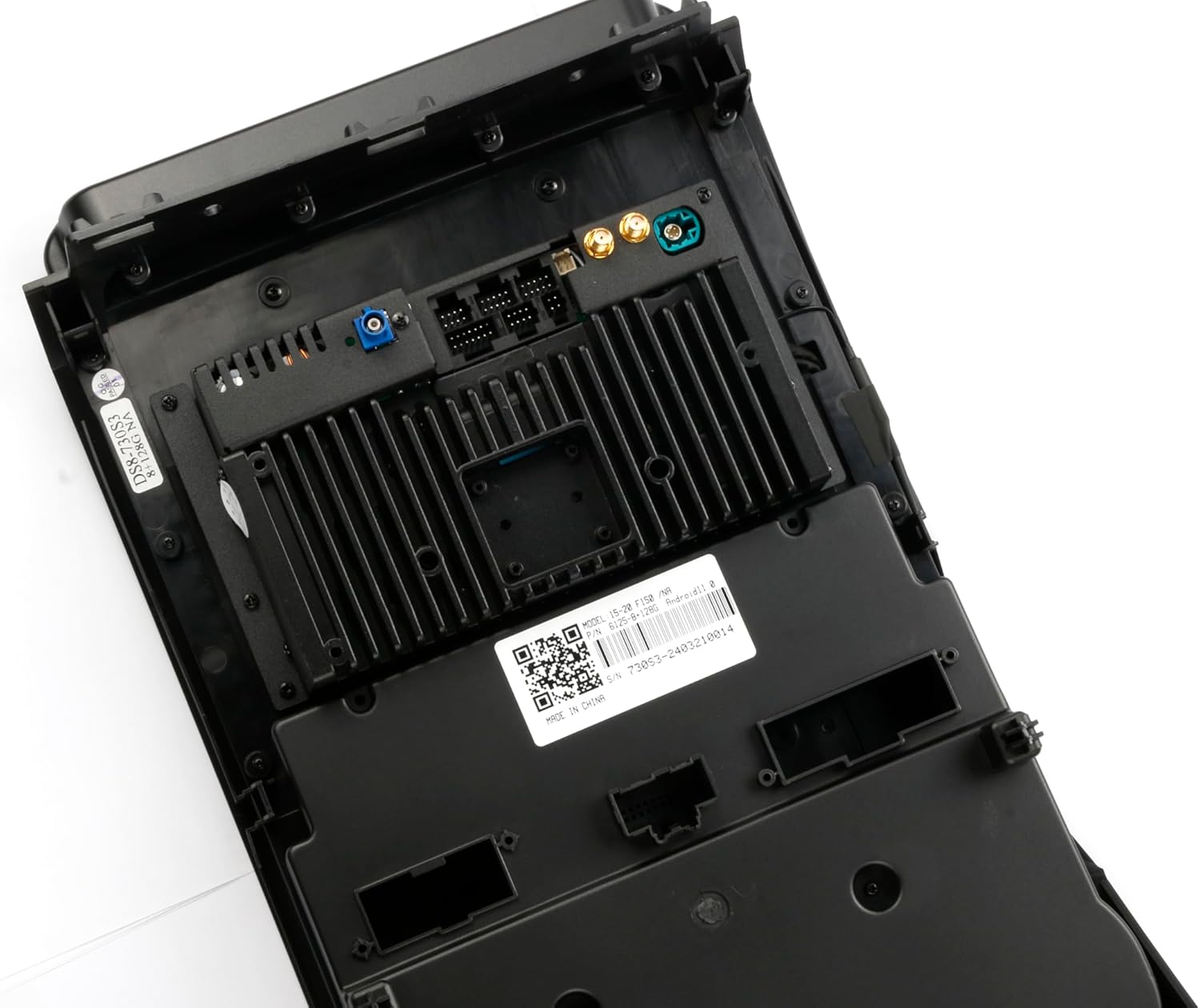
Rajah 3.1: Belakang view unit kepala dengan port sambungan.

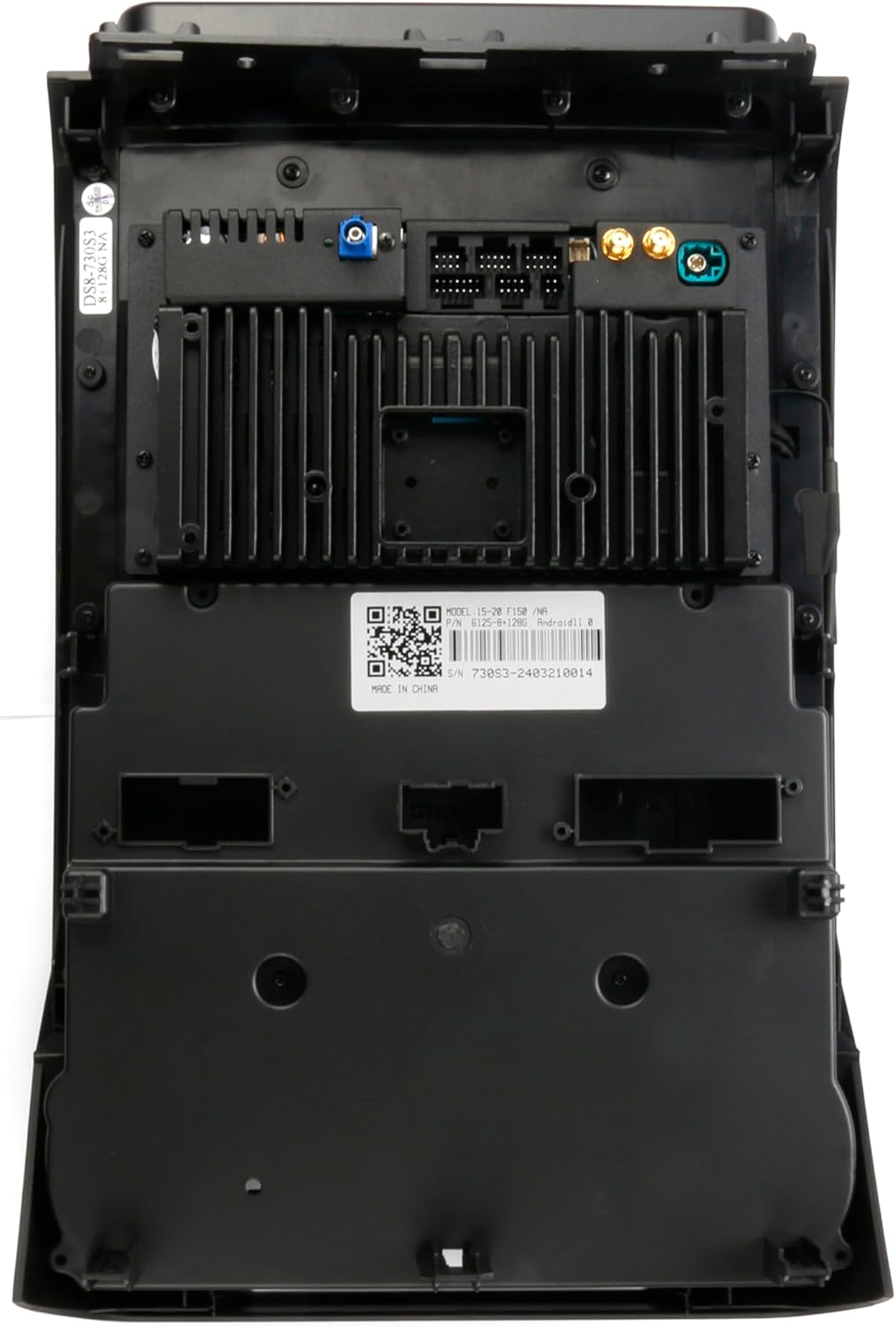
Rajah 3.2: Terperinci view of the rear connections, including the model and part number label (MODEL:15-20 F150 P/N: 61258128).
3.3 Memasang Unit
Once all connections are made, carefully mount the head unit into the dashboard opening. Secure it using the provided screws and brackets. Reassemble the dashboard components, ensuring no wires are pinched.
After installation, reconnect the vehicle battery and test the unit's functionality.
4. Arahan Operasi
4.1 Hidupkan/Mati Kuasa
- Hidupkan kuasa: The unit will automatically power on when the vehicle's ignition is turned to the ACC or ON position.
- Matikan: The unit will power off automatically when the vehicle's ignition is turned off.
- Mod bersedia: A short press of the power button (if available) may put the unit into standby mode.
4.2 Operasi skrin sentuh
The 14.4-inch vertical screen is a capacitive touchscreen. Use your finger to tap, swipe, and pinch-to-zoom, similar to a smartphone or tablet.
4.3 Persediaan Awal
Upon first power-on, you may be prompted to configure basic settings:
- Bahasa: Pilih bahasa pilihan anda.
- Tarikh & Masa: Set the correct date and time, or enable automatic synchronization via GPS/network.
- Sambungan Wi-Fi: Connect to an available Wi-Fi network or mobile hotspot to enable online features and app downloads.
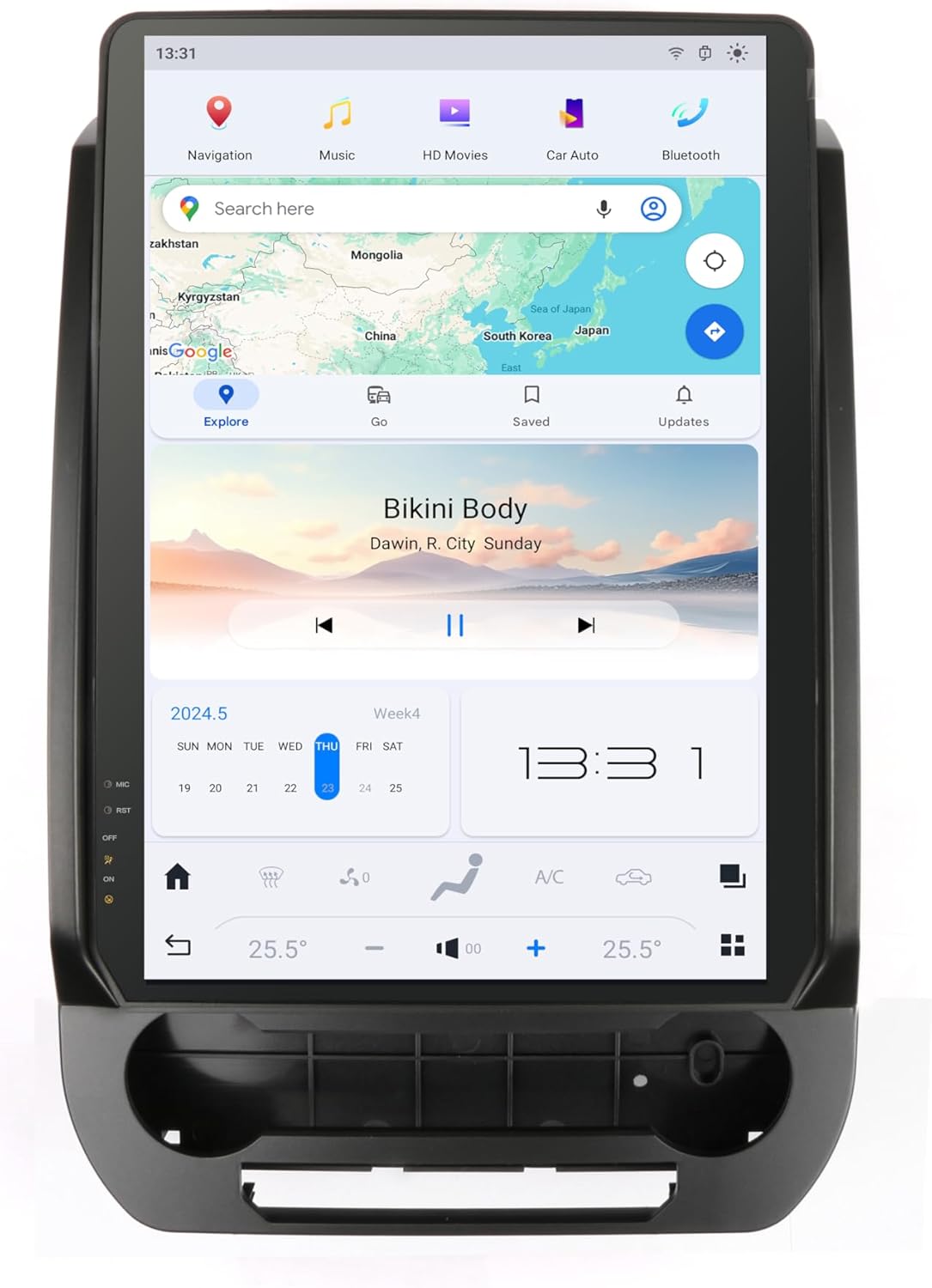
Figure 4.1: Main interface of the ZWNAV car radio.
5. Ciri-ciri Utama
5.1 GPS Navigation & Wi-Fi
The unit comes with a built-in GPS module and pre-installed offline map applications. Connect to Wi-Fi or a mobile hotspot to download updated map data or use online navigation services like Google Maps.
- Peta Luar Talian: Access pre-loaded maps without an internet connection.
- Navigasi Dalam Talian: Sambung ke Wi-Fi untuk kemas kini trafik masa nyata dan perkhidmatan peta dalam talian.
- Muat Turun Apl: Access the Google Play Store to download various applications such as YouTube, TikTok, Spotify, and more, enriching your in-car entertainment.
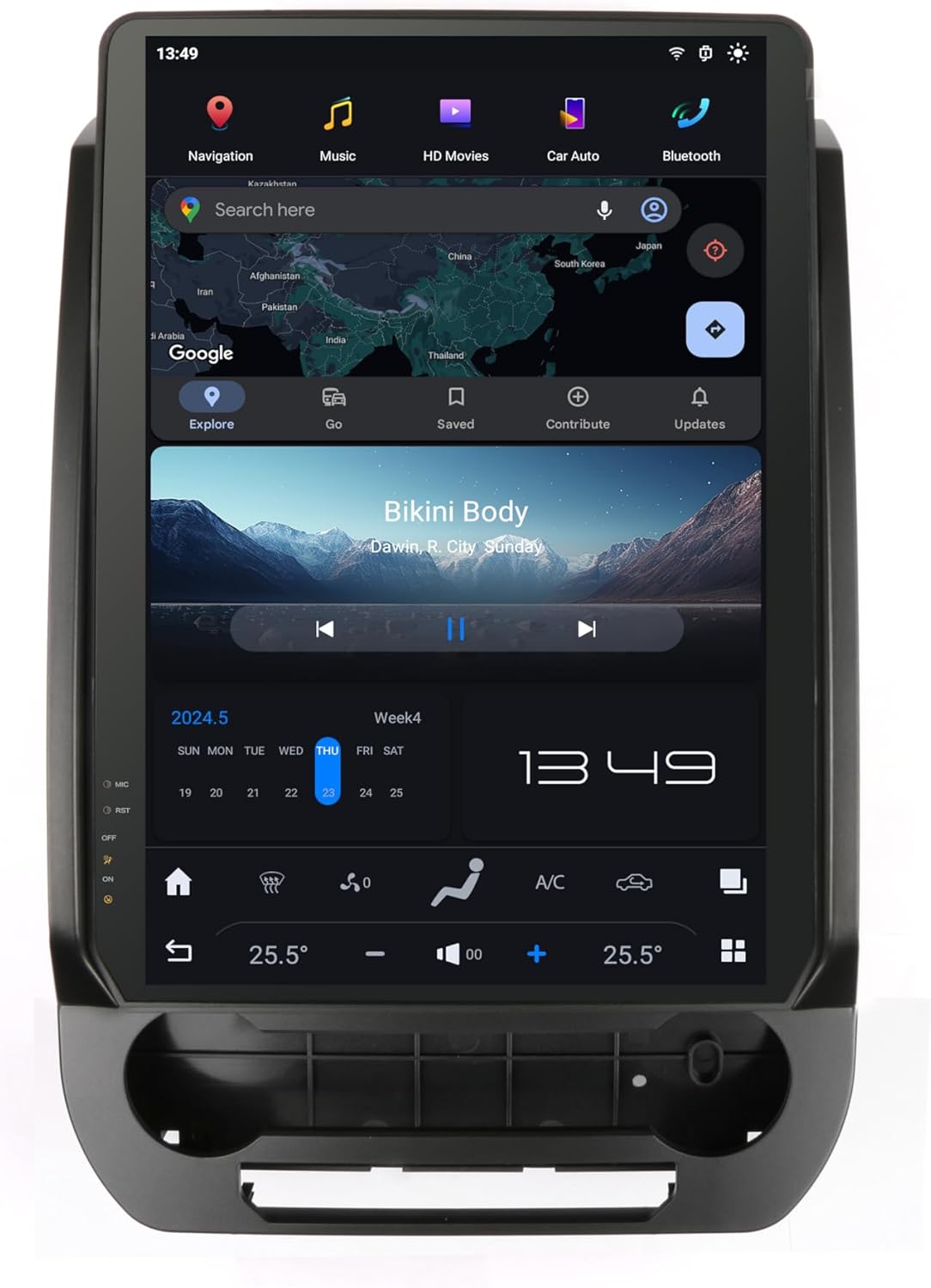
Figure 5.1: Navigation interface.
5.2 Bluetooth & Mirror Link
Connect your smartphone via Bluetooth for hands-free communication and audio streaming.
- Pairing Bluetooth: Go to the Bluetooth settings on the unit, enable Bluetooth on your phone, search for the unit's name, and pair.
- Panggilan Bebas Tangan: Make and receive calls directly from the unit's screen. Synchronize your phonebook for easy access to contacts.
- Penstriman Audio: Mainkan muzik dari telefon anda melalui pembesar suara kereta.
- Pautan Cermin: Project your smartphone's screen (Android or iOS) onto the car radio display, allowing you to control phone apps from the larger screen.
5.3 Belakangview Camera & DVR Function
Enhance parking safety and recording capabilities with compatible external devices.
- belakangview kamera: Apabila bahagian belakang yang serasiview kamera disambungkan, paparan akan bertukar kepada kamera secara automatik view apabila kenderaan diletakkan ke belakang.
- Fungsi DVR: The unit supports Dash CAM input via USB. Connect a USB dash cam to record your driving footage.
5.4 FM Radio & Sound Settings
Enjoy your favorite radio stations and customize your audio experience.
- Radio FM: Tune into FM radio stations. The unit supports 18 preset stations for quick access.
- Tetapan Bunyi: Access the equalizer (EQ) settings to adjust audio frequencies to your preference. The unit also supports subwoofer audio output for enhanced bass.
Rajah 5.2: Antara muka main balik multimedia.
6. Penyelenggaraan
To ensure the longevity and optimal performance of your ZWNAV car radio, follow these maintenance guidelines:
- Pembersihan Skrin: Use a soft, lint-free cloth specifically designed for electronic screens. Do not use abrasive cleaners or solvents. Gently wipe the screen to remove dust and fingerprints.
- Pembersihan Am: Lap bahagian luar unit dengan kain lembutamp cloth. Avoid getting liquids inside the unit.
- Kemas Kini Perisian: Periksa kemas kini perisian secara berkala melalui tetapan unit atau tetapan pengilang weblaman web. Mengemas kini perisian boleh meningkatkan prestasi dan menambah ciri baharu.
- Elakkan Suhu Melampau: Jangan dedahkan unit kepada haba atau sejuk yang melampau, kerana ini boleh menjejaskan komponen elektroniknya.
7. Penyelesaian masalah
If you encounter issues with your ZWNAV car radio, refer to the following common problems and solutions:
| Masalah | Kemungkinan Punca | Penyelesaian |
|---|---|---|
| Tiada Kuasa | Sambungan kuasa longgar, fius pecah, masalah bateri kenderaan. | Check all power wiring connections. Inspect vehicle fuses. Ensure vehicle battery is charged. |
| Tiada Bunyi | Kelantangan terlalu rendah, redam diaktifkan, isu pendawaian pembesar suara, tetapan output audio yang salah. | Increase volume. Check if mute is on. Verify speaker connections. Check audio settings (e.g., fader/balance). |
| GPS Tidak Berfungsi / Tidak Tepat | GPS antenna not properly connected or obstructed, outdated map data, poor satellite signal. | Pastikan antena GPS disambungkan dengan selamat dan mempunyai jernih view of the sky. Update map data. Move vehicle to an open area. |
| Isu Sambungan Bluetooth | Device not in pairing mode, incorrect pairing code, interference, unit's Bluetooth off. | Ensure both devices are in pairing mode. Re-pair the device. Restart both devices. Check for other Bluetooth devices causing interference. |
| Skrin sentuh Tidak Responsif | Software glitch, screen damage, extreme temperature. | Restart the unit (turn vehicle ignition off and on). If persistent, contact support. |
If the problem persists after trying these solutions, please contact ZWNAV customer support for further assistance.
8. Spesifikasi
| Ciri | Perincian |
|---|---|
| Saiz Paparan | 14.39 Inci |
| Jenis Skrin | Skrin sentuh |
| Sistem Operasi | Android 13.0 |
| Kapasiti Penyimpanan Memori | 128 GB |
| Teknologi Ketersambungan | Bluetooth, WiFi |
| Jenis Peta | Satellite (supports offline maps) |
| Komponen yang Disertakan | Unit, Cables |
| Pengeluar | ZWNAV |
| ASIN | B0FB44ZKMD |
| Nombor Bahagian (P/N) | 61258128 (MODEL:15-20 F150) |
9. Waranti & Sokongan
ZWNAV stands behind the quality of its products. Your ZWNAV 14.4 Inch Vertical Screen Android 13.0 Car Radio comes with comprehensive support and warranty coverage.
- Waranti: This product includes a 2-year warranty from the date of purchase.
- Perkhidmatan Selepas Jualan: ZWNAV provides lifetime after-sales service, directly cooperating with car factories to ensure compatibility and support.
Hubungi Sokongan
For any questions, technical assistance, or warranty claims, please contact ZWNAV customer support:
- e-mel: zwnavgps@hotmail.com
- Kedai Amazon: Lawati ZWNAV Official Store on Amazon and click "Ask a question" for direct assistance.


