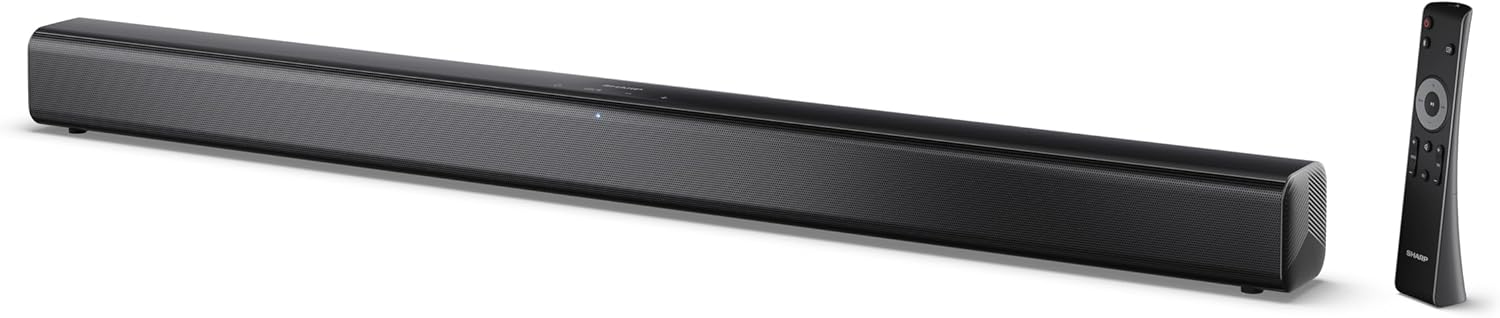
Image 0.1: The SHARP HT-SB145 2.0 Channel Soundbar shown alongside its remote control.
1. Pengenalan
This manual provides essential instructions for the safe and efficient operation of your SHARP HT-SB145 2.0 Channel Soundbar. Please read this manual thoroughly before use and retain it for future reference.
2. Maklumat Keselamatan
Patuhi langkah keselamatan berikut untuk mengelakkan kejutan elektrik, kebakaran atau kerosakan pada unit:
- Jangan dedahkan perkakas ini kepada titisan atau percikan.
- Jangan letakkan objek yang diisi dengan cecair, seperti pasu, pada radas.
- Pastikan pengudaraan yang mencukupi. Jangan sekat bukaan pengudaraan.
- Jangan pasang berhampiran mana-mana sumber haba seperti radiator, daftar haba, dapur, atau radas lain (termasuk amppenghidup) yang menghasilkan haba.
- Lindungi kord kuasa daripada berjalan atau tersepit.
- Hanya gunakan lampiran/aksesori yang ditentukan oleh pengilang.
- Cabut plag radas ini semasa ribut petir atau apabila tidak digunakan untuk tempoh yang lama.
- Rujuk semua servis kepada kakitangan perkhidmatan yang berkelayakan.
3. Kandungan Pakej
Sahkan bahawa semua item yang disenaraikan di bawah disertakan dalam pakej anda:
- SHARP HT-SB145 Soundbar
- Alat Kawalan Jauh
- Kabel Kuasa
- Pendakap Pelekap Dinding (2)
- Screws and Wall Plugs (for mounting)
- Bateri AAA (2)
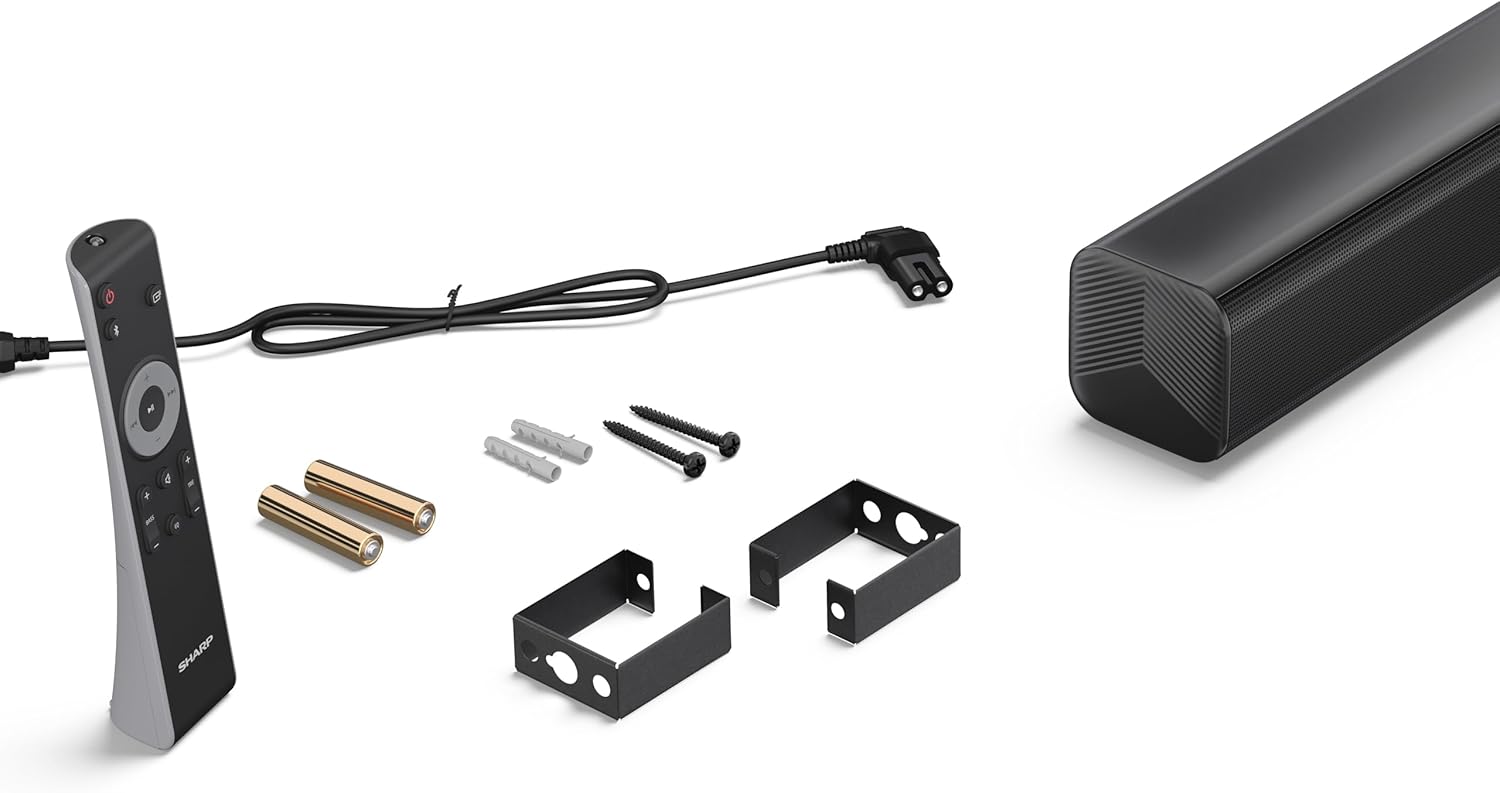
Image 3.1: Contents of the SHARP HT-SB145 Soundbar package, including the soundbar, remote control, power cable, wall mount brackets, screws, and two AAA batteries.
4. Produk Lebihview
4.1 Depan dan Atas View

Imej 4.1: Depan view of the SHARP HT-SB145 Soundbar, showcasing the speaker grille and the central LED indicator.
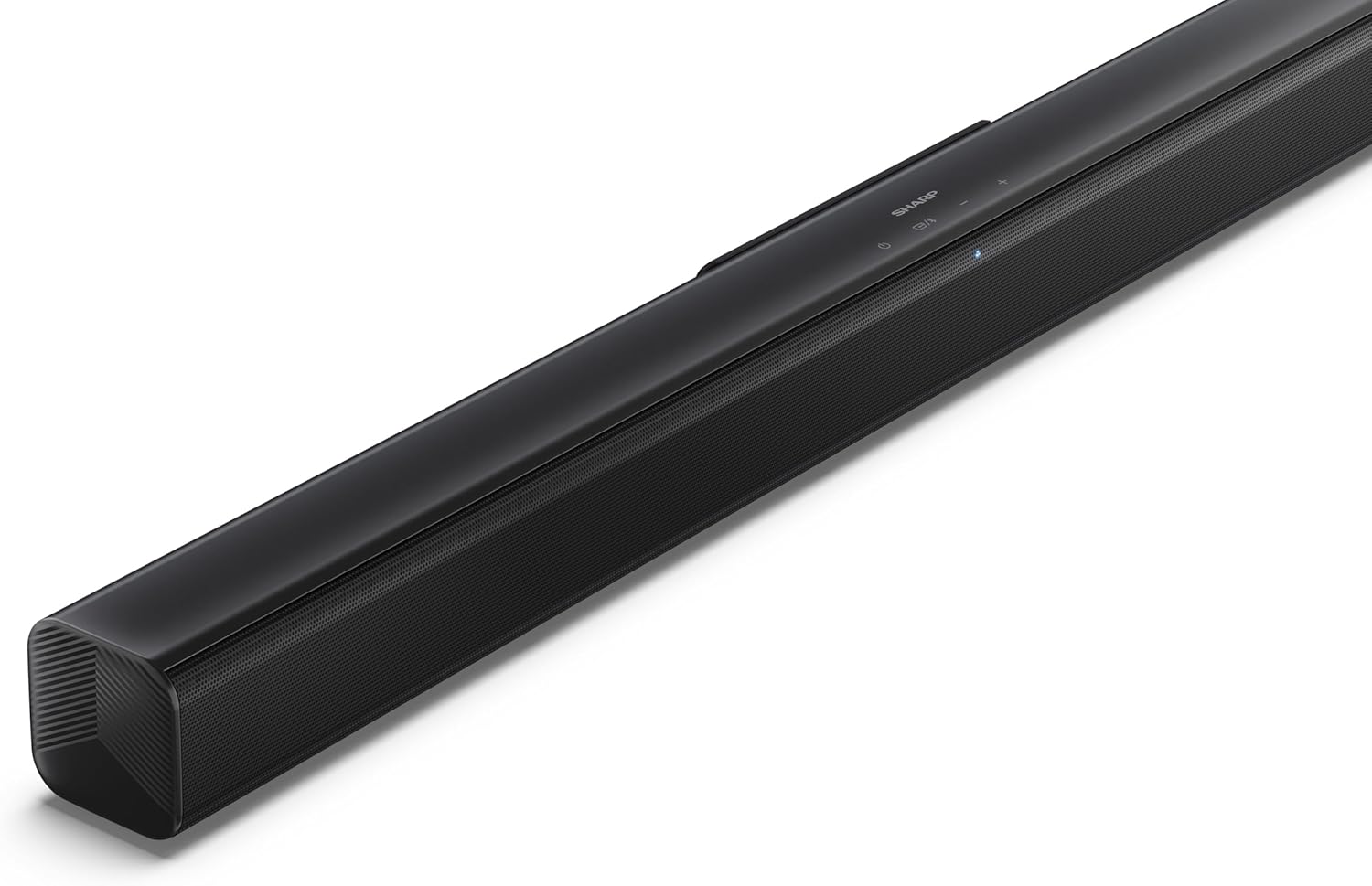
Imej 4.2: Bahagian atas bersudut view of the soundbar, highlighting the integrated control buttons for power, source selection, and volume adjustment, along with the SHARP logo.

Image 4.3: Close-up of the top-mounted control panel, showing the power button, source/Bluetooth button, and volume up/down buttons.
4.2 Sambungan Panel Belakang

Imej 4.4: Belakang view of the soundbar, displaying the various input ports and power connection.

Imej 4.5: Terperinci view of the rear panel connections, including OPTICAL input, USB port (5V 500mA), AUX input, and HDMI ARC (TV) port.
5. Persediaan
5.1 Pilihan Penempatan
The SHARP HT-SB145 Soundbar offers flexible placement options:
- Peletakan Atas Meja: Place the soundbar on a stable, flat surface in front of your TV. Ensure it does not obstruct the TV's remote sensor.
- Pemasangan Dinding: Use the provided wall mount brackets to attach the soundbar to a wall below your TV. Refer to section 5.4 for detailed wall mounting instructions.

Image 5.1: The soundbar positioned on a media console beneath a television, demonstrating a typical tabletop setup.
5.2 Menyambung ke Kuasa
- Connect the power cable to the AC IN port on the rear of the soundbar.
- Palamkan hujung kabel kuasa yang lain ke salur keluar dinding.
5.3 Sambungan Audio
Choose one of the following methods to connect the soundbar to your TV or other audio source:
- HDMI ARC/CEC (Recommended):
Connect an HDMI cable (not included) from the HDMI ARC port on the soundbar to the HDMI ARC port on your TV. This connection allows for audio return and control via your TV remote.
- Optik:
Connect an optical cable (not included) from the OPTICAL port on the soundbar to the optical digital output on your TV or audio source.
- AUX:
Connect a 3.5mm audio cable (not included) from the AUX port on the soundbar to the headphone jack or audio output on your TV or audio source.
5.4 Pemasangan Dinding
Ikuti langkah-langkah ini untuk pemasangan dinding yang selamat:
- Determine the desired mounting location on the wall, ensuring it is level and within reach of power and audio cables.
- Mark the positions for the two wall mount brackets using a pencil. The distance between the brackets should match the mounting points on the soundbar.
- Drill pilot holes at the marked positions. Insert the wall plugs if mounting into drywall or plaster.
- Secure the wall mount brackets to the wall using the provided screws.
- Carefully attach the soundbar to the mounted brackets. Ensure it is securely seated.
6. Arahan Operasi
6.1 Hidupkan/Mati Kuasa
- Tekan ke kuasa butang pada bar bunyi atau alat kawalan jauh untuk menghidupkan atau mematikan unit.
6.2 Pemilihan Sumber
Tekan ke Sumber button on the soundbar or remote control repeatedly to cycle through the available input sources:
- ARC HDMI: For audio from a TV connected via HDMI ARC.
- OPTIKAL: For audio from a device connected via optical cable.
- AUX: For audio from a device connected via 3.5mm audio cable.
- BLUETOOTH: Untuk penstriman audio tanpa wayar.
- USB: For audio playback from a USB drive.
6.3 Kawalan Kelantangan
- Tekan ke Jilid + butang untuk meningkatkan kelantangan.
- Tekan ke Isipadu - butang untuk mengurangkan kelantangan.
6.4 Berpasangan Bluetooth
- Turn on the soundbar and select the Bluetooth source. The LED indicator will flash, indicating pairing mode.
- Dayakan Bluetooth pada telefon pintar, tablet atau peranti lain anda.
- Cari untuk "SHARP HT-SB145" in your device's Bluetooth list and select it to pair.
- Once paired, the LED indicator on the soundbar will glow steadily. You can now stream audio wirelessly.
6.5 Main Semula USB
The soundbar supports MP3/WAV audio playback from a USB drive.
- Insert a USB drive containing MP3/WAV audio files into the USB port on the rear of the soundbar.
- Select the USB source using the Source button.
- Playback will begin automatically. Use the remote control to navigate tracks (if supported).
The USB port also provides 5V 500mA for charging compatible devices.
7. Penyelenggaraan
- Pembersihan: Gunakan kain lembut dan kering untuk membersihkan permukaan bar bunyi. Jangan gunakan pembersih cecair atau bahan yang melelas.
- Storan: Jika menyimpan unit untuk tempoh yang lama, cabut palamnya dari salur keluar kuasa dan simpan di tempat yang sejuk dan kering.
8. Penyelesaian masalah
| Masalah | Kemungkinan Punca | Penyelesaian |
|---|---|---|
| Tiada kuasa | Kabel kuasa tidak disambungkan atau soket tidak aktif. | Pastikan kabel kuasa disambungkan dengan selamat dan alur keluar berfungsi. |
| Tiada bunyi | Incorrect input source selected, volume too low, or cable connection issue. | Pilih sumber input yang betul. Tingkatkan kelantangan. Periksa sambungan kabel audio. |
| Penggandingan Bluetooth gagal | Soundbar not in pairing mode, or device too far. | Ensure soundbar is in Bluetooth pairing mode (flashing LED). Move device closer. Try re-pairing. |
| Alat kawalan jauh tidak berfungsi | Batteries depleted or obstructed signal. | Gantikan bateri. Pastikan tiada halangan antara alat kawalan jauh dan bar bunyi. |
9. Spesifikasi
| Ciri | Perincian |
|---|---|
| Nama Model | HT-SB145 |
| Jenis Pembesar Suara | Bar bunyi |
| Saluran | 2.0 Saluran |
| Kuasa Output Maks | 150 Watt |
| Versi Bluetooth | 5.3 |
| Ketersambungan | HDMI ARC/CEC, Optical, AUX, Bluetooth, USB |
| Main Balik USB | MP3 / WAV |
| Output Pengecasan USB | 5V 500mA |
| Dimensi Produk (L x W x H) | 80 cm x 6.2 cm x 6.3 cm (31.5 in x 2.4 in x 2.5 in) |
| Berat Barang | 1.4 Kilogram (3.1 lbs) |
| Komponen yang Disertakan | Remote Control, Power Cable, Wall Mount Brackets, AAA Batteries |

Image 9.1: Diagram illustrating the dimensions of the SHARP HT-SB145 Soundbar: 800mm length, 63mm height, and 63mm depth.
10. Waranti dan Sokongan
For warranty information and technical support, please refer to the warranty card included with your product or visit the official Sharp webtapak. Simpan bukti pembelian anda untuk tuntutan waranti.
For further assistance, contact Sharp customer service.


