1. Pengenalan
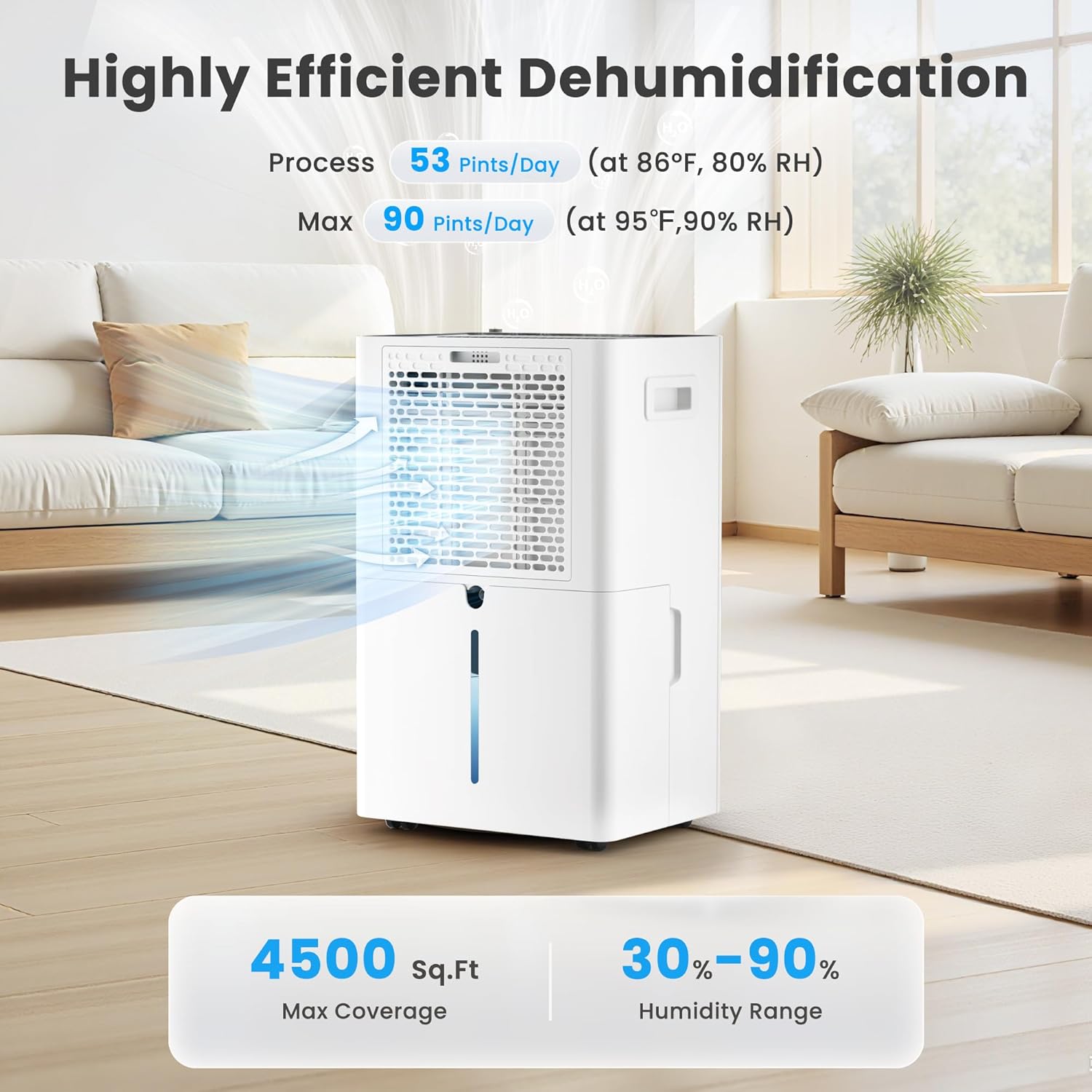
Thank you for choosing the Candy 53 Pints Dehumidifier. This manual provides essential information for the safe operation, installation, maintenance, and troubleshooting of your new appliance. Please read it thoroughly before use and retain it for future reference. This dehumidifier is designed to effectively reduce humidity in spaces up to 4500 square feet, helping to prevent issues such as mold, mildew, and musty odors.


2. Maklumat Keselamatan
Untuk mengurangkan risiko kebakaran, kejutan elektrik atau kecederaan, sentiasa ikuti langkah berjaga-jaga keselamatan asas ini:
- Baca semua arahan sebelum menggunakan perkakas.
- Pastikan bekalan kuasa sepadan dengan voltage dinyatakan pada label penilaian.
- Jangan kendalikan penyahlembap dengan kord atau palam yang rosak.
- Sentiasa letakkan unit di atas permukaan yang kukuh dan rata untuk mengelakkan tumpahan air.
- Maintain at least 8 inches (20 cm) of clearance around the unit for proper airflow.
- Jangan masukkan objek ke dalam saluran masuk atau keluar udara.
- Cabut plag unit sebelum membersihkan atau melakukan sebarang penyelenggaraan.
- Jauhkan perkakas daripada sumber haba dan cahaya matahari langsung.
- Perkakas ini tidak dimaksudkan untuk digunakan oleh orang (termasuk kanak-kanak) yang kurang keupayaan fizikal, deria atau mental, atau kurang pengalaman dan pengetahuan, melainkan mereka telah diberi pengawasan atau arahan mengenai penggunaan perkakas oleh orang yang bertanggungjawab untuk keselamatan mereka.
3. Produk Lebihview
The Candy 53 Pints Dehumidifier is designed for efficient moisture removal, covering areas up to 4500 square feet. It features smart controls and flexible drainage options.
3.1 Komponen Utama
- Dehumidifier Unit
- Removable Water Tank (1.35 Gallon capacity)
- Hos Longkang (6.67 kaki untuk saliran berterusan)
- Penapis Udara Boleh Basuh
- Kord Kuasa

3.2 Ciri-ciri
- Kecekapan Tinggi: Removes up to 53 pints of moisture per day (at 86°F, 80% RH).
- Liputan Luas: Suitable for areas up to 4500 sq. ft.
- Kawalan Pintar: Wi-Fi enabled for control via Candy Home App, Google Home, or Alexa.
- Pelbagai Mod: Continuous, Auto, and Sleep modes.
- Adjustable Humidity: Target humidity range from 30% to 90%.
- Kelajuan Kipas: Three fan speed settings (Low, Medium, High).
- Dual Drainage: Manual (1.35 Gal tank) or Continuous (drain hose).
- Reka bentuk yang mudah: Ergonomic handle, universal smooth wheels, anti-spill tank, washable filter, auto defrost, 24-hour timer, child lock.
- Operasi senyap: Beroperasi pada kira-kira 43dB.

4. Persediaan
4.1 Membongkar
Carefully remove the dehumidifier from its packaging. Inspect the unit for any shipping damage. Retain the packaging materials for future storage or transport.
4.2 Penempatan
Place the dehumidifier on a smooth, level floor in a location where the humidity is highest. Ensure there is at least 8 inches (20 cm) of space on all sides of the unit to allow for proper air circulation. Avoid placing it near heat-generating appliances or in direct sunlight. For optimal performance, close all doors and windows in the room where the dehumidifier is operating.

5. Arahan Operasi
5.1 Panel Kawalan Selesaiview
The dehumidifier features an intuitive touch control panel with an LED display. Familiarize yourself with the buttons and indicators:

5.2 Hidupkan/Mati Kuasa
Tekan ke kuasa button (usually indicated by a power symbol) to turn the unit on or off. Hold for 3 seconds to connect to Wi-Fi.
5.3 Menetapkan Kelembapan yang Diingini
In AUTO mod, tekan butang TETAPAN KELEMBAPAN button to adjust the desired humidity level between 30% and 90% in 5% increments. The unit will operate until the set humidity is reached, then pause, restarting when humidity rises.
5.4 Pemilihan Kelajuan Kipas
Tekan ke LAJU button to cycle through Low, Medium, and High fan speeds. The corresponding speed icon will illuminate on the display.

5.5 Mod Pengendalian
Tekan ke MODE butang untuk memilih daripada yang berikut:
- Mod AUTO: The unit automatically maintains the set humidity level, pausing when reached and restarting when needed.
- Mod BERTERUSAN: The dehumidifier operates continuously at high fan speed, regardless of the humidity level, for rapid moisture removal.
- Mod tidur: Operates at ultra-quiet, low fan speed with dimmed display lights for undisturbed nighttime use.

5.6 Fungsi Pemasa
Tekan ke PEMASA button to set a 24-hour timer for automatic power on or off. Each press increases the time by one hour. The timer can be set from 1 to 24 hours.

5.7 Kunci Kanak-kanak
To prevent unintentional changes to settings, press and hold the KUNCI button for 3 seconds to activate or deactivate the child lock function. This ensures safety around children and pets.

5.8 Kawalan Wi-Fi dan Aplikasi
The dehumidifier can be controlled remotely via the Candy Home App (available for iOS/Android), Google Home, or Alexa. Follow the app's instructions to connect your device to your home Wi-Fi network. This allows you to adjust settings, monitor humidity, and receive notifications from anywhere.
- Download the Candy Home App from your device's app store.
- Follow the in-app instructions to pair your dehumidifier.
- Once connected, you can control power, mode, humidity settings, and fan speed.


6. Pilihan Saliran
Your Candy dehumidifier offers two methods for water removal:
6.1 Saliran Manual (Tangki Air)
The unit collects condensed water in its internal 1.35-gallon water tank. When the tank is full, the dehumidifier will automatically shut off and an indicator light will illuminate. Carefully remove the tank, empty the water, and reinsert it securely to resume operation.
6.2 Saliran Berterusan (Hos Saliran)
For continuous, hands-free operation, attach the included 6.67 ft drain hose to the designated outlet on the back of the unit. Route the hose to a suitable floor drain or pump. Ensure the hose is sloped downwards to allow gravity drainage and prevent kinks.

7. Penyelenggaraan
Penyelenggaraan tetap memastikan prestasi optimum dan jangka hayat dehumidifier anda.
7.1 Membersihkan Penapis Udara
Penapis udara yang boleh dibasuh perlu dibersihkan setiap dua minggu atau lebih kerap bergantung pada penggunaan dan kualiti udara. Penapis yang kotor boleh mengurangkan kecekapan dan aliran udara.
- Cabut plag penyahlembap daripada salur keluar kuasa.
- Buka jeriji pengambilan udara.
- Tanggalkan elemen penapis udara.
- Basuh penapis dengan air suam dan sabun. Bilas sebersih-bersihnya.
- Benarkan penuras kering sepenuhnya sebelum dimasukkan semula.
- Place the filter back into the air intake grille and close it.

7.2 Water Tank Cover Installation
Ensure the water tank cover is correctly installed after emptying or cleaning to prevent leaks and ensure proper operation.
- Place the water tank cover at an angle under the water tank clip position.
- Then lower the water tank cover to position as shown in the enlarged figure.

7.3 Auto Nyahbeku
The dehumidifier is equipped with an automatic defrost function. If frost builds up on the evaporator coils in low temperatures, the unit will automatically defrost. During this process, the lights will illuminate, the compressor will stop, but the fan will continue to run. This is normal operation and ensures efficient performance.

7.4 Penyimpanan
If the unit will not be used for an extended period, unplug it, empty the water tank, clean the filter, and store it in a cool, dry place, preferably in its original packaging.
8. Penyelesaian masalah
Sebelum menghubungi khidmat pelanggan, sila rujuk panduan penyelesaian masalah berikut untuk isu-isu biasa:
| Masalah | Kemungkinan Punca | Penyelesaian |
|---|---|---|
| Dehumidifier tidak dihidupkan. | No power; power cord loose; water tank full or not properly inserted. | Periksa sambungan kuasa; kosongkan dan masukkan semula tangki air dengan betul. |
| Tiada air yang dikutip. | Humidity too low; room temperature too low; air filter clogged; unit in continuous drainage mode. | Increase target humidity; ensure room temperature is above 41°F (5°C); clean air filter; check drain hose connection. |
| Unit berfungsi tetapi kelembapan tidak berkurangan. | Doors/windows open; room too large; air filter clogged; unit too close to walls. | Close all openings; ensure unit is suitable for room size; clean air filter; ensure proper clearance. |
| Unit bising. | Unit tidak berada di atas permukaan yang rata; penapis udara tersumbat; komponen dalaman longgar. | Place on a level surface; clean air filter; contact customer support if noise persists. |
| Isu sambungan Wi-Fi. | Incorrect Wi-Fi password; unit too far from router; router issues. | Verify Wi-Fi password; move unit closer to router; restart router; re-pair device via app. |
9. Spesifikasi
| Ciri | Spesifikasi |
|---|---|
| Jenama | gula-gula |
| Nombor Model | CAS-CF25-US |
| Kapasiti Penyingkiran Lembapan | 53 Pints/Day (at 86°F, 80% RH) |
| Kawasan Liputan Maks | 4500 Sq. Ft. |
| Julat Tetapan Kelembapan | 30% - 90% |
| Isipadu Tangki Air | 1.35 gelen |
| Panjang Hos Saliran | 6.67 kaki |
| Dimensi Produk (D x W x H) | 19.69" x 9.25" x 12.2" |
| Berat Barang | 29 paun |
| Bilangan Kelajuan Kipas | 3 (Rendah, Sederhana, Tinggi) |
| Ciri Khas | Automatic Defrost, Automatic Shutoff, Continuous/Auto/Sleep Mode, Smart APP WIFI Control, Ergonomic Handle, Washable Filter, Child Lock, 24-Hour Timer |
| Tahap Kebisingan | lebih kurang 43dB |
10. Waranti dan Sokongan
This product includes a user manual as part of its packaging. For specific warranty information, please refer to the documentation included with your purchase or contact Candy customer support. If you encounter any issues not covered in this manual, or require further assistance, please reach out to the manufacturer's customer service department.


