1. Pengenalan
The Beeitzie Ultra Bluetooth 5.4 Transmitter & Receiver (Model BT26) is a versatile 2-in-1 wireless audio device designed to enhance your audio experience. It functions as both a Bluetooth transmitter (TX mode) and a Bluetooth receiver (RX mode), offering seamless connectivity for a wide range of audio devices.
In Mod TX, the device transmits audio from non-Bluetooth sources (e.g., TVs, PCs, airplane entertainment systems) to Bluetooth-enabled headphones, speakers, or earbuds via AUX/RCA connections. In Mod RX, it allows your smartphone or other Bluetooth devices to wirelessly stream audio to wired speakers, earphones, or car stereos.
2. Kandungan Pakej
Sila tandai kotak untuk item berikut:
- Beeitzie Ultra Bluetooth 5.4 Transmitter & Receiver (BT26)
- Kabel Audio AUX 3.5mm
- Kabel Audio RCA
- Kabel Pengecas USB-C
- Dual 3.5mm Airplane Headphone Adapter
- Manual Pengguna

Image: Beeitzie BT26 device and all included accessories, including the 3.5mm AUX cable, RCA cable, USB-C charging cable, and dual 3.5mm airplane adapter.
3. Produk Lebihview
Familiarize yourself with the device's components and indicators:

Image: Detailed diagram of the Beeitzie BT26, highlighting the 3.5mm Aux Output Port, Bluetooth 1/2 indicators, RX/TX mode indicators, Function button (Play/Pause), Volume buttons (+/-), Reset key, Microphone, USB-C power port, and RX-OFF-TX Slide Switch. The Dual 3.5mm Adapter is also shown.
- 3.5mm Aux Output Port: Connects to audio sources/receivers.
- Bluetooth 1/2 Indicators (A/B): Show connection status for paired devices.
- RX/TX Mode Indicators: Lights up to show current operating mode.
- Function Button (▶): Single-click for Play/Pause. Long press for 2 seconds to enter pairing mode (TX/RX).
- Kelantangan - Butang: Single-click for previous song. Long press for volume down.
- Butang Kelantangan +: Single-click for next song. Long press for volume up.
- Tetapkan Semula Kunci: Long press the power button for 8 seconds to reset the device and clear all previous pairing data.
- mikrofon: For hands-free calling in RX mode.
- Port Kuasa USB-C: Untuk mengecas peranti.
- RX-OFF-TX Slide Switch: Selects Receiver mode, powers off, or Transmitter mode.
4. Mengecas Peranti
The BT26 has a built-in rechargeable battery. To charge:
- Connect the provided USB-C charging cable to the USB-C power port on the device.
- Sambungkan hujung kabel USB-C yang satu lagi ke penyesuai kuasa USB (tidak disertakan) atau port USB komputer.
- The charging indicator will illuminate during charging and turn off when fully charged.
A full charge takes approximately 2 hours and provides over 24 hours of playtime (22 hours in TX mode, 20 hours in RX mode).
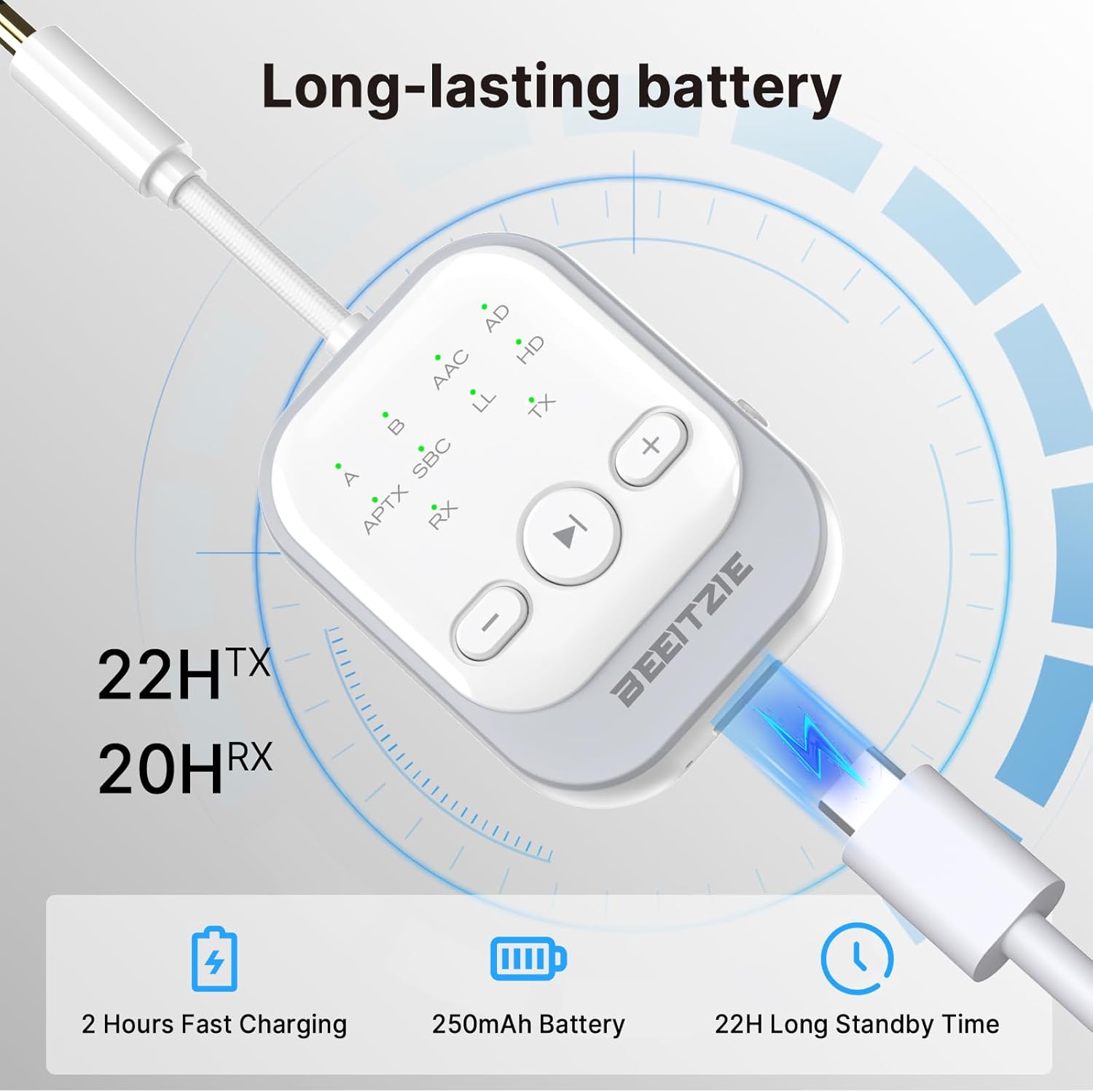
Image: The Beeitzie BT26 device being charged via its USB-C port, with text indicating 2 hours fast charging, 250mAh battery, and 22 hours long standby time.
5. Persediaan dan Berpasangan
5.1. TX Mode (Transmitter) - First Pairing
Use TX mode to transmit audio from non-Bluetooth devices to Bluetooth headphones/speakers.
- Luncurkan suis ke TX mode. The TX indicator light will flash, indicating pairing mode.
- Connect the BT26 to your audio source (e.g., TV, PC) using the 3.5mm AUX or RCA cable.
- Letakkan fon kepala atau pembesar suara Bluetooth anda ke mod berpasangan.
- The BT26 will automatically search and connect. Once connected, the indicator A and TX will remain steady.

Image: A three-step visual guide for TX-First Pairing. Step 1 shows opening AirPods case and holding the reset button. Step 2 shows the BT26 in TX mode with flashing indicator. Step 3 shows successful pairing with indicator A and TX steady, and the BT26 connected to an airplane entertainment system.
5.2. TX Mode - Dual Pairing
To connect a second pair of Bluetooth headphones/speakers:
- Ensure the first device is already paired in TX mode.
- Put the second Bluetooth headphones or speaker into pairing mode.
- On the BT26, long press the Function button (▶) for 2 seconds. The TX indicator will blink rapidly.
- The BT26 will search and connect to the second device. Once connected, indicator B and TX will remain steady.

Image: A three-step visual guide for TX-Dual Pairing. Step 1 shows preparing the second device for pairing. Step 2 shows long-pressing the play button on the BT26. Step 3 shows successful dual pairing with indicators A, B, and TX steady.
5.3. RX Mode (Receiver) - First Pairing
Use RX mode to receive audio from Bluetooth devices (e.g., smartphones) and play it through wired speakers/headphones.
- Luncurkan suis ke RX mode. The RX indicator light will flash, indicating pairing mode.
- Connect the BT26 to your wired audio system (e.g., car stereo, home speakers) using the 3.5mm AUX or RCA cable.
- On your smartphone or Bluetooth device, search for "Wireless Music Adapter" in the Bluetooth settings and connect.
- Once connected, the indicator A and RX will remain steady.

Image: A three-step visual guide for RX-First Pairing. Step 1 shows setting the BT26 switch to RX. Step 2 shows connecting a smartphone via Bluetooth to "Wireless Music Adapter". Step 3 shows successful pairing with indicator A and RX steady, and the BT26 connected to a car stereo.
5.4. RX Mode - Dual Pairing
To connect a second Bluetooth device (e.g., another smartphone) in RX mode:
- Ensure the first device is already paired in RX mode.
- On the BT26, long press the Function button (▶) for 2 seconds. The RX indicator will blink rapidly.
- On the second smartphone or Bluetooth device, search for "Wireless Music Adapter" in the Bluetooth settings and connect.
- Once connected, indicator B and RX will remain steady.

Image: A three-step visual guide for RX-Dual Pairing. Step 1 shows the BT26 ready for pairing. Step 2 shows connecting a second smartphone via Bluetooth. Step 3 shows successful dual pairing with indicators A, B, and RX steady.
5.5. Menetapkan Semula Peranti
If you encounter pairing or compatibility issues, you can reset the device:
- Long-press the power button (Function button ▶) for 8 seconds. This will clear all previous pairing data and restart the device.
6. Mod dan Aplikasi Operasi
6.1. Mod Pemancar (TX)
In TX mode, the BT26 transmits audio from non-Bluetooth devices to your Bluetooth headphones or speakers. This is ideal for:
- TV/PC Audio: Connect to your television or computer to enjoy audio privately with Bluetooth headphones.
- Airplane Entertainment: Use the included dual 3.5mm adapter to connect to in-flight entertainment systems and use your own Bluetooth headphones.
- Peralatan Gim: Connect to treadmills or other gym machines with audio jacks.

Image: A visual representation of the Beeitzie BT26 in Transmitter Mode (TX), modernizing non-Bluetooth devices like TVs, PCs, MP3 players, gaming consoles, and airplane entertainment systems to transmit audio to Bluetooth earbuds, speakers, and headphones.

Image: Four panels illustrating TX mode applications: a person using the device for air travel, a person using it at the gym, the device connected to a computer, and a person watching television with the device.
6.2. Mod Penerima (RX)
In RX mode, the BT26 receives Bluetooth audio from your smartphone or tablet and outputs it to wired audio systems. This allows you to:
- Upgrade Home Stereo: Stream music wirelessly from your phone to older wired stereo systems.
- Stereo Kereta: Add Bluetooth audio streaming to your car's AUX input.
- Fon Kepala Berwayar: Turn your wired headphones into Bluetooth headphones.

Image: Four panels illustrating RX mode applications: a person using the device on a yacht, a person using it for car AUX, the device connected to speakers, and the device connected to wired headphones.
7. Spesifikasi
| Ciri | Penerangan |
|---|---|
| Nombor Model | BT26 |
| Versi Bluetooth | 5.4 |
| Codec yang Disokong | aptX-Adaptive, aptX-Low Latency, aptX-HD, SBC, AAC |
| Mod Pengendalian | Pemancar (TX), Penerima (RX) |
| Ketersambungan | 3.5mm AUX, RCA |
| Hayat Bateri (TX) | Sehingga 22 jam |
| Hayat Bateri (RX) | Sehingga 20 jam |
| Masa Mengecas | lebih kurang 2 jam (melalui USB-C) |
| Dimensi | 4.33 x 1.57 x 0.59 inci |
| Berat Barang | 3.2 auns |
| Sijil Keselamatan | FCC, CE, RoHS, BQB |
8. Penyelenggaraan dan Penjagaan
- Pastikan peranti kering. Elakkan pendedahan kepada kelembapan atau cecair.
- Bersihkan peranti dengan kain lembut dan kering. Jangan gunakan bahan kimia yang keras atau pembersih yang kasar.
- Simpan peranti di tempat yang sejuk dan kering apabila tidak digunakan.
- Elakkan suhu yang melampau.
9. Penyelesaian masalah
9.1. Device will not power on.
- Pastikan bateri telah dicas. Sambungkan peranti ke sumber kuasa menggunakan kabel USB-C.
- Check if the RX-OFF-TX slide switch is in the 'OFF' position. Slide it to 'TX' or 'RX' to power on.
9.2. Cannot pair with a Bluetooth device.
- Ensure the BT26 is in the correct mode (TX for transmitting, RX for receiving).
- Make sure both the BT26 and your target Bluetooth device are in pairing mode (flashing indicator lights).
- Bring the devices closer together.
- Clear previous pairing data by resetting the BT26 (long press Function button for 8 seconds).
- Restart both the BT26 and your Bluetooth device.
9.3. No audio or poor audio quality.
- Check all cable connections (3.5mm AUX/RCA) are secure.
- Ensure the volume on both the BT26 and the connected audio device is adjusted appropriately.
- Verify that the BT26 is successfully paired and connected (steady indicator lights).
- Reduce interference by moving away from other wireless devices or obstacles.
- If using aptX codecs, ensure both devices support the same codec for optimal performance.
10. Maklumat Keselamatan
This product meets global quality standards, certified by FCC, CE, RoHS, BQB, and others. It ensures safety with features such as voltage endurance, overcurrent, short circuit, and NTC overheat protection. Always follow local regulations for disposal.
- Jangan buka, baiki atau ubah suai peranti.
- Do not expose the device to fire or extreme heat.
- Jauhkan daripada kanak-kanak.
- Dispose of the battery and device responsibly according to local regulations.
11. Waranti dan Sokongan
For warranty information or technical support, please refer to the contact details provided with your purchase or visit the official Beeitzie webtapak.


