pengenalan
This manual provides essential instructions for the safe and efficient use of your GT POWER AC/DC Power Adapter, designed for compatibility with the Paxcess Rockman 200W Portable Power Station. Please read this manual thoroughly before use and retain it for future reference.

Imej 1: The GT POWER AC/DC Power Adapter. This image displays the main unit with its label, indicating input voltage (AC 100-240V), output (DC), and safety certifications. The attached power cable is also visible.
Arahan Keselamatan
To prevent injury or damage to the product, always observe the following safety precautions:
- Penggunaan Dalaman Sahaja: Penyesuai ini direka bentuk untuk kegunaan dalaman. Jangan dedahkannya kepada hujan, kelembapan atau suhu yang melampau.
- Voltage: Pastikan input voltage of the power outlet matches the adapter's specifications (AC 100-240V).
- Elakkan beban berlebihan: Do not connect devices that exceed the adapter's output capacity.
- Ciri-ciri perlindungan: The adapter includes Over Voltage Protection (OVP), Over Current Protection (OCP), and Short Circuit Protection (SCP). However, always use it responsibly.
- Tangani dengan Berhati-hati: Do not drop, disassemble, or attempt to repair the adapter. Refer servicing to qualified personnel.
- Jauhkan daripada kanak-kanak: Store the adapter out of reach of children.
- Cabut plag Apabila Tidak Digunakan: Putuskan sambungan penyesuai daripada soket kuasa apabila tidak digunakan untuk tempoh yang lama.
Persediaan
Follow these steps to set up your GT POWER AC/DC Power Adapter:
- Periksa Penyesuai: Before first use, visually inspect the adapter and its cable for any signs of damage. Do not use if damaged.
- Sambung ke Stesen Kuasa: Locate the charging input port on your Paxcess Rockman 200W Portable Power Station. Insert the barrel connector of the GT POWER adapter firmly into this port.
- Sambung ke Wall Outlet: Plug the AC prongs of the adapter into a standard AC 100-240V wall outlet. Ensure the connection is secure.


Imej 2 & 3: sebelah views of the GT POWER AC/DC Power Adapter. These images show the compact design of the adapter, including the AC prongs and the ribbed surface for heat dissipation.
Arahan Operasi
Once connected, the adapter will begin charging the Paxcess Rockman 200W Portable Power Station. Refer to your power station's manual for specific charging indicators and times.
- Petunjuk Pengecasan: The power station will typically display a charging icon or indicator light when receiving power.
- Masa Pengecasan: Charging duration depends on the power station's battery level and capacity.
- Memutuskan sambungan: Once charging is complete, first unplug the adapter from the wall outlet, then disconnect the barrel connector from the power station.
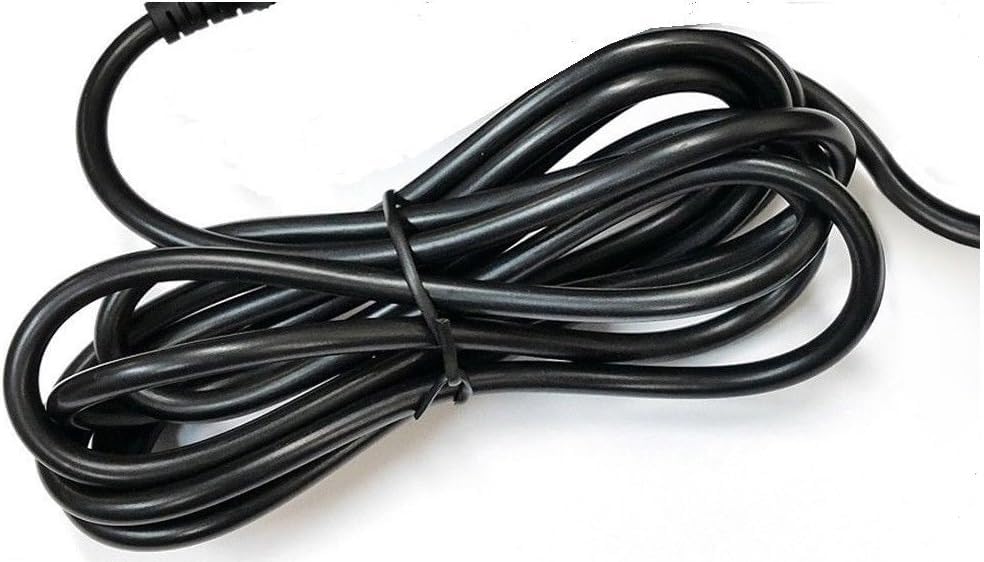
Imej 4: The heavy-duty power cable of the GT POWER AC/DC Power Adapter. This image highlights the robust construction of the cable, designed for durability.
Penyelenggaraan
Proper maintenance ensures the longevity and safe operation of your adapter:
- Pembersihan: Use a dry, soft cloth to clean the adapter. Do not use liquid cleaners or solvents.
- Storan: Store the adapter in a cool, dry place away from direct sunlight and moisture when not in use.
- Penjagaan Kabel: Elakkan membengkokkan atau mengelim kabel kuasa secara berlebihan. Jangan letakkan objek berat di atas kabel.
Menyelesaikan masalah
If you encounter issues with your GT POWER AC/DC Power Adapter, refer to the following common solutions:
| Masalah | Kemungkinan Punca | Penyelesaian |
|---|---|---|
| Power station not charging. |
|
|
| Adapter feels unusually hot. |
|
|
Spesifikasi
| Ciri | Perincian |
|---|---|
| Jenama | GT POWER |
| Peranti Serasi | Paxcess Rockman 200W Portable Power Station |
| Jenis Penyambung | tong |
| Input Voltage | 110 Volts (AC) / AC 100-240V (from image label) |
| Keluaran Voltage | 15 Volt (DC) Note: Product specifications listed "15 Volts (AC)", but the adapter label indicates "Output: DC", which is standard for charging portable power stations. |
| Arus Keluaran | 3 Amps |
| Ciri Khas | Short Circuit Protection (SCP), Over Voltage Protection (OVP), Over Current Protection (OCP) |
| Berat Barang | 6 Auns |
| Pengeluar | GTPOWER |
Waranti dan Sokongan
Your GT POWER AC/DC Power Adapter comes with the following:
- Waranti: Waranti Satu Tahun.
- Polisi Pemulangan: 30 Days Money Back Guarantee.
For technical support or warranty claims, please contact your retailer or the manufacturer directly. Refer to your purchase documentation for contact information.


