1. Pengenalan
This manual provides detailed instructions for the safe and efficient use of your Gembird TWST-01-W Transparent Bluetooth Earbuds. These earbuds feature a unique transparent design, offering up to 4 hours of listening time per charge. Key functionalities include automatic music muting for incoming calls, an LCD battery indicator, and a color-changing backlight. Please read this manual thoroughly before operating the device.
2. Kandungan Pakej
Pastikan semua item yang disenaraikan di bawah terdapat dalam pakej anda:
- Gembird TWST-01-W Transparent Bluetooth Earbuds (Left and Right)
- Kes Pengecasan
- Charging Cable or Connector
- Manual Arahan
3. Produk Lebihview
Familiarize yourself with the components of your Gembird TWST-01-W earbuds.

Rajah 3.1: The Gembird TWST-01-W Transparent Bluetooth Earbuds shown within their charging case. The case features a clear design, revealing the internal components and an LCD display indicating battery levels for both earbuds (L and R) and the case itself.
Ciri-ciri Utama:
- Reka Bentuk Telus: Unique clear housing for both earbuds and charging case.
- Pendengaran Lanjutan: Up to 4 hours of continuous listening per charge.
- Pengurusan Panggilan: Automatically mutes music for incoming calls.
- Penunjuk Bateri: LCD display on the charging case shows battery levels.
- Lampu Latar Dinamik: Charging case features a color-changing backlight.
- Kawalan Sentuh: Intuitive touch-sensitive controls for various functions.
- Tahan Air: Direka untuk menahan percikan dan peluh.
4. Persediaan
4.1 Pengecasan Awal
Sebelum penggunaan pertama, cas sepenuhnya fon telinga dan bekas pengecas.
- Letakkan kedua earbud ke dalam cas pengecasan.
- Sambungkan kabel pengecas ke port pengecasan pada bekas dan ke sumber kuasa USB.
- The LCD display on the case will show the charging status. Allow sufficient time for a full charge.

Rajah 4.1: sebelah view of the Gembird TWST-01-W charging case, highlighting its transparent construction and the integrated LCD battery display. The charging port is typically located at the bottom or rear of the case.
4.2 Berpasangan Bluetooth
Untuk menyambungkan fon telinga anda kepada peranti:
- Pastikan fon telinga dicas dan diletakkan di dalam bekas pengecasan.
- Open the charging case. The earbuds will automatically enter pairing mode (indicated by flashing lights on the earbuds).
- Pada peranti anda (telefon pintar, tablet, dll.), pergi ke tetapan Bluetooth dan hidupkan Bluetooth.
- Cari untuk available devices and select "Gembird TWST-01-W" from the list.
- Once connected, the earbuds will indicate successful pairing (e.g., a voice prompt or steady light).
- Untuk kegunaan seterusnya, fon telinga akan bersambung secara automatik ke peranti pasangan terakhir apabila dialih keluar daripada sarung.
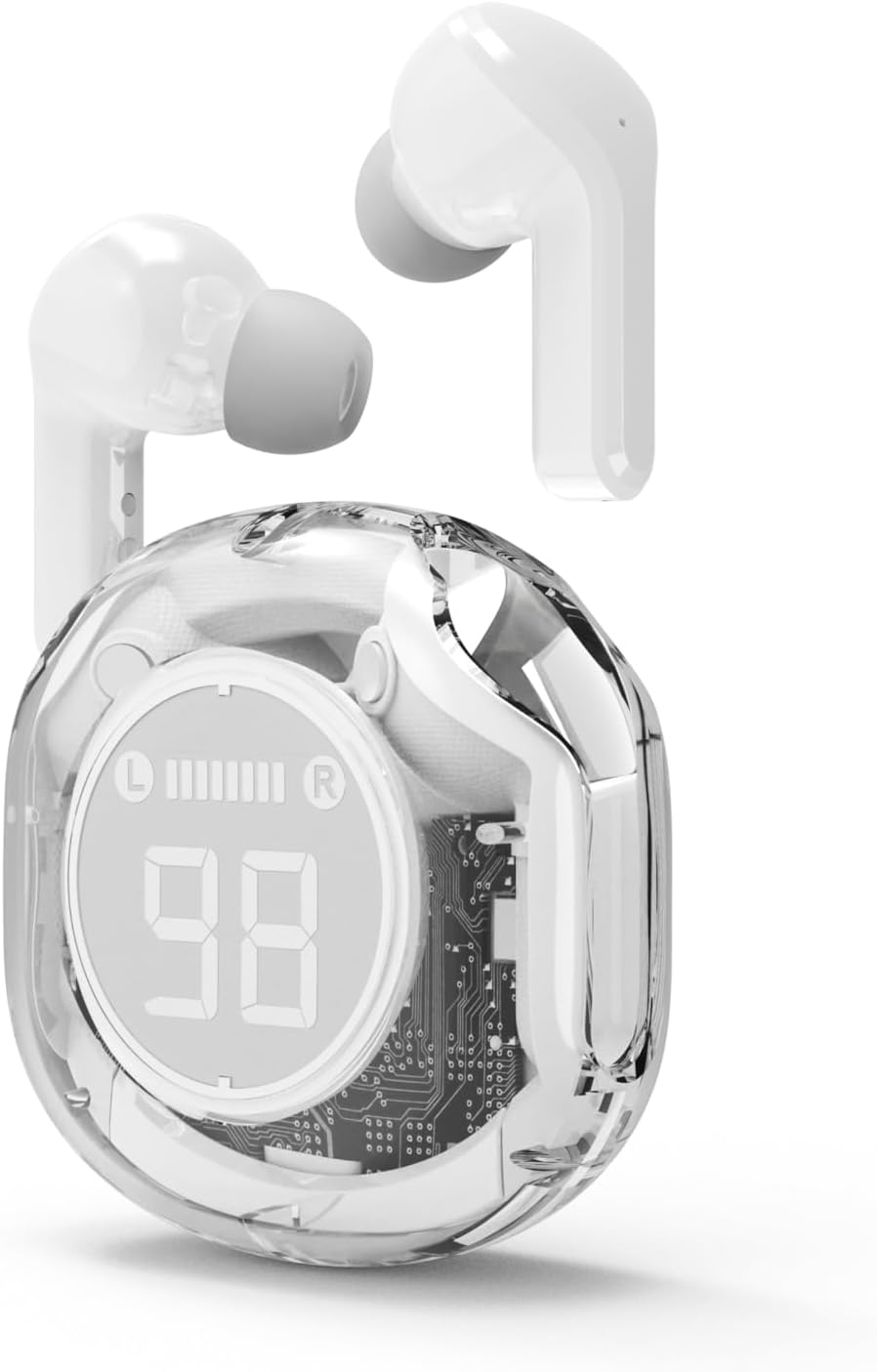
Rajah 4.2: The Gembird TWST-01-W Transparent Bluetooth Earbuds shown outside their charging case, ready for use or pairing. The transparent design of the earbuds themselves is visible.
5. Arahan Operasi
The Gembird TWST-01-W earbuds utilize touch controls. Specific gestures may vary slightly; refer to the quick start guide included in your package for precise commands.
| Fungsi | Action (Touch Control) |
|---|---|
| Hidupkan kuasa | Keluarkan dari bekas pengecasan. |
| Matikan Kuasa | Letakkan semula ke dalam bekas pengecas. |
| Main/Jeda Muzik | Ketik sekali pada salah satu fon telinga. |
| Trek Seterusnya | Ketik dua kali pada fon telinga kanan. |
| Trek Sebelumnya | Ketik dua kali pada fon telinga kiri. |
| Jawab/Tamatkan Panggilan | Ketik sekali pada salah satu fon telinga semasa panggilan masuk. |
| Tolak Panggilan | Tekan dan tahan salah satu fon telinga selama 2 saat semasa panggilan masuk. |
| Aktifkan Pembantu Suara | Triple tap on either earbud (functionality depends on device support). |
Note: Touch control sensitivity and specific functions may vary. Experiment to find the optimal touch points.
6. Mengecas
6.1 Mengecas Fon telinga
To charge the earbuds, simply place them into their designated slots within the charging case. Ensure the charging contacts align. The LCD display on the case will show the individual battery levels of the left (L) and right (R) earbuds.
6.2 Mengecas Kes
When the charging case battery is low, connect the provided charging cable to the case's charging port and to a standard USB power adapter (not included) or a computer's USB port. The LCD display will show the charging progress of the case. The color-changing backlight indicates active charging.
A full charge for the case typically takes a few hours. The earbuds provide up to 4 hours of listening time, and the fully charged case can provide multiple additional charges, extending total playback time.
7. Penyelenggaraan
7.1 Pembersihan
- Gunakan kain lembut, kering dan tidak berbulu untuk membersihkan fon telinga dan bekas pengecas.
- Jangan gunakan pembersih yang melelas, alkohol atau pelarut kimia.
- Bersihkan sesentuh pengecasan secara perlahan pada kedua-dua fon telinga dan bekas untuk memastikan sambungan yang betul.
7.2 Penyimpanan
- Simpan fon telinga dalam bekas pengecasnya apabila tidak digunakan untuk melindunginya dan memastikan ia dicas.
- Avoid storing in extreme temperatures (hot or cold) or in highly humid environments.
7.3 Tahan Air
The earbuds are water resistant, meaning they can withstand splashes and sweat. They are not designed for submersion in water. Do not use them while swimming or showering. Ensure the earbuds are dry before placing them back into the charging case to prevent damage.
8. Penyelesaian masalah
Jika anda menghadapi masalah, cuba penyelesaian berikut:
| Masalah | Penyelesaian |
|---|---|
| Fon telinga tidak berpasangan |
|
| Tiada bunyi dari satu fon telinga |
|
| Isu pengecasan |
|
| Kualiti audio yang lemah |
|
9. Spesifikasi
| Ciri | Perincian |
|---|---|
| Model | TWST-01-W |
| Jenama | Burung permata |
| bahan | plastik |
| Berat badan | 80 g |
| Jenis Bateri | Lithium Ion (1 AAAA battery included) |
| Masa Mendengar | Hingga 4 jam setiap caj |
| Kaedah Kawalan | Sentuh |
| Diameter pembesar suara | 5 sm |
| Tahan Air | Water resistant (splash and sweat proof) |
| Ketersambungan | Bluetooth (USB for charging) |
| Penggunaan yang Disyorkan | Dalaman |
10. Waranti dan Sokongan
Your Gembird TWST-01-W Transparent Bluetooth Earbuds come with a jaminan tiga tahun against manufacturing defects. This warranty covers defects in materials and workmanship under normal use.
For warranty claims or technical support, please contact your retailer or the official Gembird support channels. Keep your proof of purchase for warranty validation.


