1. Pengenalan
This manual provides detailed instructions for the safe and proper installation, operation, and maintenance of your BEISHI Full Motion TV Wall Mount. This mount is designed to securely hold TVs ranging from 37 to 75 inches, with a maximum weight capacity of 132 lbs (60 kg), and supports VESA patterns up to 600x400mm. It offers extensive adjustability including 180° swivel, +5°/-20° tilt, and 90° screen rotation for optimal viewdalam fleksibiliti.
Please read this manual thoroughly before beginning installation to ensure a safe and successful setup. Keep this manual for future reference.
2. Maklumat Keselamatan
Pemasangan atau penggunaan produk ini yang tidak betul boleh mengakibatkan kecederaan atau kerosakan yang serius. Sila patuhi langkah berjaga-jaga keselamatan berikut:
- Kapasiti Berat: Do not exceed the maximum weight capacity of 132 lbs (60 kg). Ensure your TV's weight, including accessories, is within this limit.
- Saiz Skrin: This mount is suitable for TVs between 37 and 75 inches.
- Jenis Dinding: This mount is designed for installation on wood studs (8", 12", 14" spacing), concrete, or brick walls. JANGAN pasang pada drywall sahaja.
- Keserasian VESA: Verify your TV's VESA mounting pattern (distance between mounting holes on the back of the TV) is compatible with this mount (Min 100x100mm to Max 600x400mm).
- Pemasangan Profesional: Jika anda tidak pasti tentang proses pemasangan atau jenis dinding, rujuk profesional yang berkelayakan.
- Alatan: Use appropriate tools and follow all instructions carefully.
- Kanak-kanak: Jauhkan kanak-kanak daripada kawasan pemasangan semasa pemasangan.
- kerosakan: Do not use the mount if any parts are damaged or missing. Contact customer support for replacement parts.
3. Kandungan Pakej
Please check that all components are present and undamaged before beginning installation. Refer to the image below for a visual representation of the included parts.

Image 3.1: All components included with the BEISHI Full Motion TV Wall Mount.
- Pemasangan Plat Dinding
- TV Bracket Arms (2 pieces)
- Extension Arms (2 pieces)
- Kit Perkakasan Pemasangan (skru, sauh, pencuci, spacer)
- Tahap Buih
- Pengikat Kabel
- Templat Pemasangan
4. Arahan Pemasangan
4.1 Senarai Semak Pra-Pemasangan
- Confirm your TV's weight is less than 132 lbs (60 kg).
- Verify your TV's VESA pattern is between 100x100mm and 600x400mm.
- Identify your wall type (wood stud, concrete, or brick). Ensure stud spacing is compatible (8", 12", or 14").
- Gather necessary tools: drill, stud finder, pencil, measuring tape, screwdriver, socket wrench.
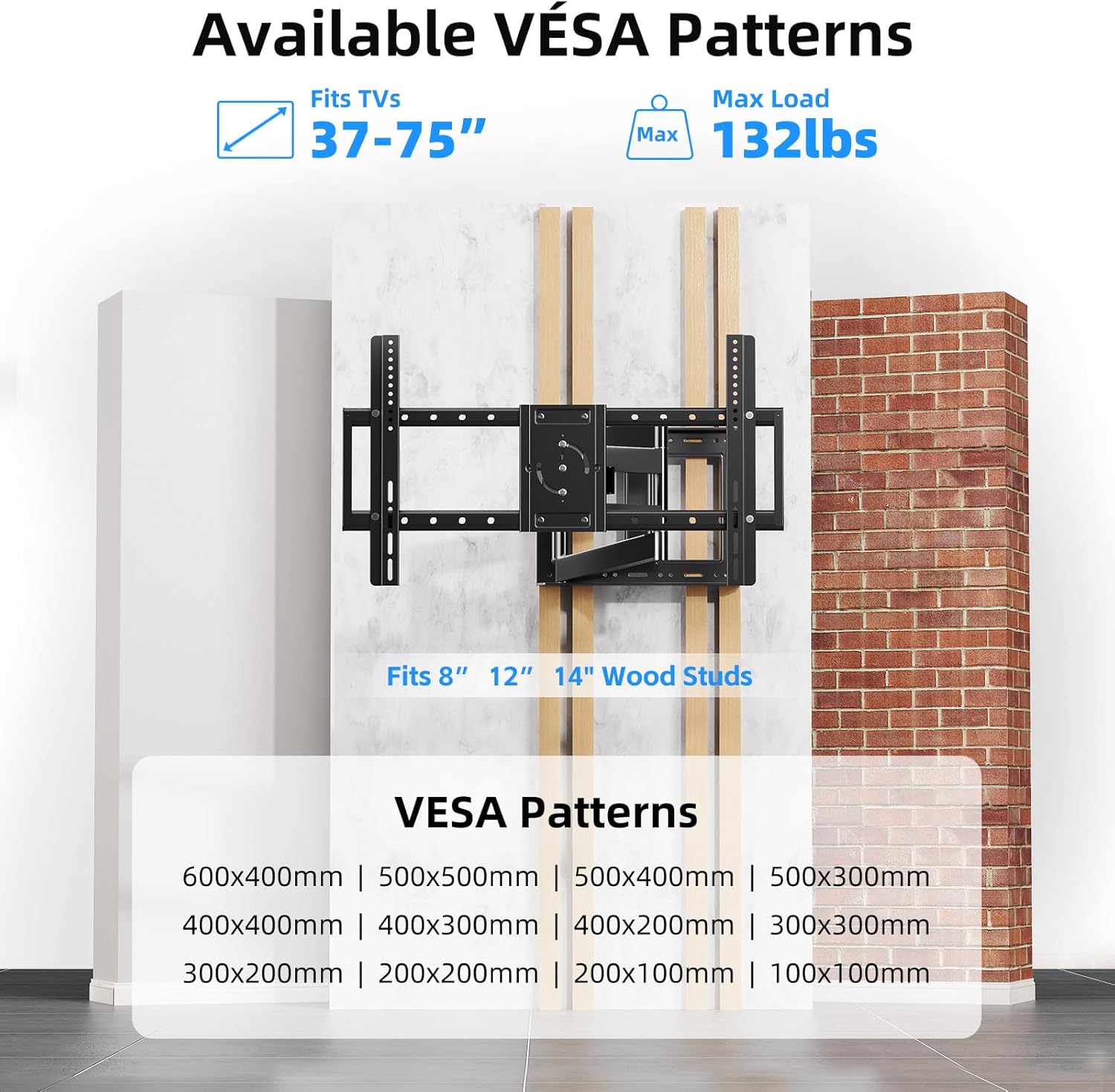
Image 4.1: VESA compatibility and supported wall types for installation.
4.2 Pemasangan Langkah demi Langkah
The following video provides a visual guide for the installation process:
Video 4.1: Step-by-step product installation guide for the BEISHI TV Wall Mount.
- Menanda Lubang Gerudi: Use the provided installation template to mark the desired drilling locations on your wall. Ensure the template is level.
- Lubang Penggerudian: Drill pilot holes at the marked locations. The drill bit size will depend on your wall type and the anchors provided.
- Inserting Anchors: Insert the appropriate wall anchors into the drilled holes. For wood studs, lag bolts are typically used directly.
- Mounting Wall Plate: Secure the wall plate assembly to the wall using the provided screws and a socket wrench. Use the bubble level to ensure it is perfectly horizontal.
- Attaching Extension Arms: If your TV requires a wider VESA pattern, attach the extension arms to the main wall plate assembly. Secure them with the provided screws.
- Memasang Pendakap TV pada TV: Lay your TV face down on a soft, clean surface. Attach the TV bracket arms to the back of your TV using the appropriate screws and spacers from the hardware kit. Ensure they are securely fastened.
- Mounting TV to Wall Plate: Carefully lift the TV and hook the TV bracket arms onto the wall plate assembly. Secure the TV to the mount using the safety screws or locking mechanisms.

Image 4.2: The BEISHI TV wall mount fully installed and extended.
5. Operating Your TV Wall Mount
Your BEISHI Full Motion TV Wall Mount offers versatile adjustments for optimal viewing. The following video demonstrates the key features:
Video 5.1: Selesaiview of the BEISHI TV Wall Mount's features, including extension, swivel, and tilt capabilities.
5.1 Extension and Retraction
The mount features an extra-long extension arm that allows the TV to extend from 2.6 inches to 40.9 inches from the wall. Gently pull or push the TV to achieve the desired distance. Ensure smooth movement and avoid sudden forceful actions.

Image 5.1: The mount's extension capability, ranging from 2.4 to 36.4 inches.
5.2 Pelarasan Pusing
The mount allows for a 180° left-right swivel. Gently pivot the TV to the desired viewing angle. This feature is useful for viewing from different areas within a room.
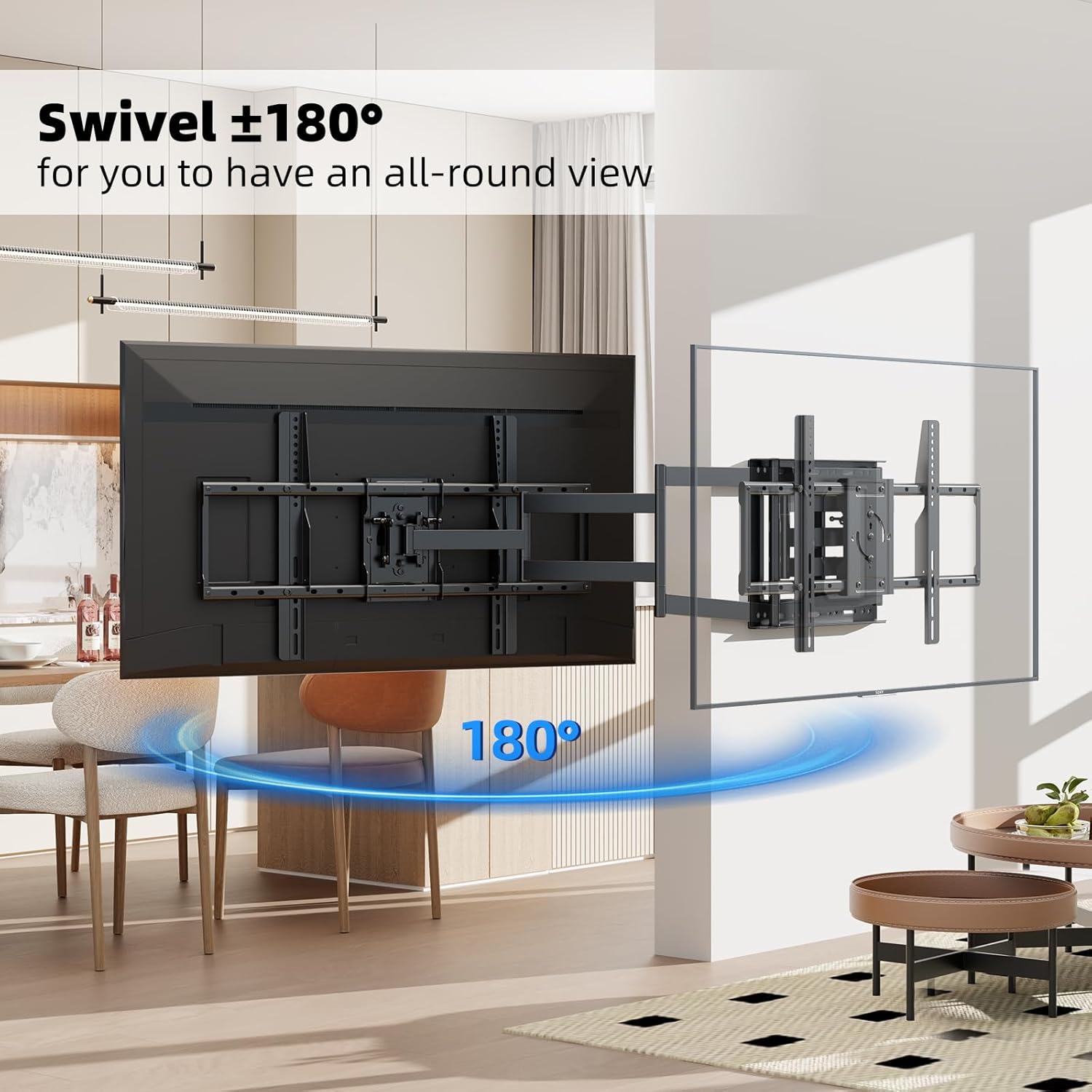
Image 5.2: The 180° swivel feature of the TV wall mount.
5.3 Pelarasan Kecondongan
Adjust the TV's vertical angle by tilting it +5° upwards or -20° downwards. This helps reduce glare and optimize viewing comfort. The tilt mechanism can be adjusted using the provided tools or by hand, depending on the specific design.

Image 5.3: The tilt adjustment range of +5° to -20°.
5.4 Putaran Skrin
The TV screen can be rotated 90° for switching between horizontal and vertical orientations. This feature is useful for specific applications like live broadcasting, online meetings, or gaming. Ensure the rotation mechanism is securely locked after adjustment.
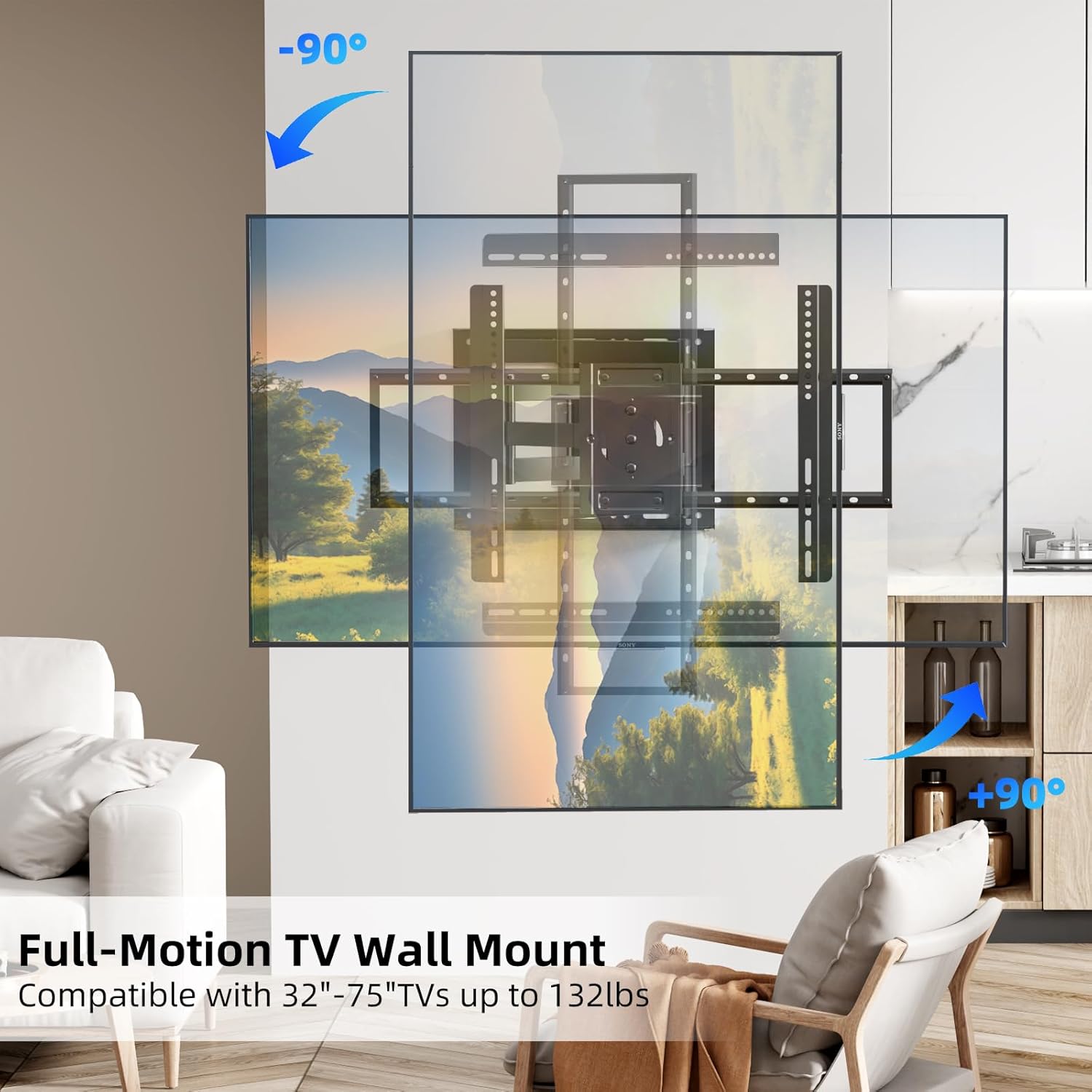
Image 5.4: The 90° screen rotation capability of the mount.
6. Penyelenggaraan
Regular maintenance ensures the longevity and safe operation of your TV wall mount:
- Pembersihan: Lap dudukan dengan kain lembut dan kering untuk menghilangkan habuk. Elakkan pembersih atau pelarut yang kasar.
- Pemeriksaan Berkala: Periodically check all screws and bolts to ensure they are tight. Over time, vibrations or adjustments can cause fasteners to loosen.
- Pergerakan: If the mount's movement becomes stiff, apply a small amount of silicone-based lubricant to the pivot points. Do not use oil-based lubricants.
- Pemeriksaan Kerosakan: Inspect the mount for any signs of wear, corrosion, or damage. If any issues are found, discontinue use and contact customer support.
7. Penyelesaian masalah
If you encounter any issues with your BEISHI TV Wall Mount, refer to the following common problems and solutions:
- Pemasangan tidak rata: Use the integrated bubble level or a separate level to check the wall plate. If it's off, slightly loosen the mounting bolts, adjust, and re-tighten.
- Kesukaran menggerakkan TV: Ensure all adjustment screws are not overtightened. If movement is still stiff, apply a small amount of silicone lubricant to the joints.
- TV terasa tidak stabil: Double-check all mounting screws on both the wall plate and the TV brackets. Ensure they are securely tightened. Verify that the wall type and anchors used are appropriate for the TV's weight.
- Bahagian yang hilang: Refer to the 'Package Contents' section. If parts are missing, contact BEISHI customer support immediately.
8. Spesifikasi Produk
| Ciri | Spesifikasi |
|---|---|
| Jenama | BEISHI |
| Model | B0F98ZTHGF |
| Keserasian Saiz TV | 37-75 inci |
| Kapasiti Beban Maksimum | 132 paun (60 kg) |
| Keserasian VESA | 100x100mm hingga 600x400mm |
| Julat Putar | 180° (left-right) |
| Julat Kecondongan | +5° / -20° |
| Putaran Skrin | 90° |
| Sambungan daripada Wall | 2.6 inci hingga 40.9 inci |
| bahan | Keluli Aloi |
| warna | Hitam |
| Berat Barang | 18.46 paun |
| Keserasian Dinding | Wood Studs (8", 12", 14"), Concrete, Brick |
9. Waranti dan Sokongan Pelanggan
BEISHI products are manufactured to high-quality standards. For warranty information, technical support, or to inquire about replacement parts, please refer to the product packaging or contact BEISHI customer service through their official channels. You can also visit the BEISHI Store on Amazon untuk maklumat lanjut.


