1. Maklumat Keselamatan Penting
Please read this manual thoroughly before operating your 4DRC S1 Fast RC Boat. Failure to follow these instructions may result in damage to the product, property, or personal injury.
- Produk ini disyorkan untuk pengguna berumur 14 tahun ke atas.
- Operate the boat only in freshwater environments such as pools, lakes, or rivers with low surface debris. Do not use in saltwater.
- Always ensure the boat's double-hatch cover is securely sealed before placing it in water to prevent water ingress.
- Keep hands, hair, and loose clothing away from the propeller when the boat is powered on.
- Do not operate the boat near people, animals, or other watercraft.
- Always maintain a clear line of sight to the boat during operation.
- If the boat becomes stuck or encounters an obstacle, retrieve it safely before attempting further operation.
- When the low battery alarm sounds, immediately guide the boat back to shore to avoid losing control.
2. Kandungan Pakej
Sahkan bahawa semua item terdapat dalam pakej:
- 4DRC S1 Fast RC Boat
- Alat Kawalan Jauh (2.4GHz)
- Rechargeable Boat Battery (Nonstandard Battery)
- Pengecas USB
- Pemutar skru
- Lock Nut
- sepana
- Baling-baling ganti
- Bingkai Sokongan
- Minyak pelincir
- Anti-collision Head
3. Persediaan
3.1 Charging the Boat Battery
- Connect the rechargeable boat battery to the provided USB charger.
- Plug the USB charger into a compatible USB power source (e.g., computer, wall adapter).
- Allow the battery to charge fully. Refer to the charger's indicator light for charging status.
The boat's battery provides approximately 25-30 minutes of run time on a full charge.

Image: Battery charging process and estimated run time.
3.2 Installing Boat Battery and Sealing
- Carefully open the double-hatch cover on the top of the boat.
- Connect the fully charged battery to the boat's power connector.
- Letakkan bateri dengan selamat di dalam petak.
- Locate the small power switch inside the boat and turn it to the 'ON' position.
- Ensure the inner seal is properly seated, then close the double-hatch cover, securing it with the twist key lock. This waterproof design is crucial for operation.
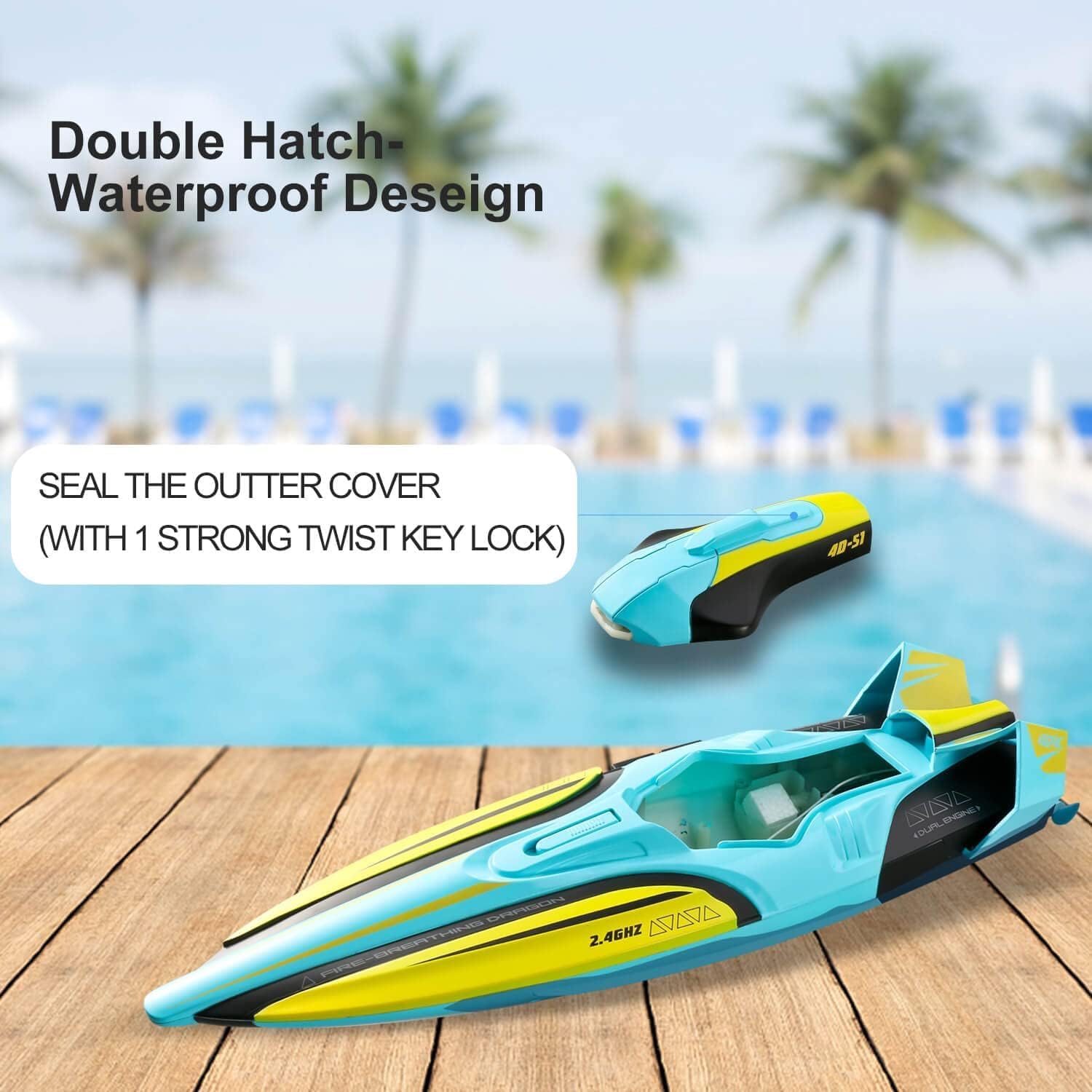
Image: Double-hatch waterproof design with cover open.

Image: Sealed waterproof cover.
3.3 Memasang Bateri Alat Kawalan Jauh
The remote control requires AA batteries (not included). Open the battery compartment on the back of the remote and insert the batteries according to the polarity indicators.
3.4 Memadankan Alat Kawalan Jauh
- Ensure the boat's power switch is 'ON'.
- Hidupkan alat kawalan jauh.
- The remote and boat should automatically pair. An indicator light on the remote will confirm successful pairing.

Image: 2.4GHz Remote Control.
4. Arahan Operasi
4.1 Kawalan Asas
- Maju: Tolak kayu bedik kiri ke hadapan.
- Belok Kiri/Kanan: Push the right joystick left or right.
- terbalik: The boat has limited reverse capability. For best maneuverability, use forward and turning controls.
The 2.4GHz remote control provides a stable signal with a range of up to 150 meters, ensuring strong anti-interference during operation.

Image: 2.4G Strong Anti-interference.
4.2 Capsize Recovery
If the boat flips over during operation, use the capsize recovery function on the remote control to automatically right the boat. Refer to your remote control's specific button layout for this feature.

Image: Capsize Recovery in action.
4.3 Penggera Bateri Rendah
When the boat's battery voltage is low, the remote controller will emit a beeping sound. This is an alert to immediately guide the boat back to shore to prevent loss of control and ensure safe retrieval.

Image: Low Battery Alarm indication.

Image: Low Power Warning system.
4.4 Lampu LED
The boat is equipped with colorful LED lights (Blue/Green & Cycle Flash) that enhance visibility, especially during low-light conditions or at night. These lights can be controlled via the remote (refer to remote diagram for specific button).
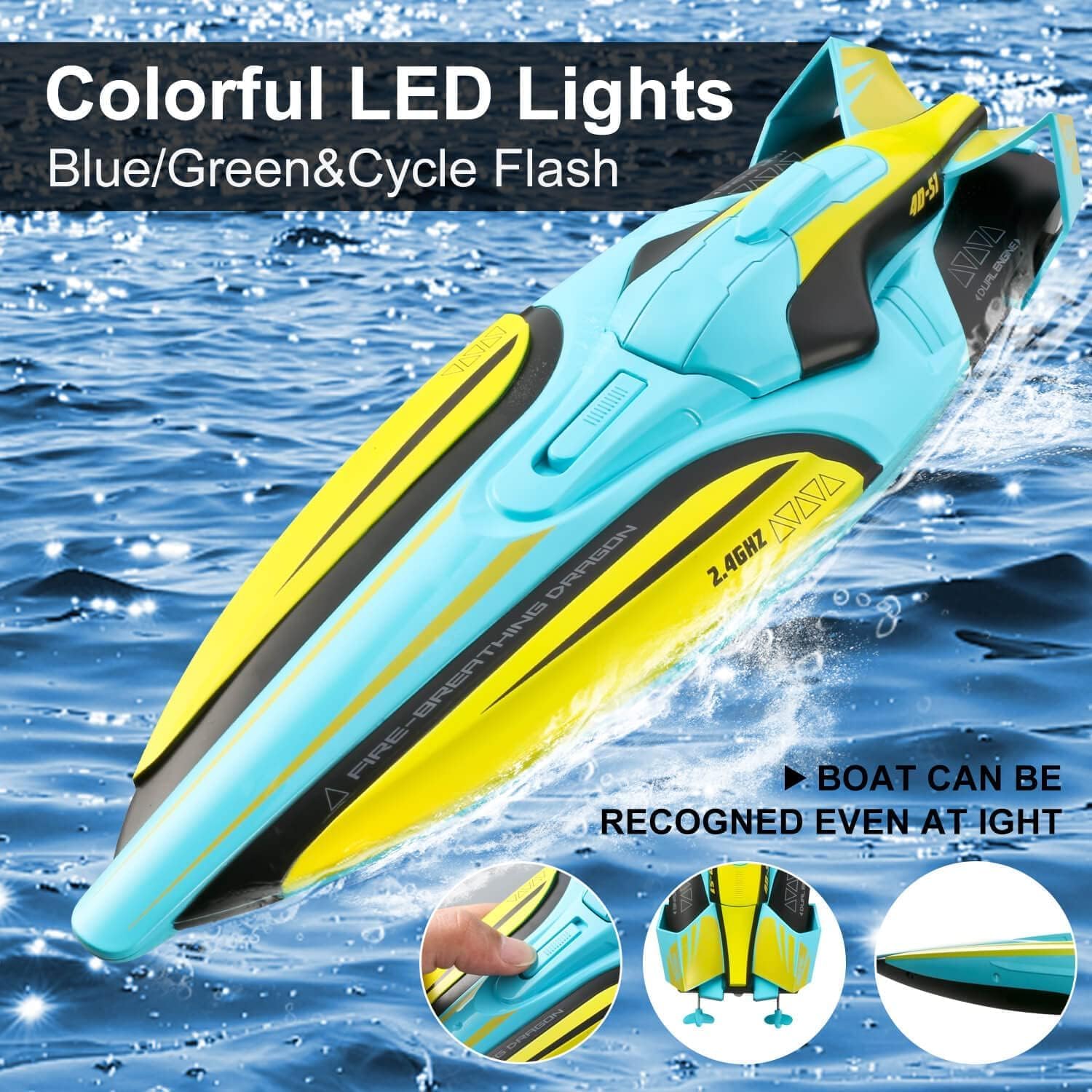
Image: Colorful LED Lights for visibility.

Image: LED Lights in action.
4.5 Autopilot Mode
The boat features an autopilot mode for automated navigation. Activate this mode using the designated button on the remote control. The boat will perform pre-programmed movements, such as circling.

Image: Autopilot Mode.
5. Penyelenggaraan
5.1 Selepas Setiap Penggunaan
- Remove the boat from the water immediately after use.
- Open the double-hatch cover and disconnect the battery. Remove the battery for charging and storage.
- Thoroughly dry the boat, especially the interior compartments, to prevent corrosion and mold.
- Inspect the propeller for any debris (weeds, fishing line) and remove it carefully.
5.2 Pelinciran
Periodically apply the provided lubricant to the propeller shaft to ensure smooth operation and extend the lifespan of the motor components.
5.3 Penyimpanan
When not in use, store the boat on its included support frame in a cool, dry place away from direct sunlight. Ensure the battery is removed from the boat and stored separately.

Image: Boat on support frame for storage.
6. Penyelesaian masalah
- Bot tidak bertindak balas kepada alat kawalan jauh:
a. Ensure both the boat and remote control are powered on.
b. Check if batteries in both the boat and remote are fully charged and correctly installed.
c. Re-attempt the pairing process. - Boat not moving or moving slowly:
a. Check for debris (e.g., weeds, plastic bags) caught in the propeller.
b. Ensure the battery is fully charged.
c. Verify the propeller is securely attached and not damaged. - Low battery alarm sounds frequently:
a. The battery may be nearing the end of its charge cycle. Retrieve the boat and recharge the battery.
b. Consider replacing the battery if it consistently drains quickly after a full charge. - Water inside the boat's hull:
a. Immediately remove the boat from water and disconnect the battery.
b. Thoroughly dry the interior. Check the double-hatch cover and its seal for any damage or improper closure. Ensure the twist lock is fully engaged. - Boat flips over and does not right itself:
a. Ensure you are using the capsize recovery function correctly on the remote.
b. Check for any damage to the boat's hull or rudder that might affect its stability.
7. Spesifikasi
| Ciri | Perincian |
|---|---|
| Model | S1 |
| Dimensi Produk | 9 x 3.98 x 11 inci |
| Berat Barang | 1.48 paun |
| Umur Disyorkan Pengilang | 14 tahun dan ke atas |
| Bateri Bot | 1 Bateri Bukan Standard (termasuk) |
| Bateri Kawalan Jauh | Bateri AA (tidak termasuk) |
| Kekerapan Kawalan Jauh | 2.4GHz |
| Julat Isyarat | Sehingga 150 meter |
| Kelajuan Maks | Sehingga 20 mph |
| Masa Larian | Lebih kurang 25-30 minit |
| Persekitaran Operasi | Freshwater only (pools, lakes, low-debris rivers) |
8. Waranti dan Sokongan
8.1 Maklumat Waranti
For detailed warranty information, please refer to the retailer or manufacturer's official webtapak. Simpan bukti pembelian anda untuk sebarang tuntutan waranti.
8.2 Sokongan Pelanggan
If you encounter any issues or have questions not covered in this manual, please contact 4DRC customer support through their official channels or the retailer where the product was purchased.


