1. Pengenalan
Thank you for choosing the Ledwood ACCESS130 Portable HiFi Speaker. This manual provides essential information for the safe and optimal use of your device. Please read it thoroughly before operation and retain it for future reference.
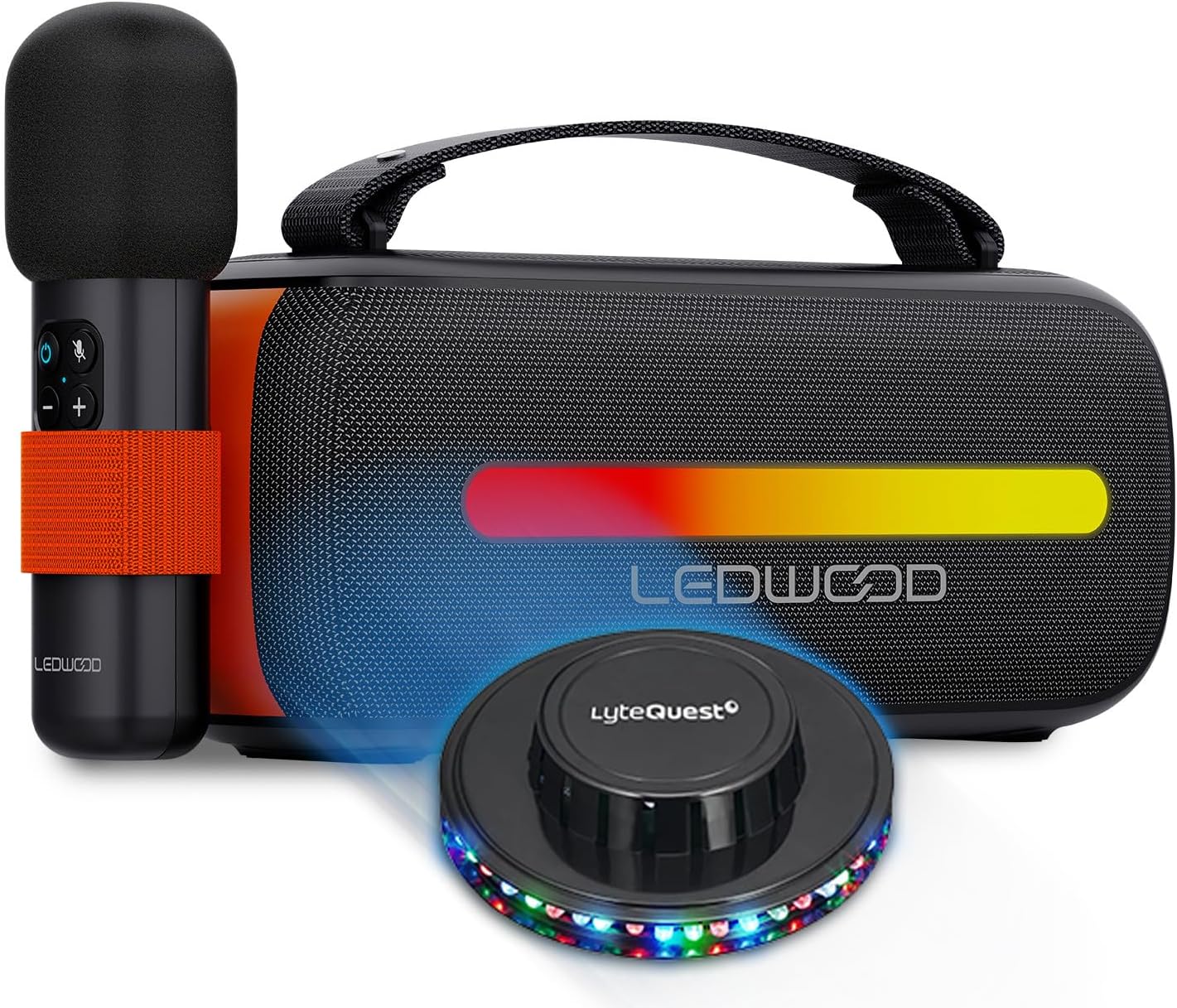
Image 1.1: The Ledwood ACCESS130 speaker, wireless microphone, and included UFO LED light.
2. Kandungan Pakej
Pastikan semua item ada dalam pakej:
- Ledwood ACCESS130 Portable HiFi Speaker
- Mikrofon Tanpa Wayar
- Kabel Pengecas USB-C
- Membawa Tali
- UFO/OVNI Multi-beam LED Light
- Manual Pengguna (dokumen ini)

Imej 2.1: Sisi view of the Ledwood ACCESS130 speaker and its wireless microphone.
3. Arahan Keselamatan
Untuk mengelakkan kerosakan atau kecederaan, sila patuhi langkah berjaga-jaga keselamatan berikut:
- Jangan dedahkan peranti kepada air atau kelembapan berlebihan.
- Elakkan suhu yang melampau (panas atau sejuk).
- Jangan buka atau cuba membaiki peranti itu sendiri.
- Jauhkan daripada cahaya matahari langsung dan sumber haba.
- Gunakan hanya kabel USB-C yang disediakan untuk mengecas.
- Pastikan pengudaraan yang betul semasa digunakan.
- Jauhkan daripada kanak-kanak.
4. Persediaan
4.1 Mengecas Speaker
- Sambungkan kabel pengecas USB-C yang dibekalkan ke port USB-C pembesar suara.
- Sambungkan hujung kabel yang satu lagi ke penyesuai kuasa USB yang serasi (tidak disertakan) atau port USB komputer.
- The charging indicator (if present) will illuminate.
- Putuskan sambungan kabel setelah dicas sepenuhnya.
4.2 Memasang Tali Pembawa
Thread the carrying strap through the designated loops on the speaker and secure it firmly.
4.3 Initial Setup of the UFO LED Light
The UFO LED light is a separate accessory. Refer to its individual instructions for power and operation. Typically, it requires batteries or a separate power source and can be placed near the speaker for synchronized light effects.
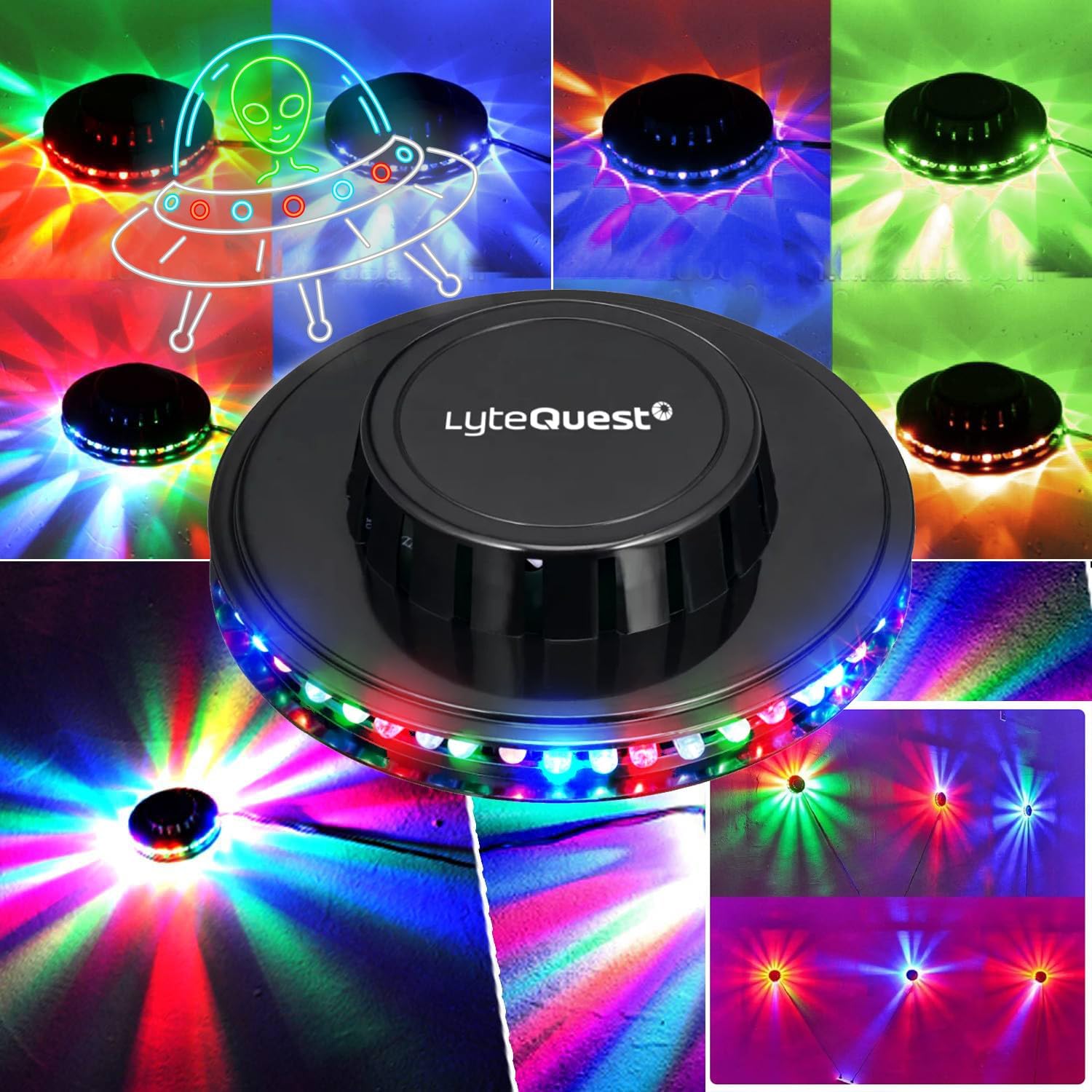
Image 4.1: The included UFO LED light accessory.
5. Arahan Operasi
5.1 Menghidupkan/Mematikan
- Untuk menghidupkan: Tekan dan tahan butang Kuasa (O) for a few seconds.
- Untuk mematikan: Tekan dan tahan butang Kuasa (O) again for a few seconds.

Image 5.1: Control panel of the Ledwood ACCESS130 speaker.
5.2 Sambungan Bluetooth
- Ensure the speaker is powered on. It will automatically enter Bluetooth pairing mode (indicated by a flashing LED).
- Pada telefon pintar, tablet atau komputer anda, dayakan Bluetooth dan cari peranti yang tersedia.
- Pilih "LEDWOOD ACCESS130" daripada senarai peranti.
- Once connected, the speaker will emit an audible confirmation, and the Bluetooth LED will stop flashing.
5.3 Main Semula USB
Masukkan pemacu kilat USB yang mengandungi audio files ke dalam port USB. Pembesar suara akan secara automatik mengesan dan mula memainkan muzik dari pemacu.
5.4 Karaoke Function with Wireless Microphone
- Power on the wireless microphone (refer to microphone's specific instructions if available).
- The microphone should automatically pair with the speaker.
- Adjust microphone volume using the controls on the microphone or speaker (if available).
- Begin singing along to your music.
5.5 LED Light Effects
The speaker features integrated RGB LED effects on its woofers. These lights will synchronize with the music. There may be a dedicated button (e.g., M or a light icon) to cycle through different light modes or turn them off.
5.6 Kawalan Asas
- Kelantangan: Tekan ke + butang.
- Perlahankan suara: Tekan ke - butang.
- Main/Jeda: Tekan ke ► butang.
- Lagu Seterusnya: Tekan dan tahan + (or specific button if indicated).
- Trek Sebelumnya: Tekan dan tahan - (or specific button if indicated).
- Butang Mod: Tekan ke M button to switch between Bluetooth, USB, and potentially other input modes.
6. Penyelenggaraan
- Pembersihan: Gunakan kain lembut dan kering untuk membersihkan permukaan pembesar suara. Jangan gunakan pembersih atau pelarut yang melelas.
- Storan: Apabila tidak digunakan untuk tempoh yang lama, simpan pembesar suara di tempat yang sejuk dan kering, jauh daripada cahaya matahari langsung.
- Penjagaan Bateri: Untuk memanjangkan hayat bateri, elakkan daripada menyahcas sepenuhnya bateri dengan kerap. Cas pembesar suara dengan kerap, walaupun tidak digunakan.
7. Penyelesaian masalah
| Masalah | Kemungkinan Punca | Penyelesaian |
|---|---|---|
| Tiada kuasa | Bateri dinyahcas. | Cas pembesar suara menggunakan kabel USB-C. |
| Tidak dapat menyambung melalui Bluetooth | Bluetooth is not enabled on your device; speaker is not in pairing mode; too far from speaker. | Ensure Bluetooth is on; put speaker in pairing mode; move device closer to speaker (within 10 meters). |
| Tiada bunyi | Kelantangan terlalu rendah; mod input salah; peranti tidak disambungkan. | Increase volume; press 'M' button to select correct input; ensure Bluetooth/USB is connected. |
| Mikrofon tidak berfungsi | Microphone is off; microphone battery low; not paired. | Ensure microphone is powered on; check microphone battery; re-pair microphone with speaker. |
| Lampu LED tidak berfungsi | LED effects are turned off; speaker is off. | Press the LED mode button (if available) to activate; ensure speaker is powered on. |
8. Spesifikasi
| Model | AKSES130 |
| Jenama | Ledwood |
| Output Kuasa | 130W (Peak), 12W (RMS) |
| Versi Bluetooth | 5.3 |
| Bluetooth Max Power | -6 hingga 4dBm |
| Nisbah Isyarat-ke-Bunyi | ≥80dB |
| Bateri | 3.7V - 3600mAh |
| Masa Main Semula | Up to 6 hours 30 minutes (at 50% volume) |
| Ketersambungan | Bluetooth, USB |
| Ciri Khas | RGB LED effects on woofers, Karaoke function, Wireless Microphone, UFO LED light included |
| Dimensions (H x D x L) | 12.04cm x 9.9cm x 26.1cm |
| Berat badan | 1 Kg |
9. Waranti dan Sokongan
For warranty information and technical support, please refer to the warranty card included with your product or visit the official Ledwood webtapak. Simpan bukti pembelian anda untuk sebarang tuntutan waranti.
Ledwood Official Store: Visit Ledwood Store on Amazon


