1. Pengenalan
The Victrola Wave turntable offers high-fidelity vinyl playback with advanced connectivity features. This manual provides essential information for setting up, operating, and maintaining your turntable to ensure optimal performance and longevity.
2. Kandungan Pakej
Sahkan bahawa semua item yang disenaraikan di bawah disertakan dalam pakej anda:
- Victrola Wave Record Player
- Penutup Habuk
- Penyesuai 45 RPM
- Slipmat
- RCA kabel
- Penyesuai Kuasa
3. Persediaan
3.1 Perhimpunan Permulaan
Carefully unpack all components. Place the turntable on a stable, level surface away from direct sunlight, heat sources, or excessive vibration.
- Install the Platter and Belt: Place the platter onto the spindle. Locate the drive belt and carefully stretch it around the motor pulley and the inner rim of the platter.
- Install the Slipmat: Letakkan alas kaki yang disertakan di atas pinggan.
- Pasang Kartrij: The Audio-Technica AT-VM95E cartridge is pre-installed on the headshell. Ensure it is securely attached.
- Seimbangkan Tonearm: Adjust the counterweight at the rear of the tonearm until the tonearm floats horizontally. Then, set the tracking force according to the cartridge manufacturer's specifications (typically 1.8g to 2.2g for the AT-VM95E).
- Tetapkan Anti-Luncur: Laraskan dail anti-luncur agar sepadan dengan tetapan daya penjejakan.
- Attach the Dust Cover: Carefully attach the dust cover to the hinges at the rear of the turntable.

Image: The Victrola Wave Turntable in black with its dust cover open, showcasing the platter, tonearm, and controls. This image illustrates the turntable's overall design and readiness for use.

Image: A blue Victrola Wave Turntable with key features labeled, including the removable dust cover, 2-speed belt-driven turntable, Audio-Technica AT-VM95E cartridge, premium build materials, Bluetooth output, Auracast Broadcast Audio, user-friendly controls, integrated switchable phono pre-amp, and RCA output with included cable.
3.2 Menyambung ke Kuasa
Connect the power adapter to the DC input on the rear of the turntable, then plug it into a wall outlet.
4. Arahan Operasi
4.1 Memainkan Rakaman
- Hidupkan kuasa: Press the power button on the front of the turntable.
- Pilih Kelajuan: Choose the appropriate speed (33 1/3 or 45 RPM) using the speed selector switch. Use the 45 RPM adaptor for 7-inch singles.
- Rekod Tempat: Letakkan rekod vinil anda dengan berhati-hati di atas pinggan.
- Angkat Tonearm: Use the cueing lever to gently lift the tonearm.
- Stilus Kedudukan: Manually move the tonearm over the desired track on the record.
- Tonearm Bawah: Slowly lower the cueing lever to drop the stylus onto the record. The platter will begin to spin automatically.
- Ciri Henti Auto: The turntable features an auto-stop function that will stop the platter from spinning once the record reaches its end.
4.2 Kesambungan Bluetooth
The Victrola Wave can stream audio wirelessly to Bluetooth-enabled speakers or headphones. It supports hi-res audio with compatible aptX Adaptive and aptX HD devices.
- Dayakan Berpasangan: With the turntable powered on, press and hold the Bluetooth pairing button until the indicator light flashes, indicating pairing mode.
- Pasangkan Peranti: On your Bluetooth speaker or headphones, enable Bluetooth pairing mode. Select "Victrola Wave" from the list of available devices.
- Pengesahan: Once connected, the Bluetooth indicator light on the turntable will become solid.

Image: A green Victrola Wave Turntable wirelessly streaming audio to two matching green Victrola Tempo speakers, demonstrating its Bluetooth output capability. The image highlights the modern convenience of wireless audio.
4.3 Auracast Broadcast Audio
Utilize Auracast Broadcast technology to transmit your music to multiple compatible Auracast speakers or headphones simultaneously for a shared listening experience.
- Activate Auracast: Refer to your turntable's specific instructions for activating Auracast broadcast mode.
- Connect Auracast Devices: Ensure your Auracast-compatible speakers or headphones are in listening mode and within range. They will automatically connect to the broadcast.

Image: A blue Victrola Wave Turntable with a diagram illustrating Auracast multi-speaker streaming. Yellow lines connect the turntable to multiple speaker icons placed throughout a floor plan, symbolizing the ability to broadcast audio to various compatible devices in different rooms.
4.4 Keluaran RCA
The turntable includes an RCA output with a switchable pre-amp, allowing connection to powered speakers, an external pre-amp, or traditional stereo systems.
- Sambungkan Kabel RCA: Plug the included RCA cable into the RCA output jacks on the rear of the turntable (red to red, white to white).
- Sambung ke Sistem Audio: Connect the other end of the RCA cable to the corresponding input on your powered speakers, external pre-amp, or stereo receiver.
- Select Pre-amp Mod: Use the LINE/PHONO switch on the rear of the turntable to select the appropriate mode. Choose TALIAN if connecting to powered speakers or an amplifier with a built-in phono input. Choose FON if connecting to an external phono pre-amp or a receiver with a dedicated phono input.

Imej: Gambar belakang dari dekat view of a green Victrola Wave Turntable, highlighting the RCA output jacks (red and white) and the LINE/PHONO switch. This image demonstrates the wired connectivity options for integrating the turntable into various audio setups.
4.5 User-Friendly Controls
The Victrola Wave is designed for ease of use, featuring intuitive controls for both beginners and experienced vinyl enthusiasts.
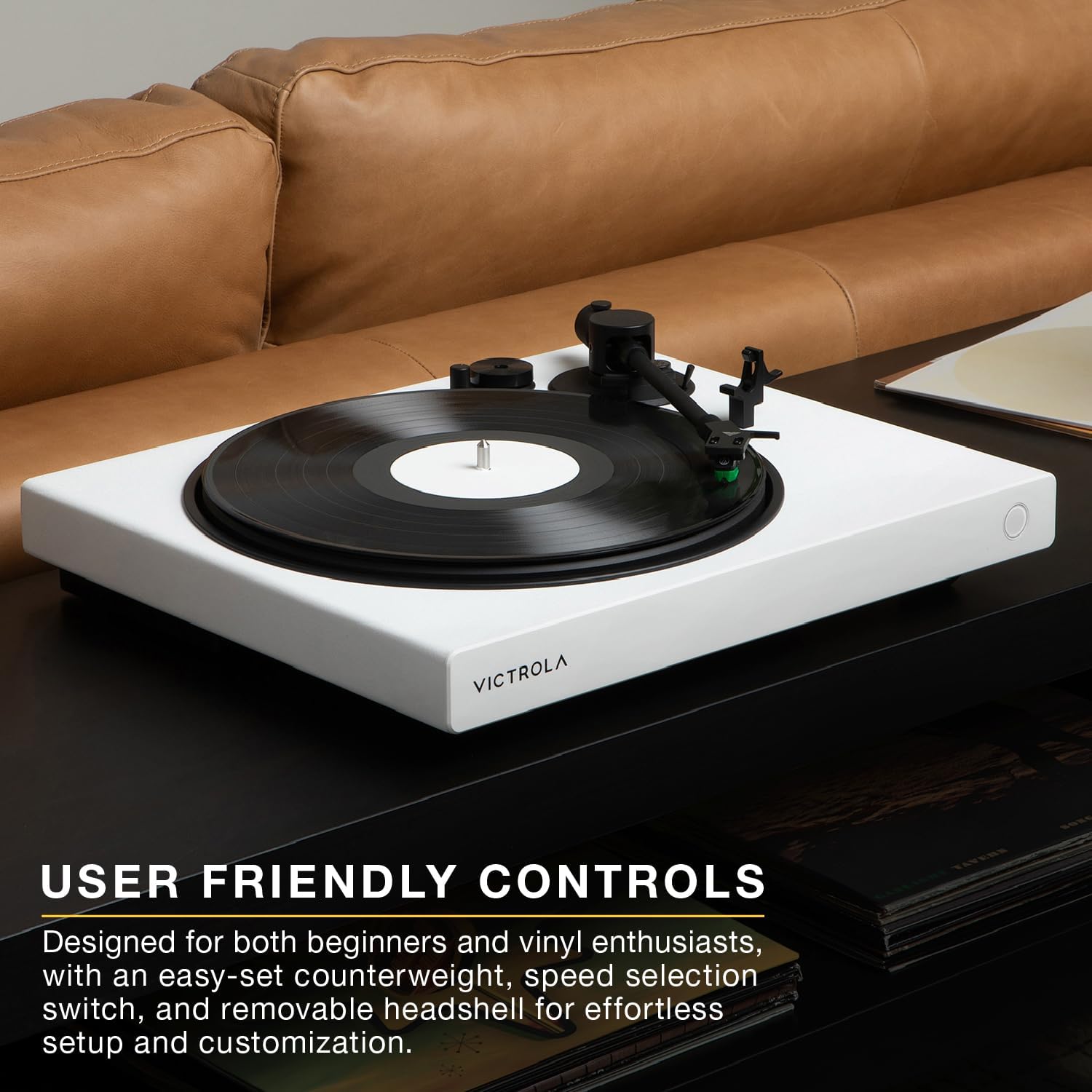
Image: A white Victrola Wave Turntable on a dark table, showcasing its minimalist design and user-friendly controls on the front panel. The image emphasizes the simplicity and accessibility of the turntable's operation.

Image: A detailed close-up of the Audio-Technica AT-VM95E cartridge on the tonearm, positioned over a spinning vinyl record. This image highlights the precision engineering of the cartridge, crucial for balanced and distortion-free playback.
4.6 Video Produk Rasmi
Video: An official product video titled "Victrola Wave Record Player" by INNOVATIVE TECHNOLOGY ELECTRONICS, LLC. This video provides a visual overview of the Victrola Wave turntable, demonstrating its features and functionality.
5. Penyelenggaraan
5.1 Penjagaan Stilus
The stylus is a delicate component. Clean it regularly using a soft brush designed for stylus cleaning, brushing from back to front. Avoid touching the stylus with your fingers.
5.2 Dust Cover Care
Wipe the dust cover with a soft, dry cloth. Avoid using abrasive cleaners or solvents, as they may damage the surface.
6. Penyelesaian masalah
- Tiada Kuasa: Ensure the power adapter is securely connected to both the turntable and a working power outlet.
- Tiada Bunyi: Check all audio connections (RCA, Bluetooth). Verify the LINE/PHONO switch is in the correct position. Ensure your connected speakers or headphones are powered on and at an audible volume.
- Skipping or Distortion: Check if the record is clean and free of dust. Ensure the tonearm is properly balanced and the tracking force and anti-skate settings are correct.
- Isu Berpasangan Bluetooth: Ensure the turntable is in pairing mode (flashing light) and your receiving device is also in pairing mode. Try restarting both devices.
7. Spesifikasi
| Ciri | Spesifikasi |
|---|---|
| Nombor Model | VPT-1520-BLK |
| Dimensi (L x W x H) | 19 x 16.7 x 8.2 inci (48.26 x 42.42 x 20.83 cm) |
| Berat Barang | 20.7 paun (9.41 kg) |
| Kartrij | Audio-Technica AT-VM95E |
| Kelajuan | 33 1/3, 45 RPM |
| Ketersambungan | Bluetooth (aptX Adaptive, aptX HD), Auracast, RCA Output |
| bahan | Plastic (MDF Plinth) |
| Komponen yang Disertakan | Record Player, Dust Cover, 45 RPM Adaptor, Slipmat, RCA Cable |

Image: A black Victrola Wave Turntable with its key dimensions (length, width, height) overlaid in white text, providing a clear visual reference for its physical size.
8. Waranti dan Sokongan
For warranty information and customer support, please refer to the official Victrola webtapak atau hubungi perkhidmatan pelanggan mereka secara langsung. Simpan resit pembelian anda sebagai bukti pembelian untuk sebarang tuntutan waranti.
Pengeluar: Innovative Technology Electronics LLC


