1. Pengenalan
This manual provides essential information for the installation, operation, and maintenance of your ZOTAC Gaming GeForce RTX 5060 Twin Edge OC graphics card. Designed for high-performance gaming, this card features the NVIDIA Blackwell architecture, DLSS 4, 8GB GDDR7 memory, and PCIE 5.0 support, all within a compact, SFF-ready design. Please read this manual thoroughly before installation and use to ensure optimal performance and longevity of your product.
2. Apa yang ada di dalam Kotak
Sahkan bahawa semua item terdapat dalam pakej:
- ZOTAC GAMING GeForce RTX 5060 Twin Edge OC graphics card
- Manual Pengguna (dokumen ini)
- Panduan Mula Pantas
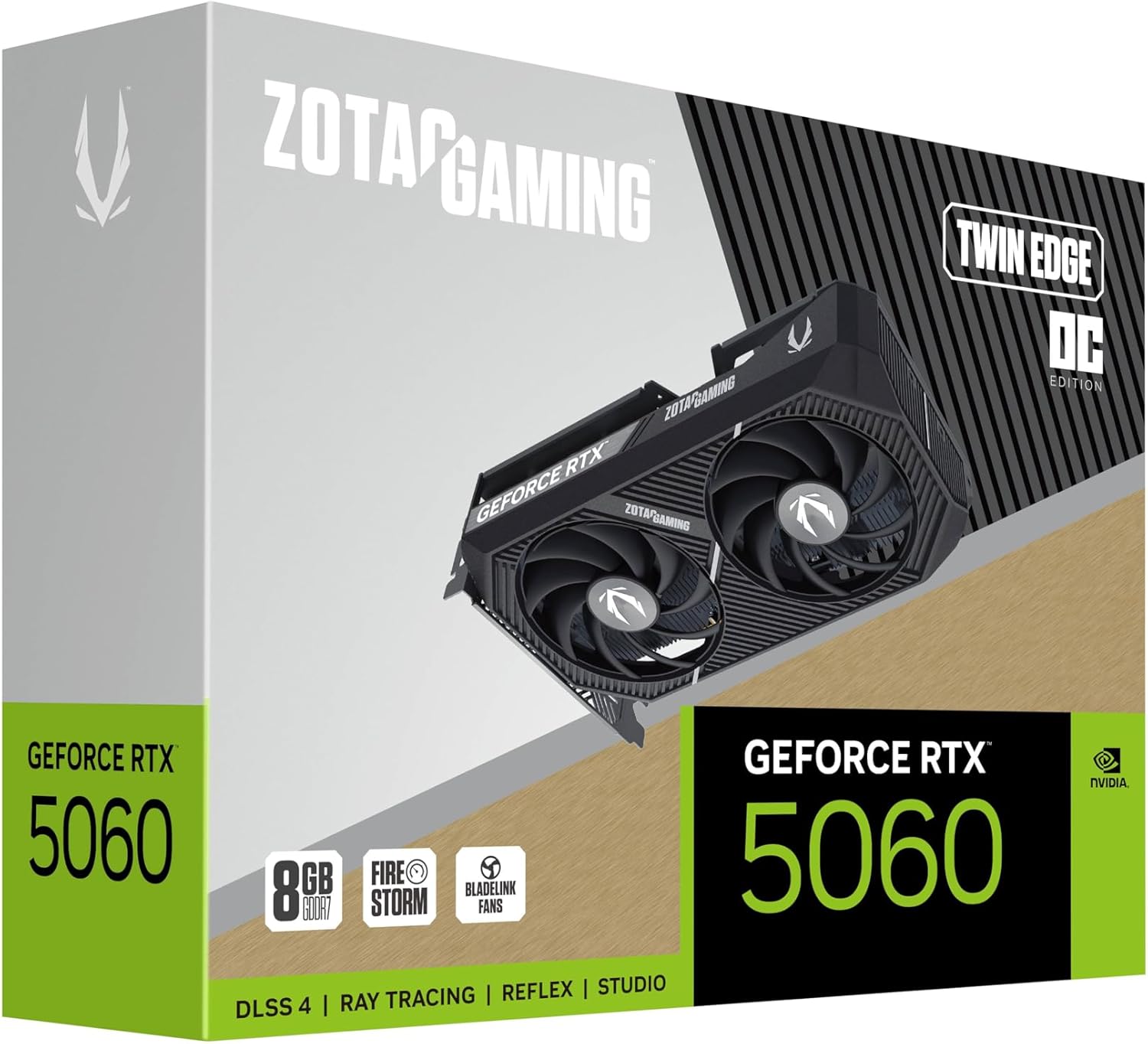
Image: The retail packaging for the ZOTAC Gaming GeForce RTX 5060 Twin Edge OC graphics card.
3. Produk Lebihview
Familiarize yourself with the physical components of your graphics card.

Imej: Depan view daripada kad grafik, tunjukkancasing the dual 90mm BladeLink fans and ZOTAC GAMING branding.

Imej: Belakang view of the graphics card, showing the 3 DisplayPort 2.1b and 1 HDMI 2.1b output ports.

Imej: Sisi view of the graphics card, highlighting its compact two-slot design.
4. Spesifikasi
Key technical specifications of the ZOTAC Gaming GeForce RTX 5060 Twin Edge OC graphics card:
| Ciri | Spesifikasi |
|---|---|
| Pemproses bersama Grafik | GeForce RTX 5060 |
| Jenama Chipset | NVIDIA |
| Memori Video | 8GB GDDR7 |
| Antara Muka Memori | 128-bit |
| Kelajuan Memori | 28 Gbps |
| Antara Muka PCIe | PCIE 5.0 |
| Paparan Output | 3 x DisplayPort 2.1b, 1 x HDMI 2.1b |
| Resolusi Maks | 7680x4320 (8K Ready) |
| Sokongan Berbilang Paparan | 4 Paparan |
| Sistem Penyejukan | Dual 90mm BladeLink fans, Composite Heatpipes, Pass-thru Airflow Design |
| Penyambung Kuasa | PCIe 8-pin |
| Dimensi (LxWxH) | 8.7 x 1.6 x 0.1 inci (220.5 x 41.6 x 120.25 mm) |
| Berat badan | 1.57 paun |
5. Persediaan dan Pemasangan
5.1 Senarai Semak Pra-Pemasangan
- Pastikan unit bekalan kuasa (PSU) anda memenuhi wat yang disyorkantage for your system, including the new graphics card.
- Matikan komputer anda dan cabut kabel kuasa dari soket dinding.
- Ground yourself to discharge any static electricity before handling components.
5.2 Pemasangan Perkakasan
- Buka bekas komputer anda.
- Cari slot PCI Express 5.0 x16 yang tersedia pada papan induk anda.
- Remove any expansion slot covers that correspond to the graphics card's two-slot width.
- Carefully align the graphics card with the PCIe slot and press down firmly until it is securely seated. Ensure the retention clip on the PCIe slot locks into place.
- Lindungi kad grafik pada bekas dengan skru.
- Connect the 8-pin PCIe power connector from your PSU to the graphics card. Ensure a firm connection.
- Tutup casing komputer anda.
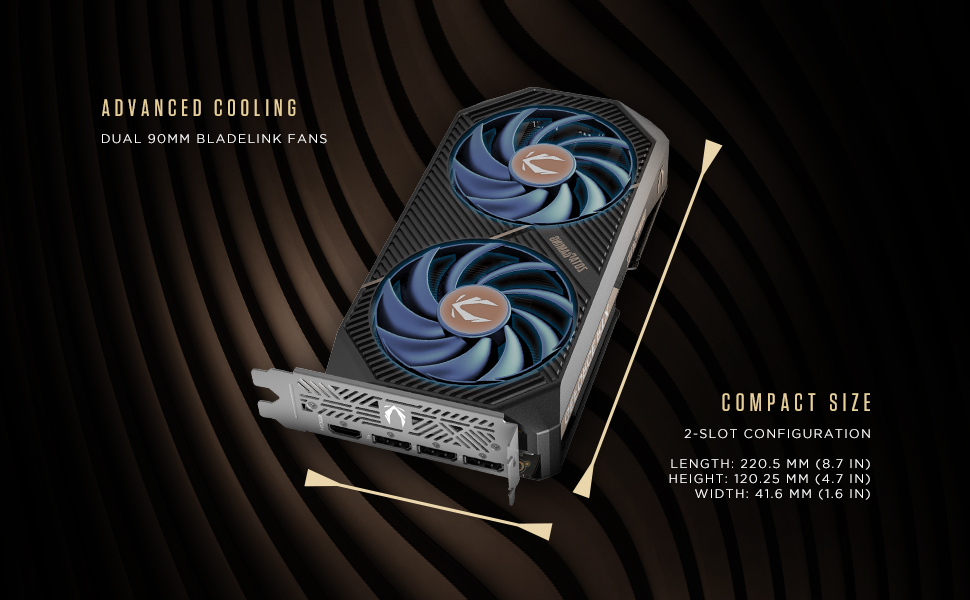
Image: Illustration of the graphics card's compact dimensions and dual fan cooling system, aiding in installation planning.
5.3 Pemasangan Pemandu
- Sambungkan semula kabel kuasa dan hidupkan komputer anda.
- Connect your display cable (HDMI or DisplayPort) from the graphics card to your monitor.
- Once the operating system loads, download the latest NVIDIA drivers for your GeForce RTX 5060 from the official NVIDIA webtapak (www.nvidia.com/drivers).
- Ikut arahan pada skrin untuk menyelesaikan pemasangan pemacu. Mula semula sistem mungkin diperlukan.
6. Mengendalikan Kad Grafik Anda
6.1 Kemas Kini Pemandu
Regularly update your graphics drivers to ensure optimal performance, stability, and access to the latest features and game optimizations. NVIDIA releases new drivers frequently, which can be downloaded from their official website or through the GeForce Experience application.
6.2 ZOTAC GAMING Utilities
ZOTAC provides utility software, such as FireStorm, which allows you to monitor your graphics card's performance, adjust fan speeds, and customize lighting (if applicable). Refer to the ZOTAC webtapak untuk maklumat lanjut dan muat turun.
6.3 Tatarajah Paparan
Utilize the NVIDIA Control Panel to configure display settings, including resolution, refresh rate, and multi-monitor setups. This software is installed with the graphics drivers.
7. Penyelenggaraan
7.1 Pembersihan
- Periodically clean the fans and heatsink of your graphics card to prevent dust buildup, which can impede cooling performance.
- Use compressed air to gently blow dust out of the heatsink fins and fan blades. Hold the fan blades in place to prevent them from spinning excessively during cleaning.
- Ensure your computer is powered off and unplugged before performing any cleaning.
7.2 Aliran Udara
Maintain good airflow within your PC case. Ensure that case fans are properly configured to draw cool air in and expel hot air out. Avoid obstructing the graphics card's fans or exhaust vents.

Image: Visual representation of the card's pass-through airflow design for faster heat release and the metal backplate for enhanced rigidity.
8. Penyelesaian masalah
Bahagian ini membincangkan isu biasa yang mungkin anda hadapi dengan kad grafik anda.
| Masalah | Kemungkinan Punca | Penyelesaian |
|---|---|---|
| Tiada output paparan | Incorrect cable connection, unseated card, no power, driver issue | Ensure display cables are securely connected. Reseat the graphics card. Verify the 8-pin PCIe power connector is fully inserted. Install or update drivers. |
| Ketidakstabilan atau ranap sistem | Outdated drivers, overheating, insufficient PSU power | Update graphics drivers. Monitor temperatures using ZOTAC FireStorm or other tools. Ensure PSU meets requirements. |
| Fans not spinning or excessive noise | Dust buildup, fan control settings, faulty fan | Clean fans and heatsink. Check fan speed settings in ZOTAC FireStorm. Contact support if a fan is faulty. |
| Low performance in games | Outdated drivers, incorrect game settings, CPU bottleneck | Ensure latest drivers are installed. Adjust in-game graphics settings. Verify other system components are not limiting performance. |
9. Waranti dan Sokongan
ZOTAC provides dedicated customer support and warranty coverage for its products.
9.1 Perlindungan Waranti
Your ZOTAC Gaming GeForce RTX 5060 Twin Edge OC graphics card typically comes with a 3-year coverage. Please register your product on the official ZOTAC website to activate and verify your warranty terms and conditions, as they may vary by region.
9.2 Sokongan Pelanggan
For technical assistance, troubleshooting, or warranty claims, please utilize ZOTAC's support resources:
- Sembang Dalam Talian: Access 24/7 online chat support via the ZOTAC webtapak.
- RMA Program: For hardware issues requiring repair or replacement, refer to the Return Merchandise Authorization (RMA) program details on the ZOTAC support page.
- Komuniti Dalam Talian: Engage with other users and find solutions on ZOTAC's official forums and social media channels.
Visit the official ZOTAC webtapak untuk maklumat sokongan terkini: www.zotac.com/support

Imej: Selesaiview of ZOTAC's online communities and dedicated customer support services, including warranty coverage and RMA program.


