1. Pengenalan
The Ugoos SK2 TV Box is a high-performance streaming media player designed to transform your television into a smart entertainment hub. Running on Android 12.0 with Google TV, it offers seamless access to a vast library of movies, TV shows, and applications. Equipped with a Realtek RTD1325 ARM Cortex-A55 Quad-Core CPU, 4GB RAM, and 32GB ROM, the SK2 ensures smooth 4K HDR playback and efficient multitasking. Its advanced connectivity options, including WiFi 6 and Bluetooth 5.2, provide a stable and fast streaming experience.
2. Kandungan Pakej
Please verify that all items are present in the box:
- Ugoos SK2 TV Box
- BT + IR Remote Control
- 12V/1A Power Adapter (US Plug)
- Kabel HDMI
- Manual Pengguna Bahasa Inggeris

Figure 2.1: Ugoos SK2 TV Box and its accompanying remote control.
3. Produk Lebihview
The Ugoos SK2 TV Box features a compact design with essential ports for connectivity.
3.1 Hadapan dan Tepi Views

Rajah 3.1: Sisi view of the Ugoos SK2 TV Box, showing the USB-C, Reset button, and USB 2.0 (5V===) port.
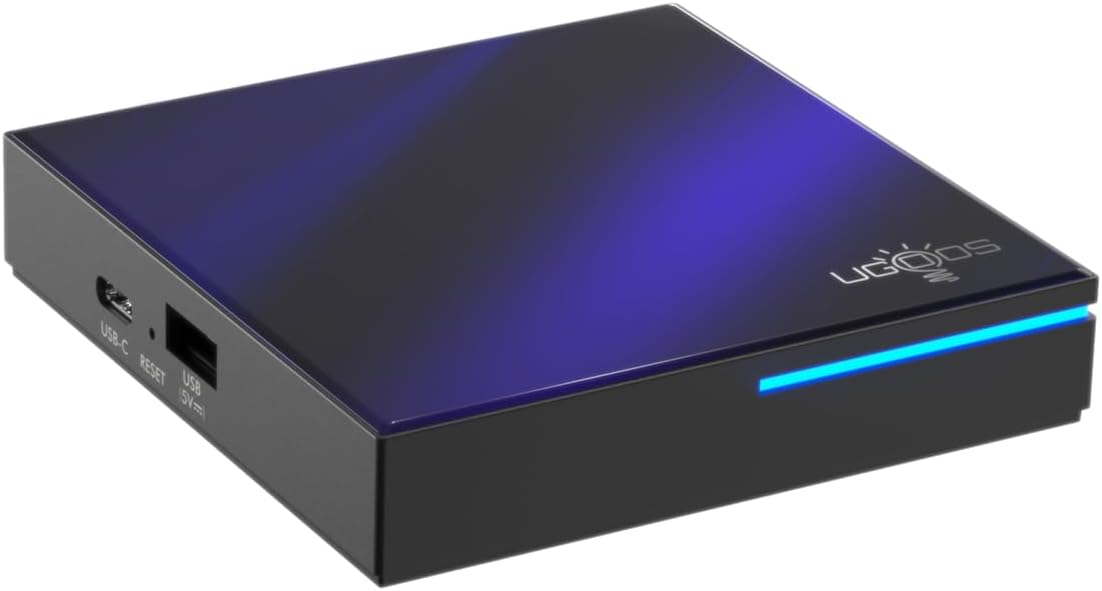
Rajah 3.2: Depan dan sisi view highlighting the indicator light strip, which illuminates when the device is powered on.
3.2 Belakang View (Pelabuhan)
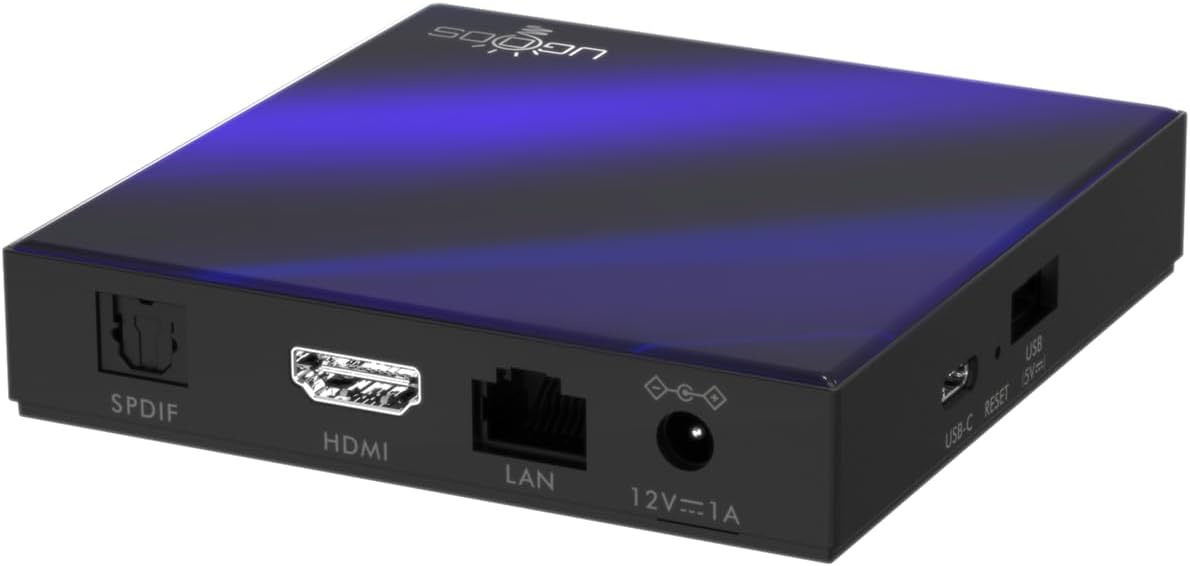
Rajah 3.3: Belakang view of the Ugoos SK2 TV Box, displaying the SPDIF, HDMI, LAN (Ethernet), and 12V/1A Power input ports.
Video 3.1: Unboxing dan seterusnyaview of the Ugoos SK2 ATV Box, showcasing its design and available ports.
4. Panduan Persediaan
Follow these steps to set up your Ugoos SK2 TV Box:
- Sambung ke TV: Connect one end of the provided HDMI cable to the HDMI port on the Ugoos SK2 TV Box and the other end to an available HDMI input on your television.
- Sambungkan Kuasa: Plug the 12V/1A power adapter into the DC IN port on the TV Box and then plug the adapter into a wall outlet. The indicator light on the front of the device will illuminate.
- Masukkan Bateri Jauh: Open the battery compartment on the back of the BT + IR Remote Control and insert two AAA batteries (not included), ensuring correct polarity.
- Hidupkan kuasa: Power on your television and select the correct HDMI input source corresponding to where the TV Box is connected. The Ugoos SK2 TV Box should automatically power on.
- Persediaan Awal: Follow the on-screen instructions to complete the initial setup, including language selection, region/country, and network connection (Wi-Fi or Ethernet).
- Pasangkan Alat Kawalan Jauh: During the initial setup, you may be prompted to pair the remote control. Press and hold the 'Home' and 'Back' buttons simultaneously for 5 seconds until the indicator light on the remote flashes, indicating successful pairing.
- Sambungkan ke Rangkaian: For optimal performance, connect the device to your home network. You can use either the built-in WiFi 6 (2.4/5/6Ghz) or connect an Ethernet cable to the LAN port for a wired connection.
5. Arahan Operasi
The Ugoos SK2 TV Box runs on Google TV, providing a user-friendly interface for content discovery and streaming.
5.1 Navigasi dan Aplikasi
Use the remote control to navigate through the Google TV interface. The home screen provides personalized recommendations, quick access to installed apps like YouTube, Netflix, Prime Video, and Disney+, and a search function powered by Google Assistant.
5.2 Kawalan Suara (Pembantu Google)
Press the Google Assistant button on your remote to activate voice control. You can use voice commands to search for content, control playback, get answers, and manage smart home devices.
5.3 Casting Content (Chromecast built-in)
The device features Chromecast built-in, allowing you to cast movies, shows, photos, and more directly from your phone or tablet to your TV.
5.4 4K HDR Playback
The Ugoos SK2 supports 4K 60fps resolution, H.265, AV1, and 4K HDR content, including Dolby Vision and HDR10+. This ensures a vibrant and detailed viewing experience with smooth playback.
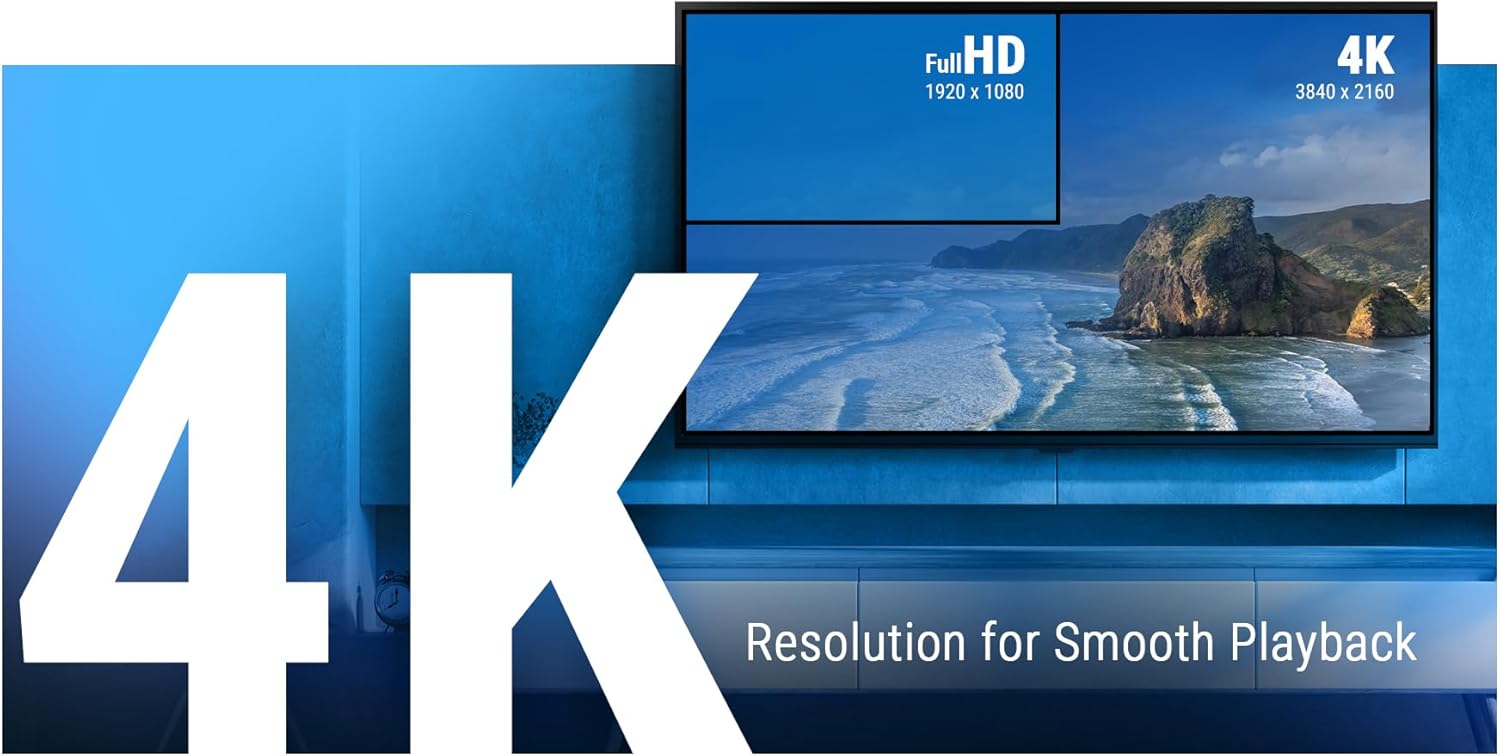
Figure 5.1: The Ugoos SK2 supports 4K resolution for smooth and high-quality video playback.

Figure 5.2: The device supports advanced video technologies like AV1, HDR10+, and Dolby Vision for enhanced visual fidelity.

Figure 5.3: The Automatic Frame Rate (AFR) system ensures optimal resolution and frequency matching for smooth video playback.
6. Penyelenggaraan
To ensure the longevity and optimal performance of your Ugoos SK2 TV Box, follow these maintenance guidelines:
- Pembersihan: Gunakan kain lembut dan kering untuk membersihkan bahagian luar peranti. Elakkan menggunakan pembersih cecair atau bahan yang melelas.
- Pengudaraan: Ensure the device is placed in a well-ventilated area to prevent overheating. Do not cover ventilation openings.
- Kemas Kini Perisian: Periodically check for and install software updates to ensure you have the latest features and security patches. This can usually be done through the device's settings menu.
- Pengurusan Storan: While the device has 32GB of internal storage, regularly manage your installed apps and media to prevent performance degradation due to full storage.
7. Penyelesaian masalah
If you encounter issues with your Ugoos SK2 TV Box, refer to the following common problems and solutions:
- Tiada Kuasa:
- Pastikan penyesuai kuasa disambungkan dengan selamat pada kedua-dua peranti dan salur keluar kuasa yang berfungsi.
- Periksa sama ada alur keluar kuasa berfungsi dengan memasang peranti lain.
- Tiada Gambar/Isyarat:
- Verify that the HDMI cable is securely connected to both the TV Box and the TV.
- Pastikan TV anda ditetapkan kepada sumber input HDMI yang betul.
- Cuba kabel HDMI atau port HDMI lain pada TV anda.
- Alat Kawalan Jauh Tidak Menjawab:
- Periksa dan gantikan bateri pada alat kawalan jauh.
- Re-pair the remote control by pressing and holding the 'Home' and 'Back' buttons simultaneously for 5 seconds.
- Isu Kesambungan Wi-Fi:
- Pastikan penghala Wi-Fi anda dihidupkan dan berfungsi dengan betul.
- Move the TV Box closer to the router or consider using an Ethernet connection.
- Mulakan semula kedua-dua Kotak TV dan penghala Wi-Fi anda.
- Aplikasi Terhenti/Ranap:
- Close and reopen the problematic application.
- Clear the app's cache and data through the device settings.
- Pastikan perisian peranti terkini.
For persistent issues, consider performing a factory reset (refer to the device settings for this option). Note that a factory reset will erase all personal data and installed applications.
8. Spesifikasi
Detailed technical specifications for the Ugoos SK2 TV Box:
| Ciri | Penerangan |
|---|---|
| Nama Model | SK2 |
| Jenama | Ugoos |
| Sistem Operasi | Android 12.0 (Google TV) |
| Processor (SOC) | Realtek RTD1325, ARM Cortex-A55 Quad-Core CPU |
| GPU | Mali-G57 MC1 |
| RAM | 4GB DDR4 |
| Storan Dalaman | 32GB eMMC |
| Kesambungan Wayarles | WiFi 6 (2.4/5/6Ghz, IEEE 802.11 a/b/g/n/ac/ax 2x2 MIMO) |
| Bluetooth | Bluetooth 5.2 |
| Output Video | HDMI (4K 60fps, HDR, AV1, VP9, H.265) |
| Sokongan Audio | Dolby Vision-Atmos |
| Ethernet | Port LAN 100M |
| Port USB | USB-C, USB 2.0 |
| Pelabuhan Lain | SPDIF, Reset |
| Input Kuasa | 12V/1A |
| Dimensi | 3.78 x 3.78 x 0.75 inci |
| Berat Barang | 1.35 paun |
| Ciri Khas | Chromecast built-in, Google Assistant |

Gambar 8.1: Lebihview of the Ugoos SK2's core technical specifications.

Figure 8.2: Comparison illustrating the improved data transfer speed of Bluetooth 5.2 supported by the Ugoos SK2.
9. Maklumat Keselamatan
Please read and follow these safety precautions to prevent damage to the device or injury to yourself:
- Gunakan hanya penyesuai kuasa yang disediakan.
- Jangan dedahkan peranti kepada air, lembapan atau suhu yang melampau.
- Elakkan meletakkan peranti berhampiran sumber haba atau di bawah cahaya matahari langsung.
- Jangan cuba membuka atau mengubah suai peranti.
- Jauhkan peranti dan aksesori daripada kanak-kanak.
10. Waranti dan Sokongan
The Ugoos SK2 TV Box is covered by a standard manufacturer's warranty. Please refer to the warranty card included in your package or contact Ugoos customer support for detailed information regarding warranty terms, service, and technical assistance.
For further support, visit the official Ugoos webtapak atau hubungi pasukan perkhidmatan pelanggan mereka.


