1. Produk Lebihview
This manual provides detailed instructions for the ZWNAV 15.8 Inch Qualcomm 128G Android 14 Carplay Multimedia Player. This head unit is designed to enhance your in-car entertainment and navigation experience with advanced features and seamless integration.
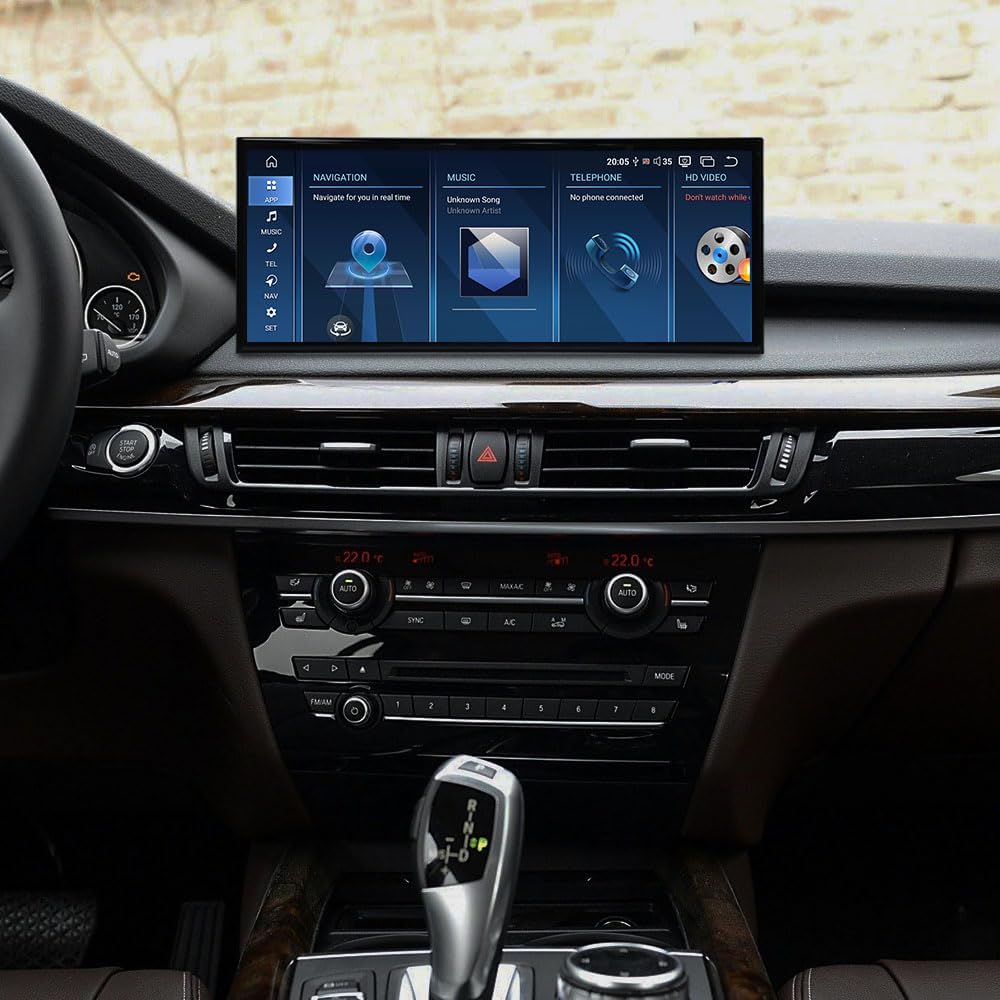
Figure 1.1: ZWNAV 15.8 Inch Multimedia Player integrated into a BMW vehicle dashboard, showcasinpaparan dan antara muka pengguna yang besar.
2. Keserasian Kenderaan
This ZWNAV multimedia player is specifically designed for the following BMW models and systems:
- BMW X5 F15 (2014-2019)
- BMW X6 F16 (2014-2019)
- BMW X5M (2014-2019)
- Compatible with NBT and EVO systems.
3. Ciri-ciri Utama
- Sistem pengendalian: Android 14
- Pemproses: Qualcomm 680 8-core CPU
- Ingatan: RAM 8GB, ROM 128GB
- paparan: Skrin sentuh 15.8 inci
- Ketersambungan: 4G/Wifi/Mobile phone hotspot, Bluetooth 5.0
- Navigasi: Supports Google Map, IGO, Sygic, Waze, Yandex navigation
- Car Integration: Wireless Apple Carplay, supports factory steering wheel control, radar parking sensor, and A/C information display.
- Audio: Built-in SI4745 radio module with RDS, Built-in DSP (16 bands EQ), Built-in 7850 Amplifier (45W*4 audio output).
4. Persediaan dan Pemasangan
The ZWNAV multimedia player is designed for plug-and-play installation, simplifying the setup process. It comes with all necessary cables and a CANBUS decoder for seamless integration with your vehicle's existing systems.
4.1 Komponen yang Disertakan
Sebelum memulakan pemasangan, pastikan semua komponen ada:
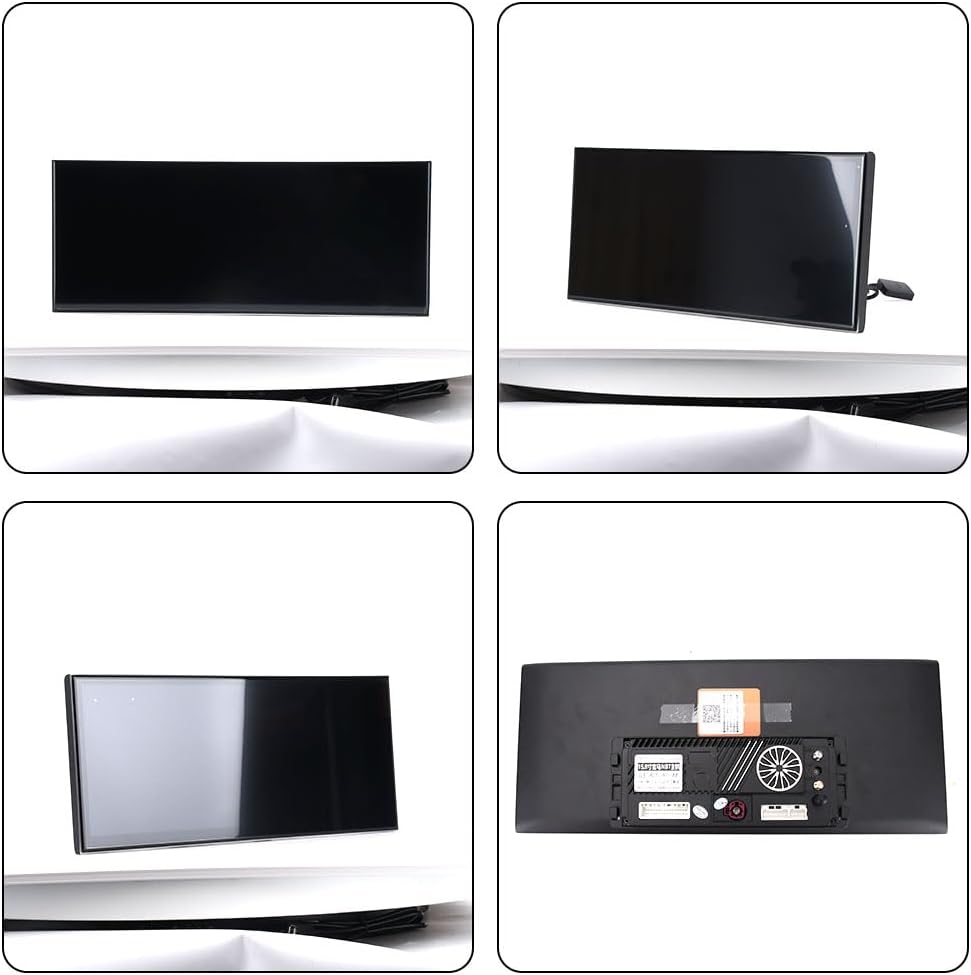
Gambar 4.1: Lebihview of the main unit and included accessories, including GPS antenna, WiFi antenna, SIM card slot, power cable, and external microphone.
- Unit Kepala Utama (paparan 15.8 inci)
- Kabel Kuasa
- Antena GPS
- Antena WiFi
- SIM Card Slot/Cable
- Mikrofon
- CANBUS Decoder (integrated with cables)
4.2 Langkah Pemasangan (Panduan Umum)
- Penyediaan: Ensure the vehicle's ignition is off and the battery is disconnected before starting any electrical work.
- Remove Factory Unit: Carefully remove the existing factory head unit and display from your BMW. Refer to your vehicle's service manual for specific removal instructions.
- Sambungkan Kabel: Connect the provided power cable and CANBUS decoder to the vehicle's wiring harness. Ensure all connections are secure.
- Sambung Peranti: Connect the GPS antenna, WiFi antenna, and external microphone to the corresponding ports on the ZWNAV head unit.
- Install SIM Card (Optional): If using 4G connectivity, insert a compatible SIM card into the designated slot.
- Pasang Unit Baharu: Carefully mount the ZWNAV 15.8-inch display into the dashboard opening. Ensure it is securely fastened.
- Kefungsian Ujian: Reconnect the vehicle battery and turn on the ignition. Test all functions of the new head unit, including audio, navigation, Bluetooth, and steering wheel controls.
- Perhimpunan Akhir: Reassemble any removed trim pieces or panels.
Note: Professional installation is recommended to ensure proper functionality and avoid damage to your vehicle.
5. Arahan Operasi
The ZWNAV multimedia player runs on Android 14, offering a familiar and intuitive user interface. Navigation is primarily via the 15.8-inch touchscreen.
5.1 Antara Muka Pengguna Overview

Figure 5.1: Main user interface screen displaying quick access icons for Navigation, Music, Telephone, and HD Video functions.

Figure 5.2: Alternative user interface layout with icons for Navi, Bluetooth, Music, and Video, along with a "Car Info" section.

Figure 5.3: Screenshots of various application interfaces including the app drawer, audio equalizer, Bluetooth device pairing, and music player.
5.2 Navigasi
The unit supports various navigation applications such as Google Maps, IGO, Sygic, Waze, and Yandex. Ensure the GPS antenna is properly connected for accurate positioning.
- Starting Navigation: Tap the "Navi" or "Maps" icon on the home screen.
- Entering Destination: Use the on-screen keyboard or voice command (if configured) to input your destination.
- Kemas Kini Peta: Navigation app updates are typically managed through the Google Play Store (requires internet connection).
5.3 Carplay Apple Tanpa Wayar
Connect your iPhone wirelessly to access Carplay features directly on the head unit's display.

Figure 5.4: The ZWNAV unit displaying the Apple Carplay interface, showing common applications like Phone, Music, Maps, and Messages.
- Berpasangan: Enable Bluetooth and Wi-Fi on your iPhone. On the head unit, go to the Carplay application and follow the on-screen instructions to pair your device.
- Fungsi: Access phone calls, messages, Apple Maps, Apple Music, Podcasts, and other compatible apps.
5.4 Bluetooth 5.0
The built-in Bluetooth 5.0 module allows for hands-free calling and audio streaming.
- Berpasangan: Go to the Bluetooth settings on the head unit. Enable Bluetooth on your mobile device and search for the ZWNAV unit. Select it and confirm the pairing code.
- Panggilan Bebas Tangan: Make and receive calls directly from the head unit.
- Penstriman Audio: Play music from your paired device through the car's speakers.
5.5 Radio and DSP
The unit features an SI4745 radio module with RDS function and a 16-band DSP for audio customization.
- Radio: Access the radio application to tune into FM/AM stations. RDS provides station information where available.
- DSP (Pemproses Bunyi Digital): Adjust equalizer settings (16 bands) to fine-tune the audio output to your preference. Access DSP settings through the audio or settings menu.
5.6 Steering Wheel Control and Vehicle Information
The unit supports your vehicle's factory steering wheel controls, radar parking sensors, and displays A/C information, ensuring seamless integration.
- Kawalan Roda Stereng: Volume, track skip, and call controls should function automatically after installation.
- Data Kenderaan: A/C status and parking sensor data will be displayed on the screen as supported by your vehicle's CANBUS system.
6. Penyelenggaraan
To ensure the longevity and optimal performance of your ZWNAV multimedia player, follow these general maintenance guidelines:
- Pembersihan Skrin: Gunakan kain lembut dan tidak berbulu sedikit dampdibilas dengan air atau pembersih skrin yang direka khas untuk paparan elektronik. Elakkan bahan yang kasar atau bahan kimia yang keras.
- Kemas Kini Perisian: Periodically check for system and application updates through the unit's settings or Google Play Store to ensure you have the latest features and security patches.
- Keadaan Persekitaran: Elakkan daripada mendedahkan unit kepada suhu yang melampau, cahaya matahari langsung untuk tempoh yang lama, atau kelembapan yang berlebihan.
- Sambungan Kabel: Pastikan semua kabel kekal tersambung dengan kukuh. Elakkan menarik kabel secara paksa.
7. Penyelesaian masalah
If you encounter issues with your ZWNAV multimedia player, refer to the following common troubleshooting steps:
| Masalah | Kemungkinan Punca | Penyelesaian |
|---|---|---|
| Unit tidak dihidupkan. | Sambungan kuasa longgar, fius pecah, masalah bateri kenderaan. | Periksa sambungan kabel kuasa. Periksa fius kenderaan. Pastikan bateri kenderaan dicas. |
| Tiada bunyi atau audio yang herot. | Speaker wire issues, incorrect audio settings, DSP settings. | Verify speaker connections. Check volume levels and mute settings. Reset DSP settings to default. |
| Isyarat GPS hilang atau tidak tepat. | Antena GPS tidak disambungkan atau terhalang dengan betul. | Pastikan antena GPS disambungkan dengan selamat dan mempunyai jernih view of the sky. Relocate antenna if necessary. |
| Isu berpasangan Bluetooth. | Bluetooth tidak didayakan, peranti tidak dapat ditemui, gangguan. | Ensure Bluetooth is enabled on both devices. Restart both devices. Clear previous pairings. |
| Skrin sentuh tidak bertindak balas. | Software glitch, temporary freeze. | Perform a soft reset (refer to unit's specific reset procedure, usually holding power button). If persistent, disconnect power for a few minutes. |
If the problem persists after attempting these solutions, please contact ZWNAV customer support for further assistance.
8. Spesifikasi
| Ciri | Perincian |
|---|---|
| Nama Model | ZW15F103220071417 |
| Sistem Operasi | Android 14 |
| Pemproses | Qualcomm 680 8-core CPU |
| RAM | 8GB |
| ROM | 128GB |
| Saiz Skrin | 15.8 Inci |
| Dimensi Produk | 13.3 x 4.9 x 4.9 inci (33.78 x 12.45 x 12.45 cm) |
| Berat Barang | 6.49 paun (2.94 kg) |
| Teknologi Ketersambungan | 4G SIM Carplay, Bluetooth, Wi-Fi, USB, Cables |
| Versi Bluetooth | 5.0 |
| Mod Keluaran Audio | digital |
| Amplebih hidup | Terbina dalam 7850 Amplifier (45W*4) |
| DSP | Built-in (16 bands of EQ) |
| Modul Radio | SI4745 (supports RDS) |
| Jenis Peta | North America (supports Google Map/IGO/Sygic/Waze/Yandex) |
| Perintah Suara | Keyboard (on-screen) |
| Komponen yang Disertakan | Unit, cables |
9. Waranti dan Sokongan
ZWNAV provides comprehensive support for its products:
- Waranti: Waranti pengilang 1 tahun.
- Perkhidmatan Selepas Jualan: Life-time after-sales service.
- Maklumat Hubungan:
- e-mel: zwnavgps@hotmail.com
- Amazon Store: Click "ZWNAVGPS Official Store" then "ask a question" on the product page.