Amaran Keselamatan
Read all safety warnings carefully before installation and use to ensure safe, durable, and efficient operation of the fan. The manufacturer is not responsible for damages caused by improper use or installations performed by unqualified personnel.
1. Pemasangan Elektrik
- Before any intervention, always cut the power from the main circuit breaker.
- Installation must only be performed by an authorized electrician.
- Verify that the ceiling and support can withstand the total weight of the fan.
- Do not install the fan in areas with humidity or risk of water contact.
2. Penggunaan Selamat
- Keep the fan area clear of children, pets, and objects.
- The blades deploy automatically: ensure the surrounding space is clear.
- Do not touch the blades during movement or retraction.
- Do not force or manually manipulate the retractable system.
3. Lampu LED
- Do not look directly at the LED light when it is on.
- Do not attempt to replace the LEDs if they are not designed to be removable.
- Always use original and manufacturer-approved components.
4. Penyelenggaraan dan Pembersihan
- Clean exclusively with a dry or slightly damp kain.
- Avoid abrasive products, chemicals, or solvents.
- Periodically inspect screws and moving parts; tighten them if necessary.
- If you detect abnormal noises or irregular operation, turn off the fan immediately and contact technical service.
Persediaan dan Pemasangan
This section provides general guidelines for setting up your NARVI ceiling fan. For detailed steps, refer to the specific installation guide included with your product packaging.
- Lokasi Pemasangan: Choose a location where the ceiling can support the fan's weight (7.8 kg) and where there is sufficient clearance for the blades (132 cm diameter). Ensure no obstructions are present when blades are deployed.
- Ceiling Rods: The fan offers adjustable height with two available ceiling rods (10 cm and 20 cm). Select the appropriate rod for your ceiling height to ensure optimal airflow and safety clearance.
- Sambungan Elektrik: As stated in the safety warnings, electrical installation must be performed by an authorized electrician. Ensure the main power is off before connecting any wires.

Image: NARVI Ceiling Fan (Model REF. 907) with blades retracted, highlighting its compact and modern design.
Arahan Operasi
Your NARVI ceiling fan is equipped with a remote control for convenient operation of its various functions.
- Hidupkan/Mati Kuasa: Use the dedicated button on the remote control to turn the fan and light on or off.
- Kawalan Kelajuan Kipas: The DC motor offers 6 adjustable speeds. Select your desired airflow intensity using the speed buttons on the remote.
- Kawalan Lampu LED:
- Pelarasan Kecerahan: The LED light is dimmable. Use the remote to increase or decrease the light intensity.
- Pelarasan Suhu Warna: Adjust the color temperature between 3000K (warm white), 4200K (neutral white), and 6000K (cool white) to suit your preference.
- Fungsi Memori: The fan includes a memory function that retains your last light brightness and color temperature settings when turned off and on again.
- Summer/Winter Function: Activate the summer mode for downward airflow to create a cooling effect, or winter mode for upward airflow to circulate warm air trapped near the ceiling.
- Fungsi Pemasa: Set a timer for the fan to automatically turn off after a specified period. Refer to your remote control's specific buttons for timer settings.
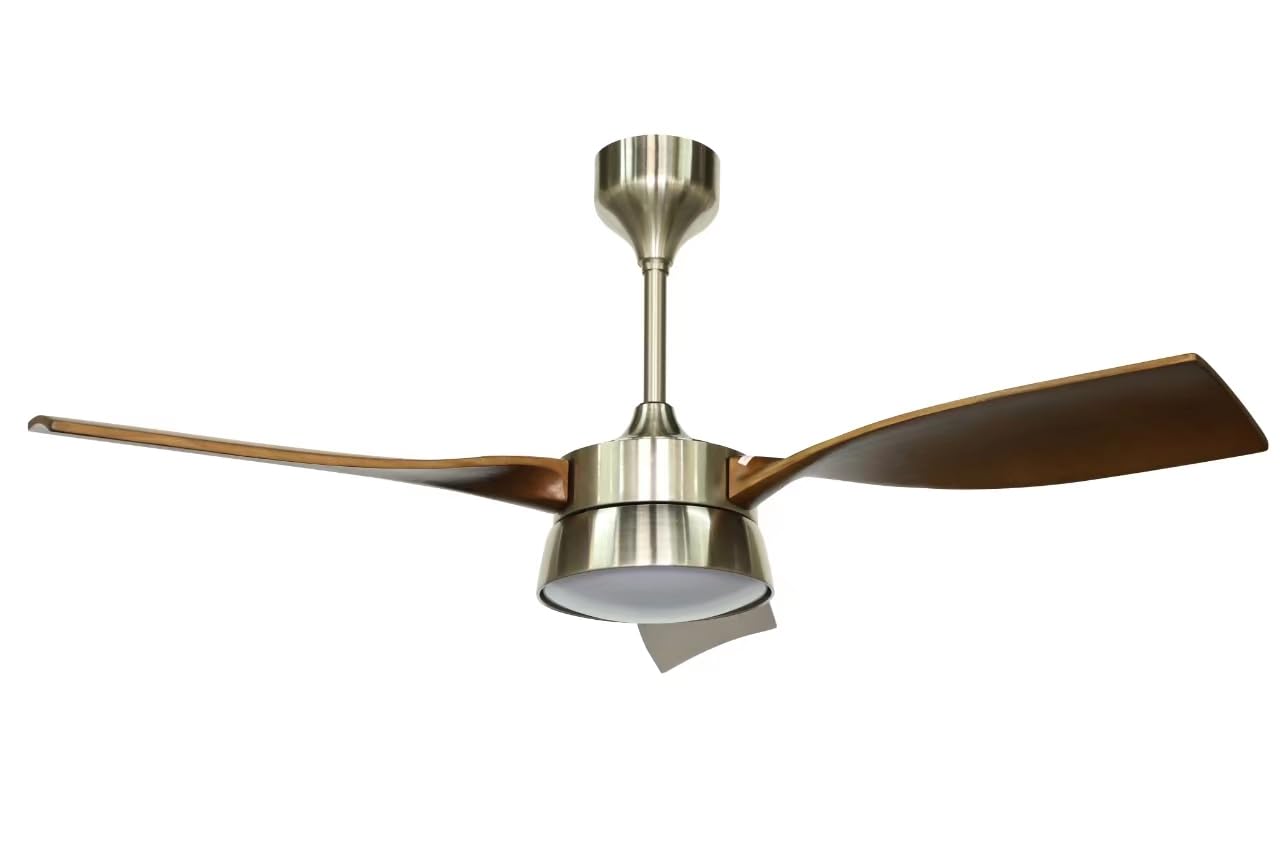
Image: NARVI Ceiling Fan (Model REF. 907) with its integrated LED light illuminated, demonstrating its lighting capability.
Penyelenggaraan dan Pembersihan
Penyelenggaraan tetap memastikan jangka hayat dan prestasi optimum kipas siling anda.
- Pembersihan: Clean the fan surfaces exclusively with a dry or slightly damp cloth. Do not use abrasive products, chemicals, or solvents, as these can damage the finish or components.
- Pemeriksaan: Periodically inspect all screws and moving parts. Tighten any loose screws to prevent vibrations or abnormal noises.
- Penjagaan Bilah: Ensure the retractable blades are free from dust and debris. Do not force or manually manipulate the blade retraction mechanism.
Menyelesaikan masalah
If you encounter any issues with your NARVI ceiling fan, refer to the following common troubleshooting steps. If the problem persists, contact technical service.
| Masalah | Kemungkinan Punca | Penyelesaian |
|---|---|---|
| Kipas tidak dihidupkan. | No power supply; remote control battery low; incorrect wiring. | Check main circuit breaker. Replace remote batteries. Consult an authorized electrician to check wiring. |
| Cahaya tidak menyala. | No power supply; LED module issue. | Check power. Do not attempt to replace LEDs if not designed for it; contact technical service. |
| Abnormal noise or wobbling. | Loose screws; unbalanced blades; improper installation. | Turn off fan immediately. Inspect and tighten all screws. Ensure blades are properly balanced. Re-check installation or contact technical service. |
| Alat kawalan jauh tidak berfungsi. | Bateri lemah; halangan; alat kawalan jauh tidak dipasangkan. | Replace batteries. Ensure clear line of sight to fan receiver. Refer to specific pairing instructions if applicable. |
Spesifikasi Produk
| Ciri | Perincian |
|---|---|
| Model | RUJ. 907 |
| Jenama | NARVI |
| Dimensi (Diameter x Tinggi) | 132 cm x 20.5 cm (with shortest rod) |
| Panjang Bilah | 34 sm |
| Berat badan | 7.8 kg |
| bahan | Metal body, Wooden blades, Acrylic diffuser |
| Selesai | Black (body), Sand (blades) |
| Jenis Motor | Motor DC |
| Kuasa Motor | 2-35W |
| Voltage | 200-240V |
| Bilangan Bilah | 3 |
| Kelajuan Boleh Laras | 6 |
| Sumber Cahaya | Integrated LED 22W |
| Suhu Warna | 3000K-4200K-6000K (Adjustable and Dimmable) |
| Kawalan | Alat Kawalan Jauh (termasuk) |
| Ciri Khas | DC Motor, 6 speeds, Dimmable LED light, Summer/Winter function, Memory function, Timer, Adjustable height (10cm & 20cm rods), Energy efficient. |
| Noise Level (DB) | 15-48 dB (across 6 speeds) |
| Aliran udara (m³/j) | 3237-5892 m³/h (across 6 speeds) |
Waranti dan Sokongan
For warranty information, technical support, or service inquiries, please contact NARVI customer service. Keep your purchase receipt as proof of purchase.
Maklumat Hubungan: Refer to the contact details provided in your product packaging or visit the official NARVI webtapak.


