1. Pengenalan
Terima kasih kerana memilih Blackview MP20 Mini PC. This compact and powerful desktop computer is designed for various applications, from office productivity to home entertainment. This manual provides essential information for setting up, operating, maintaining, and troubleshooting your device to ensure optimal performance and longevity.
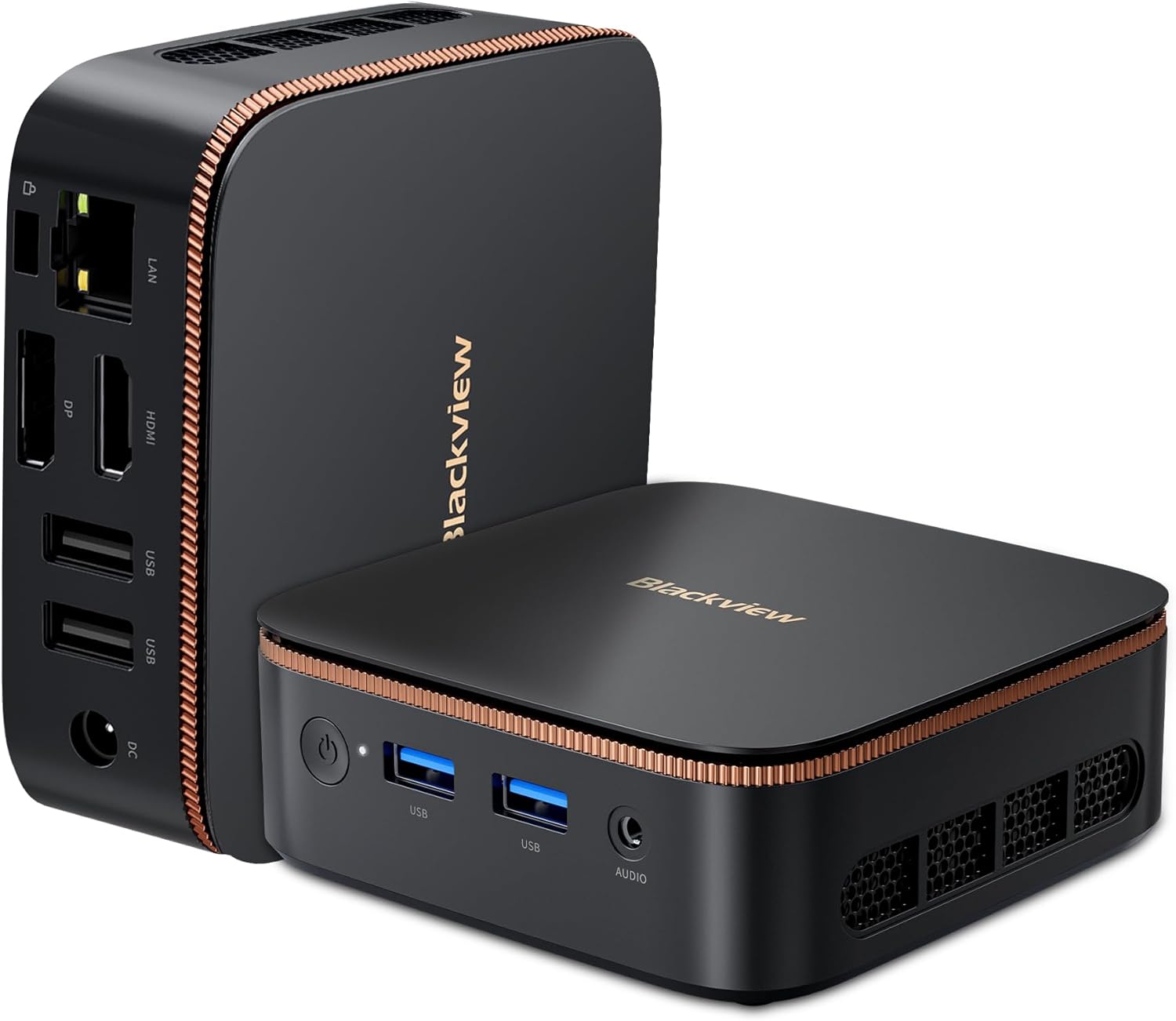
Figure 1.1: Blackview MP20 Mini PC, showcasing reka bentuknya yang padat dan pelbagai port.
2. Apa yang ada di dalam Kotak
Carefully unpack your Blackview MP20 Mini PC and ensure all items are present:
- Hitamview MP20 N150 Mini PC (1 unit)
- Penyesuai Kuasa (1 unit)
- Kabel HDMI (1 unit)
- VESA Bracket with Screws (1 set)
- Panduan Pengguna (1 unit)

Figure 2.1: All components included in the Blackview MP20 Mini PC package.
3. Produk Lebihview
3.1. Dimensi dan Kebolehgunaan
Si Hitamview MP20 is designed for ultra-compactness, measuring approximately 3.94 x 1.39 x 3.94 inches (10 x 3.5 x 10 cm) and weighing only 9.3 ounces (265g). Its small footprint allows for easy integration into any workspace, and it is highly portable for on-the-go use.
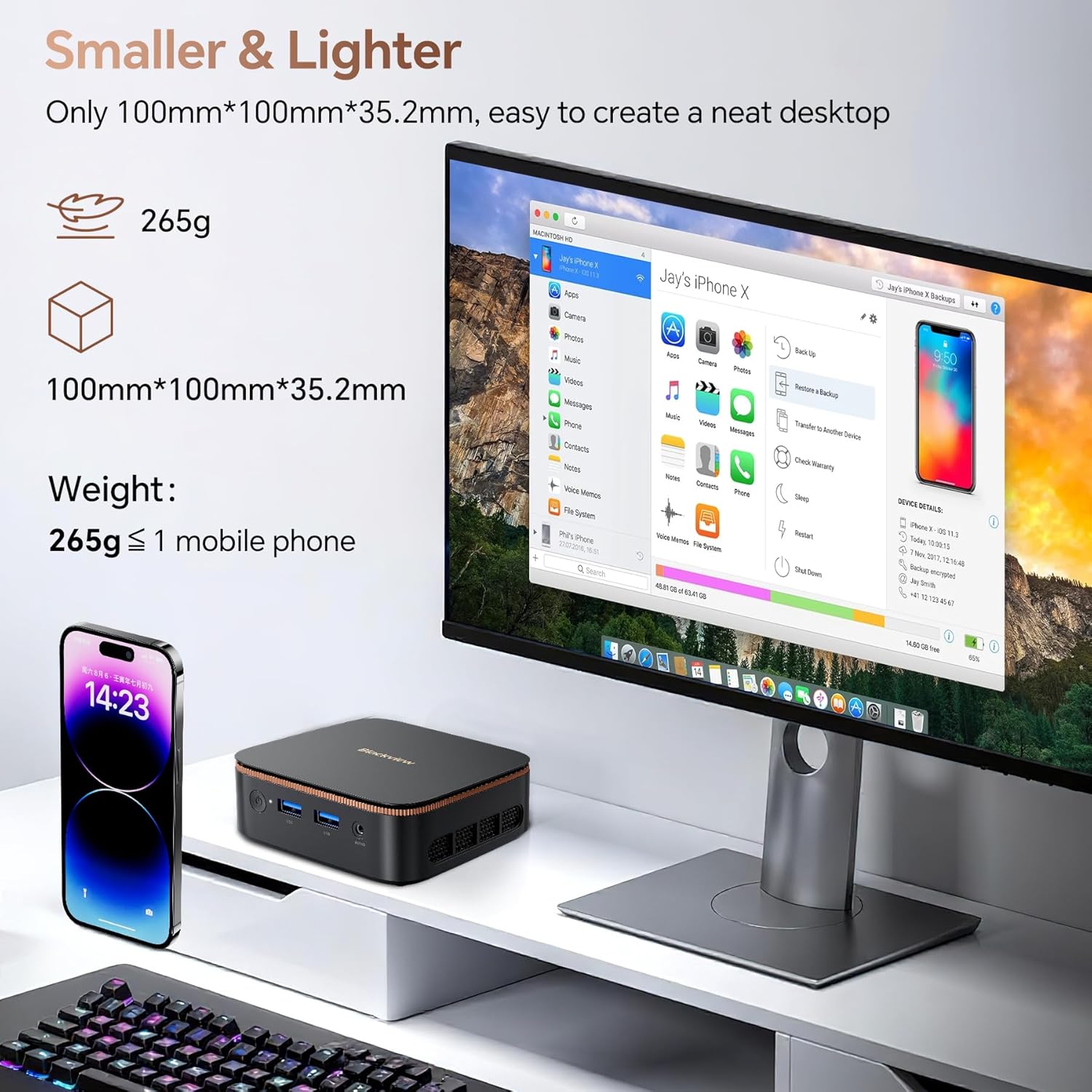
Figure 3.1: The compact size of the Blackview MP20 Mini PC compared to a mobile phone.

Figure 3.2: The Blackview MP20 Mini PC is easy to carry for remote work or travel.
3.2. Pelabuhan dan Ketersambungan
The MP20 Mini PC offers a comprehensive set of ports for versatile connectivity:
- Pelabuhan hadapan: Power Button, 2x USB 3.0, 3.5mm Audio In/Out Jack
- Port Belakang: Gigabit Ethernet (RJ45), HDMI, DisplayPort, 2x USB 2.0, DC Power Jack
Wireless connectivity includes Bluetooth 5.2 and Dual-Band Wi-Fi 6 for fast and stable network access.

Figure 3.3: The MP20 Mini PC supports both wired and wireless connections for various peripherals.

Rajah 3.4: Terperinci view of the MP20's versatile port layout.
3.3. Spesifikasi Prestasi
The MP20 Mini PC is powered by the Intel Twin Lake N150 processor, offering speeds up to 3.6GHz for efficient multitasking and demanding office applications. It comes equipped with 16GB of DDR4 RAM and a 512GB M.2 SSD, with storage expandable up to 2TB (SSD not included).

Figure 3.5: The Intel Twin Lake N150 processor ensures smooth performance for daily tasks.

Figure 3.6: Intel N150 Processor details.

Rajah 3.7: Ample RAM and expandable SSD storage for efficient operation.

Figure 3.8: The 512GB M.2 SSD provides fast storage, expandable for more applications and files.
3.4. Display Capabilities
The MP20 supports dual 4K 60Hz display output via its HDMI and DisplayPort connections, providing a stable, clear, and fast visual experience for enhanced productivity or immersive entertainment.

Figure 3.9: Dual 4K 60Hz display support for expanded visual workspace.

Figure 3.10: Dual 4K display enhances multitasking and viewpengalaman dalam.
3.5. Sistem Penyejukan
The MP20 Mini PC features a twofold cooling system with a 35,455mm² heat dissipation area, ensuring efficient heat management and stable performance even under load.
Video 3.1: Tamatview daripada Hitamview MP20 Mini PC, highlighting its compact size, Intel N150 processor, 4K display support, dual-screen capabilities, RAM and SSD, versatile ports, Wi-Fi 6, Bluetooth 5.2, and the efficient twofold cooling system.
4. Panduan Persediaan
Follow these steps to set up your Blackview MP20 Mini PC:
- Sambung ke Kuasa: Plug the power adapter into the DC Power Jack on the rear of the Mini PC, then plug the adapter into a power outlet.
- Sambung ke Paparan: Use the provided HDMI cable to connect the Mini PC to your monitor or TV. Alternatively, use a DisplayPort cable for DisplayPort connections.
- Sambung Peranti: Palamkan papan kekunci USB anda, tetikus dan sebarang peranti lain yang dikehendaki ke dalam port USB yang tersedia.
- Sambungan Rangkaian: For a wired connection, connect an Ethernet cable to the RJ45 port. For wireless, ensure your Wi-Fi network is available after booting.
- Hidupkan kuasa: Tekan butang kuasa di hadapan Mini PC. Lampu penunjuk kuasa akan menyala.
The included VESA mount allows for discreet installation behind a compatible monitor or TV, helping to create a clutter-free workspace.
Figure 4.1: VESA mount installation for a tidy setup.
5. Sistem Operasi
Si Hitamview MP20 Mini PC comes pre-installed with Windows 11 Pro, offering a secure and productive environment for your computing needs. It is also compatible with other operating systems such as Linux and Ubuntu, providing flexibility for advanced users.

Figure 5.1: Windows 11 Pro pre-installed for immediate use.

Figure 5.2: Linux compatibility for diverse computing needs.

Figure 5.3: Ubuntu compatibility for open-source enthusiasts.
6. Penyelenggaraan
Untuk memastikan ketahanan dan prestasi optimum Black andaview MP20 Mini PC, follow these maintenance guidelines:
- Pastikan ia bersih: Regularly clean the exterior of the Mini PC with a soft, dry cloth. Use compressed air to gently clear dust from the ventilation grilles to prevent overheating.
- Pastikan Pengudaraan yang Betul: Do not block the ventilation openings. Place the Mini PC in a well-ventilated area to allow for proper airflow.
- Kemas Kini Perisian: Pastikan sistem pengendalian dan pemacu anda dikemas kini kepada versi terkini untuk keselamatan dan peningkatan prestasi.
- Elakkan Keadaan Melampau: Do not expose the Mini PC to extreme temperatures, humidity, or direct sunlight.
7. Penyelesaian masalah
Jika anda menghadapi masalah dengan Hitam andaview MP20 Mini PC, refer to the following common troubleshooting tips:
| Masalah | Kemungkinan Punca | Penyelesaian |
|---|---|---|
| Tiada kuasa | Power cable loose, power adapter faulty, power outlet issue | Check all power connections. Try a different power outlet. Ensure the power adapter is working. |
| Tiada paparan | Monitor off, video cable loose/faulty, incorrect input source on monitor | Ensure monitor is on and set to correct input. Check HDMI/DisplayPort cable connections. Try a different cable or monitor. |
| Tiada sambungan internet (Wi-Fi) | Wi-Fi dilumpuhkan, kata laluan salah, masalah penghala | Check Wi-Fi settings. Re-enter password. Restart router. Ensure Wi-Fi drivers are installed. |
| No internet connection (Ethernet) | Ethernet cable loose/faulty, network driver issue, router/modem issue | Check Ethernet cable. Restart router/modem. Check network adapter settings and drivers. |
| Prestasi perlahan | Too many programs running, low disk space, overheating | Close unnecessary applications. Free up disk space. Ensure proper ventilation and clean dust. |
If the problem persists after trying these solutions, please contact Blackview sokongan pelanggan untuk bantuan selanjutnya.
8. Spesifikasi Teknikal
Below are the detailed technical specifications for the Blackview MP20 N150 Mini PC:
| Ciri | Spesifikasi |
|---|---|
| Model | MP20 N150 |
| Pemproses | Intel Twin Lake N150 (up to 3.6 GHz) |
| RAM | 16GB DDR4 (2666 MHz) |
| Penyimpanan | 512GB M.2 SSD (Expandable up to 2TB) |
| Pemproses bersama Grafik | Grafik Intel UHD (Bersepadu) |
| Resolusi Skrin Maks | 4096x2160 (4K) |
| Sistem Operasi | Windows 11 Pro |
| Jenis Wayarles | Wi-Fi 6 (802.11ax), Bluetooth 5.2 |
| Ethernet | Gigabit Ethernet (RJ45) |
| Port USB | 2x USB 3.0, 2x USB 2.0 |
| Output Video | HDMI, DisplayPort (Dual 4K@60Hz support) |
| Bicu Audio | 3.5mm Audio Masuk/Keluar |
| Dimensi (LxWxH) | 3.94 x 1.39 x 3.94 inci (10 x 3.5 x 10 cm) |
| Berat Barang | 9.3 auns (265g) |
| warna | Hitam |
9. Waranti dan Sokongan
Hitamview offers a comprehensive two-year warranty for your MP20 Mini PC, covering parts and labor for manufacturing defects. Beyond the warranty period, lifetime technical support is provided to ensure your device operates trouble-free for many years.
Our expert team is available to assist you with software updates, troubleshooting, and optimization suggestions via email, live chat, or phone.

Figure 9.1: Blackview Care commitment to customer satisfaction and support.
For support, please refer to the contact information provided in your user guide or visit the official Blackview sokongan webtapak.


