1. Pengenalan
This manual provides comprehensive instructions for the Mophie Powerstation Fast 25,000mAh Power Bank. This portable charging device is designed to deliver extended and fast power to a variety of electronic devices, including laptops, smartphones, and tablets. Please read this manual carefully to ensure proper use and maintenance of your power bank.
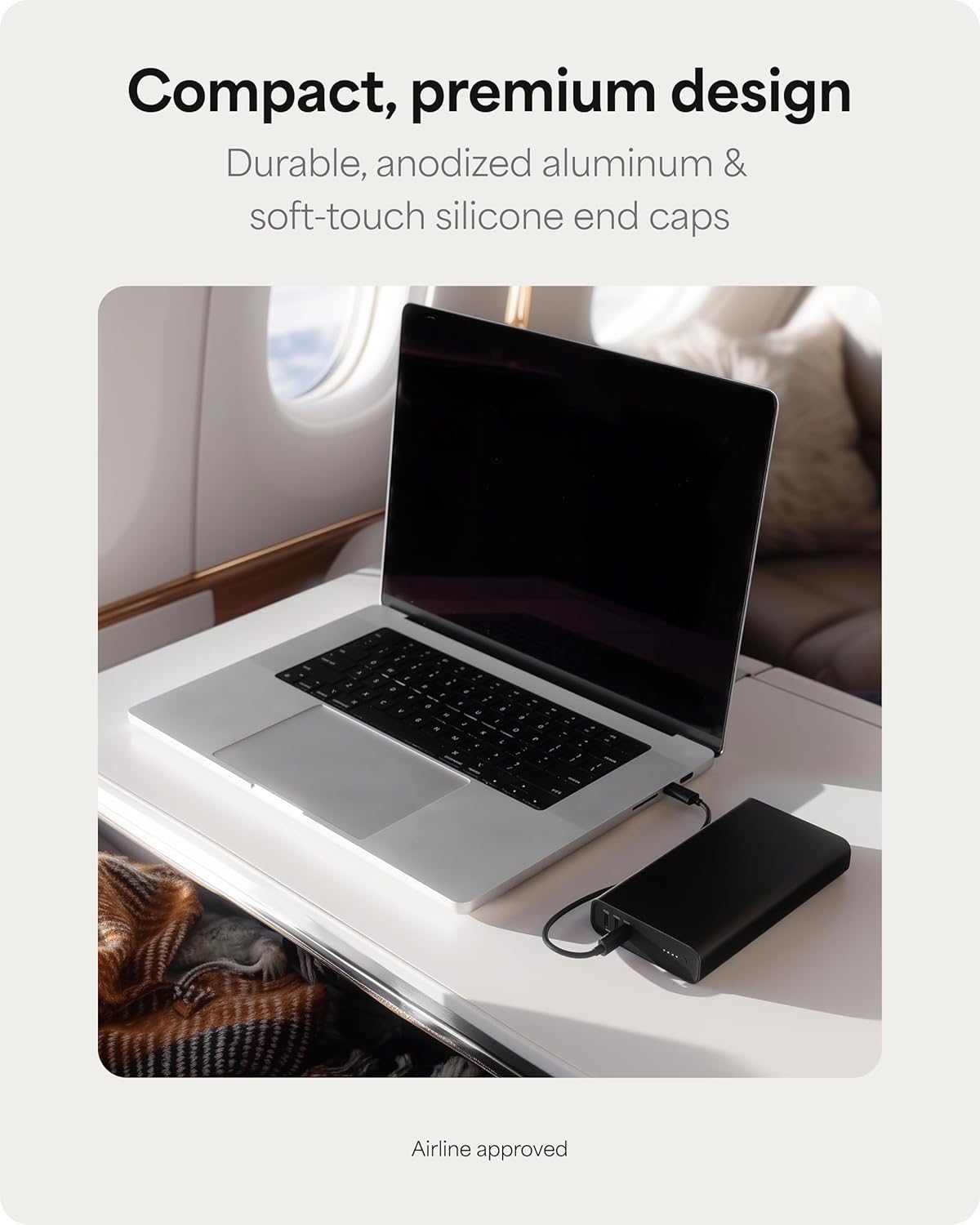
Figure 1: The Mophie Powerstation Fast 25,000mAh Power Bank, showcasing its compact design for portability.
2. Produk Lebihview
2.1 Kandungan Pakej
- Mophie Powerstation Fast 25,000mAh Power Bank
- Kabel USB-C ke USB-C 0.2m
- Panduan Mula Pantas (tidak disertakan dalam manual ini)
2.2 Komponen
The Mophie Powerstation Fast features a durable anodized aluminum body with soft-touch silicone ends. Key components include:
- Port USB-C: Three USB-C Power Delivery (PD) ports for charging devices and recharging the power bank. One port supports up to 140W output, and two ports support up to 100W output each.
- Lampu Penunjuk LED: Four LED lights indicate the remaining battery life and charging status.

Figure 2: Mophie Powerstation Fast 25,000mAh Power Bank with its retail packaging.

Rajah 3: Terperinci view of the USB-C ports, indicating 140W and 100W output capabilities.
2.3 Status Penunjuk LED
- Four Solid LEDs: 75-100% battery remaining.
- Three Solid LEDs: 50-75% battery remaining.
- Two Solid LEDs: 25-50% battery remaining.
- One Solid LED: 0-25% battery remaining.
- LED berkelip: Indicates the power bank is charging or being charged.
3. Persediaan
3.1 Caj Permulaan
Before first use, fully charge your Mophie Powerstation Fast. Use the included USB-C to USB-C cable and connect it to a compatible USB-C power adapter (not included) with sufficient wattage for optimal charging speed. The LED indicator lights will flash during charging and remain solid when fully charged.

Figure 4: Recharging the Mophie Powerstation Fast using a USB-C cable.
4. Arahan Operasi
4.1 Mengecas Power Bank
- Connect the included USB-C to USB-C cable to any of the USB-C ports on the Powerstation Fast.
- Connect the other end of the cable to a suitable USB-C wall adapter or power source.
- The LED indicator lights will illuminate and flash to show the charging progress. All four LEDs will be solid when the power bank is fully charged.
4.2 Mengecas Peranti Anda
The Powerstation Fast can charge up to three devices simultaneously using its three USB-C ports.
- Connect one end of a compatible USB-C cable to your device.
- Connect the other end of the cable to any of the USB-C output ports on the Powerstation Fast.
- Bank kuasa akan mula mengecas peranti anda secara automatik. Penunjuk LED akan menunjukkan baki paras bateri bank kuasa.

Figure 5: Charging a laptop using the Mophie Powerstation Fast's 140W USB-C PD output.

Figure 6: Multi-device charging capability, powering a laptop, tablet, and smartphone concurrently.
5. Penyelenggaraan
- Pembersihan: Use a soft, lint-free cloth to clean the surface of the power bank. Avoid using harsh chemicals or abrasive materials.
- Storan: Simpan bank kuasa di tempat yang sejuk dan kering jauh dari cahaya matahari langsung, suhu yang melampau dan lembapan.
- Penjagaan Bateri: To prolong battery life, fully charge the power bank at least once every three months, even if not in regular use.
- Elakkan Kerosakan: Do not drop, puncture, or disassemble the power bank. Keep it away from water and fire.
6. Penyelesaian masalah
6.1 Power Bank Tidak Mengecas
- Pastikan kabel pengecasan disambungkan dengan selamat ke bank kuasa dan penyesuai kuasa.
- Sahkan bahawa penyesuai dinding berfungsi dengan betul dan memberikan kuasa yang mencukupi.
- Cuba gunakan kabel USB-C atau penyesuai kuasa yang berbeza.
6.2 Peranti Tidak Mengecas
- Periksa sama ada power bank mempunyai cas yang mencukupi (rujuk penunjuk LED).
- Ensure the charging cable connecting the device to the power bank is secure and undamaged.
- Verify that your device is compatible with USB-C charging.
- Try using a different USB-C port on the power bank or a different cable.
6.3 Pengecasan Lambat
- Ensure you are using a high-wattage USB-C power adapter (for charging the power bank) or a high-quality USB-C cable (for charging devices).
- Charging multiple devices simultaneously may reduce individual charging speeds.
- Some devices may have specific charging requirements or limitations.
7. Spesifikasi
| Ciri | Perincian |
|---|---|
| Nombor Model | PS-2025-25K |
| Kapasiti Bateri | 25,000mAh |
| Output (USB-C PD) | 1 x 140W, 2 x 100W |
| Input (USB-C PD) | Sehingga 140W |
| Dimensi Produk | 6 x 1.02 x 3.27 inci |
| Berat Barang | 1.59 paun |
| Jenis Penyambung | USB Jenis C |
| Ciri Khas | Fast Charging, LED Indicator Lights |
8. Waranti dan Sokongan
8.1 Maklumat Waranti
The Mophie Powerstation Fast 25,000mAh Power Bank comes with a Waranti 2 tahun that covers materials and workmanship. Please retain your proof of purchase for warranty claims.
8.2 Sokongan Pelanggan
For further assistance, troubleshooting, or warranty inquiries, please visit the official Mophie support webtapak atau hubungi perkhidmatan pelanggan mereka. Anda boleh mendapatkan maklumat lanjut di Kedai Mophie di Amazon.


