pengenalan
The Nulea M514 Vertical Trackball Mouse is designed for ergonomic comfort and efficient navigation. This wireless mouse features a thumb-controlled trackball, quiet clicks, and ultra-fast scrolling, making it suitable for extended use across multiple devices.

Image: Nulea M514 Vertical Trackball Mouse product banner.
Ciri-ciri Utama
- Ergonomic 65° Comfort Design: The vertical mouse features a perfect 65° ergonomic angle that keeps your wrist and arm naturally relaxed. Sculpted shape with wave-textured surface fits your palm seamlessly, offering ultimate comfort and effortless control all day.

Image: Hand using the Nulea M514 mouse, highlighting its 65° ergonomic tilt for a naturally relaxed posture.
- Thumb-Controlled Trackball: Navigate with ease using your thumb on this wireless mouse, reducing hand and arm movement. Helping to minimize strain and fatigue, the office mouse is perfect for long hours at the desk.

Image: Nulea M514 mouse in a compact workspace, emphasizing thumb control for precision without needing much desk space.
- Smart Infinite Scroll: The ergonomic vertical mouse features an advanced infinite scroll wheel that automatically switches between precise and fast modes based on scrolling speed. It supports smooth 4-way scrolling for effortless navigation through long pages—just a gentle spin.

Image: User scrolling with the Nulea M514 mouse, illustrating its smart infinite scroll feature for fast page navigation.
- Sambungan Berbilang Peranti: This wireless mouse connects via Bluetooth or the included USB receiver. Pair with up to 3 devices and switch instantly at the tap of a button—no need to re-pair for a seamless workflow. Compatible with PC, Mac, laptops, tablets, and phones.

Image: Nulea M514 mouse on a desk with a laptop and tablet, highlighting its Bluetooth and 2.4G wireless connectivity options.
- True Silent Control: Experience a completely noise-free operation with this cordless mouse. From the trackball to every button and scroll wheel. Perfect for shared spaces, late-night work, or anyone who values total focus without distractions.

Image: User smiling while using the Nulea M514 mouse in a quiet library setting, emphasizing its silent click feature.
- 3 Tahap DPI Boleh Laras: Choose from 3 sensitivity levels (600/800/1000DPI) for precise control or faster movement. This trackball mouse is ideal for drawing, editing, multitasking with different screens, and daily office work.

Image: Nulea M514 mouse with an overlay indicating the three adjustable DPI levels (600, 800, 1000) and their effect on cursor speed.
- Work Anywhere, Effortlessly: Trackball navigation lets you work precisely on any small surface, like a small café table, plane seat tray or your sofa at home. No need for extra space or a mouse pad. This wireless vertical mouse for laptop and PC is your reliable work companion.
Kandungan Pakej
The Nulea M514 Vertical Trackball Mouse package includes:
- 1 x Nulea M514 Vertical Trackball Mouse
- 1 x USB Receiver (stored in the mouse)
- 1 x Kabel Pengecasan USB-C
- 1 x Manual Pengguna
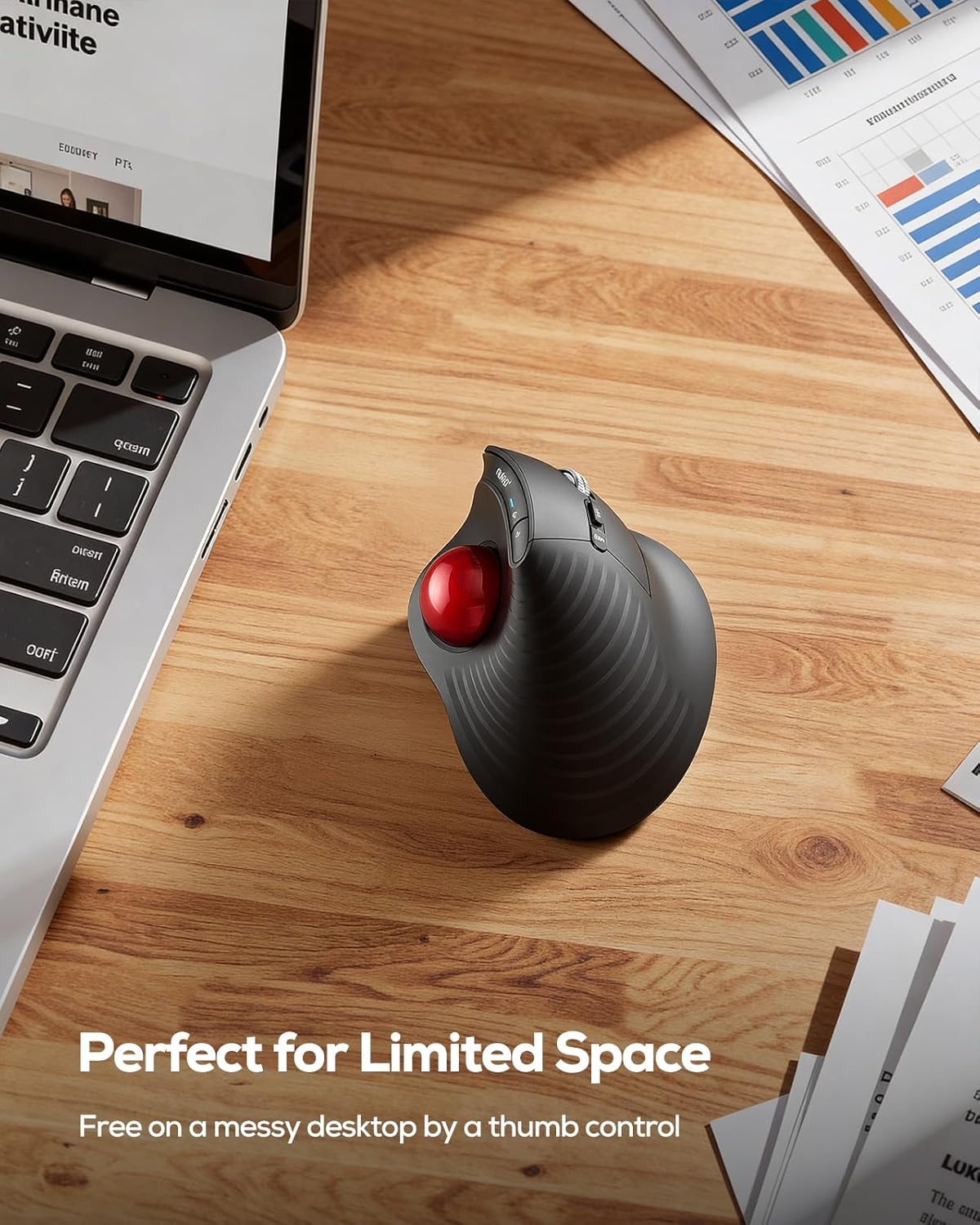
Image: The Nulea M514 Vertical Trackball Mouse, USB-C charging cable, and user manual laid out on a surface.
Panduan Persediaan
Mengecas Tetikus
Before first use, fully charge the mouse using the provided USB-C cable. The charging port is located at the front of the mouse. A full charge typically takes 2-3 hours and provides up to 60 days of working time.
Image: Nulea M514 mouse connected via a USB-C cable for charging, with text indicating 2-3 hours for full charge and 60 days working time.
Menyambung ke Peranti Anda
The Nulea M514 offers three connection modes: 2.4G Wireless (via USB receiver) and two Bluetooth channels (BT1, BT2).
- Hidupkan kuasa: Cari suis ON/OFF di bahagian bawah tetikus dan luncurkannya ke kedudukan "ON".
- Select Connection Channel: Press the channel switch button on the bottom of the mouse to cycle through the modes (Channel 1 for 2.4G Wireless, Channel 2 for Bluetooth 1, Channel 3 for Bluetooth 2). The corresponding indicator light will illuminate.
- 2.4G Wireless Connection (Channel 1):
- Tanggalkan penerima USB daripada slot storannya di bahagian bawah tetikus.
- Palamkan penerima USB ke dalam port USB yang tersedia pada komputer anda.
- The mouse should connect automatically. The indicator light for Channel 1 will turn solid.
- Bluetooth Connection (Channel 2 or 3):
- Select either Channel 2 or Channel 3 using the channel switch button.
- Press and hold the channel switch button for 3 seconds until the indicator light for the selected Bluetooth channel starts blinking rapidly. This indicates pairing mode.
- On your device (PC, Mac, laptop, tablet, phone), go to Bluetooth settings and search for "Nulea M514" or "BT5.0 Mouse".
- Select the mouse to pair. The indicator light will turn solid once connected.
Image: Nulea M514 mouse on a desk with a laptop and tablet, highlighting its Bluetooth and 2.4G wireless connectivity options.
Arahan Operasi
Fungsi Butang
The Nulea M514 features a 6-button design for enhanced productivity:
- Butang Klik Kiri: Fungsi klik kiri standard.
- Butang Klik Kanan: Fungsi klik kanan standard.
- Roda Tatal: Scrolls vertically. Can be pressed for middle-click/auto-scrolling. Supports 4-way scrolling (tilt left/right for horizontal scrolling).
- Butang ke hadapan: Navigasi ke hadapan web pelayar atau file explorers. (Note: Not compatible with MAC OS for forward/backward functions).
- Butang ke belakang: Navigasi ke belakang web pelayar atau file explorers. (Note: Not compatible with MAC OS for forward/backward functions).
- Butang Suis DPI: Cycles through 3 adjustable DPI levels (600/800/1000 DPI) to change cursor sensitivity.

Image: Diagram illustrating the various buttons on the Nulea M514 mouse, including Left, Right, Scroll Wheel, DPI Switch, Mode Switch, Forward, Backward, and Trackball.
Melaraskan Sensitiviti DPI
Press the DPI Switch Button (located near the scroll wheel) to cycle through the available DPI settings (600, 800, 1000). Choose the sensitivity that best suits your task for precise control or faster movement.
Image: Nulea M514 mouse with an overlay indicating the three adjustable DPI levels (600, 800, 1000) and their effect on cursor speed.
Penyelenggaraan
Membersihkan Trackball
To ensure smooth operation, periodically clean the trackball and its housing.
- Gently push the trackball out from the bottom of the mouse using your finger.
- Gunakan kain lembut dan tidak berbulu untuk mengelap bebola trek sehingga bersih.
- Use a cotton swab or compressed air to clean any dust or debris from the trackball housing inside the mouse.
- Reinsert the trackball into its housing until it clicks securely into place.

Image: Demonstrating how to easily remove and clean the trackball of the Nulea M514 mouse.
Menyelesaikan masalah
Isu Sambungan
- Tetikus tidak bertindak balas: Ensure the mouse is powered on and fully charged. Check the connection channel (2.4G Wireless or Bluetooth) is correctly selected.
- Tanpa Wayar 2.4G tidak bersambung: Pastikan penerima USB dipasang dengan selamat ke komputer anda. Cuba port USB yang lain.
- Bluetooth not pairing: Ensure the mouse is in pairing mode (indicator light blinking). On your device, try forgetting the device and re-pairing. Ensure your device's Bluetooth is enabled.
Isu Pergerakan Kursor
- Erratic or sticky cursor: Bersihkan bebola trek dan perumahnya seperti yang diterangkan dalam bahagian Penyelenggaraan.
- Kursor terlalu laju/perlahan: Adjust the DPI sensitivity using the DPI Switch Button.
Buttons Not Working (Mac OS)
- Forward/Backward buttons: Note that these buttons are not compatible with MAC OS.
Spesifikasi
| Ciri | Perincian |
|---|---|
| Nombor Model | M514 |
| Ketersambungan | 2.4G Wireless (USB Receiver), Bluetooth (BT1, BT2) |
| Tahap DPI | 600 / 800 / 1000 DPI |
| Bateri | 1 Lithium Ion battery (Rechargeable) |
| Kapasiti Bateri | 500 mAh |
| Berat Barang | 5.3 auns |
| Dimensi Pakej | 5.31 x 4.33 x 2.99 inci |
| Ciri Khas | Ergonomic Design, Silent Clicks, Infinite Scroll |
| Pengesanan Pergerakan | Trackball |
Waranti dan Sokongan
For warranty information, technical support, or customer service, please refer to the contact details provided in your user manual or visit the official Nulea webtapak.
Polisi Pemulangan: This product is subject to a 30-day refund/replacement return policy.
Pelan Perlindungan: Pelan perlindungan pilihan 3 Tahun dan 4 Tahun tersedia untuk pembelian.


