1. Produk Lebihview
The Baseus EnerGeek 145W Power Bank is a high-capacity portable charging device designed to provide fast and efficient power to a wide range of electronic devices, including laptops, smartphones, and tablets. It features a 20000mAh battery, a maximum output of 145W, and an integrated 60cm retractable USB-C cable for convenience.

Image: The Baseus EnerGeek 145W Power Bank, showcasing its compact design and the integrated retractable USB-C cable. The digital display is visible, indicating battery status.
Ciri-ciri Utama:
- Output Maks 145W: Supports Power Delivery for rapid charging of high-power devices.
- Kapasiti 20000mAh: Provides multiple charges for smartphones and laptops.
- Integrated 60cm Retractable USB-C Cable: Durable and convenient for storage and use.
- Pengecasan Berbilang Port: Two USB-C ports and two USB-A ports allow simultaneous charging of up to four devices.
- Paparan Digital Pintar: Real-time display of battery level, charging power, and remaining time.
- Sistem Penyejukan Lanjutan: Features conductive graphene, aerogel insulation, and an AI-powered chip for effective temperature regulation.
2. Kandungan Pakej
Sila semak pakej untuk item berikut:
- Baseus EnerGeek 145W Power Bank (EnerGeek GR11)
- Manual Pengguna
- (Additional accessories may vary by region or package)
3. Persediaan dan Penggunaan Pertama
3.1 Pengecasan Awal
Before first use, it is recommended to fully charge the Baseus EnerGeek Power Bank. This ensures optimal battery performance and longevity.
- Connect the integrated USB-C cable or a separate USB-C cable to the power bank's input port (USB-C1 or USB-C2).
- Connect the other end of the cable to a compatible USB-C wall charger (100W charger recommended for fastest charging).
- Paparan digital akan menunjukkan status pengecasan dan peratusan bateritage. The power bank is fully charged when the display shows 100%.

Image: The Baseus EnerGeek Power Bank connected to a wall charger via its integrated USB-C cable, illustrating the fast charging input capability.
4. Arahan Operasi
4.1 Mengecas Peranti
The Baseus EnerGeek Power Bank can charge up to four devices simultaneously using its various output ports.
- Menggunakan Kabel USB-C Bersepadu: Pull out the 60cm retractable USB-C cable and connect it to your device's USB-C port.
- Menggunakan Kabel Luaran: Connect your device's charging cable to one of the available USB-C (C2, C3) or USB-A (A1) output ports on the power bank.
- The power bank will automatically detect the connected device and begin charging. The digital display will show the output power.
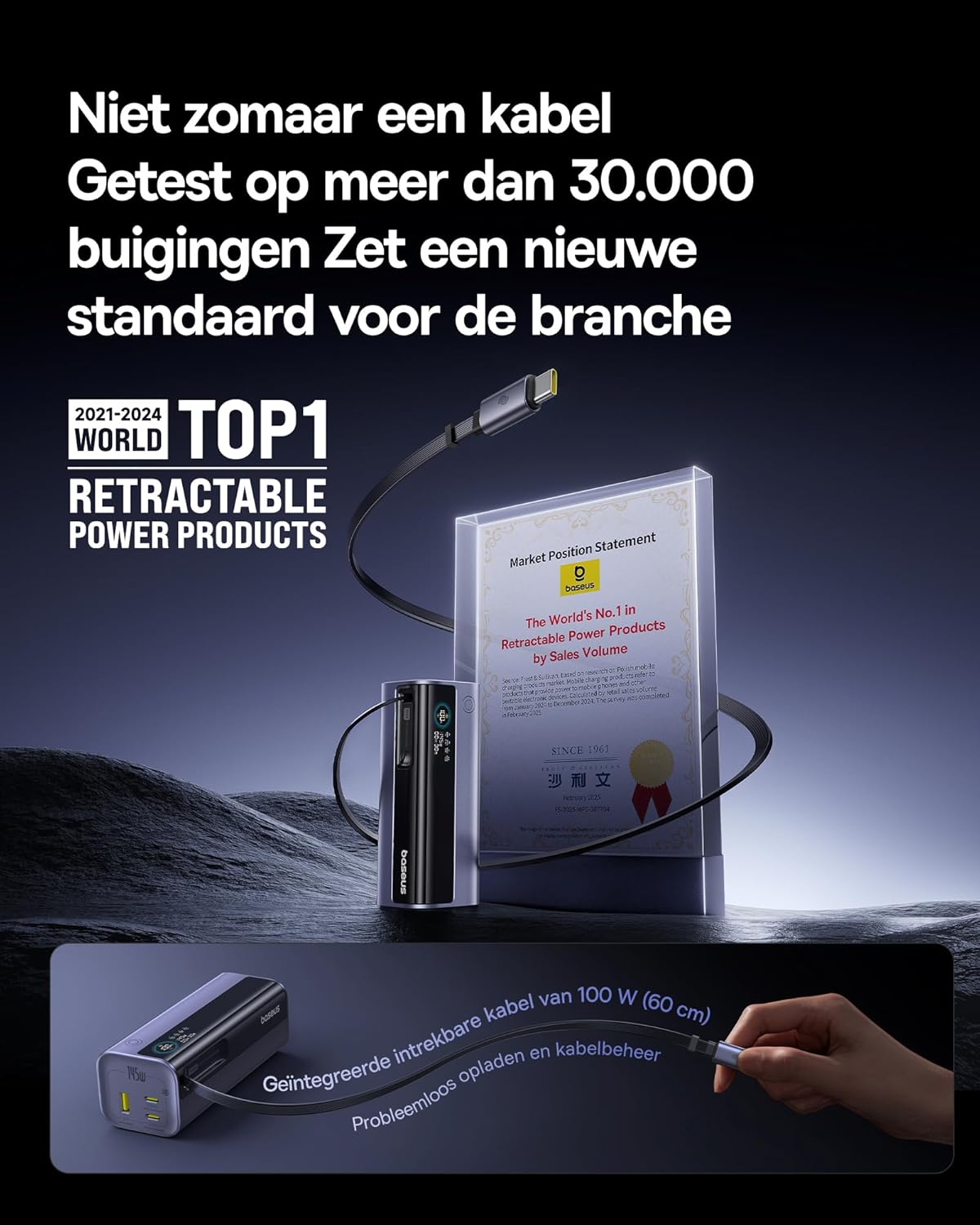
Image: The Baseus EnerGeek Power Bank connected to a laptop and an iPhone, demonstrating its ability to charge multiple devices simultaneously with high power output.
4.2 Memahami Paparan Digital
The intelligent digital display provides real-time information:
- Tahap Bateri: Menunjukkan baki peratusan bateritage.
- Charging Power (Input/Output): Memaparkan arus semasatage being drawn or delivered.
- Masa yang tinggal: Estimates the time left for the power bank to fully charge or discharge.
- Status I/O: Indicates which ports are active for input or output.

Imej: A terperinci view of the Baseus EnerGeek Power Bank's digital display, showing battery percentage, current wattage, and estimated remaining time.
4.3 Menarik semula Kabel
To retract the integrated USB-C cable, gently pull it out slightly further, then release it. The cable will automatically retract into the power bank's housing.
5. Penyelenggaraan dan Penjagaan
- Jauhkan power bank daripada suhu ekstrem (panas atau sejuk), cahaya matahari langsung dan persekitaran lembap.
- Jangan dedahkan bank kuasa kepada air atau cecair lain.
- Elakkan daripada menjatuhkan atau meletakkan bank kuasa kepada kesan yang kuat.
- Clean the surface of the power bank with a soft, dry cloth. Do not use harsh chemicals or abrasive materials.
- Store the power bank in a cool, dry place when not in use for extended periods. It is recommended to charge it to about 50-70% before long-term storage.
6. Penyelesaian masalah
| Masalah | Kemungkinan Punca | Penyelesaian |
|---|---|---|
| Power bank tidak dicas | Low battery on power bank; faulty charging cable; incompatible wall adapter. | Ensure the power bank has some charge. Try a different USB-C cable and a compatible wall adapter (e.g., 100W PD charger). |
| Peranti tidak mengecas daripada bank kuasa | Power bank battery is empty; faulty device cable; device not compatible with power bank output. | Recharge the power bank. Try a different charging cable for your device. Ensure your device supports the power bank's output specifications. |
| Pengecasan perlahan | Cable or adapter not supporting fast charging; multiple devices connected reducing individual output. | Use a high-quality, fast-charging compatible cable and adapter. Disconnect other devices to maximize output to a single device. |
| Paparan digital tidak berfungsi | Power bank is off; temporary software glitch. | Press the power button to activate the display. If the issue persists, try fully discharging and recharging the power bank. |
7. Spesifikasi
| Ciri | Perincian |
|---|---|
| Nombor Model | EnerGeek GR11 |
| Kapasiti Bateri | 20000mAh |
| Kuasa Output Maks | 145W (Jumlah) |
| Output Kabel USB-C1 | Maksimum 100W |
| Output USB-C2 | Maksimum 100W |
| Output USB-C3 | Maksimum 100W |
| Output USB-A1 | Maksimum 33W |
| Input (USB-C) | Maksimum 100W |
| Dimensi | 13 x 5.2 x 4.9 cm |
| Berat badan | 465 g |
| Jenis Bateri | Litium-ion |
| Ciri Khas | Digital display, Integrated cable, Fast charging |
8. Waranti dan Sokongan
Untuk maklumat jaminan dan sokongan pelanggan, sila rujuk kepada Baseus rasmi webtapak atau hubungi peruncit dari mana anda membeli produk tersebut. Simpan bukti pembelian anda untuk tuntutan waranti.
Pengeluar: Baseus
ASIN: B0F83VMZJT
Tarikh Pertama Tersedia: 9 Mei 2025
Untuk bantuan lanjut, anda boleh melawati Kedai Baseus di Amazon.


