1. Pengenalan
This manual provides detailed instructions for the safe and efficient operation of your SUPVAN E11 Bluetooth Label Maker. Please read this manual thoroughly before using the device and retain it for future reference.
2. Produk Lebihview
The SUPVAN E11 is a versatile, portable label maker designed for various labeling needs in home, kitchen, office, and school environments. It supports both direct keyboard input and smart app control via Bluetooth, offering extensive customization options without the need for ink or toner.
Ciri-ciri Utama:
- Quick Printing via Keyboard & Smart App: Print directly from the integrated keyboard for frequent labeling tasks or design custom labels using the Bluetooth-enabled app.
- Portable with Rechargeable Battery: Compact (14×7×3 cm) and lightweight (227 g) with a 1200 mAh battery, providing up to 1 month of standby time for mobile and efficient labeling.
- Minimized Print Margins: Prints labels with only 0.5 cm margins, reducing material waste and maximizing efficiency.
- Advanced Editing Functions in the App: Customize labels with over 40 fonts, 50 frames, and 450+ icons. Create and save templates offline, all available for free.
- Compatibility with Various Label Types: Supports continuous, fixed-size, and cable labels, suitable for long texts, batch printing, and cable identification.
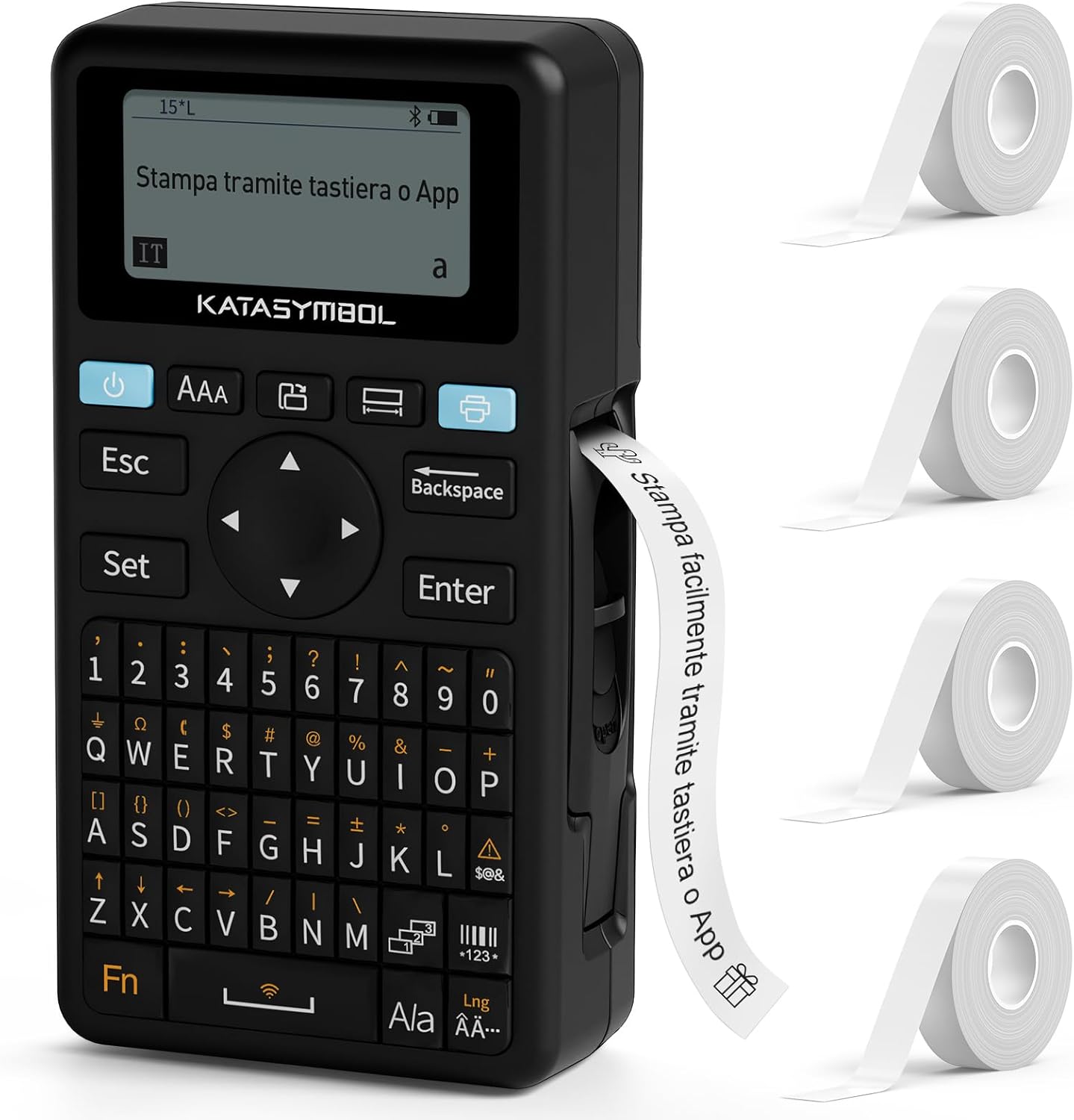
Image: The SUPVAN E11 label maker shown with four rolls of white label tape.

Image: Demonstrates printing using the integrated keyboard and designing labels via a smartphone app connected via Bluetooth.
3. Persediaan
3.1 Membongkar dan Pemeriksaan Awal
- Keluarkan semua komponen dari pembungkusan dengan berhati-hati.
- Pastikan semua barang yang disenaraikan dalam senarai pembungkusan ada.
- Inspect the device for any signs of damage. If damaged, do not use and contact customer support.

Image: Displays the SUPVAN E11 label maker, four rolls of white label tape, a USB-C charging cable, and the user manual.
3.2 Mengecas Peranti
- Connect the provided USB-C cable to the charging port on the label maker and to a compatible USB power adapter (not included).
- The charging indicator will illuminate. Allow the device to fully charge before first use.

Image: Highlights the integrated 1200 mAh rechargeable battery, offering up to one month of standby time.
3.3 Memasang Pita Label
- Open the label compartment cover.
- Insert a roll of SUPVAN label tape, ensuring the tape feeds correctly through the guide.
- Tutup penutup petak dengan selamat.

Image: Illustrates the process of inserting thermal label paper into the SUPVAN E11 label maker, emphasizing that no ink or toner is required.
3.4 App Installation (Optional)
- Download the official SUPVAN app from your device's app store (Android and iOS compatible).
- Dayakan Bluetooth pada telefon pintar atau tablet anda.
- Open the app and follow the on-screen instructions to pair with your E11 label maker.
4. Arahan Operasi
4.1 Menghidupkan/Mematikan
- Untuk menghidupkan, tekan dan tahan butang kuasa sehingga skrin menyala.
- Untuk mematikan kuasa, tekan dan tahan butang kuasa sehingga peranti dimatikan.
4.2 Printing from Keyboard
- Hidupkan pembuat label.
- Use the QWERTY keyboard to type your desired text.
- Press the 'Print' button to print the label.
4.3 Printing via App (Bluetooth)
- Ensure the label maker is powered on and paired with the app.
- Open the SUPVAN app on your smartphone/tablet.
- Select a template or create a new label design.
- Utilize the app's editing features (fonts, icons, frames) to customize your label.
- Tap the 'Print' button within the app to send the label to the E11.

Image: Illustrates the two printing methods: direct input via the QWERTY keyboard and advanced editing and printing via the connected smartphone app.

Image: Showcases the app's extensive customization options, including over 40 fonts, 50 frames, 450+ icons, and support for barcodes and QR codes.
4.4 Label Types and Applications
The E11 supports various label types for diverse applications:
- Fixed-Size Labels: Ideal for standard item identification (e.g., food containers, office files).
- Continuous Labels: Suitable for longer texts or custom lengths.
- Cable Labels: Designed for organizing and identifying cables.
- Round Labels: Perfect for small items or decorative purposes.

Image: Displays examples of different label types supported by the E11, including cut-to-print, continuous roll, round, and cable labels.

Image: Shows various practical applications of the label maker, such as labeling bottles, office binders, storage boxes, and notebooks.
5. Penyelenggaraan
5.1 Membersihkan Kepala Cetak
- Pastikan peranti dimatikan sebelum membersihkannya.
- Gently wipe the print head with a soft, lint-free cloth moistened with isopropyl alcohol.
- Allow the print head to dry completely before use.
5.2 Penjagaan Bateri
- Cas bateri dengan kerap, walaupun peranti tidak kerap digunakan, untuk mengekalkan kesihatan bateri.
- Elakkan daripada mendedahkan peranti kepada suhu yang melampau.
5.3 Label Storage
- Store label rolls in a cool, dry place away from direct sunlight to prevent degradation.
6. Penyelesaian masalah
Isu dan Penyelesaian Biasa:
| Masalah | Kemungkinan Punca | Penyelesaian |
|---|---|---|
| Peranti tidak dihidupkan | Bateri lemah; Kerosakan peranti | Charge the device; Contact support if issue persists |
| Kualiti cetakan buruk | Kepala cetak kotor; Jenis label salah; Bateri lemah | Clean print head; Ensure correct label tape is used; Charge device |
| Label tidak memberi makan dengan betul | Improper tape installation; Tape jammed | Reinstall label tape correctly; Clear any jams carefully |
| Tidak dapat menyambung melalui Bluetooth | Bluetooth off; Device not paired; App issue | Ensure Bluetooth is on; Re-pair device in app; Restart app/device |
7. Spesifikasi
- Jenama: SUPVAN
- model: E11
- Dimensi Produk: 17 x 9 x 5.2 cm
- Berat Barang: 230 gram
- Bateri: 1 Polimer Litium (1200 mAh)
- Teknologi Ketersambungan: Bluetooth
- Teknologi Percetakan: terma
- Max Paper Size Supported: 15 mm x 6 m
- Max Print Resolution (Black & White): 203 dpi
- Max Print Speed (Black & White): 40 Pages per minute (Note: This is a standard printer metric, actual label printing speed may vary)
- Antara muka: USB-C (untuk mengecas)
- Antara Muka Input: papan kekunci
- Jenis Pengawal: Android and iOS (via app)
- Ciri Khas: Portable, Inkless Printing, Minimized Margins
8. Waranti dan Sokongan
8.1 Maklumat Waranti
Please refer to the warranty card included with your product for specific warranty terms and conditions. Typically, SUPVAN products come with a limited warranty covering manufacturing defects from the date of purchase.
8.2 Sokongan Pelanggan
For technical assistance, troubleshooting, or warranty claims, please contact SUPVAN customer support through the official webtapak atau maklumat hubungan yang diberikan dalam pembungkusan produk anda. Anda juga boleh melawat SUPVAN Brand Store untuk maklumat lanjut.


