1. Pengenalan
The AstroAI P8 4000A Jump Starter is a versatile and powerful device designed to provide reliable jump-starting for vehicles, act as a portable power bank, and offer emergency lighting. This manual provides essential information for safe and effective use of your device.
2. Maklumat Keselamatan
AMARAN: Baca semua amaran dan arahan keselamatan sebelum menggunakan produk ini. Kegagalan mematuhi amaran dan arahan boleh mengakibatkan renjatan elektrik, kebakaran dan/atau kecederaan serius.
- This car starter includes 10 built-in comprehensive protections for enhanced safety. These safety features include reverse polarity, overcurrent, overcharge, overdischarge, high & low temperature protection, reverse connection, over voltage, overload, short circuit, and spark-proof clamps.
- Do not attempt to jump start any engine that exceeds the maximum displacement supported by the jump starter (10L Gas or 8L Diesel).
- Do not crank the engine for more than 3 seconds at a time. Allow the jump starter to cool down for at least 1 minute between each start attempt.
- Ensure the device has at least 50% charge before use.
- Jauhkan daripada kanak-kanak.
- Jangan dedahkan produk kepada keadaan hujan atau basah.
- Jangan buka produk.

Image: AstroAI P8 Jump Starter highlighting its 10 safety protections including reverse polarity, overcurrent, overcharge, overdischarge, high & low temperature protection, reverse connection, over voltage, overload, short circuit, and spark-proof clamps.
3. Kandungan Pakej
- AstroAI P8 Jump Starter Unit
- Kabel Pelompat Pintar
- Kabel Pengecas USB-C
- Manual Pengguna
- Beg Simpanan

Image: The AstroAI P8 Jump Starter, smart jumper cables, USB-C charging cable, user manual, and a storage bag, laid out on a dark background.
4. Ciri-ciri Produk
- Permulaan Lompatan yang Berkuasa: 4000A peak current for 10L gas and 8L diesel engines. Compatible with motorbikes, cars, SUVs, lawnmowers, tractors, and motorboats.
- Multifunctional Power Bank: USB-A output Port works with 5V⎓3A, 9V⎓2A, 12V⎓1.5A (QC 3.0). Serves as a reliable backup power source for electronic devices.
- Padat & Mudah Alih: Size 7.20in*3.45in*1.53in (183mm*88mm*39mm) for easy carrying and storage in glove boxes and door pockets.
- Multi-Mode LED Flashlight: Provides 3 modes: illumination, SOS, and strobe for convenient lighting in various scenarios.
- Keselamatan Komprehensif: 10 built-in protections for enhanced safety, including reverse polarity, overcurrent, overcharge, overdischarge, high & low temperature protection, reverse connection, over voltage, overload, short circuit, and spark-proof clamps.

Image: The AstroAI P8 Jump Starter demonstrating its three main functions: jump starter, power bank, and LED flashlight.
5. Produk Lebihview (Komponen)
The AstroAI P8 features a robust design with clearly marked ports and indicators for ease of use.
- Butang Kuasa: Aktifkan peranti dan periksa tahap bateri.
- Penunjuk Tahap Bateri: Displays the remaining charge.
- Port Kabel Jumper: Untuk menyambungkan kabel pelompat pintar.
- USB-A Output Ports (QC 3.0): Untuk mengecas peranti luaran.
- Port Input/Output USB-C: For charging the jump starter and external devices.
- Lampu suluh LED: Multi-mode light for illumination, SOS, and strobe.
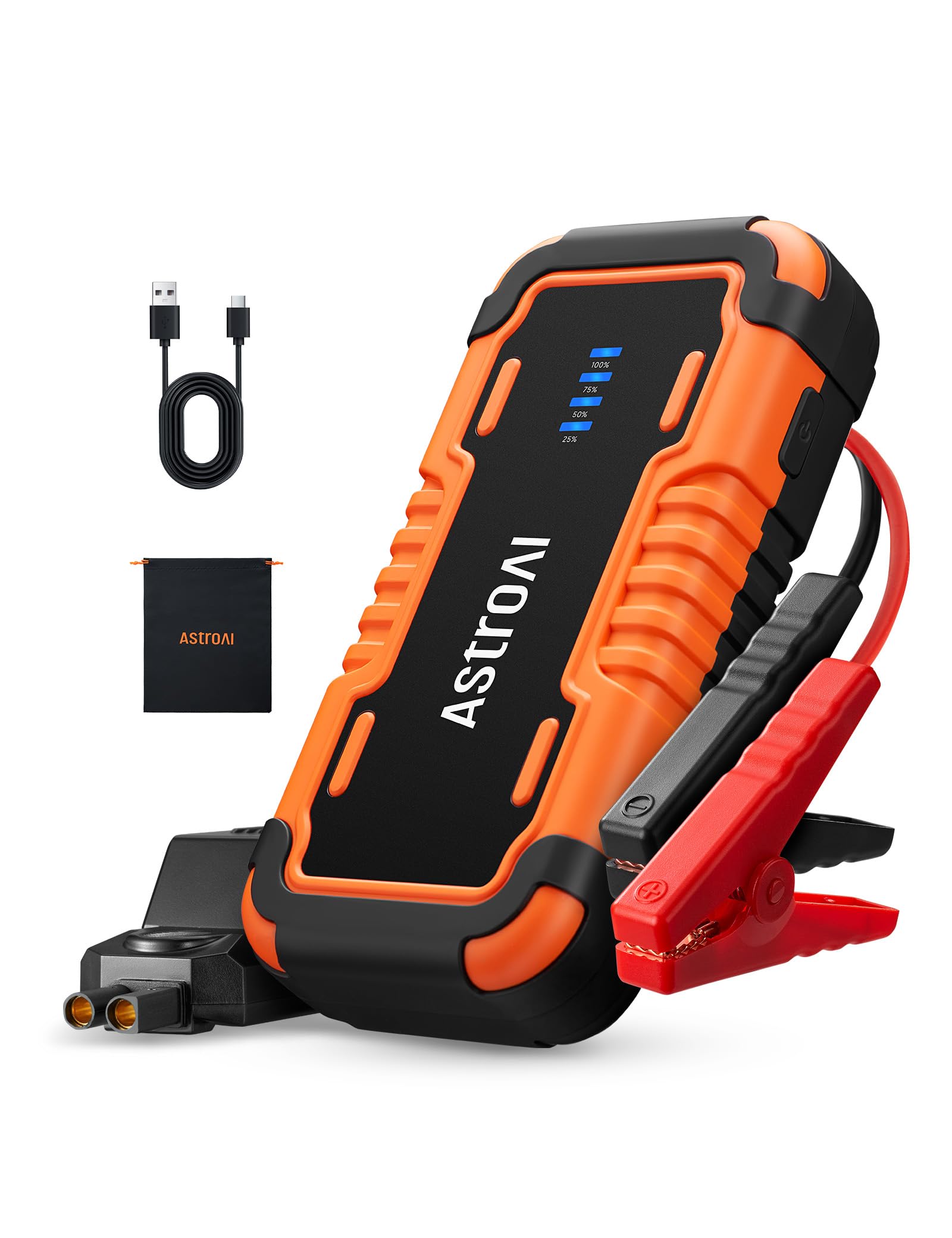
Image: The AstroAI P8 Jump Starter with its smart jumper cables connected, ready for use.
6. Mengecas Pemula Lompat
Before first use, fully charge the AstroAI P8. It is recommended to recharge the unit after each use to maintain battery health.
- Connect the provided USB-C charging cable to the USB-C input/output port on the jump starter.
- Plug the other end of the USB-C cable into a compatible USB wall adapter (not included) or car charger.
- The battery level indicator lights will illuminate and flash, indicating the charging progress. All lights will be solid when fully charged.

Image: The AstroAI P8 Jump Starter connected via USB-C to charge a smartphone and a tablet, demonstrating its power bank functionality.
7. Arahan Operasi
7.1. Lompat Memulakan Kenderaan
- Pastikan jump starter dicas dengan secukupnya (sekurang-kurangnya 50%).
- Connect the smart jumper cables to the jump starter's port. Ensure a secure connection.
- Pasang cl merahamp ke terminal positif (+) bateri kenderaan.
- Pasang cl hitamamp ke terminal negatif (-) bateri kenderaan.
- Check the indicator light on the smart jumper cable. A solid green light indicates a correct connection and readiness to jump start. If it's flashing or red, check connections or refer to troubleshooting.
- Start the vehicle's engine. If it doesn't start immediately, wait at least 1 minute before trying again. Do not crank for more than 3 seconds per attempt.
- Once the vehicle starts, immediately remove the black clamp from the negative terminal, then the red clamp dari terminal positif.
- Putuskan sambungan kabel jumper pintar daripada starter jump.

Image: A person connecting the AstroAI P8 Jump Starter to a car battery, illustrating the process of jump starting a vehicle.
7.2. Menggunakan sebagai Power Bank
The AstroAI P8 can charge various electronic devices.
- Connect your device's USB charging cable to one of the USB-A output ports or the USB-C port on the jump starter.
- Pemula lompat akan mula mengecas peranti anda secara automatik.
7.3. Menggunakan Lampu Suluh LED
The built-in LED flashlight offers multiple modes for different situations.
- Press and hold the power button for 3 seconds to turn on the flashlight (illumination mode).
- Press the power button once to switch to SOS mode.
- Press the power button again to switch to strobe mode.
- Press the power button once more to turn off the flashlight.

Image: A person using the AstroAI P8 Jump Starter's multi-mode LED flashlight under the hood of a car at night.
8. Penyelenggaraan
- Simpan jump starter di tempat yang sejuk dan kering, jauh daripada cahaya matahari langsung dan suhu yang melampau.
- Cas semula unit setiap 3-6 bulan, walaupun tidak digunakan, untuk mengekalkan kesihatan bateri.
- Bersihkan bahagian luar dengan lembut, damp kain. Jangan gunakan bahan kimia yang keras atau pembersih yang kasar.
- Periksa kabel dan clampuntuk sebarang kerosakan sebelum setiap penggunaan.
9. Penyelesaian masalah
| Masalah | Kemungkinan Punca | Penyelesaian |
|---|---|---|
| Kenderaan tidak bermula. | Low charge on jump starter, incorrect connection, or vehicle battery completely dead. | Ensure jump starter is at least 50% charged. Recheck clamp connections. If battery is extremely dead, allow jump starter to connect for a few minutes before attempting to start. |
| Smart jumper cable indicator is red or flashing. | Reverse polarity, short circuit, or other safety protection activated. | Putuskan sambungan clamps and re-attach them correctly (red to positive, black to negative). If issue persists, check for short circuits or other battery issues. |
| Pemula lompat tidak mengecas. | Kabel atau penyesuai pengecasan rosak. | Try a different USB-C cable and wall adapter. Ensure connections are secure. |
10. Spesifikasi
- model: P8
- Arus Puncak: 4000 Amps
- Keserasian Enjin: Sehingga 10L Gas atau 8L Diesel
- Voltage: 12 Volt
- Jenis Bateri: Polimer Litium (termasuk)
- Output USB-A (QC 3.0): 5V⎓3A, 9V⎓2A, 12V⎓1.5A
- Input/Output USB-C: 5V⎓3A, 9V⎓2A
- Dimensi: 183mm x 88mm x 39mm (7.20in x 3.45in x 1.53in)
- Berat Barang: 710 g
- Negara Asal: China
11. Waranti dan Sokongan
AstroAI products come with a manufacturer's warranty. For detailed warranty information, product support, or to register your product, please visit the official AstroAI webtapak atau hubungi perkhidmatan pelanggan mereka secara langsung. Simpan resit pembelian anda untuk tuntutan waranti.
Pengeluar: Astro AI
Hubungi: Support@astroai.com


