1. Pengenalan
Terima kasih kerana membeliasing the G Keni Elegant CD Player Alarm Clock Radio. This device combines a top-loading CD player, FM radio, Bluetooth speaker, MP3/USB music player, and an alarm clock with a wireless charging station. It is designed to provide versatile audio entertainment and convenience for your home. Please read this manual thoroughly before use to ensure proper operation and to maximize your experience with the product.
2. Apa yang ada di dalam Kotak
- 1x G Keni Elegant CD Player Alarm Clock Radio (Model LC-10W)
- 1x Manual Pemilik
- Kabel Kuasa 1x AC
- 1x Remote Control (2*AAA dry batteries NOT INCLUDED)
3. Produk Lebihview
Familiarize yourself with the main components and controls of your G Keni device.

Rajah 3.1: Depan view of the G Keni CD Player Alarm Clock with a smartphone charging wirelessly on top and the remote control.
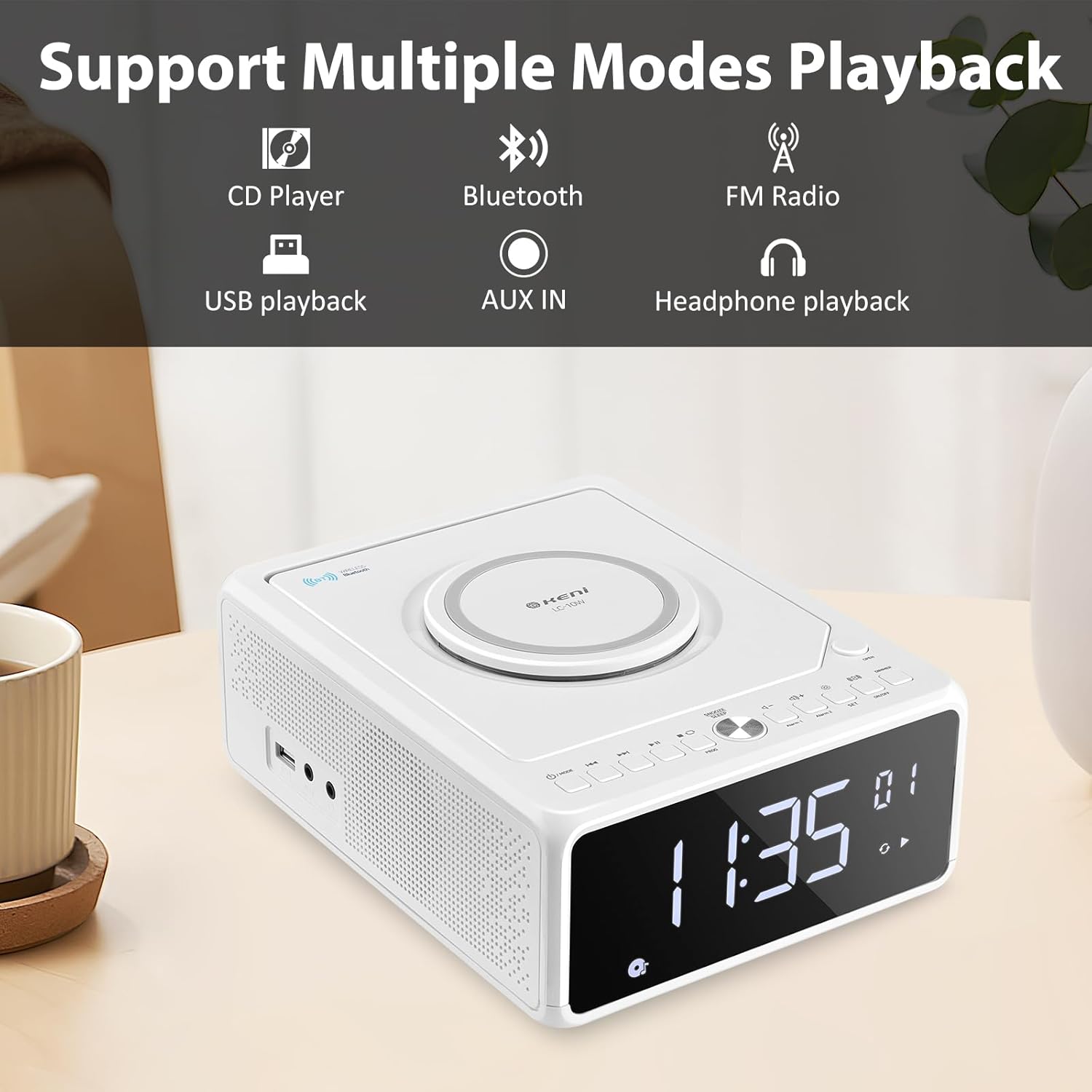
Gambar 3.2: Lebihview of supported playback modes: CD Player, Bluetooth, FM Radio, USB playback, AUX IN, and Headphone playback.
3.1 Front Panel & Display
- Paparan LED Besar: Shows time, FM frequency, mode, and alarm status.
- Butang Kawalan: Power, Mode, Set, Volume, Skip/Tune, Alarm 1/2, Snooze/Dimmer.
3.2 Panel Atas
- Ruang CD: Top-loading mechanism for CDs.
- Pad Pengecasan Wayarles: Untuk telefon pintar yang serasi.
3.3 Rear/Side Panels
- Input Kuasa AC: Menyambung kepada penyesuai kuasa.
- Antena FM: Extendable wire antenna for radio reception.
- Port USB: For MP3/WMA playback from USB drives.
- Input AUX: Bicu 3.5mm untuk peranti audio luaran.
- Output Fon Kepala: Bicu 3.5mm untuk mendengar secara peribadi.
- Petak Bateri: For backup batteries (2*AAA, not included) to retain time settings during power outages.
4. Persediaan
4.1 Sambungan Kuasa
- Insert 2 AAA batteries (not included) into the battery compartment on the bottom of the unit. These batteries serve as a backup for time settings during power interruptions.
- Connect the AC power cord to the AC input on the back of the unit, then plug the other end into a standard wall outlet (100V-240V).
- The unit will power on, and the display will illuminate.
4.2 Menetapkan Masa
- Tekan dan tahan butang SET button until the hour digits begin to blink.
- Tekan ke Forward (▶▶I) or Rewind (I◀◀) button to adjust the hour. Ensure the correct AM/PM indicator is selected if using 12-hour format.
- Tekan ke SET button again. The minute digits will begin to blink.
- Tekan ke Forward (▶▶I) or Rewind (I◀◀) butang untuk menyesuaikan minit.
- Tekan ke SET butang sekali lagi untuk mengesahkan dan menjimatkan masa.
- Untuk bertukar antara format 12 jam dan 24 jam, tekan butang Forward (▶▶I) button while the hour digits are blinking during time setting.
Antena 4.3 FM
For optimal FM radio reception, fully extend the wire antenna located on the back of the unit. Adjust its position for the best signal.
5. Arahan Operasi
5.1 Main Semula CD

Figure 5.1: Inserting a CD into the top-loading compartment.
- Buka penutup petak CD di bahagian atas unit.
- Place a CD (CD, CD-R/RW, MP3, audio-book) onto the spindle with the label side facing up.
- Tutup penutup petak CD.
- Tekan ke MODE button until 'CD' mode is selected. The unit will begin playing automatically.
- Gunakan Play/Pause (▶II) butang untuk menjeda atau menyambung semula main semula.
- Gunakan Forward (▶▶I) or Rewind (I◀◀) buttons to skip tracks. Press and hold to fast forward or rewind within a track.
- Laraskan kelantangan menggunakan VOL+ or vol- butang.
5.2 Berpasangan Bluetooth
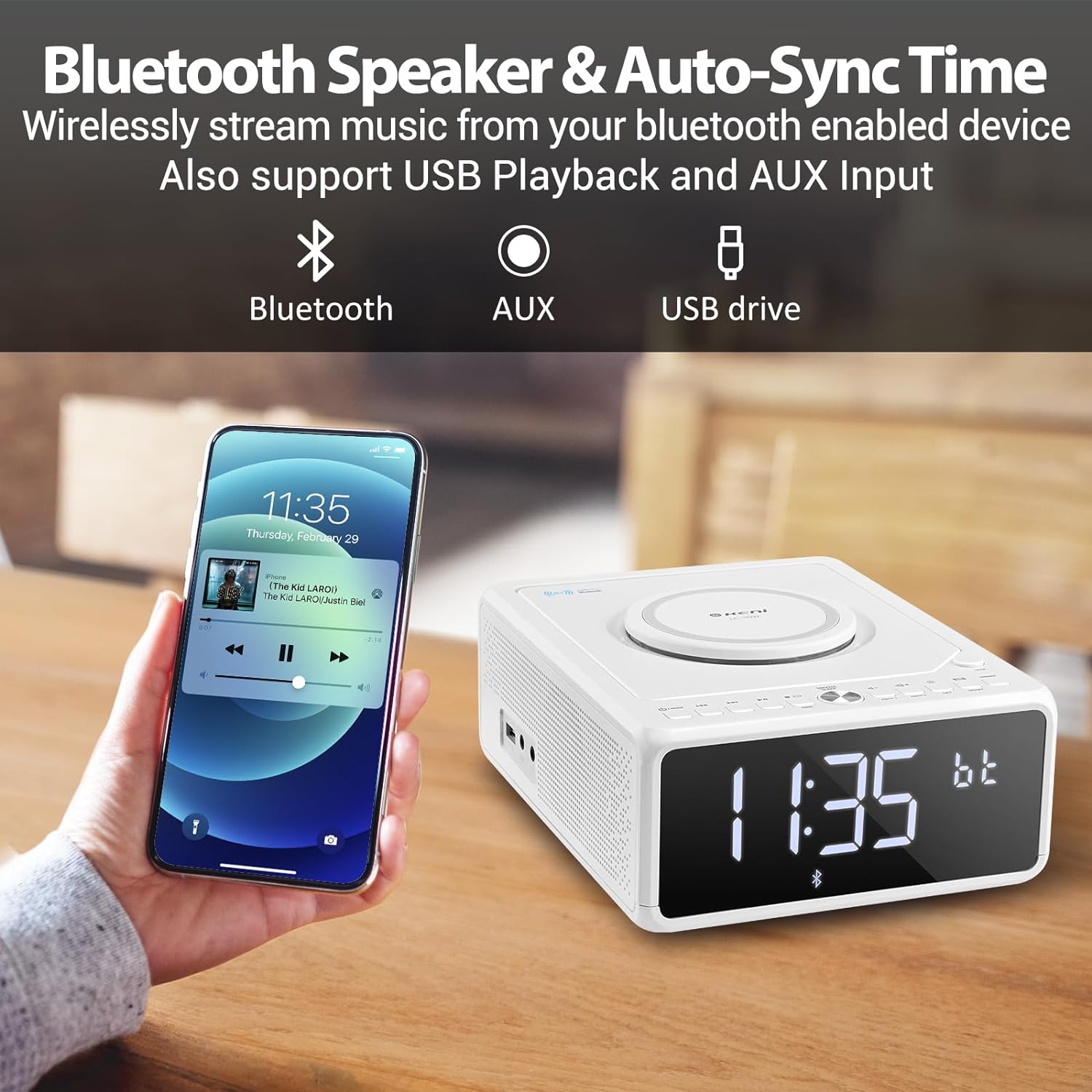
Figure 5.2: Streaming music from a smartphone via Bluetooth.
- Tekan ke MODE button until 'BT' (Bluetooth) mode is selected. The display will show 'BT' and blink, indicating it's in pairing mode.
- Pada telefon pintar anda atau peranti berdaya Bluetooth lain, dayakan Bluetooth dan cari peranti yang tersedia.
- Select 'G Keni' from the list of devices.
- Once paired, the 'BT' indicator on the display will stop blinking and remain solid. You can now stream audio from your device.
5.3 Operasi Radio FM

Figure 5.3: Enjoying FM radio with the G Keni unit.
- Tekan ke MODE butang sehingga mod 'FM' dipilih.
- Imbasan Auto: Tekan dan tahan butang Play/Pause (▶II) butang untuk mengimbas dan menyimpan stesen FM yang tersedia secara automatik.
- Penalaan Manual: Tekan ke Forward (▶▶I) or Rewind (I◀◀) buttons to manually tune to a specific frequency.
- Stesen Pratetap: Gunakan CH+ or CH- buttons on the remote control to navigate through saved preset stations.
5.4 Main Semula USB
- Masukkan pemacu kilat USB yang mengandungi audio MP3/WMA files ke dalam port USB.
- Tekan ke MODE button until 'USB' mode is selected. The unit will automatically detect and begin playing audio files.
- Gunakan Play/Pause (▶II), Forward (▶▶I), dan Rewind (I◀◀) butang untuk mengawal main balik.
5.5 Input AUX
- Sambungkan peranti audio luaran (cth., pemain MP3, telefon pintar) ke port AUX IN menggunakan kabel audio 3.5mm (tidak disertakan).
- Tekan ke MODE butang sehingga mod 'AUX' dipilih.
- Kawal main balik daripada peranti luaran anda yang disambungkan.
5.6 Fungsi Jam Penggera

Figure 5.4: The alarm clock on a bedside table, also showing wireless charging.
The unit features dual alarms (Alarm 1 and Alarm 2).
- Menetapkan Masa Penggera:
a. Tekan dan tahan butang PENGGERA 1 or PENGGERA 2 butang sehingga digit jam berkelip.
b. Menggunakan Forward (▶▶I) or Rewind (I◀◀) buttons to set the desired hour.
c. Tekan ke PENGGERA 1 or PENGGERA 2 button again. The minute digits will blink.
d. Menggunakan Forward (▶▶I) or Rewind (I◀◀) buttons to set the desired minutes.
e. Tekan PENGGERA 1 or PENGGERA 2 butang sekali lagi untuk mengesahkan masa penggera. - Memilih Sumber Penggera:
a. After setting the alarm time, the display will show options for the alarm sound (e.g., BB for Buzzer, TUNE for Radio, CD, USB, BT for Bluetooth).
b. Menggunakan Forward (▶▶I) or Rewind (I◀◀) buttons to select your preferred alarm source.
c. Tekan ke PENGGERA 1 or PENGGERA 2 button to confirm the alarm source. - Setting Alarm Volume:
a. After selecting the alarm source, 'V' will blink on the display.
b. Menggunakan Forward (▶▶I) or Rewind (I◀◀) buttons to adjust the alarm volume.
c. Tekan ke PENGGERA 1 or PENGGERA 2 button to confirm the alarm volume. - Mengaktifkan/Menyahaktifkan Penggera: Tekan sebentar PENGGERA 1 or PENGGERA 2 butang untuk menghidupkan atau mematikan penggera. Ikon penggera akan muncul pada paparan apabila aktif.
5.7 Pemasa Tunda dan Tidur
- Tunda: Apabila penggera berbunyi, tekan butang SNOOZE / DIMMER button to temporarily silence the alarm for 9 minutes. The alarm will sound again after 9 minutes. This can be repeated within an hour.
- Pemasa Tidur: While playing audio (Radio, CD, USB, Bluetooth), press the TIDUR button on the remote control repeatedly to cycle through sleep timer options (e.g., 10, 20, 30, 60, 90 minutes, or OFF). The unit will automatically turn off after the selected duration.
5.8 Kecerahan Paparan
Tekan ke SNOOZE / DIMMER butang (atau DIMMER button on the remote) repeatedly to adjust the brightness of the LED display. There are 5 levels of dimmable settings, including an option to turn the display off completely.
5.9 Pengecasan Tanpa Wayar

Figure 5.5: A smartphone being charged wirelessly on the unit's charging pad.
Place your Qi-enabled smartphone directly onto the wireless charging pad located on the top of the unit. Ensure the phone is centered for optimal charging. The unit supports fast wireless charging (Max 7.5W for iOS, 10W for Android).
5.10 Penggunaan Alat Kawalan Jauh
The included remote control provides convenient access to all functions. Insert 2 AAA batteries (not included) into the remote before use. Buttons on the remote mirror most functions available on the unit's front panel, including Power, Mode, Volume, Skip/Tune, Alarm settings, Snooze, Sleep, and Dimmer.
6. Penyelenggaraan
- Pembersihan: Lap unit dengan kain lembut dan kering. Jangan gunakan pembersih atau pelarut yang melelas.
- Penjagaan CD: Handle CDs by their edges. Keep them clean and free of scratches.
- penempatan: Place the unit on a stable, flat surface away from direct sunlight, heat sources, and moisture. Ensure adequate ventilation.
7. Penyelesaian masalah
If you encounter issues with your G Keni device, please refer to the following common problems and solutions:
| Masalah | Kemungkinan Punca | Penyelesaian |
|---|---|---|
| Unit tidak dihidupkan. | Kord kuasa tidak disambungkan dengan betul. | Pastikan kord kuasa AC dipasang dengan kukuh pada kedua-dua unit dan soket dinding yang berfungsi. |
| CD melangkau atau tidak dimainkan. | CD kotor, tercalar atau dimasukkan dengan salah. | Clean the CD with a soft, lint-free cloth. Ensure the CD is placed correctly in the compartment. Try a different CD. |
| Penerimaan radio FM yang lemah. | Antenna not extended or positioned poorly. | Fully extend the FM wire antenna and adjust its position for better signal. |
| Peranti Bluetooth tidak berpasangan. | Unit not in BT mode or device too far. | Ensure the unit is in 'BT' mode and blinking. Keep your Bluetooth device within 10 meters (33 feet) of the unit. Restart both devices. |
| Pengecasan tanpa wayar tidak berfungsi. | Phone not Qi-enabled, misaligned, or case too thick. | Ensure your phone supports Qi wireless charging. Realign the phone on the charging pad. Remove thick phone cases. |
| Alarm did not sound. | Penggera tidak diaktifkan atau ditetapkan dengan tidak betul. | Verify that the alarm is set and activated (alarm icon visible on display). Check alarm time and volume settings. |
8. Spesifikasi
- Nombor Model: LC-10W
- Dimensi Produk: 8.46 x 6.69 x 3.15 inci
- Berat Barang: 2.6 paun
- Teknologi Ketersambungan: Tambahan, Bluetooth, USB
- Jenis pembesar suara: Dwi Pembesar Suara
- Input Kuasa: AC 100V-240V
- Output Pengecasan Tanpa Wayar: Max 7.5W (iOS), Max 10W (Android)
- Julat Frekuensi FM: 87.5-108MHz
9. Waranti dan Sokongan
G Keni provides a one-year warranty for this product from the date of purchase. This warranty covers manufacturing defects and workmanship. It does not cover damage caused by misuse, accidents, unauthorized modifications, or normal wear and tear.
For technical assistance, warranty claims, or customer service inquiries, please contact G Keni customer support. Refer to the contact information provided on the product packaging or the official G Keni webtapak untuk mendapatkan butiran sokongan yang paling terkini.


