pengenalan
Thank you for choosing the Monster S290 Portable Bluetooth Speaker. This manual provides essential information for setting up, operating, and maintaining your speaker to ensure optimal performance and longevity. Please read these instructions carefully before using the product.
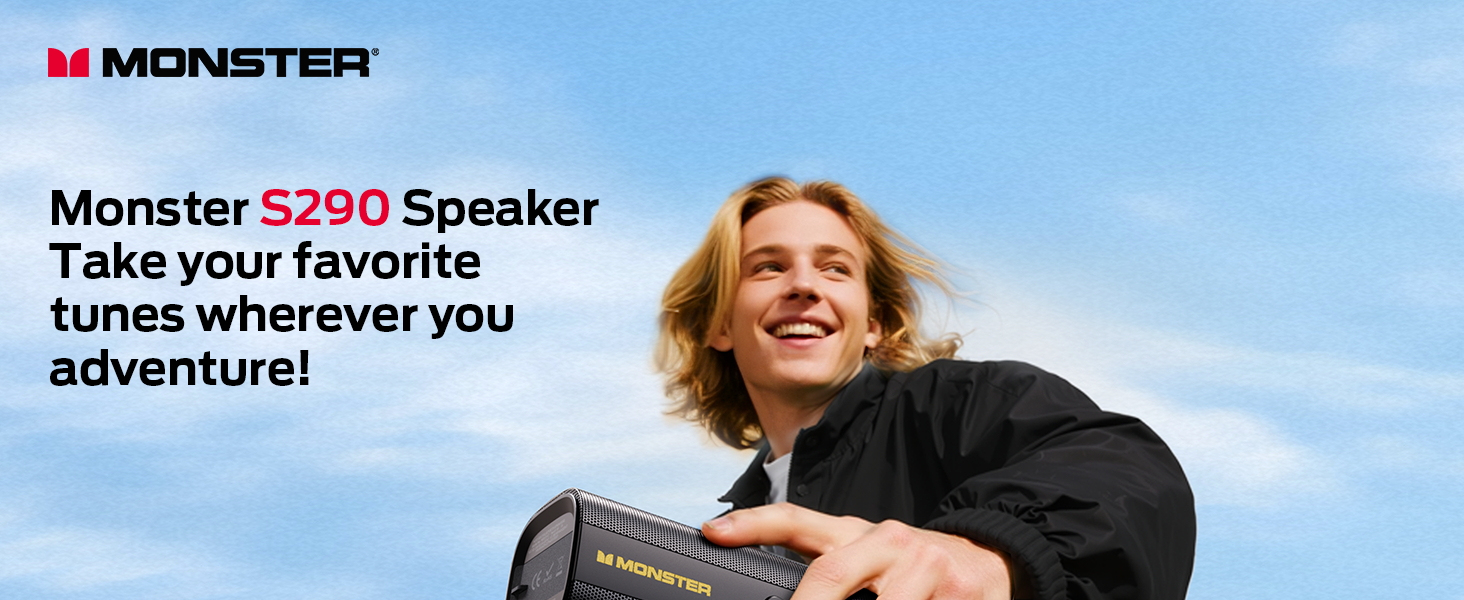
Image: The Monster S290 speaker, designed for portability, shown being carried by a person outdoors.
Kandungan Pakej
Sahkan bahawa semua item yang disenaraikan di bawah disertakan dalam pakej anda:
- Monster S290 Speaker x1
- AUX-IN Cable x1
- Kabel Pengecas USB-C x1
- Panduan Mula Pantas x1
- Kad Waranti x1
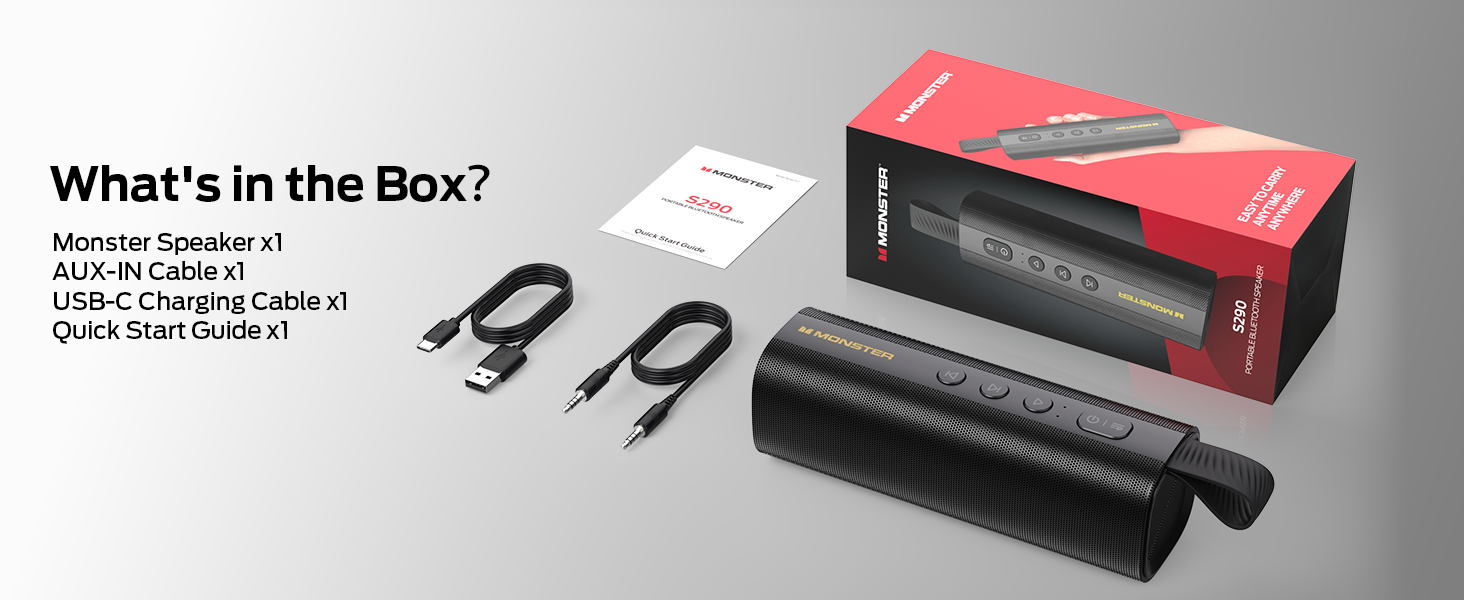
Image: A visual representation of the Monster S290 speaker and its included accessories: AUX-IN cable, USB-C charging cable, quick start guide, and warranty card.
Produk Selesaiview
Reka Letak Pembesar Suara
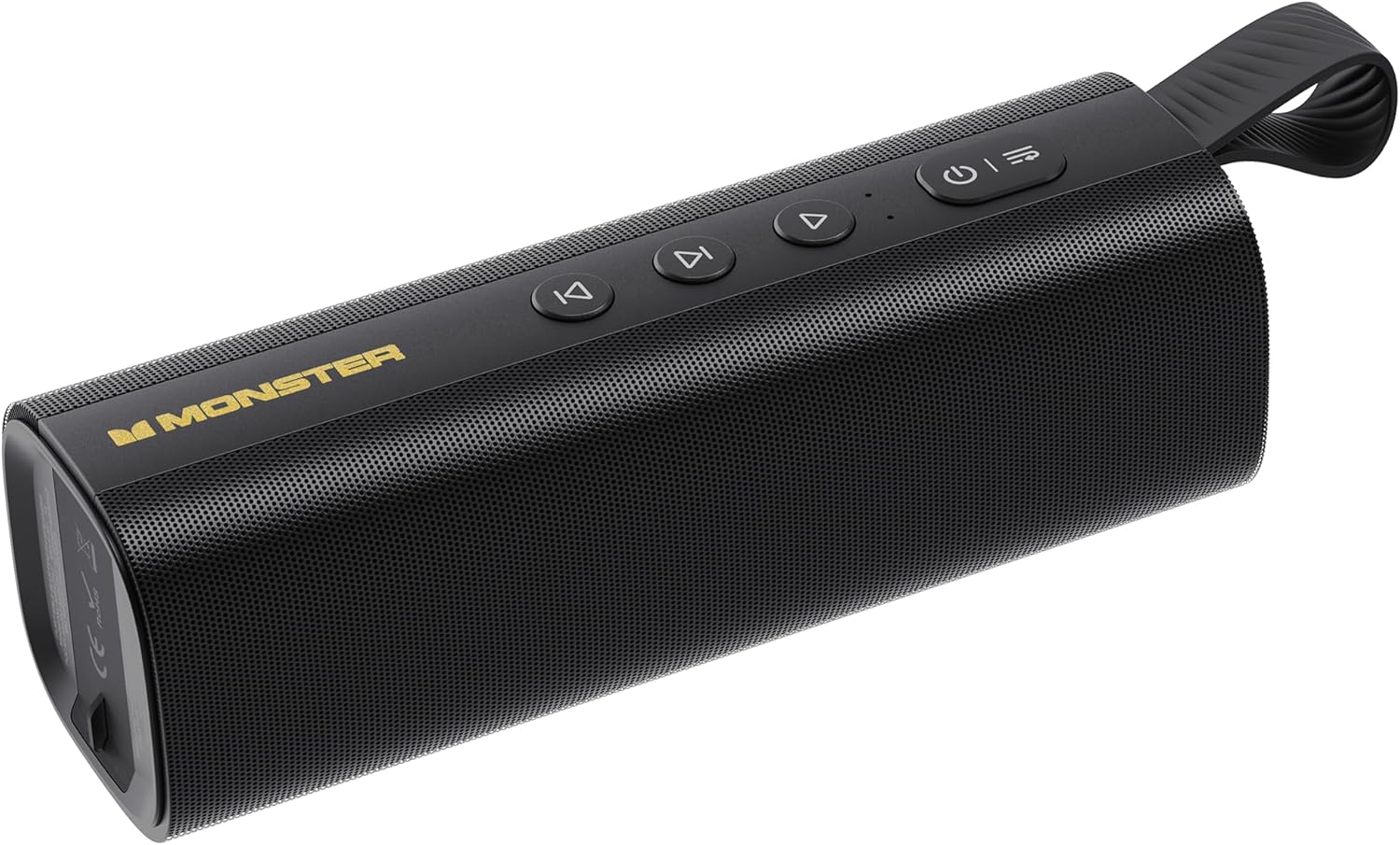
Image: The Monster S290 Portable Bluetooth Speaker, showcasing its cylindrical design, control buttons on top, and integrated carrying strap.
Butang Kawalan
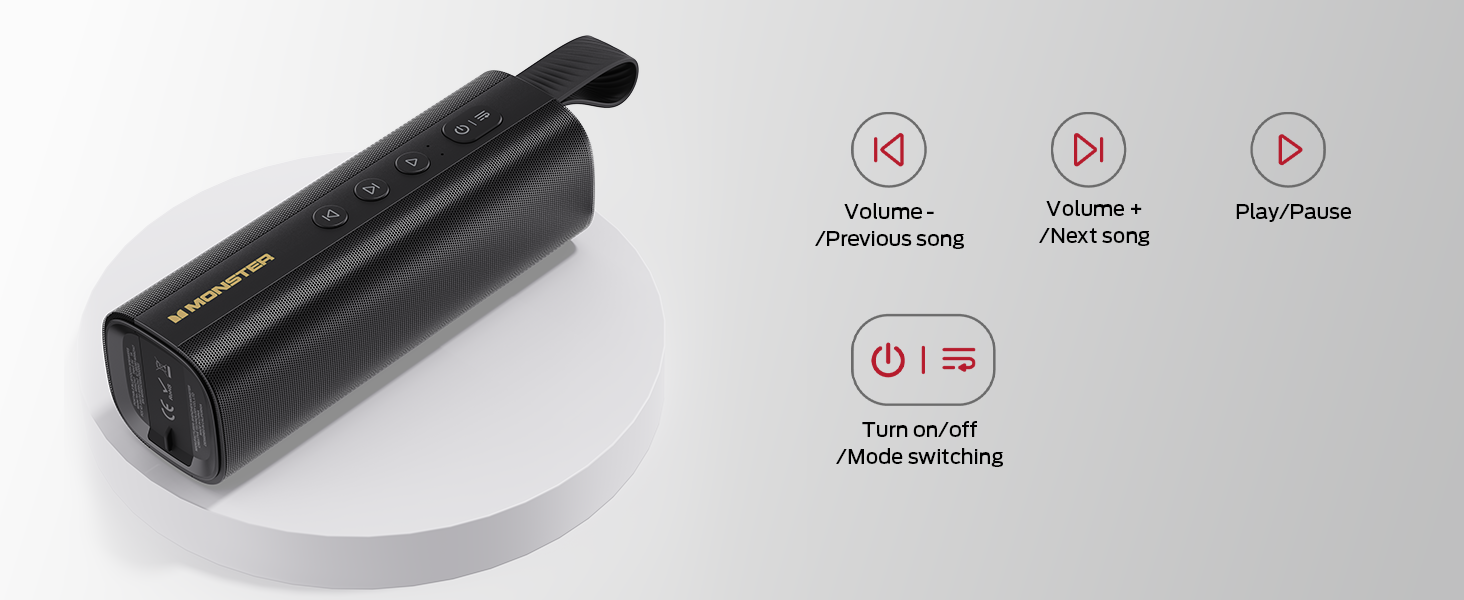
Image: A diagram detailing the functions of the speaker's buttons: Power On/Off/Mode Switching, Volume Down/Previous Song, Volume Up/Next Song, and Play/Pause.
- Butang kuasa (⏻): Press and hold to power on/off. Short press to switch between input modes (Bluetooth, AUX, TF Card, USB).
- Volume Down / Previous Song (⏮): Short press for previous song. Press and hold to decrease volume.
- Play / Pause (⏯): Short press to play or pause audio.
- Volume Up / Next Song (⏭): Short press for next song. Press and hold to increase volume.
Port Input

Imej: A terperinci view of the speaker's connectivity panel, showing the TF card slot, USB port, USB-C charging port, and AUX-IN port, protected by a rubber flap.
- Slot Kad TF: For playing audio directly from a MicroSD/TF card.
- Port USB: For playing audio directly from a USB flash drive.
- USB-C (DC 5V): Charging port for the speaker.
- AUX-IN: 3.5mm audio input for wired connection to devices.
Persediaan
Mengecas Speaker
- Sambungkan kabel pengecas USB-C yang disediakan ke port USB-C pada pembesar suara.
- Sambungkan hujung kabel yang satu lagi ke penyesuai kuasa USB (tidak disertakan) atau port USB komputer.
- Lampu penunjuk pengecasan akan menyala semasa pengecasan dan padam apabila dicas sepenuhnya.
- Cas penuh memberikan masa bermain selama kira-kira 15 jam.

Image: The Monster S290 speaker held in a hand, visually representing its extended battery life of up to 15 hours on a single charge.
Hidupkan/Mati Kuasa
- Untuk Menghidupkan: Press and hold the Power button (⏻) for approximately 2-3 seconds until you hear an audible prompt and the indicator light turns on.
- Untuk Matikan: Press and hold the Power button (⏻) for approximately 2-3 seconds until you hear an audible prompt and the indicator light turns off.
Arahan Operasi
Penggandingan Bluetooth (Pembesar Suara Tunggal)
- Ensure the speaker is powered on and in Bluetooth pairing mode (indicated by a flashing blue LED). If not, short press the Power button (⏻) to cycle through modes until Bluetooth mode is active.
- Pada peranti mudah alih anda (telefon pintar, tablet, dll.), dayakan Bluetooth.
- Cari untuk available Bluetooth devices. You should see "Monster S290" in the list.
- Select "Monster S290" to connect. Once connected, the indicator light will turn solid blue, and you will hear a confirmation sound.
- Pembesar suara secara automatik akan cuba menyambung semula ke peranti pasangan terakhir apabila dihidupkan.

Imej: X-ray view of the Monster S290 speaker, emphasizing the integrated Bluetooth 6.0 chip for stable and efficient wireless connectivity.
Pasangan TWS (Stereo Tanpa Wayar Sebenar)
TWS pairing allows you to connect two Monster S290 speakers together for a stereo sound experience.
- Ensure both Monster S290 speakers are powered on and not connected to any Bluetooth device.
- On one of the speakers (this will be the primary speaker), press and hold the Play/Pause button (⏯) for 2-3 seconds. You will hear a prompt indicating TWS pairing mode.
- The two speakers will automatically search for and connect to each other. Once connected, you will hear a confirmation sound, and the primary speaker's indicator light will flash, while the secondary speaker's light will be solid.
- Sekarang, sambungkan peranti mudah alih anda ke pembesar suara utama melalui Bluetooth seperti yang diterangkan dalam bahagian "Penyandingan Bluetooth".
- Audio kini akan dimainkan dalam stereo melalui kedua-dua pembesar suara.

Image: Two Monster S290 speakers demonstrating TWS connectivity, allowing them to play audio in stereo from a single Bluetooth source.
Mod AUX-IN
- Connect one end of the 3.5mm AUX-IN cable to the AUX-IN port on the speaker.
- Sambungkan hujung kabel yang satu lagi ke bicu output audio peranti anda.
- Tekan sebentar butang Kuasa (⏻) to switch to AUX mode. The speaker will announce "AUX mode".
- Kawal main balik dan kelantangan daripada peranti anda yang disambungkan.
Mod Main Semula Kad TF
- Masukkan kad TF (MicroSD) dengan audio files ke dalam slot kad TF.
- Tekan sebentar butang Kuasa (⏻) to switch to TF Card mode. The speaker will announce "TF card mode" and begin playing audio.
- Use the speaker's control buttons for playback (Play/Pause, Next/Previous Song, Volume Up/Down).
Mod Main Semula USB
- Masukkan pemacu kilat USB dengan audio files ke dalam port USB.
- Tekan sebentar butang Kuasa (⏻) to switch to USB mode. The speaker will announce "USB mode" and begin playing audio.
- Use the speaker's control buttons for playback (Play/Pause, Next/Previous Song, Volume Up/Down).
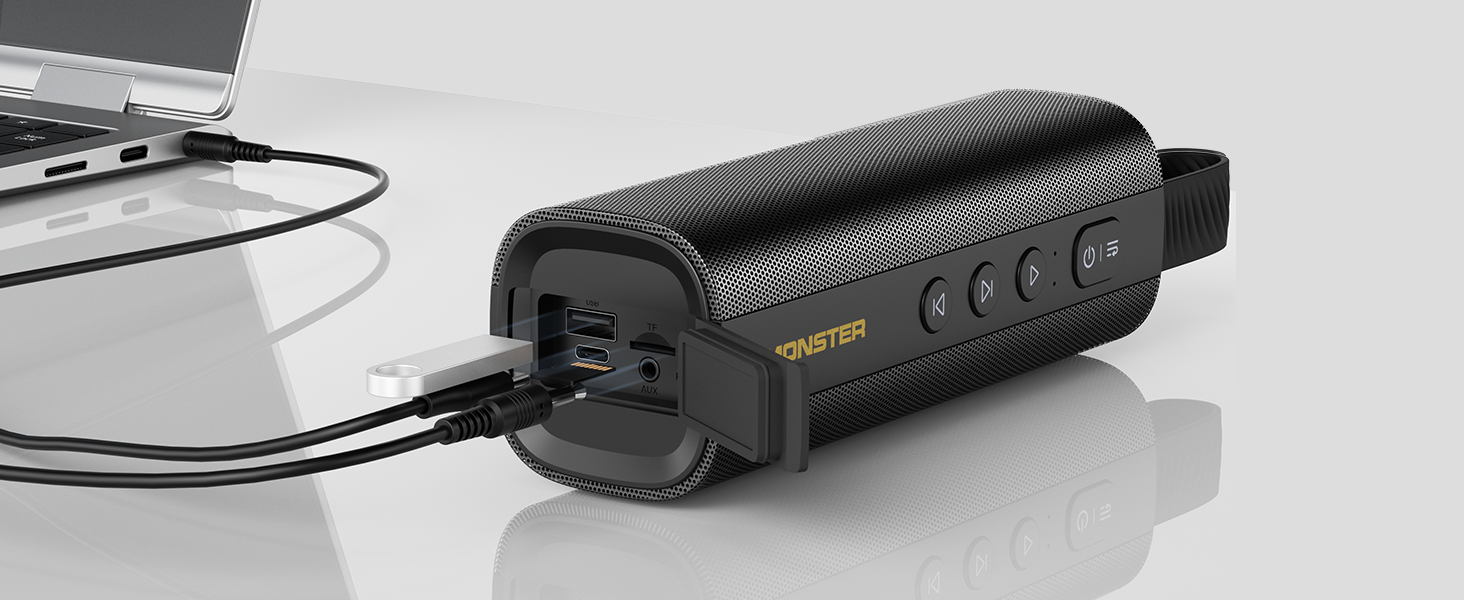
Image: The Monster S290 speaker connected to a laptop, illustrating its versatility with AUX, USB, and TF card input options.
Penyelenggaraan
Rintangan Air (IPX6)
The Monster S290 speaker features an IPX6 waterproof rating, meaning it is protected against high-pressure water jets from any direction. This makes it suitable for outdoor use and resistant to splashes, rain, and sweat.
- Ensure the rubber flap covering the charging and input ports is securely closed to maintain water resistance.
- Jangan tenggelamkan pembesar suara di dalam air.
- Selepas terdedah kepada air, lap pembesar suara hingga kering dengan kain lembut sebelum mengecas atau membuka penutup port.

Image: The Monster S290 speaker positioned near a pool, illustrating its IPX6 waterproof capability, making it suitable for use in wet environments.
Pembersihan dan Penyimpanan
- Bersihkan pembesar suara dengan lembut, damp kain. Jangan gunakan pembersih atau pelarut yang melelas.
- Simpan pembesar suara di tempat yang sejuk dan kering jauh dari cahaya matahari langsung dan suhu yang melampau.
- Jika menyimpan untuk tempoh yang lama, cas bateri secara berkala untuk mengekalkan kesihatannya.
Menyelesaikan masalah
| Masalah | Kemungkinan Punca | Penyelesaian |
|---|---|---|
| Speaker tidak dihidupkan. | Bateri lemah. | Cas pembesar suara menggunakan kabel USB-C yang disediakan. |
| Tiada bunyi. | Volume too low on speaker or connected device. Incorrect input mode. | Increase volume on both speaker and device. Ensure correct input mode is selected (Bluetooth, AUX, TF, USB). |
| Tidak boleh berpasangan melalui Bluetooth. | Speaker not in pairing mode. Device Bluetooth is off. Speaker already connected to another device. | Ensure speaker is in Bluetooth pairing mode (flashing blue LED). Turn on Bluetooth on your device. Disconnect from other devices or restart the speaker. |
| Gandingan TWS gagal. | Speakers are too far apart. One speaker is already paired to a device. | Ensure speakers are within 10 meters of each other. Disconnect both speakers from any Bluetooth devices before initiating TWS pairing. |
| Kualiti bunyi yang buruk. | Low battery. Device too far from speaker (Bluetooth). Interference. | Charge the speaker. Move device closer to the speaker. Avoid obstacles between device and speaker. |
Spesifikasi
- Nama Model: S290 (Item Model Number: S38)
- Jenama: Monster
- Versi Bluetooth: 6.0
- Output Audio: 30W
- Masa bermain: Up to 15 hours (varies by volume and content)
- Penilaian Kalis Air: IPX6
- Antara Muka Input: Bluetooth, AUX-IN, TF Card, USB
- Port Pengecasan: USB-C (DC 5V)
- Bateri: 1 A bateri (termasuk)
- Dimensi Produk: 2.36 x 7.24 x 2.68 inci
- Berat Barang: 1.08 paun
- bahan: Plastik
- warna: Hitam
Waranti dan Sokongan
The Monster S290 Portable Bluetooth Speaker comes with a warranty. Please refer to the included "Warranty Card" for detailed terms and conditions. For further assistance or technical support, please consult the "Quick Start Guide" or visit the official Monster support webtapak.
Simpan resit pembelian anda sebagai bukti pembelian untuk tuntutan waranti.


