1. Produk Lebihview
The Amazon Basics Multi-Touch Trackpad is a wireless input device designed for Windows PCs, offering enhanced navigation and control through multi-touch gestures. It features dual device connectivity and a rechargeable battery for convenience.
Ciri-ciri Utama:
- Gerak Isyarat Berbilang Sentuh: Supports up to four-finger gestures for intuitive control.
- Dual Device Control: Connects to two devices via Bluetooth with easy switching.
- Integrated Buttons: Built-in left and right mouse button functionality.
- Reka bentuk Slim: Portable and sleek with colored indicator lights for enhanced functionality.
- Bateri boleh dicas semula: Equipped with a lithium battery, rechargeable via USB-C.
- Keserasian: Designed for Windows OS. Not compatible with macOS, Chrome OS, or Linux.

Imej 1.1: Atas view of the Amazon Basics Multi-Touch Trackpad.
2. Persediaan dan Pemasangan
2.1 Kandungan Pakej
Pastikan semua barang ada:
- Amazon Basics Multi-Touch Trackpad
- Kabel Pengecas USB-C
- Manual Pengguna (dokumen ini)
2.2 Charging the Trackpad
- Locate the USB-C port on the trackpad.
- Connect the provided USB-C cable to the trackpad and the other end to a USB power source (e.g., computer USB port, USB wall adapter).
- The indicator light will show charging status. A full charge typically takes [X] hours (Note: Specific charging time not provided in source data, user should refer to product packaging or quick start guide for exact duration).
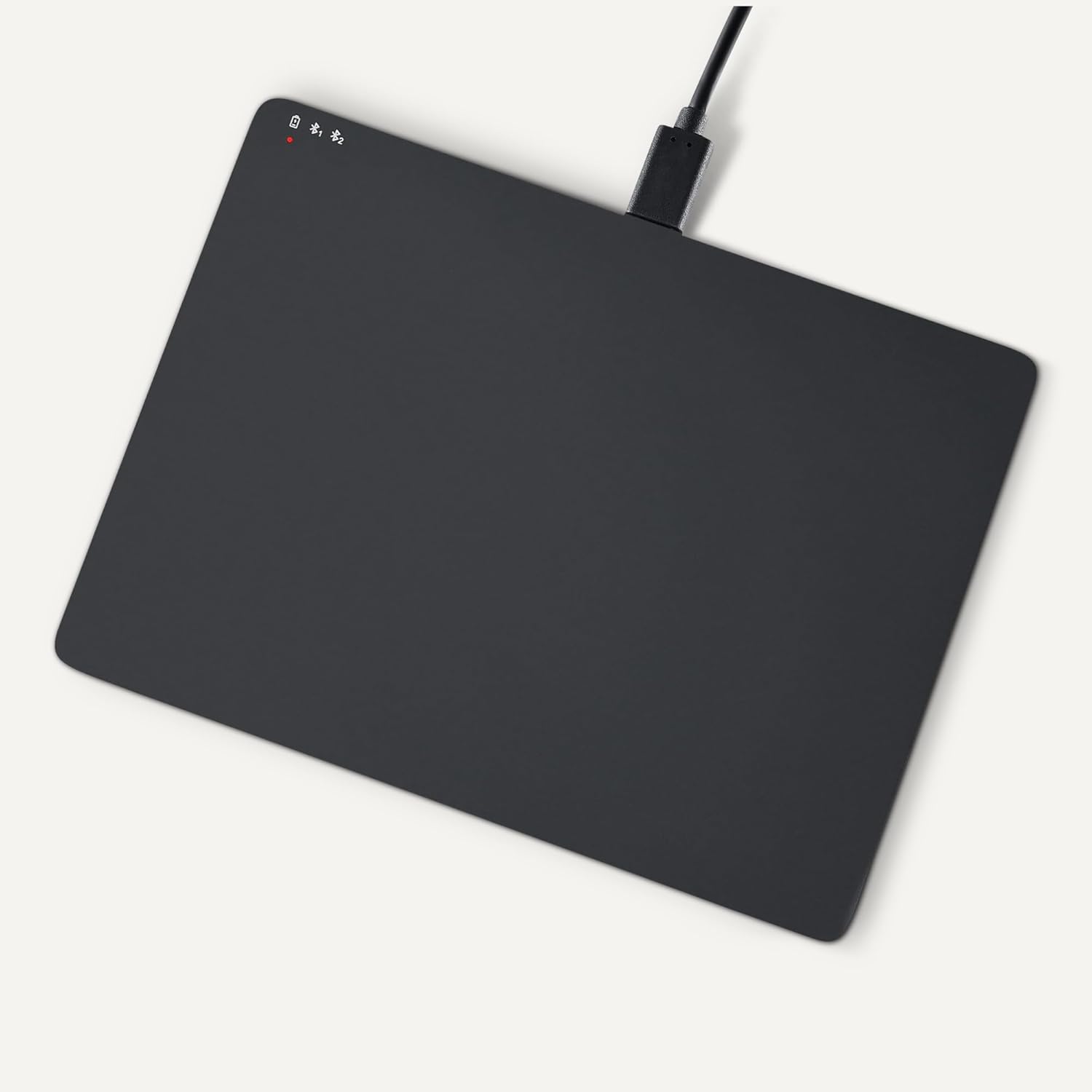
Image 2.1: Trackpad connected for charging via USB-C.
2.3 Menghidupkan/Mematikan
Locate the power switch on the side of the trackpad. Slide it to the "ON" position to power on, and "OFF" to power off.

Imej 2.2: Sisi view illustrating the power switch and USB-C port.
2.4 Berpasangan Bluetooth
- Ensure the trackpad is powered on.
- Pada PC Windows anda, navigasi ke Tetapan > Peranti > Bluetooth & peranti lain.
- Turn on Bluetooth and click "Add Bluetooth or other device".
- Select "Bluetooth" from the options.
- The trackpad should appear in the list of available devices (e.g., "Amazon Basics Trackpad"). Select it to pair.
- Follow any on-screen prompts to complete the pairing process. The indicator light on the trackpad will confirm successful connection.
3. Operating the Trackpad
3.1 Navigasi Asas
- Gerakkan Kursor: Slide one finger across the trackpad surface.
- Klik Kiri: Press down on the lower-left area of the trackpad or tap with one finger.
- Klik kanan: Press down on the lower-right area of the trackpad or tap with two fingers (if configured in Windows settings).
3.2 Multi-Touch Gestures (Windows OS)
The trackpad supports various multi-touch gestures for enhanced productivity. These gestures are typically configured within Windows settings (Settings > Devices > Touchpad).
- Tatal: Place two fingers on the trackpad and slide them up or down to scroll vertically, or left or right to scroll horizontally.
- Zum Masuk/Keluar: Place two fingers on the trackpad and pinch them together to zoom out, or spread them apart to zoom in.
- Show All Open Windows (Task View): Swipe three fingers upwards.
- Tunjukkan Desktop: Swipe three fingers downwards.
- Switch Between Open Windows: Swipe three fingers left or right.
- Pusat Tindakan Terbuka: Tap with four fingers.
- Switch Desktops: Swipe four fingers left or right.
Note: Gesture functionality may vary based on your Windows version and specific settings. Refer to your Windows documentation for detailed customization options.
3.3 Dual Device Control
The trackpad can be paired with two different devices. To switch between connected devices:
- Ensure both devices are paired with the trackpad.
- Press the mode switch button located on the trackpad (refer to Image 2.2 for location).
- The indicator light will change to show which device is currently active.
4. Penyelenggaraan dan Penjagaan
- Pembersihan: Use a soft, dry, lint-free cloth to clean the trackpad surface. For stubborn marks, slightly dampen kain dengan air. Elakkan bahan kimia yang keras atau bahan yang melelas.
- Storan: When not in use for extended periods, power off the trackpad to conserve battery life. Store in a cool, dry place.
- Penjagaan Bateri: To prolong battery life, avoid fully discharging the trackpad frequently. Recharge when the low battery indicator appears.
- Elakkan Cecair: Keep the trackpad away from liquids and excessive moisture.
5. Penyelesaian masalah
| Masalah | Kemungkinan Punca | Penyelesaian |
|---|---|---|
| Trackpad does not power on. | Bateri dinyahcas. | Charge the trackpad using the provided USB-C cable. |
| Trackpad does not connect via Bluetooth. |
|
|
| Gestures are not working or inconsistent. |
|
|
| Trackpad is unresponsive. |
|
|
If the problem persists after trying these solutions, please refer to the Warranty and Support section.
6. Spesifikasi
| Ciri | Perincian |
|---|---|
| Jenama | Asas Amazon |
| Nombor Model | TK053 |
| Ketersambungan | Bluetooth |
| Dimensi (LxWxH) | 6.39 x 4.78 x 0.42 inci |
| Berat Barang | 9.2 auns (261.2 Gram) |
| warna | Hitam |
| Bateri | 1 bateri Lithium Ion (termasuk) |
| Port Pengecasan | USB-C |
| Keserasian | Windows OS (Not compatible with macOS, Chrome OS, or Linux) |
| UPC | 840324434217 |
7. Waranti dan Sokongan
Untuk maklumat jaminan dan sokongan pelanggan, sila rujuk kepada Asas Amazon rasmi website or the documentation included with your purchase. You can typically find support resources, FAQs, and contact information on the product's dedicated page on Amazon.com.
Sokongan dalam talian: Lawati Kedai Asas Amazon


