1. Pengenalan
Thank you for choosing the Nuwave Gold Pro Precision Induction Cooktop. This manual provides essential information for the safe and efficient operation of your new appliance. Please read all instructions carefully before use and retain this manual for future reference.
2. Maklumat Keselamatan Penting
WARNING: To reduce the risk of fire, electric shock, injury to persons, or damage to the appliance, read and follow all instructions.
- Sentiasa letakkan permukaan masak di atas permukaan yang stabil, rata dan tahan haba.
- Pastikan pengudaraan yang mencukupi di sekeliling unit. Jangan sekat lubang udara.
- Jangan rendam bahagian atas dapur di dalam air atau cecair lain.
- Use only induction-compatible cookware. Non-compatible cookware will not heat.
- Do not touch the cooking surface immediately after use, as it may retain residual heat.
- Jauhkan kanak-kanak dan haiwan peliharaan dari dapur semasa operasi.
- Unplug the cooktop when not in use and before cleaning.
- Jangan kendalikan perkakas ini jika ia mempunyai kord atau palam yang rosak, atau jika ia tidak berfungsi atau telah rosak dalam apa jua cara.
- Individuals with pacemakers or similar medical devices should consult their physician before using an induction cooktop.
3. Produk Lebihview
Komponen
- Nuwave Gold Pro Precision Induction Cooktop
- Meat Thermometer (included)
Panel Kawalan dan Paparan
The Nuwave Gold Pro features a digital touch screen control panel and an enhanced cool white LED display for clear visibility of time and temperature settings.

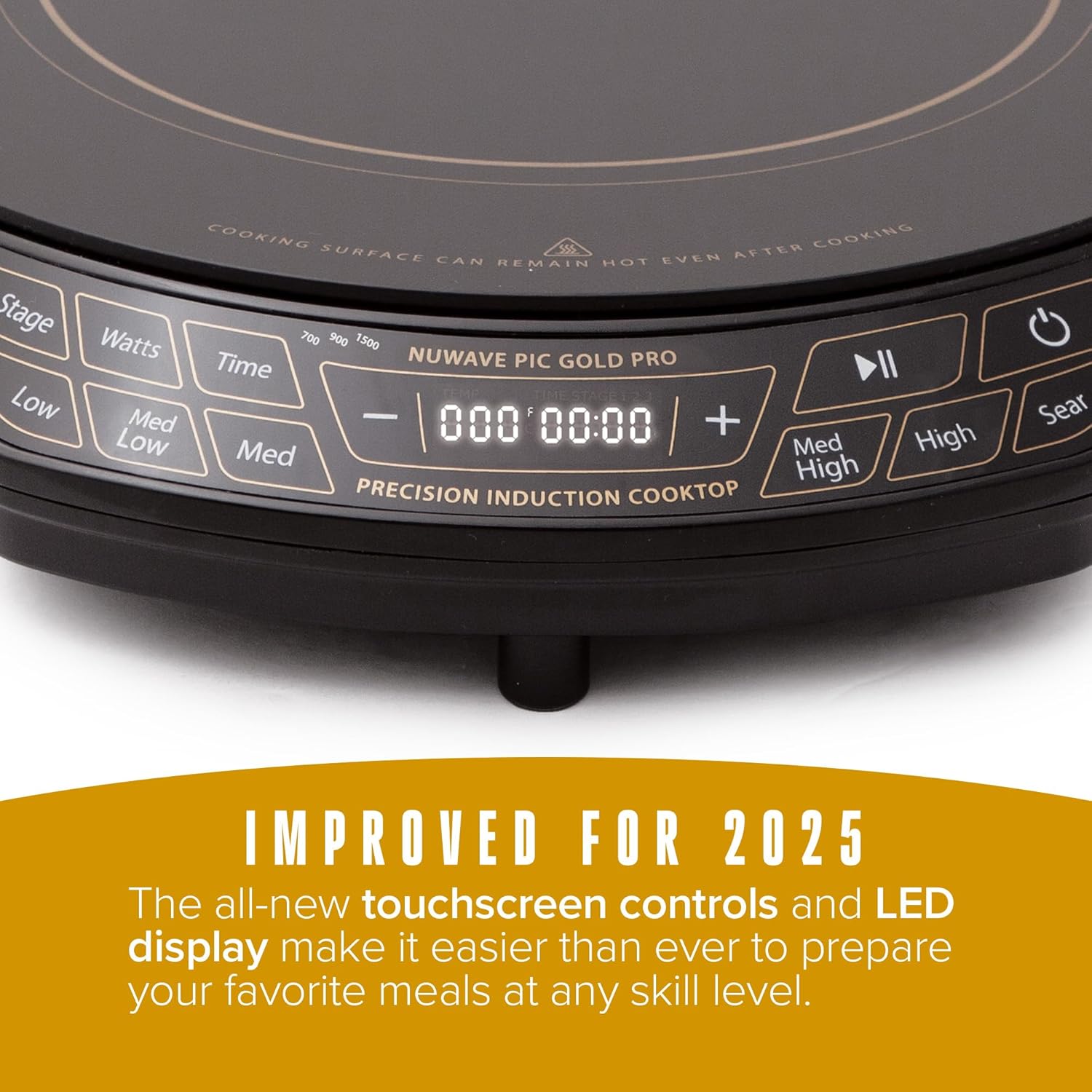
Kawalan Utama:
- Butang Kuasa: Menghidupkan atau mematikan unit.
- Kawalan Suhu: Adjusts cooking temperature from 100°F to 575°F in 5-degree increments. Pre-set temperature buttons (Low, Med Low, Med, Med High, High, Sear) are also available.
- Wattage Kawalan: Adjusts power output between 700W, 900W, and 1500W.
- Butang Masa: Menetapkan pemasa memasak.
- Stage Butang: For advanced multi-stage program memasak.
- Butang Main/Jeda: Pauses or resumes cooking.
4. Persediaan
- Membongkar: Carefully remove all packaging materials from the cooktop. Inspect the unit for any damage.
- penempatan: Place the cooktop on a dry, stable, and level surface. Ensure there is at least 6 inches of clear space around all sides for proper ventilation. Do not place on or near hot gas or electric burners, or in a heated oven.
- Sambungan Kuasa: Palamkan kord kuasa ke soket elektrik 120V AC standard.
5. Arahan Operasi
5.1 Menghidupkan dan Mematikan
- Untuk menghidupkan, tekan kuasa button. The display will illuminate.
- Untuk mematikan, tekan kuasa butang lagi.
5.2 Operasi Memasak Asas
- Place induction-compatible cookware with food on the center of the cooktop.
- Tekan ke kuasa butang untuk menghidupkan unit.
- Select your desired temperature using the Suhu buttons (Low, Med Low, Med, Med High, High, Sear) or adjust precisely using the + dan - buttons. Temperatures can be set from 100°F to 575°F in 5-degree increments.
- Optionally, adjust the wattage dengan menekan butang Watt button to cycle between 700W, 900W, and 1500W.
- Optionally, set a cooking time using the Masa butang dan + dan - buttons. The cooktop will automatically shut off when the timer expires.
- Untuk menghentikan seketika memasak, tekan butang Main/Jeda butang. Tekan sekali lagi untuk menyambung semula.
5.3 Ciri-ciri Keselamatan
- Cookware Detection: The cooktop will not activate if no compatible cookware is placed on the surface. If cookware is removed during operation, the unit will pause and automatically shut off after 1 minute if the cookware is not returned.
- Pemadaman Automatik: The unit will automatically shut off after 2 hours of continuous operation unless the timer is set for a longer duration or adjusted during cooking.


6. Keserasian Alat Memasak
The Nuwave Gold Pro Precision Induction Cooktop requires cookware with a magnetic base. To test if your cookware is compatible, hold a household magnet to the bottom of the pot or pan. If the magnet sticks, the cookware is induction compatible.
Compatible Cookware Materials:
- All Nuwave Cookware
- Enameled Iron & Steel
- Stainless Steel with a magnetic base
- Cast Iron & Carbon Steel
Incompatible Cookware Materials:
- Tembaga
- kaca
- aluminium
- Tembikar

7. Pembersihan dan Penyelenggaraan
Regular cleaning ensures optimal performance and extends the life of your cooktop.
- Sentiasa cabut plag dapur dan biarkan ia sejuk sepenuhnya sebelum dibersihkan.
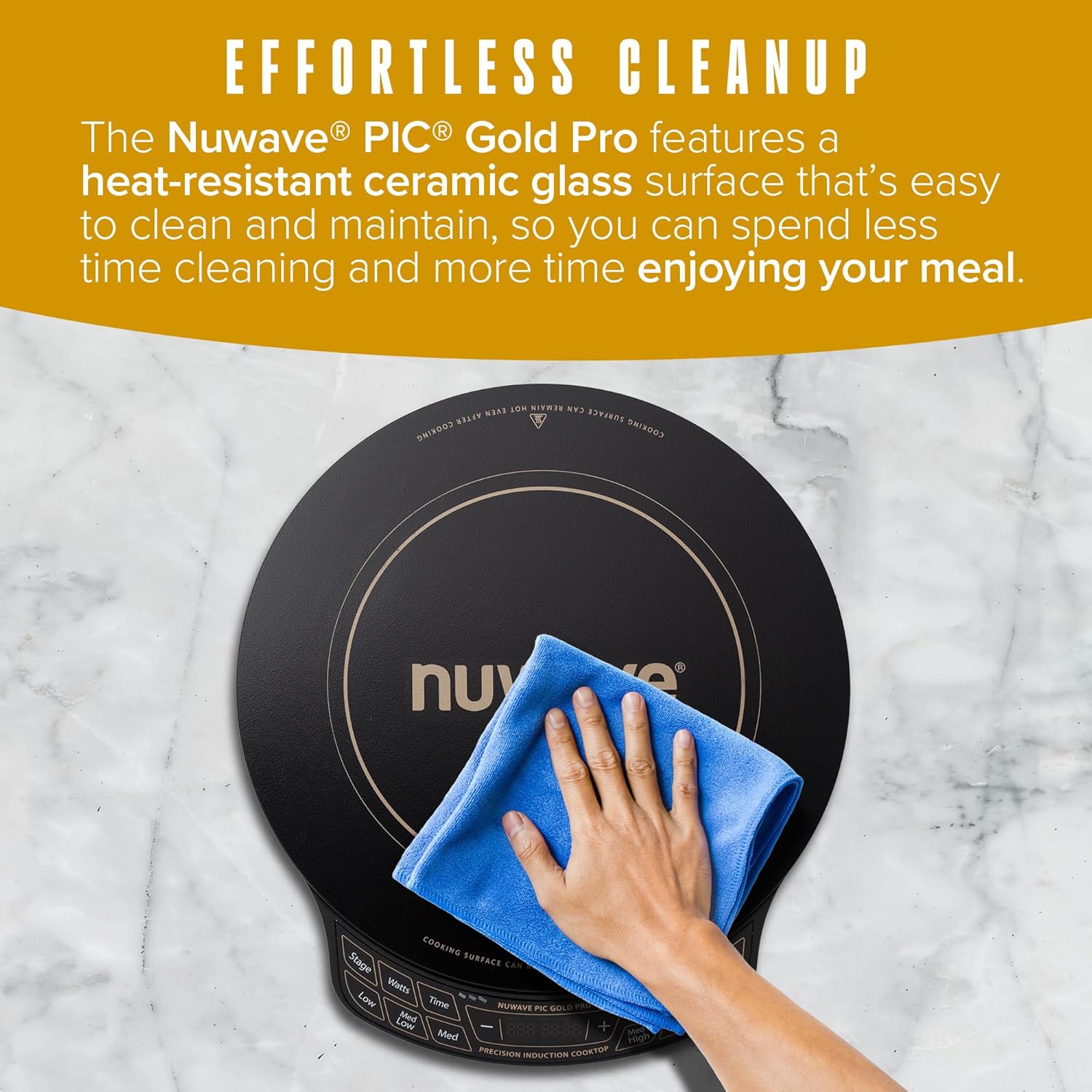
- Lap permukaan kaca seramik dengan iklanamp cloth and mild detergent. For stubborn stains, use a non-abrasive cleaner specifically designed for ceramic cooktops.
- Jangan gunakan pad yang melelas, bahan kimia yang keras, atau bulu keluli, kerana ini boleh mencalar atau merosakkan permukaan.
- Lap panel kawalan dengan lembut, damp kain. Pastikan tiada cecair memasuki kawasan kawalan.
- Ensure the cooktop is completely dry before plugging it back in or storing it.
8. Penyelesaian masalah
If you encounter issues with your Nuwave Gold Pro, please refer to the following common problems and solutions:
| Masalah | Kemungkinan Punca | Penyelesaian |
|---|---|---|
| Cooktop does not turn on or heat. | Tidak dipasang; kuasa outage; incompatible cookware; cookware not centered. | Check power connection; ensure compatible cookware is used and centered; check household circuit breaker. |
| Display shows 'C' instead of 'F' for temperature. | Temperature unit accidentally switched to Celsius. | Long press the 'Med High' button to toggle between Celsius and Fahrenheit. |
| Dapur berhenti memanas semasa operasi. | Cookware removed; automatic shut-off activated; overheating. | Return cookware to surface; reset unit if auto-shutoff occurred; ensure proper ventilation and allow to cool if overheating. |
| Unusual noises (e.g., humming). | Normal operation with certain cookware; fan noise. | A slight humming sound is normal with induction technology. The internal fan operates to cool the unit. |
9. Spesifikasi
| Ciri | Perincian |
|---|---|
| Nombor Model | PIC Gold Pro |
| Jenama | Nuwave |
| warna | Hitam |
| bahan | Kaca Seramik |
| Elemen Pemanas | 1 |
| Dimensi Produk (D x W x H) | 13.75" x 12.38" x 2.25" |
| Wattage | Adjustable (700W, 900W, 1500W) |
| Julat Suhu | 100°F hingga 575°F (dalam kenaikan 5°F) |
| Jenis Kawalan | Skrin Sentuh |
| Jenis Pembakar | Induksi |
| Komponen yang Disertakan | 1 x Termometer Daging |
| Sumber Kuasa | Elektrik |
| Berat Barang | 7.04 paun (3.2 Kilogram) |
| UPC | 652185302129 |
10. Waranti dan Sokongan
The Nuwave Gold Pro Precision Induction Cooktop comes with a manufacturer's warranty. Please refer to the warranty card included with your product for specific terms and conditions. For technical support, replacement parts, or any inquiries, please contact Nuwave customer service.
Khidmat Pelanggan Nuwave:
- Contact information can typically be found on the official Nuwave webtapak atau pada pembungkusan produk.


