pengenalan
This manual provides detailed instructions for the assembly, operation, and maintenance of your FLEXISPOT Standing Desk with a 40x24 inch one-piece desktop. Please read this manual thoroughly before assembly and use to ensure proper function and safety.
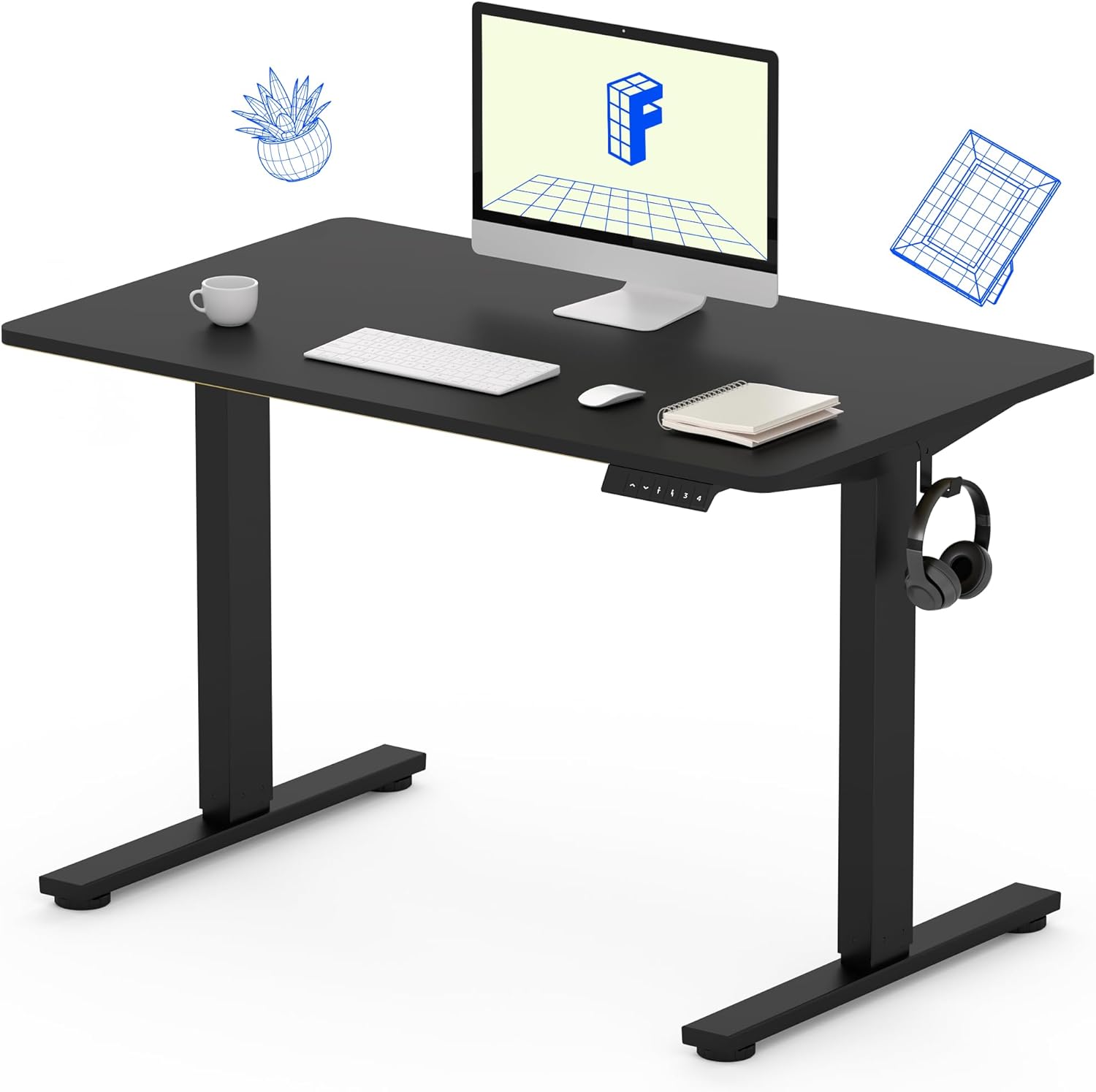
Image 1: The FLEXISPOT Standing Desk, showcasing its black desktop, black frame, and integrated control panel with a headphone hook.
Maklumat Keselamatan
AMARAN:
- Always use caution when assembling the desk, especially when using a drill.
- Jangan melebihi had berat maksimum 154 paun (70 kg).
- Keep hands and body parts away from moving parts during height adjustment to prevent injury.
- Ensure all cables are properly managed to avoid entanglement during desk movement.
Kandungan Pakej
Sebelum memulakan pemasangan, sahkan bahawa semua komponen ada dan tidak rosak. Jika mana-mana bahagian yang hilang atau rosak, sila hubungi sokongan pelanggan.
- One-Piece Desktop (40" x 24", Black)
- Desk Legs (Black Frame, Dual-Stage)
- Motor and Control Box
- Panel Kawalan dengan Pratetap Memori
- Cangkuk Fon Kepala
- Perkakasan Pemasangan (skru, sepana Allen)
- Kabel Kuasa

Image 2: Illustration highlighting the seamless design of the FLEXISPOT one-piece desktop, contrasting it with multi-piece alternatives.
Persediaan dan Perhimpunan
Assembly typically requires 30 minutes to an hour. It is recommended to have two people for assembly due to the weight of the package. A power drill (not included) may be needed for some steps.
- Buka Pembungkusan Komponen: Carefully remove all parts from the packaging. Inspect for any damage. Note that the packaging can be heavy.
- Pasang Kerangka Meja: Attach the crossbar to the lifting columns (legs) using the provided hardware. Ensure all screws are tightened securely.
- Pasang Kaki: Secure the desk feet to the bottom of the lifting columns.
- Pasang Desktop: Carefully place the one-piece desktop upside down on a soft, clean surface. Position the assembled frame onto the desktop. Align the pre-drilled holes (if present) or mark positions for screws. Secure the frame to the desktop using the provided screws. A power drill may be helpful for this step.
- Install Control Box and Panel: Mount the control box and control panel to the underside of the desktop in the designated locations. Connect the motor cables and control panel cable to the control box.
- Lampirkan Aksesori: Install the headphone hook to the side of the desktop as desired.
- Pengurusan Kabel: Route all cables neatly using cable ties or management clips (not included) to prevent interference with desk movement.
- Penempatan Akhir: With assistance, carefully flip the desk upright and place it in its desired location. Ensure it is stable and level.

Image 3: The FLEXISPOT Standing Desk integrated into a home office setup, demonstrating its spacious desktop and functionality.
Arahan Operasi
Your FLEXISPOT Standing Desk features an electric motor for smooth height adjustments and a control panel with memory presets.
Pelarasan Ketinggian
- Tekan ke Atas (▲) butang untuk menaikkan meja.
- Tekan ke Bawah (▼) butang untuk menurunkan meja.
- The desk moves smoothly and quietly (under 50 dB) between 28.7 inci (73 cm) dan 46.5 inci (118 cm).
Pratetap Memori
Panel kawalan membolehkan anda menyimpan sehingga empat tetapan ketinggian pilihan.
- Tetapkan Ketinggian: Laraskan meja pada ketinggian duduk atau berdiri yang anda inginkan menggunakan butang Atas/Bawah.
- Simpan Pratetap: Tekan ke "M" butang, kemudian tekan segera salah satu butang pratetap bernombor (1, 2, 3, atau 4). The display will show "S-" followed by the number, indicating the height is saved.
- Ingat Preset: Press the corresponding numbered preset button (1, 2, 3, atau 4) untuk menggerakkan meja secara automatik ke ketinggian yang disimpan.

Image 4: Visual representation of the desk's adjustable height range, showing it at its lowest (29") and highest (46.6") positions.
Penyelenggaraan
- Pembersihan: Lap desktop dan bingkai dengan lembut, damp kain. Elakkan bahan kimia yang keras atau pembersih yang kasar.
- Pemeriksaan Kabel: Periodically inspect all cables for wear or damage. Ensure they are securely connected and not pinched.
- Keketatan skru: Periksa dan ketatkan skru yang longgar pada bingkai atau sambungan desktop sekali-sekala.
Menyelesaikan masalah
| Masalah | Kemungkinan Punca | Penyelesaian |
|---|---|---|
| Meja tidak bergerak. | Power cable disconnected, control box cable loose, overload. | Check power connection. Ensure all cables to the control box and motor are secure. Reduce weight on the desk if exceeding 154 lbs. |
| Meja bergerak tidak sekata atau mengeluarkan bunyi yang luar biasa. | Loose connections, obstruction, uneven weight distribution. | Check all assembly screws. Ensure no objects are obstructing the legs. Distribute weight evenly on the desktop. |
| Paparan panel kawalan menunjukkan kod ralat. | Keadaan ralat khusus. | Refer to the specific error code in the full product manual (if available) or contact customer support. Often, a power cycle (unplug for 10 seconds, then plug back in) can resolve temporary errors. |
Spesifikasi
| Ciri | Perincian |
|---|---|
| Jenama | FLEXISPOT |
| Model | B0F747SWWB |
| Desktop Dimensions (D x W) | 24" x 40" (One-Piece) |
| Julat Ketinggian | 28.7" - 46.5" (73 sm - 118 sm) |
| Kapasiti Berat Maksimum | 154 paun (70 kg) |
| Tahap Kebisingan | Kurang daripada 50 dB |
| Bahan Bingkai | Keluli Aloi |
| Bahan Atas | Kayu Kejuruteraan |
| warna | Black Frame / Black Top |
| Perhimpunan Diperlukan | ya |

Image 5: Details of the desk's construction, including the dual-stage lifting columns and the convenient backpack/headphone hook.
Waranti dan Sokongan
Your FLEXISPOT Standing Desk is backed by a comprehensive warranty:
- Kerangka dan Motor: Waranti terhad 5 tahun.
- Elektronik: Waranti terhad 2 tahun.
For warranty claims, technical assistance, or any questions regarding your product, please contact FLEXISPOT customer support through their official webtapak atau peruncit tempat produk itu dibeli.


