pengenalan
This manual provides comprehensive instructions for the setup, operation, and maintenance of your QONBINK K62 Smart Watch. Please read this manual thoroughly before using the device to ensure proper function and longevity.
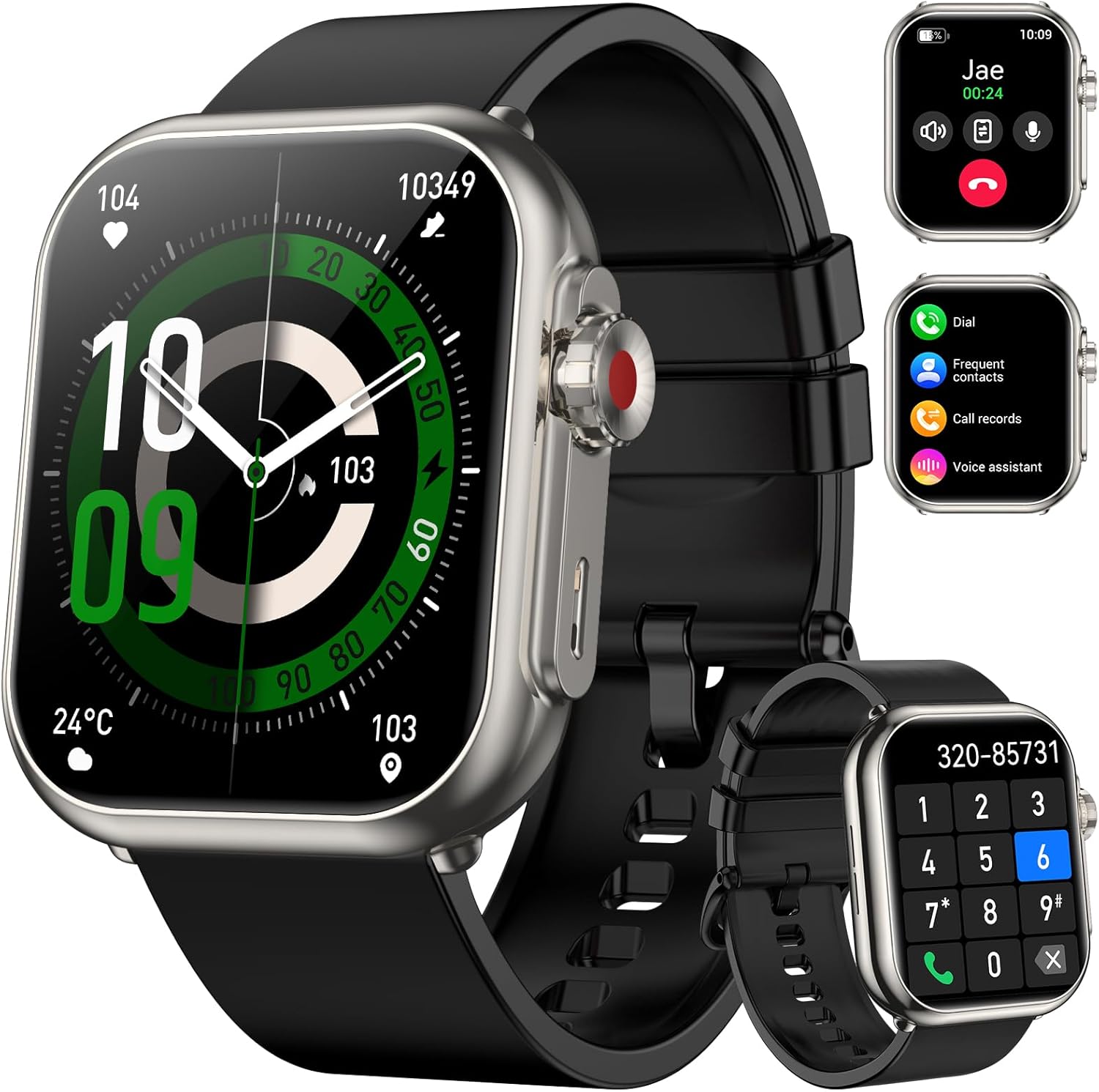
Image: QONBINK K62 Smart Watch, front view with call interface and dial pad shown on smaller screens.
Kandungan Pakej
Sahkan bahawa semua item terdapat dalam pakej:
- Jam Tangan Pintar QONBINK K62
- Manual Pengguna
- Kabel Pengecasan

Image: Illustration of the smart watch, charging cable, and user manual included in the package.
Persediaan
1. Mengecas Jam Tangan Pintar
Before initial use, fully charge your smart watch. Connect the magnetic charging cable to the charging contacts on the back of the watch and plug the USB end into a standard USB power adapter (not included).
- Masa Pengecasan: Kira-kira 2.5 jam untuk pengecasan penuh.
- Battery Life: Up to 30 days of typical use, 100 days standby.

Image: The smart watch connected to its magnetic charging cable, illustrating the charging process and battery life details.
2. Pemasangan Aplikasi dan Penggandingan Peranti
To unlock the full functionality of your QONBINK K62 Smart Watch, download and install the "FitCloudPro" application on your smartphone.
- Muat turun Apl: Cari untuk "FitCloudPro" di gedung aplikasi telefon pintar anda (Google Play Store untuk Android atau Apple App Store untuk iOS) dan pasangnya.
- Dayakan Bluetooth: Pastikan Bluetooth didayakan pada telefon pintar anda.
- Buka Apl: Launch the "FitCloudPro" app.
- Tambah Peranti: Within the app, navigate to the device section and search for available devices. Select "K62" from the list to initiate pairing.
- Sahkan Gandingan: Follow any on-screen prompts on both your phone and watch to confirm the pairing.
Note: The watch requires Android 4.4+ or iOS 9.0+ for compatibility.

Image: Visual guide demonstrating the process of connecting the smart watch to a smartphone using the FitCloudPro application.
Arahan Operasi
1. Basic Navigation and Display
The QONBINK K62 features a 1.85-inch HD touch color screen for intuitive interaction.
- Skrin Sentuh: Leret ke kiri, kanan, atas atau bawah untuk menavigasi menu dan fungsi. Ketik untuk memilih.
- Butang Sisi: Typically used to return to the home screen or activate certain functions.
- Dail Tersuai: The "FitCloudPro" app offers over 100+ watch faces. You can also upload a custom photo as your watch wallpaper.

Image: The smart watch display showcasing its high-definition screen and options for customizable watch faces.
2. Bluetooth Calling and Voice Assistant
The watch is equipped with a microphone and speaker for direct communication.
- Membuat/Menjawab Panggilan: Once paired via Bluetooth, you can answer incoming calls directly from your watch or dial numbers using the on-screen keypad.
- Pembantu Suara: Utilize the smart voice assistant to control music, set alarms, or inquire about time using voice commands.

Image: The smart watch displaying call logs, frequent contacts, and a dial pad, indicating its Bluetooth calling capabilities.

Image: A user interacting with the smart watch, showing examples of voice commands for setting alarms and controlling music.
3. Pemberitahuan Pintar
Receive alerts for incoming messages and social media updates directly on your watch.
- Enabling Notifications: In the "FitCloudPro" app, activate "Message Push" and "APP Alerts" to receive notifications from SMS, social media platforms, and other applications.
- Viewing Notifications: Swipe on the watch face to view pemberitahuan terkini.
Note: The watch supports receiving messages but does not allow direct replies.

Image: The smart watch screen showing a text message notification, surrounded by icons of various social media applications.
4. Pemantauan Kesihatan
The QONBINK K62 Smart Watch provides continuous monitoring of key health parameters.
- Pemantauan Denyut Jantung: Tracks your heart rate 24/7, providing real-time data on your cardiovascular health.
- Pemantauan Oksigen Darah: Measures your blood oxygen saturation levels throughout the day.
- Pemantauan Tidur: Analyzes your sleep patterns, including different stages of sleep, to help you understand and improve sleep quality.

Image: The smart watch displaying blood oxygen, sleep duration, and heart rate data, indicating comprehensive health monitoring.

Image: The smart watch displaying a real-time heart rate graph with current BPM, set against a snowy mountain backdrop with a snowboarder.

Image: The smart watch displaying blood oxygen saturation percentage and a bar graph of daily levels, with a cyclist on a road in the background.

Image: The smart watch displaying sleep duration and a breakdown of sleep stages, with a person sleeping in the background.
5. Mod Sukan
The watch offers over 110 diverse sports modes to track your physical activities.
- Penjejakan Aktiviti: Select your desired sport mode to accurately track metrics such as steps, calories burned, and distance covered.
- Performance Metrics: View your performance data directly on the watch or in the "FitCloudPro" app for detailed analysis.

Image: The smart watch displaying steps, calories, and distance data, with a runner in motion in the background, illustrating its sports tracking capabilities.
6. Fungsi Lain
The QONBINK K62 Smart Watch includes various utility features:
- Jam Penggera
- Kawalan Muzik
- Kawalan Kamera
- Kalkulator
- Lampu suluh
- Jam randik
- Pemasa
- Paparan Cuaca
- Peringatan Minum
- Latihan Pernafasan
- Peringatan Sedentari

Image: A collage of images showing the smart watch displaying functions like drinking reminder, weather forecast, camera control, music control, breathing training, and sedentary reminder.
Penyelenggaraan
- Pembersihan: Regularly wipe the watch screen and strap with a soft, dry cloth. Avoid using harsh chemicals or abrasive materials.
- Tahan Air: The watch is IP68 waterproof, meaning it is resistant to dust and can withstand immersion in water up to 1.5 meters for up to 30 minutes. It is suitable for daily use, hand washing, and light rain. Avoid hot water, saunas, or diving.
- Penjagaan Bateri: To prolong battery life, avoid fully discharging the watch frequently. Charge it when the battery level is low. Store the watch in a cool, dry place if not used for extended periods.

Image: The smart watch on a user's wrist while surfing, demonstrating its IP68 waterproof capability.
Menyelesaikan masalah
| Masalah | Penyelesaian yang Mungkin |
|---|---|
| Jam tangan tidak menyala. | Ensure the watch is fully charged. Connect it to the charging cable and allow it to charge for at least 30 minutes before attempting to power on. |
| Tidak dapat dipasangkan dengan telefon pintar. |
|
| Pemberitahuan tidak diterima. |
|
| Data kesihatan yang tidak tepat. | Pastikan jam tangan dipakai dengan kemas di pergelangan tangan anda, tidak terlalu longgar atau terlalu ketat. Bersihkan sensor di bahagian belakang jam tangan. Elakkan pergerakan berlebihan semasa pengukuran. |
| Hayat bateri pendek. | Reduce screen brightness, disable continuous heart rate monitoring if not needed, and limit frequent use of power-intensive features like Bluetooth calls. |
Spesifikasi
| Ciri | Perincian |
|---|---|
| Nombor Model | K62 |
| Saiz Skrin | 1.85 Inci |
| Resolusi Paparan | 320 x 386 |
| Kapasiti Bateri | 1000 mAh (Lithium Polimer) |
| Masa Mengecas | lebih kurang 2.5 Jam |
| Hayat Bateri (Penggunaan Biasa) | Sehingga 30 Hari |
| Masa Tunggu Sedia | Sehingga 100 Hari |
| Ketersambungan | Bluetooth |
| Penilaian Kalis Air | IP68 |
| Keserasian Sistem Pengendalian | Android 4.4+, iOS 9.0+ |
| Berat Barang | 3.52 auns (0.1 Kilogram) |
| Dimensi | 10.91 x 3.54 x 0.75 inci (Pakej) |
Image: Detailed diagram illustrating the physical dimensions of the QONBINK K62 Smart Watch and its strap.
Waranti dan Sokongan
QONBINK provides the following warranty and support for your K62 Smart Watch:
- Polisi Pemulangan 30 Hari: You may return the product within 30 days of purchase for any reason.
- Penggantian Percuma 1 Tahun: The product is covered by a 1-year free replacement warranty for manufacturing defects.
For further assistance or support, please refer to the contact information provided with your purchase or visit the official QONBINK webtapak.


