Maklumat Keselamatan Penting
Please read this manual thoroughly before assembly and use. Retain this manual for future reference. Incorrect assembly or use may result in product damage or personal injury.
- Kapasiti Berat: Jangan melebihi kapasiti berat maksimum bagi 77 paun (35 kg).
- Keserasian Saiz TV: This stand is designed for televisions between 21 dan 60 inci.
- Keserasian VESA: Ensure your TV's VESA mounting pattern is between 100x100mm dan 400x400mm.
- Permukaan Stabil: Sentiasa letakkan penyangga TV di atas permukaan yang rata, stabil dan rata.
- Kanak-kanak dan Haiwan Kesayangan: Jauhkan kanak-kanak dan haiwan peliharaan daripada penyangga semasa pemasangan dan pastikan TV dipasang dengan kukuh untuk mengelakkan TV terbalik.
- Ketatkan Semua Pengikat: Periodically check and retighten all screws and bolts to ensure stability.
Kandungan Pakej
Sahkan bahawa semua komponen ada dan tidak rosak sebelum memulakan pemasangan. Jika mana-mana bahagian hilang atau rosak, hubungi khidmat pelanggan.
- Tiang sokongan utama
- X-shaped base with pre-installed casters
- Pemasangan pendakap TV
- All necessary hardware (screws, washers, spacers)
- Alat pemasangan

Imej: Selesaiview of the TV stand's dimensions, weight capacity, and VESA compatibility.
Arahan Pemasangan (Persediaan)
Follow these steps carefully for proper assembly. It is recommended to have a second person assist with mounting the television.
- Buka Pembungkusan Komponen: Tanggalkan semua bahagian dari pembungkusan dengan berhati-hati dan letakkannya di atas permukaan yang lembut dan bersih untuk mengelakkan calar.
- Pasang Pangkalan: The X-shaped base comes with casters pre-installed. Ensure all casters are securely attached.
- Pasangkan Tiang Sokongan Utama: Secure the main support pole to the center of the X-shaped base using the provided fasteners. Ensure it is firmly tightened for stability.
- Prepare TV Mounting Brackets: Attach the vertical mounting brackets to the back of your television. Select the appropriate screws, washers, and spacers from the hardware kit that fit your TV's VESA holes. Do not overtighten.
- Mount the TV to the Stand: With assistance, carefully lift the television and hook the brackets onto the main support pole's mounting plate. Ensure the TV is centered and level.
- Lekatkan TV: Engage the safety locks on the TV mounting brackets to prevent accidental dislodgement.
- Pengurusan Kabel: Utilize the integrated cable management features within the support pole to route and conceal TV cables for a tidy appearance and to prevent tripping hazards.
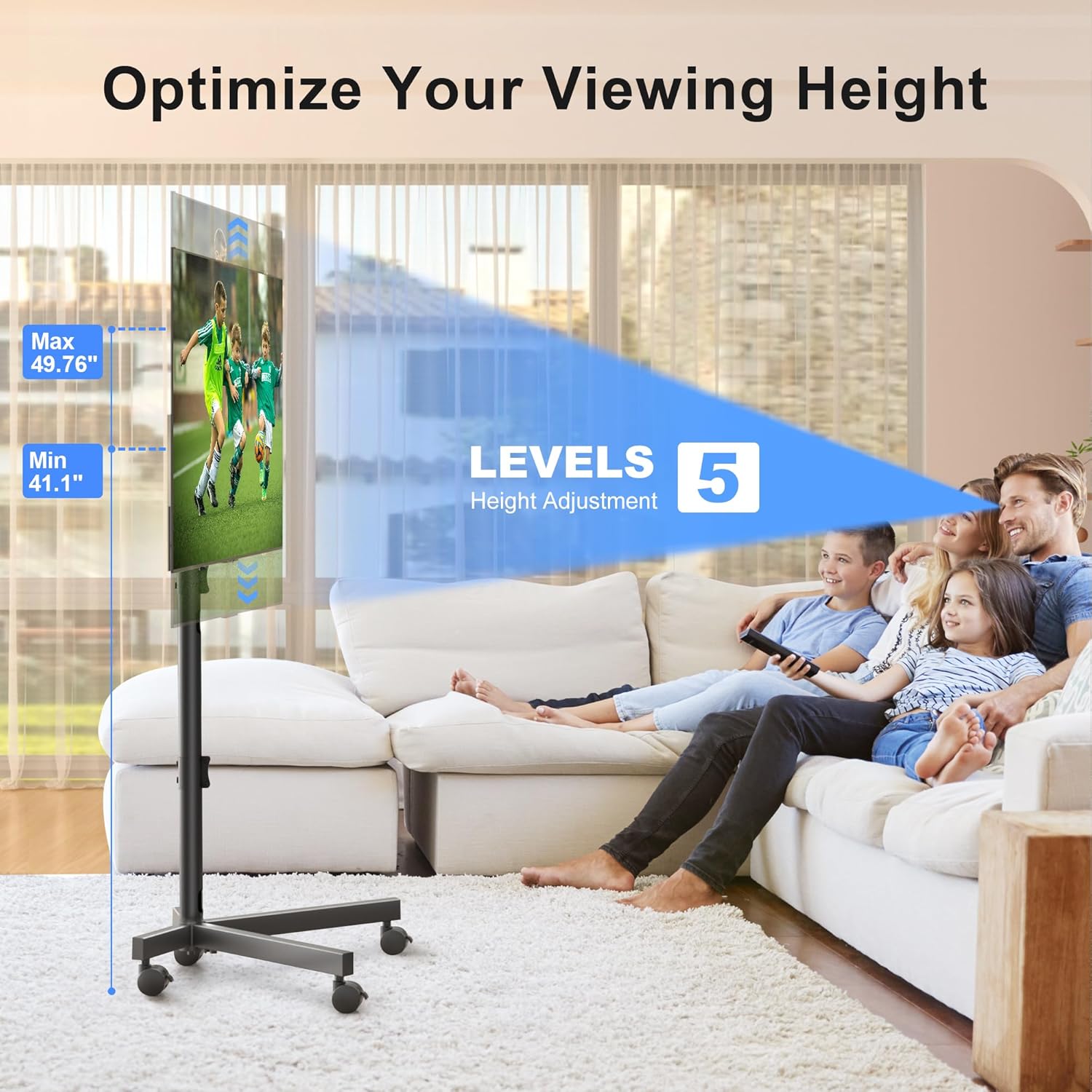
Image: The sturdy X-shaped base design, engineered to minimize tip-over risk.

Image: Key features including anti-drop design, safety lock, cable management, and lockable casters.
Arahan Operasi
The XINLEI Mobile TV Stand offers versatile adjustments for optimal viewing.
- Pelarasan Ketinggian: The TV stand features 5 levels of height adjustment, allowing you to position your TV screen between 41.1 inches and 49.76 inches from the floor. To adjust, loosen the securing bolts on the main support pole, raise or lower the TV to the desired height, and then firmly retighten the bolts.
- Pelarasan Kecondongan: The TV mounting plate can be tilted +5° upwards to -10° downwards. This allows you to reduce glare and optimize your viewing angle. To adjust the tilt, loosen the tilt adjustment knobs on the side of the mounting plate, set the desired angle, and then firmly retighten the knobs.
- Mobiliti: The 360° lockable casters provide smooth movement across various floor types. To move the stand, unlock all casters. To secure the stand in place, press down on the locking mechanism on each caster until it clicks.
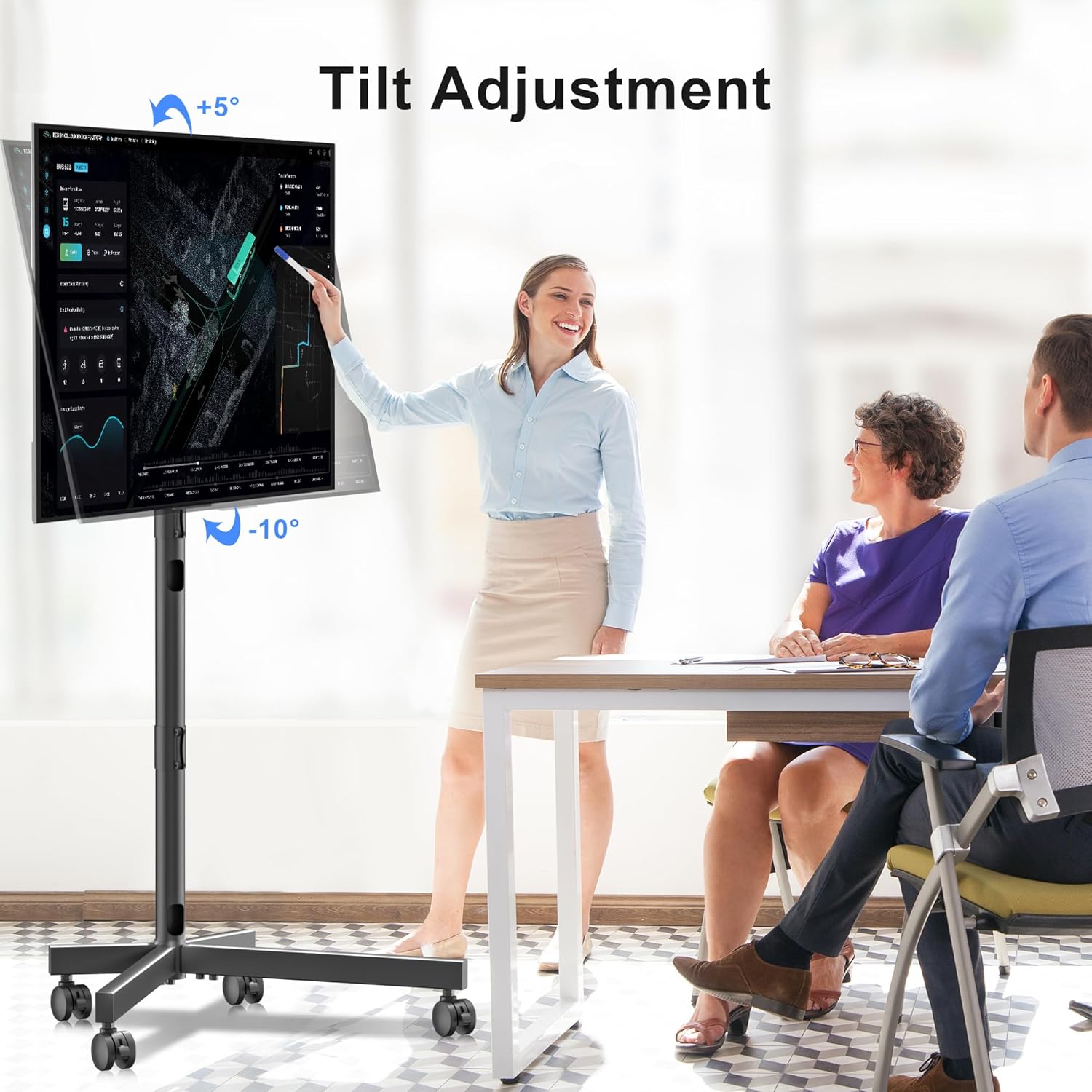
Image: Illustration of the TV stand's adjustable height feature.

Image: Demonstration of the TV stand's tilt adjustment capability.
Penyelenggaraan
Penyelenggaraan berkala memastikan ketahanan dan operasi rak TV anda yang selamat.
- Pembersihan: Lap penyangga dengan kain lembut dan kering. Untuk tanda degil, lap sedikitamp kain boleh digunakan, diikuti dengan pengeringan segera. Elakkan pembersih atau pelarut yang melelas.
- Pemeriksaan Pengikat: Periodically (e.g., every 3-6 months) inspect all bolts and screws to ensure they are tight. Retighten as necessary.
- Pemeriksaan Kastor: Check casters for any debris or hair that might impede smooth movement. Clean as needed.
Menyelesaikan masalah
If you encounter issues with your XINLEI Mobile TV Stand, refer to the following common solutions.
- Pendirian tidak stabil:
- Pastikan semua bolt pemasangan diketatkan dengan kukuh.
- Verify the stand is on a flat, level surface.
- Confirm the TV weight does not exceed 77 lbs (35 kg).
- Kesukaran melaraskan ketinggian/kecondongan:
- Loosen the adjustment knobs/bolts sufficiently before attempting to move the TV.
- Ensure no cables are snagged or obstructing movement.
- Kastor tidak bergolek dengan lancar:
- Check if casters are locked. Unlock them for movement.
- Remove any debris (e.g., hair, lint) from the caster wheels.
For further assistance, please contact XINLEI customer support. We provide reliable after-sale service and professional technical support.
Spesifikasi
| Nombor Model | ML55SE |
| Jenama | XINLEI |
| Saiz TV yang Serasi | 21 - 60 inci |
| Kapasiti Berat Maksimum | 77 paun (35 kg) |
| Keserasian VESA | Min 100x100mm, Max 400x400mm |
| Julat Pelarasan Tinggi | 41.1 inches - 49.76 inches (5 levels) |
| Pelarasan Kecondongan | +5° / -10° |
| bahan | logam |
| warna | Hitam |
| Berat Barang | 10.89 paun |
| Dimensi Pakej | 17.44 x 11.02 x 4.96 inci |
Waranti dan Sokongan
XINLEI stands behind the quality of its products. For specific warranty details, please refer to the warranty card included with your purchase or visit the official XINLEI website. If you require technical support, have questions about assembly, or need replacement parts, please contact our customer service team. Contact information can typically be found on our webtapak atau pada pembungkusan produk.


