1. Produk Lebihview
Si Hitamview BL7000 is a rugged smartphone designed for durability and performance. It features advanced AI capabilities, 5G connectivity, a high-resolution display, and a robust camera system, all powered by Android 15.

Imej: Depan dan belakang view daripada Hitamview BL7000 AI 5G Rugged Phone, showcasing reka bentuk dan modul kameranya.
2. Apa yang ada di dalam Kotak
Sahkan bahawa semua item terdapat dalam pembungkusan produk:
- Hitamview Telefon Pintar BL7000
- Pengecas
- Kabel pengecas USB
- SIM slot opener
- Manual Pengguna
Image: Illustration of the Blackview BL7000 smartphone and its included accessories: charger, USB cable, SIM tool, and user manuals.
3. Persediaan
3.1 Pemasangan Kad SIM
- Cari dulang kad SIM di sisi peranti.
- Insert the SIM slot opener into the small hole next to the tray and press gently until the tray ejects.
- Place your Nano-SIM cards and/or TF (microSD) card into the designated slots on the tray. Ensure correct orientation.
- Masukkan semula dulang ke dalam telefon dengan berhati-hati sehingga ia rata dengan badan peranti.
Nota tentang Keserasian Rangkaian: Si Hitamview BL7000 supports dual SIM cards and is compatible with T-Mobile. It is tidak serasi with CDMA carriers such as AT&T, Cricket Wireless, Verizon, Straight Talk, or U.S. Cellular.

Image: Diagram showing the dual SIM card slot and TF card expansion on the Blackview BL7000, along with other features like GPS, fingerprint, Face ID, NFC, and the customizable shortcut button.
3.2 Hidupkan dan Persediaan Awal
- Tekan dan tahan butang Kuasa sehingga warna Hitamview logo muncul.
- Ikut arahan pada skrin untuk menyelesaikan persediaan awal, termasuk pemilihan bahasa, sambungan Wi-Fi, log masuk akaun Google dan tetapan keselamatan.
3.3 Security Features Setup
- Buka kunci cap jari: Navigate to Settings > Security & privacy > Fingerprint unlock to register your fingerprints.
- Buka Kunci ID Wajah: Navigate to Settings > Security & privacy > Face unlock to set up facial recognition.
4. Arahan Operasi
4.1 Navigasi Asas
Si Hitamview BL7000 operates on Android 15 with Doke OS 4.1. Use standard Android gestures for navigation:
- Leret ke atas dari bawah: Pergi ke Skrin utama.
- Swipe up and hold: Buka aplikasi terkini.
- Swipe from the left or right edge: pergi balik.
- Ketik: Pilih item.
- Tekan lama: Akses menu kontekstual atau alihkan ikon.
4.2 AI Features (Doke AI & Gemini 2.0)
The BL7000 integrates advanced AI capabilities to enhance user experience:
- Smart Q&A: Ajukan soalan dan terima jawapan yang bijak.
- Sembang Suara: Engage in natural language conversations with the AI assistant.
- Predictive Text: Improved text input with smart suggestions.
- Doke AI Apps: Explore dedicated applications for image editing, video creation, and music generation.

Imej: Selesaiview of Doke AI features including Smart Q&A, voice interaction, and AI-powered apps for image, video, and music creation.
4.3 Operasi Kamera
The BL7000 features a versatile camera system:
- Kamera Utama AI 50MP: Untuk foto beresolusi tinggi dengan penambahbaikan AI.
- 32MP Self-facing Camera: For clear selfies.
- Kamera Penglihatan Malam 20MP: Utilizes advanced ISOCELL 2.0 Technology for low-light photography. Access this mode in the camera app for enhanced visibility in dark environments.
- Keupayaan AI: The camera app includes features like magic eraser, photo unblur, sky replacement, and color focus.

Image: Diagram illustrating the Blackview BL7000's camera setup, highlighting the 50MP main, 32MP self-facing, and 20MP night vision cameras.
4.4 Ciri Paparan
The 6.78-inch 2.4K display offers a smooth visual experience:
- Kadar Refresh 120Hz: Provides fluid scrolling and animations. The intelligent adaptive refresh rate adjusts dynamically for optimal performance and power efficiency.
- 2460x1080 Resolution: Ensures sharp and clear visuals.
- Kecerahan 750 nit: Offers good visibility even in bright outdoor conditions.

Imej: Si Hitamview BL7000 display showcasing its 120Hz refresh rate and 2.4K resolution for smooth and detailed visuals.
4.5 Ketersambungan
- Kesambungan 5G: Menyokong rangkaian 5G berkelajuan tinggi.
- Bluetooth 5.2: For stable and fast wireless connections with accessories.
- NFC: For convenient contactless payments and data sharing.
- Wi-Fi: Supports standard Wi-Fi protocols for internet access.
- USB: Untuk pengecasan dan pemindahan data.
4.6 Useful ToolBag and Shortcut Button
The BL7000 includes a pre-installed ToolBag app and a customizable shortcut button:
- ToolBag Apps: Compass, Height Measure, Flashlight, Sound Meter, Protractor, Mirror, Warning, Magnifier, Pic Hanging, Plumb Bob, Barometer, Step Count.
- Butang Pintasan Tersuai: This physical button can be configured for quick access to functions such as starting sound recording, opening the flashlight, taking a screenshot, Push-to-Talk (PTT), SOS emergency call, or opening game mode.
5. Penyelenggaraan
5.1 Pengurusan Bateri
- The BL7000 is equipped with a 7500mAh battery.
- Use the provided 33W fast charger for quick recharging. A 30-minute charge can provide approximately 40% battery.
- Pengecasan Songsang OTG: The phone can act as a power bank to charge other devices. Connect a compatible OTG cable to your BL7000 and then to the device you wish to charge.

Image: Diagram showing the internal battery structure and the 33W fast charging capability of the Blackview BL7000.
5.2 Ruggedness and Durability
The BL7000 is built to withstand harsh environments:
- Waterproof (IP68 & IP69K): Boleh tenggelam sehingga 1.5 meter selama 30 minit.
- Dust-proof (IP68 & IP69K): Dilindungi daripada kemasukan habuk.
- Drop-proof (MIL-STD-810H): Certified to military standards for durability against drops.
- Corning Gorilla Glass 5: Protects the screen from scratches and impacts.
- Suhu Operasi: Designed to function in temperatures ranging from -20°C to +60°C.

Image: Visuals demonstrating the Blackview BL7000's MIL-STD-810H drop-proof certification and IP68/IP69K water and dust resistance, along with its operational temperature range.
5.3 Pembersihan dan Penjagaan
Untuk menyelenggara peranti anda, lap dengan kain lembutamp cloth. Avoid harsh chemicals or abrasive materials. Ensure all ports are dry before charging.
6. Penyelesaian masalah
- Tiada Sambungan Rangkaian:
- Pastikan kad SIM anda dimasukkan dengan betul.
- Verify that your carrier is compatible with the Blackview BL7000 (T-Mobile compatible; not compatible with AT&T, Cricket Wireless, Verizon, Straight Talk, or U.S. Cellular).
- Semak tetapan rangkaian (Tetapan > Rangkaian & internet > Rangkaian mudah alih).
- Mulakan semula telefon.
- Peranti Tidak Responsif:
- Tekan dan tahan butang Kuasa selama 10-15 saat untuk memaksa mula semula.
- If the issue persists, ensure the battery is charged.
- Apps Crashing/Slow Performance:
- Tutup aplikasi latar belakang.
- Clear app cache (Settings > Apps > [App Name] > Storage & cache > Clear cache).
- Pastikan ruang simpanan mencukupi tersedia.
- Consider a factory reset as a last resort (Settings > System > Reset options > Erase all data (factory reset)). Amaran: Ini akan memadamkan semua data pada telefon anda. Sandarkan maklumat penting terlebih dahulu.
7. Spesifikasi
| Ciri | Spesifikasi |
|---|---|
| Nama Model | BL7000 |
| Sistem Operasi | Android 15 (Doke OS 4.1) |
| Pemproses | MTK Dimensity 6300 (5G) |
| RAM | Sehingga 24GB (8GB fizikal + 16GB maya) |
| Storan Dalaman | 256GB |
| Storan Boleh Dikembangkan | Sehingga 2TB melalui kad TF |
| Saiz Paparan | 6.78 inci |
| Resolusi Paparan | 2460x1080 (2.4K) |
| Kadar Segar Semula | 120Hz |
| Kamera Utama | Kamera AI 50MP |
| Kamera Selfie | Kamera 32MP |
| Kamera Penglihatan Malam | Kamera 20MP |
| Kapasiti Bateri | 7500mAh |
| Mengecas | Pengecasan Pantas 33W, Pengecasan Songsang OTG |
| Penilaian Ketahanan | IP68, IP69K, MIL-STD-810H |
| Perlindungan Skrin | Corning Gorilla Glass 5 |
| Ketersambungan | 5G, Bluetooth 5.2, NFC, Wi-Fi, USB |
| Dimensi | 6.92 x 3.2 x 0.71 inci |
| Berat badan | 12.7 auns (360 gram) |
8. Waranti dan Sokongan
- Waranti: Si Hitamview BL7000 comes with a 2-year warranty.
- Perkhidmatan Pelanggan: Dedicated customer service is available for support.
- Respons Pantas: Expect 7/24 1v1 quick response for inquiries.
- Sokongan Sepanjang Hayat: Hitamview provides lifelong support for its products.
- On-site Repair: On-site repair services may be available.
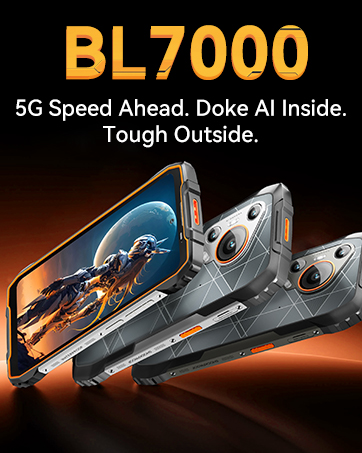
Image: A team of Blackview customer service representatives, symbolizing available support.


