pengenalan
This manual provides detailed instructions for the safe and efficient operation of your Kuephom PM24 Portable CD Player with Speakers. Please read this manual thoroughly before using the device and retain it for future reference.
The Kuephom PM24 is a versatile audio device offering multiple playback options including CD, Bluetooth, FM Radio, USB, and TF card. It features built-in stereo speakers, a rechargeable battery for portability, and a remote control for convenient operation.

Image: The Kuephom PM24 Portable CD Player, showcasing its design with an open CD lid, remote control, and an indicator for its rechargeable battery.
Kandungan Pakej
Sahkan bahawa semua item terdapat dalam pakej:
- Kuephom PM24 Portable CD Player with Speakers x 1
- Kabel Pengecasan x 1
- Alat kawalan jauh x 1
- Manual Pengguna x 1
Produk Selesaiview
The PM24 offers a range of features for diverse audio playback. Familiarize yourself with the device's components and capabilities.

Image: A visual representation of the PM24's key features, including CD/MP3 playback, Bluetooth connectivity, USB and TF card support, FM radio, audio input, headphone jack, remote control, rechargeable battery, and sleep timer.
Ciri-ciri Utama:
- Main semula CD/MP3: Supports standard audio CDs and MP3 files from CD-R/RW discs.
- Kesambungan Bluetooth: Penstriman audio tanpa wayar daripada peranti yang serasi.
- USB & TF Card Support: Play MP3/WMA audio files directly from USB flash drives or TF cards (up to 32GB).
- Radio FM: Built-in FM tuner with retractable antenna and programmable presets.
- Input Bantu: Connect external audio sources via a 3.5mm audio cable.
- Jack fon kepala: Untuk mendengar secara peribadi.
- Kawalan Jauh: Full function remote for convenient operation.
- Bateri boleh dicas semula: Menyediakan kuasa mudah alih untuk kegunaan lanjutan.
- Pemasa Tidur: Automatically turns off the device after a set period.
- Pembesar Suara Stereo: Integrated speakers for clear audio output.
Persediaan
1. Mengecas Peranti
Before first use, fully charge the PM24. Connect the provided charging cable to the DC 5V input port on the device and the other end to a standard USB power adapter (not included) or a computer USB port.
- Lampu penunjuk pengecasan akan menyala semasa pengecasan.
- Pengecasan penuh biasanya mengambil masa lebih kurang 4 jam.
- The device provides approximately 5-8 hours of playback on a full charge, depending on volume and mode.

Image: Visual representation of the PM24's rechargeable nature, highlighting its play time and charge time.
2. Hidupkan/Mati Kuasa
Tekan dan tahan butang KUASA button on the device or remote control to turn the unit on or off.
3. Pemasangan Bateri Kawalan Jauh
The remote control requires 2 AAA batteries (not included). Open the battery compartment on the back of the remote and insert the batteries, observing the correct polarity (+/-).
Arahan Operasi
1. Menggunakan Alat Kawalan Jauh
The remote control allows for convenient operation of all functions from a distance.

Image: A user interacting with the PM24 using the remote control, illustrating various functions accessible from the remote.
- Butang Kuasa: Menghidupkan atau mematikan peranti.
- Butang Mod: Bertukar antara mod CD, Bluetooth, FM, USB, TF dan AUX.
- Butang Main/Jeda: Memulakan atau menjeda main balik.
- Butang Trek Sebelumnya/Seterusnya: Melangkau ke trek/stesen sebelumnya atau seterusnya.
- Kelantangan +/- Butang: Melaraskan tahap kelantangan.
- Butang Ulang/Kocok: Changes playback repeat modes (e.g., repeat one, repeat all, shuffle).
- Butang Tidur: Activates and sets the sleep timer.
2. Main semula CD
- Buka penutup petak CD.
- Carefully place a CD (audio CD or MP3 CD) onto the spindle with the label side facing up.
- Tutup penutup petak CD.
- Tekan ke MODE butang sehingga mod "CD" dipilih.
- CD akan mula dimainkan secara automatik. Jika tidak, tekan butang MAIN/JEDA butang.

Image: Icons illustrating various CD playback options such as sequential play, random play, repeating a single track, repeating all tracks, and the play memory function.
3. Mod Bluetooth
- Tekan ke MODE button until "BT" (Bluetooth) mode is selected. The display will show "bt" and flash, indicating it's in pairing mode.
- Pada peranti berdaya Bluetooth anda (telefon pintar, tablet, dll.), dayakan Bluetooth dan cari peranti yang tersedia.
- Select "PM24" from the list of devices.
- Once paired, the "bt" indicator will stop flashing, and you can stream audio wirelessly to the PM24.

Image: A smartphone screen showing a successful Bluetooth connection to the PM24, with the player's display confirming 'bt' mode.
4. Mod Radio FM
- Panjangkan antena teleskopik di bahagian belakang unit untuk penerimaan yang optimum.
- Tekan ke MODE butang sehingga mod "FM" dipilih.
- Tekan dan tahan butang MAIN/JEDA button to initiate an automatic station scan. The radio will scan and save available stations.
- Gunakan TRACK SEBELUMNYA/SETERUSNYA butang untuk menavigasi stesen yang disimpan.

Image: A user enjoying FM radio on the PM24, with visual cues indicating different radio frequencies.
5. Main Semula Kad USB/TF
- Insert a USB flash drive into the USB port or a TF card into the TF card slot. Ensure the card is inserted correctly.
- Tekan ke MODE butang sehingga mod "USB" atau "TF" dipilih.
- The device will automatically detect and begin playing MP3/WMA audio files from the inserted storage.
- Gunakan TRACK SEBELUMNYA/SETERUSNYA butang untuk menavigasi antara files.

Imej: Jarak dekat view of the USB and TF card slots on the PM24, indicating their function for playing media from external storage.
6. Auxiliary Input (AUX)
- Connect one end of a 3.5mm audio cable (not included) to the AUX IN port on the PM24.
- Connect the other end to the headphone jack or audio output of an external audio device (e.g., smartphone, MP3 player).
- Tekan ke MODE butang sehingga mod "AUX" dipilih.
- Kawal main balik dan kelantangan daripada peranti audio luaran anda.
7. Fungsi Pemasa Tidur
The sleep timer allows the device to automatically turn off after a set period.
- While the device is playing, press the TIDUR butang pada alat kawalan jauh.
- Tekan berulang kali TIDUR button to cycle through available timer settings (e.g., 10, 20, 30, 60, 90 minutes).
- The selected time will be displayed. The device will automatically power off once the timer expires.

Image: A visual demonstration of the sleep timer function, showing the PM24 on a nightstand while a person sleeps.
8. Menggunakan Fon Kepala
For private listening, connect 3.5mm headphones (not included) to the JACK EARPHONE on the device. The built-in speakers will automatically mute when headphones are connected.
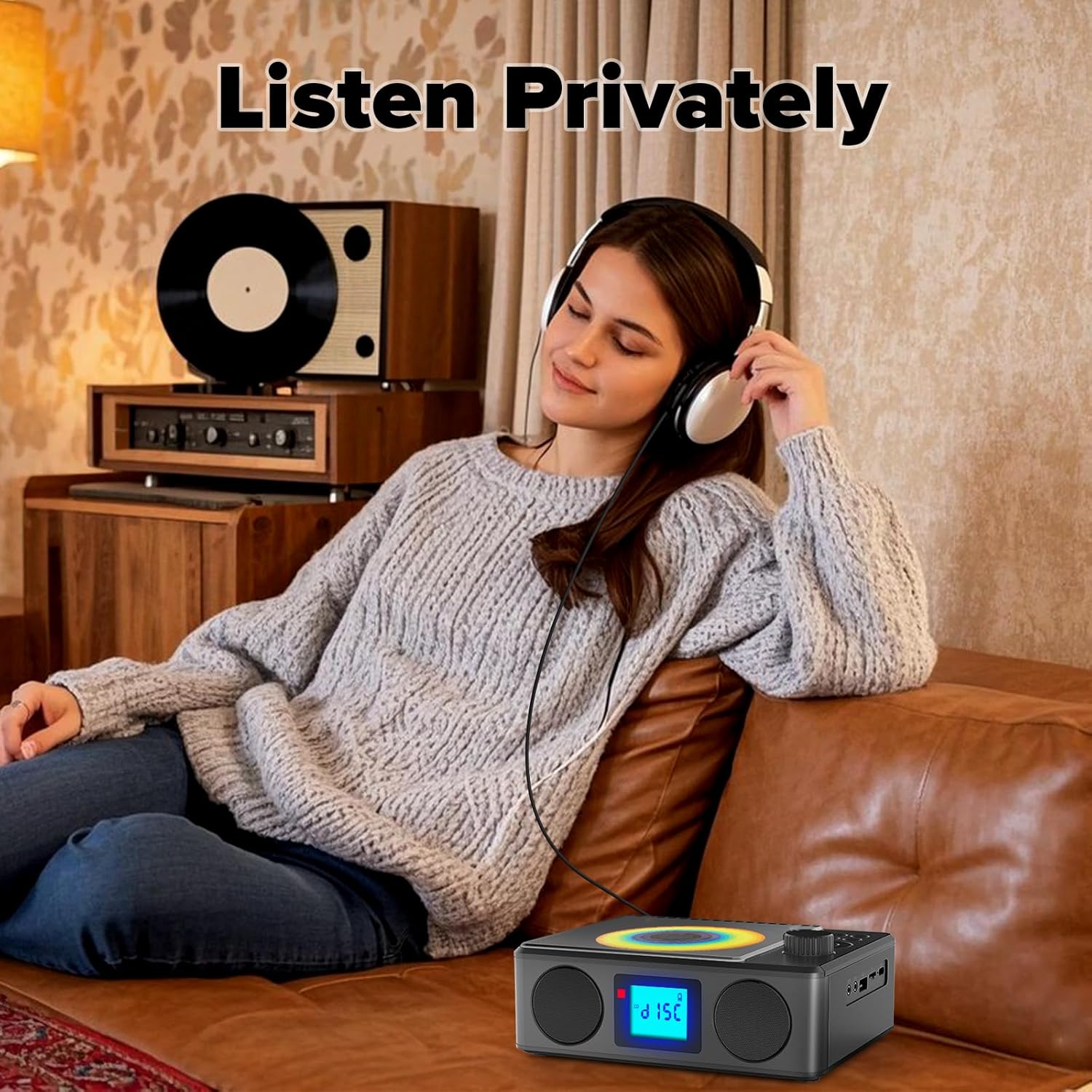
Image: A user enjoying private audio through headphones connected to the PM24.
Penyelenggaraan
- Pembersihan: Gunakan kain lembut dan kering untuk membersihkan bahagian luar peranti. Jangan gunakan pembersih atau pelarut yang kasar.
- Penjagaan CD: Pegang CD pada tepinya. Bersihkan CD kotor dengan kain lembut dan tidak berbulu, lap dari tengah ke luar.
- Storan: Apabila tidak digunakan untuk tempoh yang lama, simpan peranti di tempat yang sejuk dan kering jauh dari cahaya matahari langsung dan suhu yang melampau.
- Bateri: Untuk memanjangkan hayat bateri, elakkan daripada kerap mencas sepenuhnya bateri. Cas peranti secara berkala, walaupun tidak digunakan.
Menyelesaikan masalah
| Masalah | Kemungkinan Punca | Penyelesaian |
|---|---|---|
| Peranti tidak dihidupkan. | Bateri habis. | Connect the charging cable and allow the device to charge. |
| Tiada bunyi dari pembesar suara. | Kelantangan terlalu rendah atau disenyapkan. Fon kepala disambungkan. | Increase volume. Disconnect headphones. |
| CD melangkau atau tidak dimainkan. | CD kotor, tercalar atau dimasukkan dengan salah. | Clean the CD. Ensure it is placed correctly. Try another CD. |
| Gandingan Bluetooth gagal. | Device is too far, not in pairing mode, or already paired. | Ensure PM24 is in BT mode and flashing. Move devices closer. Disconnect from other devices. |
| Penerimaan radio FM yang lemah. | Antena tidak dilanjutkan atau kawasan isyarat lemah. | Fully extend the telescopic antenna. Reposition the device for better signal. |
| Alat kawalan jauh tidak berfungsi. | Batteries are depleted or inserted incorrectly. Obstruction between remote and device. | Replace batteries, check polarity. Remove obstructions. Ensure remote is pointed at the device. |
Spesifikasi
- model: PM24
- Jenama: Kuephom
- Dimensi Produk: 7.5 x 6.3 x 2.5 inci (19.05 x 16.00 x 6.35 cm)
- Berat Barang: 1.96 paun (0.89 kg)
- Teknologi Ketersambungan: Tambahan, Bluetooth, USB
- warna: Hitam
- Jenis pembesar suara: Stereo
- Bateri: 1 Bateri Bukan Standard (termasuk)
- Masa Main: 5-8 jam (lebih kurang)
- Masa Pengecasan: 4 jam (lebih kurang)
Waranti dan Sokongan
Kuephom products are designed for reliability and performance. For warranty information or technical support, please refer to the contact details provided on the product packaging or visit the official Kuephom webtapak.
Sila simpan bukti pembelian anda untuk tuntutan waranti.


