1. Pengenalan
Terima kasih kerana memilih Blackview Smart Watch W40. This manual provides essential information for setting up, operating, and maintaining your new smartwatch. Please read it thoroughly to ensure optimal performance and a seamless user experience.
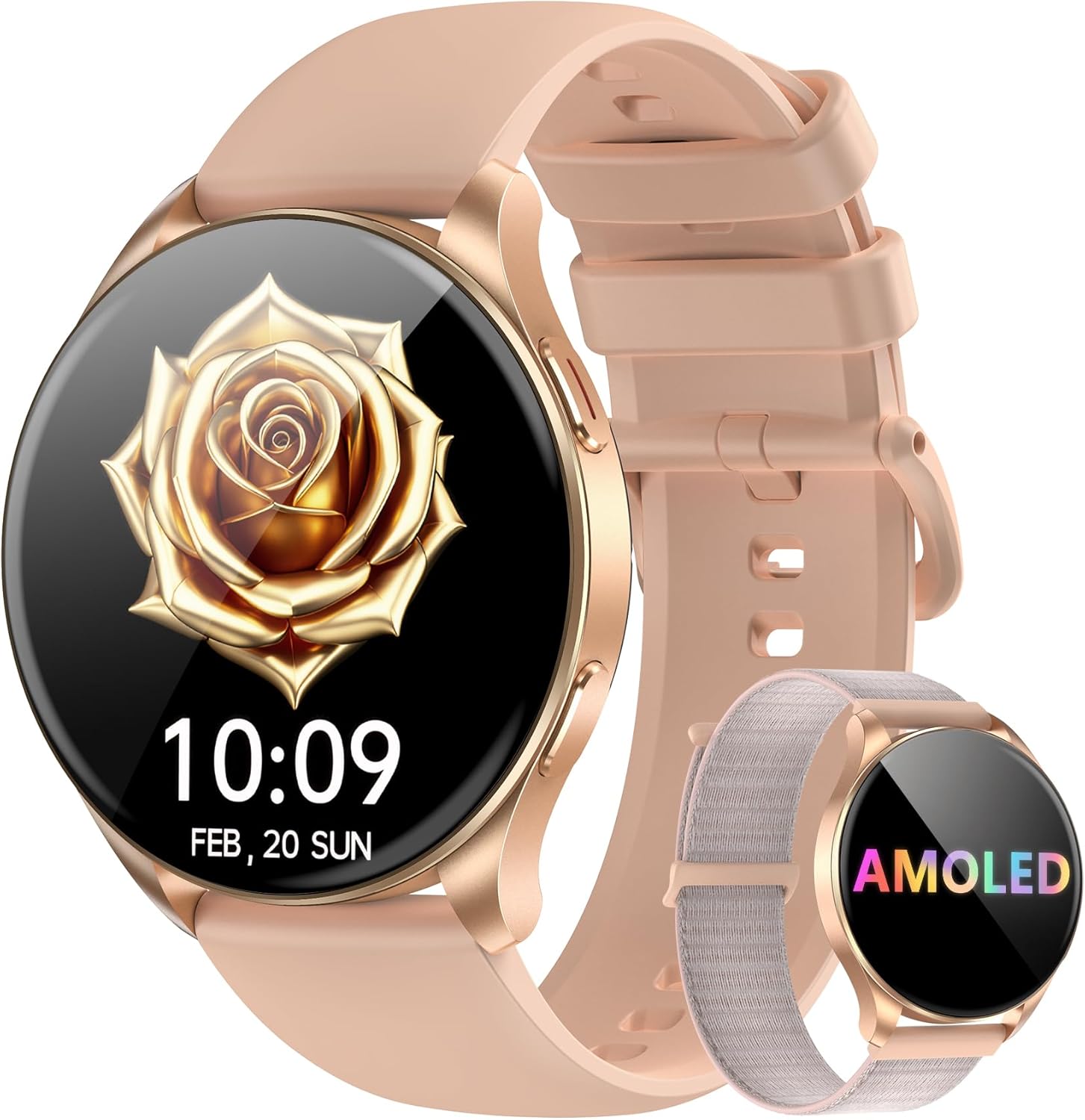
Imej: Si Hitamview Smart Watch W40 in Gold Pink, showcasing its round AMOLED display and two interchangeable straps (silicone and nylon braided).
2. Apa yang ada di dalam Kotak
- Jam Tangan Pintar x1
- Silicon Strap x1
- Tali Nilon x1
- Kabel Pengecasan x1
- Manual Produk x1
Image: A visual representation of all items included in the Blackview Smart Watch W40 packaging.
3. Persediaan
3.1 Mengecas Peranti
Before first use, fully charge your smartwatch. Connect the magnetic charging cable to the charging points on the back of the watch. Plug the USB end into a standard USB power adapter (not included). A full charge typically takes approximately 2.5 hours.

Image: The smartwatch being charged via its magnetic cable, with indicators for charging time, battery life, and standby time.
3.2 Pemasangan Apl dan Berpasangan
- Muat turun Apl: Scan the QR code displayed on the watch screen or in the manual, or search for "Da Fit" in your smartphone's app store (compatible with Android 6.0+ and iOS 9.0+).
- Dayakan Bluetooth: Pastikan Bluetooth didayakan pada telefon pintar anda.
- Pasangkan Peranti: Open the "Da Fit" app, navigate to the device section, and select "Add a Device." The app will search for your smartwatch. Select 'W40' from the list to pair.
- Berikan Kebenaran: Follow the on-screen prompts to grant necessary permissions for notifications, health tracking, and calls.

Image: A visual guide demonstrating the process of connecting the smartwatch to the Da Fit application on a smartphone.
4. Arahan Operasi
4.1 Navigasi Asas
- Skrin sentuh: Leret ke kiri/kanan, atas/bawah untuk menavigasi menu dan ciri. Ketik untuk memilih.
- Butang Sisi: Tekan untuk membangunkan skrin, kembali ke skrin utama atau akses menu utama.
4.2 Calls & Notifications
Once paired via Bluetooth, the smartwatch allows you to make and receive calls directly from your wrist. You will also receive real-time notifications from various apps configured in the "Da Fit" app.

Image: The smartwatch showing its capability to handle Bluetooth calls, receive notifications, and utilize an AI voice assistant.
4.3 Pembantu Suara AI
Activate the AI Voice Assistant with a simple command to set alarms, check weather, and perform other tasks, enhancing efficiency.
4.4 Watch Faces & Customization
Choose from a wide selection of watch faces or customize them with your own photos via the "Da Fit" app to personalize your device.

Image: Multiple watch face options displayed on the Blackview Smart Watch W40, highlighting customization features.
4.5 Multi-Tools
The watch includes practical tools such as a calculator, flashlight, stopwatch, and world clock to assist with daily needs.
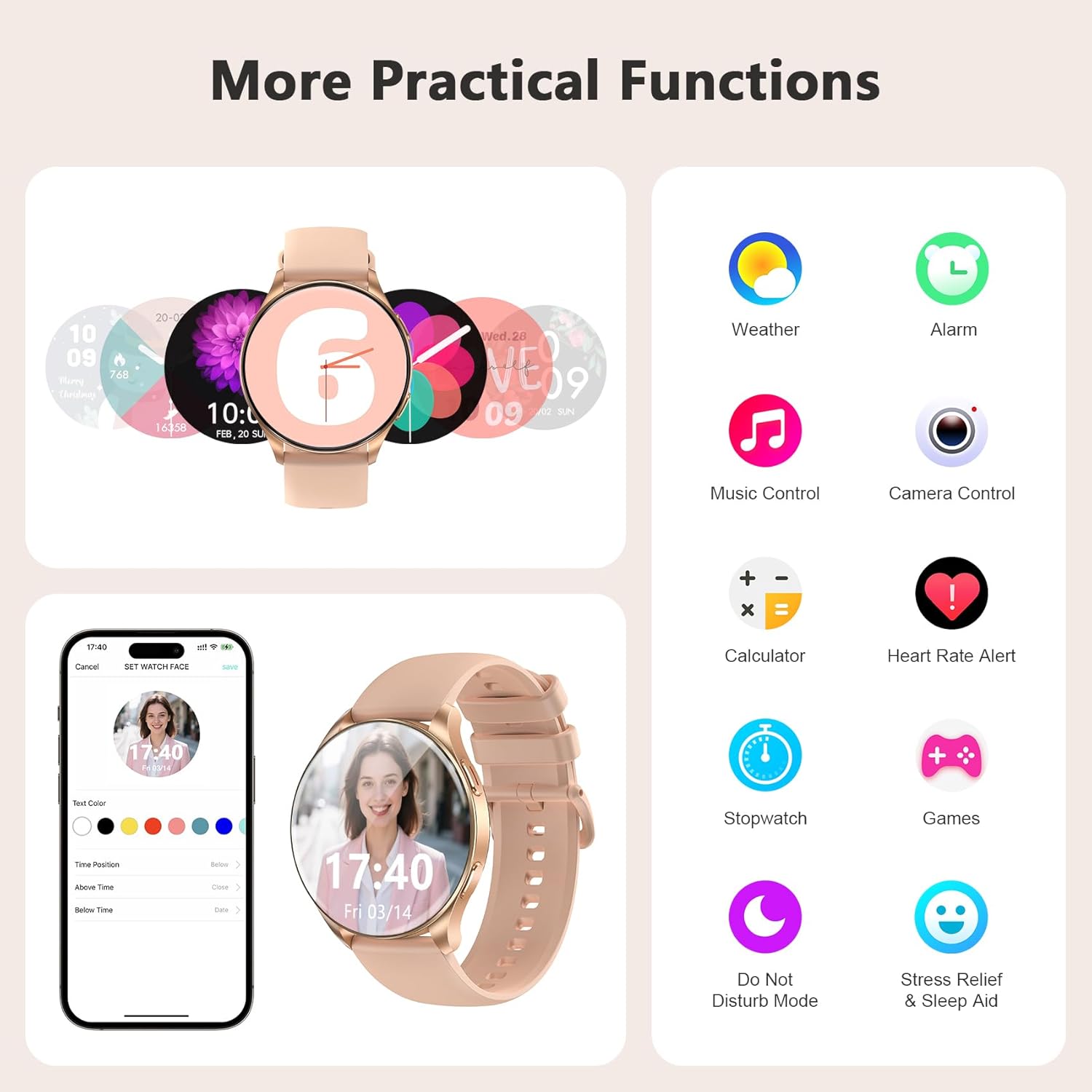
Image: A collage of practical functions available on the smartwatch, including weather, alarm, music control, camera remote, calculator, and more.
5. Pemantauan Kesihatan
Si Hitamview Smart Watch W40 offers comprehensive health monitoring features to help you stay informed about your well-being. Note: This product is not a medical device. Test data and results are for reference only.
- Pemantauan Denyut Jantung: Provides 24/7 real-time heart rate monitoring.
- Pemantauan Oksigen Darah (SpO2): Accurately tracks blood oxygen saturation levels.
- Pemantauan Tekanan: Monitors your stress status throughout the day.
- Pemantauan Tidur: Divides sleep into four stages (deep sleep, light sleep, wakefulness, and REM) and analyzes sleep quality.
- Penjejakan Kitaran Haid: Smart period tracking with AI predictions to help manage menstrual cycles.

Imej: Visual berakhirview of the smartwatch's scientific health management capabilities, showing heart rate, blood oxygen, stress, and detailed sleep monitoring.
6. Mod Sukan
With over 100 sports modes, the smartwatch caters to diverse fitness needs. Connect to GPS via the "Da Fit" app to track steps, calories burned, and exercise duration.
- Penjejakan Aktiviti: Records steps, calories, and distance.
- Diverse Modes: Includes running, cycling, mountaineering, yoga, and more.
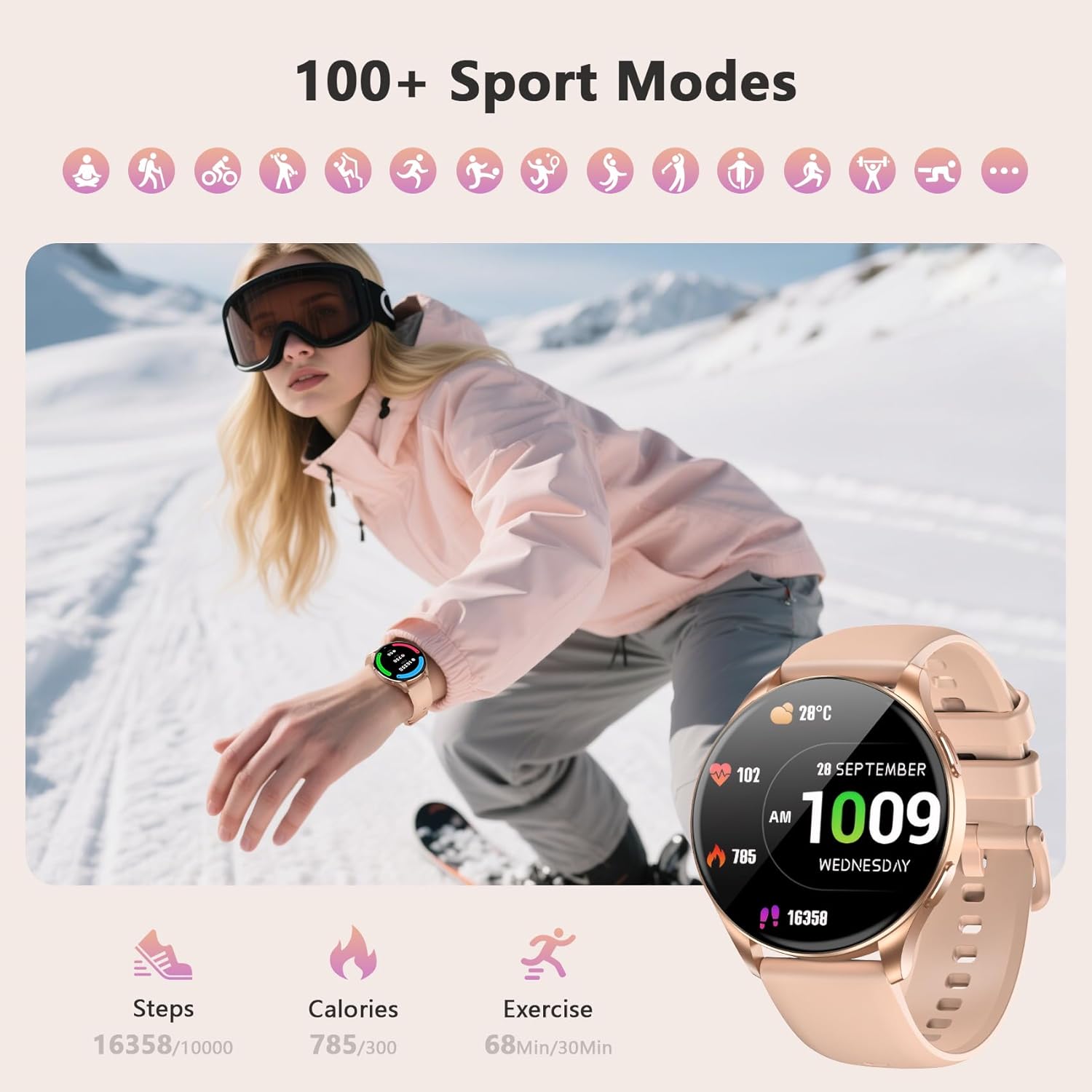
Image: The smartwatch interface showing various sports modes and tracking metrics like steps, calories, and exercise time.
7. Penyelenggaraan
7.1 Pembersihan
Regularly clean your smartwatch and straps to prevent skin irritation and maintain device hygiene. Use a soft, damp cloth to wipe the screen and body. For silicone straps, mild soap and water can be used. Ensure the watch is completely dry before wearing.
7.2 Tahan Air
Si Hitamview Smart Watch W40 is IP68 water-resistant, meaning it can withstand dust, dirt, and sand, and is resistant to submersion up to a maximum depth of 1.5m for up to 30 minutes. It is suitable for daily use, hand washing, and light rain. Avoid hot water, saunas, or diving, as these may compromise the water resistance.
8. Penyelesaian masalah
- Tonton tidak dihidupkan: Pastikan jam tangan dicas sepenuhnya.
- Tidak dapat dipasangkan dengan telefon: Check if Bluetooth is enabled on your phone and the watch is within range. Restart both devices and try again.
- Pemberitahuan tidak diterima: Verify that app permissions are granted in the "Da Fit" app and your phone's settings. Ensure the watch is connected via Bluetooth.
- Data kesihatan tidak tepat: Pastikan jam tangan dipakai dengan kemas di pergelangan tangan anda, tidak terlalu ketat atau terlalu longgar. Bersihkan sensor dengan kerap.
- Hayat bateri pendek: Reduce screen brightness, disable unnecessary notifications, and limit continuous heart rate monitoring.
9. Spesifikasi
| Ciri | Spesifikasi |
|---|---|
| Dimensi Produk | 7.17 x 3.39 x 0.71 inci |
| Berat Barang | 1.92 auns |
| Nombor Model Item | W40 |
| Bateri | 1 bateri AAA diperlukan (termasuk) |
| Saiz Paparan Skrin Berdiri | 1.43 Inci |
| Kapasiti Penyimpanan Memori | 128 MB |
| Saiz Terpasang Memori RAM | 481 KB |
| Sistem Operasi | iOS, Android |
| Ciri Khas | Sentiasa Di Paparan |
| Kapasiti Bateri | 380 Miliamp jam |
| Teknologi Ketersambungan | Bluetooth |
| Standard Komunikasi Tanpa Wayar | Bluetooth |
| Komposisi Sel Bateri | Litium Ion |
| GPS | GPS Melalui Telefon Pintar |
| bentuk | Bulat |
| Saiz Skrin | 1.43 Inci |

Image: Detailed dimensions of the smartwatch and its two included straps.
10. Waranti dan Sokongan
Hitamview provides a standard manufacturer's warranty for this product. For detailed warranty information, technical support, or service inquiries, please refer to the warranty card included in your package or visit the official Blackview webtapak. Simpan resit pembelian anda untuk tuntutan waranti.
11. Video Produk Rasmi
Hitamview W40 Smartwatch Overview
Video: Satu tinjauan menyeluruhview daripada Hitamview W40 smartwatch, highlighting its key features and design.
Smart Watch Details
Video: A detailed look at the smartwatch's functionalities and user interface.
What I Noticed About This Watch
Video: Kajian mendalamview of the smartwatch's performance and user experience.