pengenalan
This manual provides comprehensive instructions for the operation, maintenance, and troubleshooting of your Tengsen MP3 Player. Please read this manual thoroughly before using the device to ensure proper functionality and to maximize your user experience.
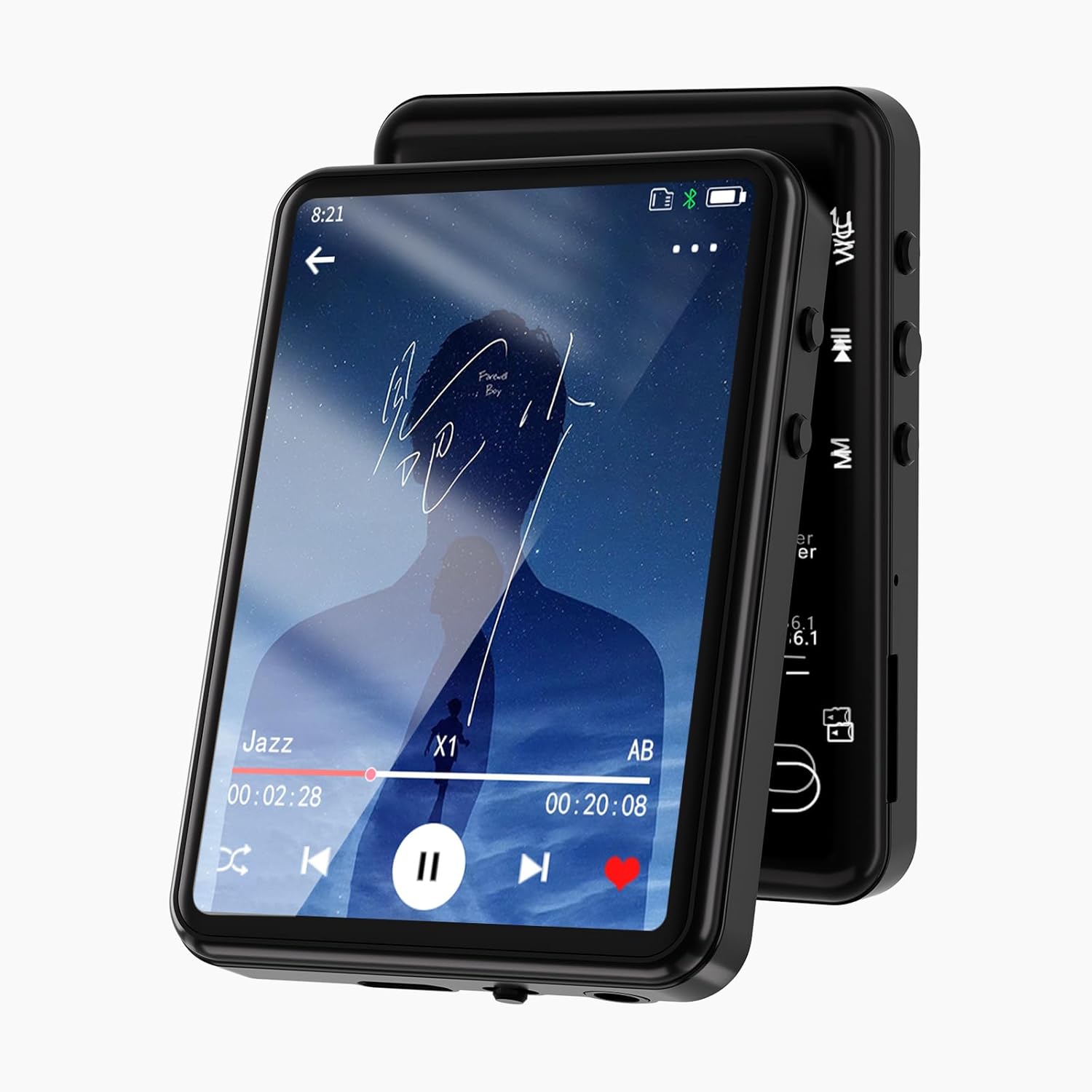
Imej: Depan view of the Tengsen MP3 Player displaying a music playback screen. The device features a sleek black design with a large touch screen.
Kandungan Pakej
Selepas membuka pakej, sahkan bahawa semua komponen ada:
- 1 x Tengsen MP3 Player
- 1 x Kabel USB (Jenis-C)
- 1 x Fon Telinga
- 1 x Manual Pengguna
Peranti Lebihview
Familiarize yourself with the physical components and interface of your MP3 player.
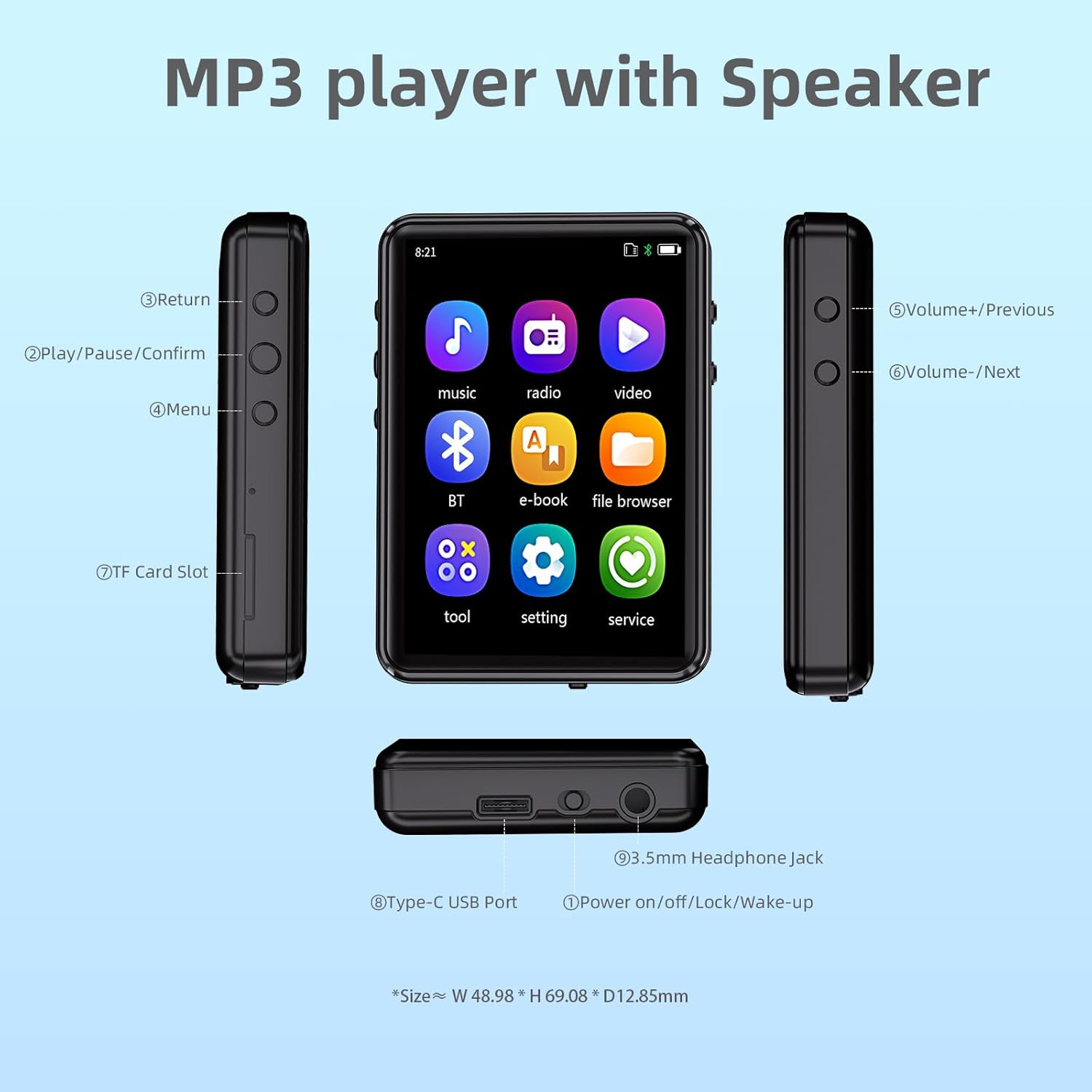
Image: Diagram illustrating the various buttons, ports, and features of the MP3 player, including the Type-C USB Port, 3.5mm Headphone Jack, Power button, Volume/Navigation buttons, Return button, Play/Pause/Confirm button, Menu button, and TF Card Slot.
- Butang Kembali: Navigasi kembali ke skrin sebelumnya.
- Play/Pause/Confirm Button: Controls media playback and confirms selections.
- Butang Menu: Mengakses pilihan menu.
- Volume+/Previous Button: Increases volume or navigates to the previous track.
- Volume-/Next Button: Decreases volume or navigates to the next track.
- Slot Kad TF: For inserting a MicroSD card (up to 128GB, not included).
- Port USB Jenis-C: Untuk pengecasan dan pemindahan data.
- Power on/off/Lock/Wake-up Button: Mengawal kuasa dan kunci skrin.
- Bicu Fon Kepala 3.5mm: For wired headphone connection.
Persediaan
Mengecas Peranti
Before first use, fully charge the MP3 player. Connect the provided USB Type-C cable to the device's Type-C USB Port and the other end to a USB power adapter (not included) or a computer's USB port. The charging indicator will show progress. A full charge typically takes approximately 2 hours.

Image: The MP3 player being charged via its Type-C port, highlighting its built-in 32GB storage and support for up to 128GB TF card expansion.
Memasukkan Kad MicroSD
To expand storage, insert a MicroSD card (TF card) into the TF Card Slot until it clicks into place. The device supports cards up to 128GB. Ensure the card is inserted correctly to avoid damage.
Memindahkan Muzik dan Files
Connect the MP3 player to your computer using the provided USB cable. The device will appear as a removable disk. You can then drag and drop music files (MP3, WMA, APE, FLAC, WAV, M4A), videos, and e-books into the appropriate folders on the device or MicroSD card.
Arahan Operasi
Hidupkan/Mati Kuasa dan Kunci Skrin
- Hidupkan kuasa: Tekan dan tahan butang Power sehingga skrin menyala.
- Matikan: Press and hold the Power button, then select "Power Off" on the screen.
- Screen Lock/Wake-up: Briefly press the Power button to lock or wake up the screen.
Menavigasi Antara Muka
The device features a 2.4-inch full touch screen for intuitive navigation. Swipe to browse through menus and tap icons to select functions.

Image: A finger touching the screen of the MP3 player, demonstrating its full touch screen functionality and ease of operation.
Main balik Muzik
From the main menu, tap the "Music" icon. You can browse by song category, create playlists, view lyrics, and use the equalizer. The player supports MP3, WMA, APE, FLAC, WAV, and M4A formats.
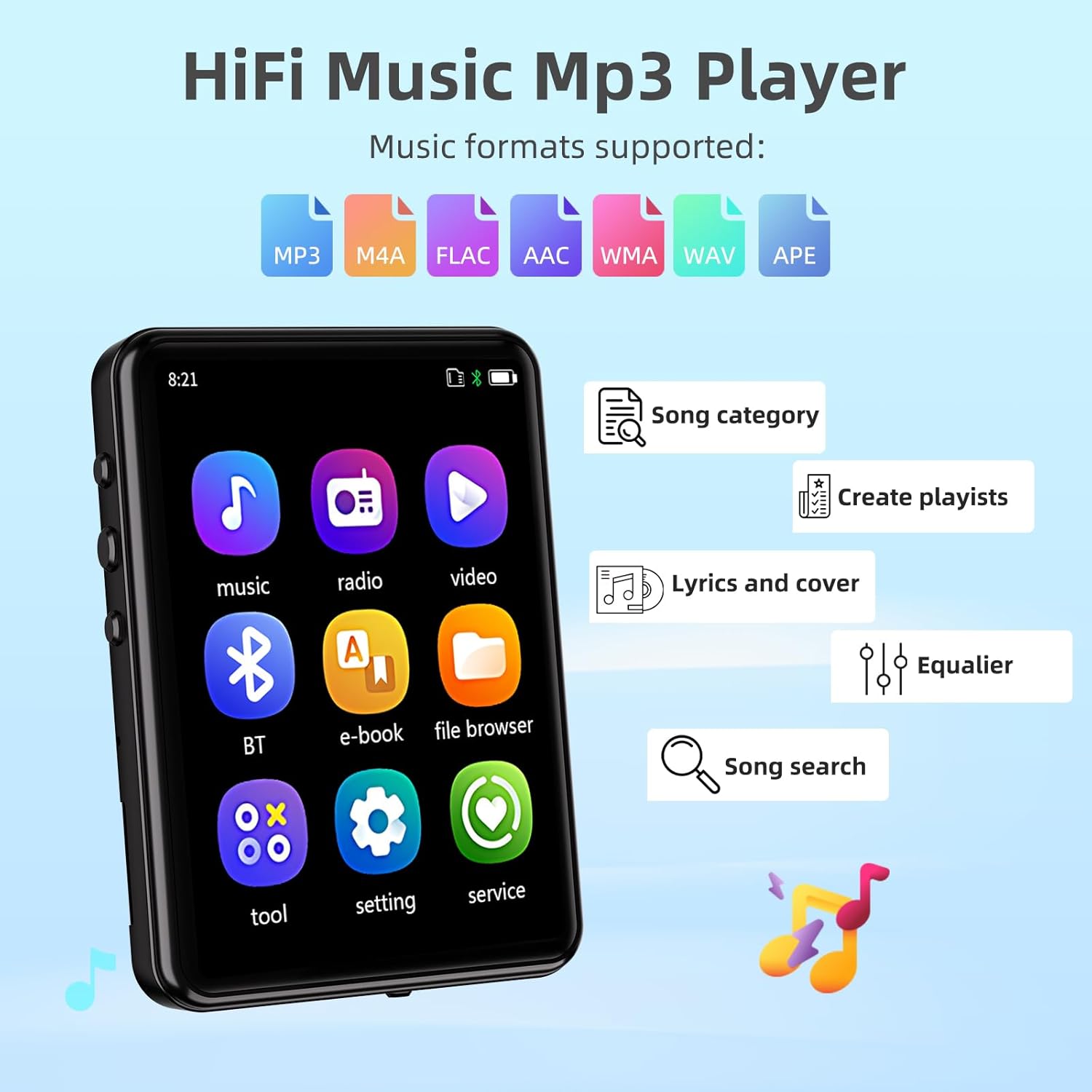
Image: The MP3 player's screen displaying music-related features such as song category, playlist creation, lyrics, equalizer, and song search, along with icons for supported audio formats (MP3, M4A, FLAC, AAC, WMA, WAV, APE).
Playback modes include sequential play, list repeat, single repeat, and shuffle-play. Adjust volume using the physical Volume buttons on the side.
Kesambungan Bluetooth
The MP3 player features Bluetooth 5.3 for stable and faster connections to Bluetooth headphones or speakers. To connect:
- Pergi ke menu "Bluetooth".
- Hidupkan Bluetooth.
- Pilih "Cari untuk device" to find available Bluetooth devices.
- Pilih peranti yang anda inginkan daripada senarai untuk dipasangkan.
Nota: This device does not support pairing with mobile phones or computers via Bluetooth.

Image: The MP3 player displaying its Bluetooth connectivity feature, showing connections to a Bluetooth speaker, Bluetooth earbuds, and a Bluetooth headset.
Fungsi Lain
The MP3 player includes various other functions accessible from the main menu:
- Radio FM: Listen to FM radio stations. Requires wired headphones to act as an antenna.
- Rakaman: Use the built-in microphone to record audio.
- E-buku: Baca teks files (TXT format).
- Kalendar: View tarikh semasa.
- penggera: Tetapkan penggera.
- Jam randik: Use as a stopwatch.
- Foto: View imej files (JPG, BMP).
- Main Balik Video: Mainkan video files (MP4 format).
- Pembesar Suara Terbina dalam: Enjoy music without headphones.
- Timing Shutdown: Set a timer for automatic power off.
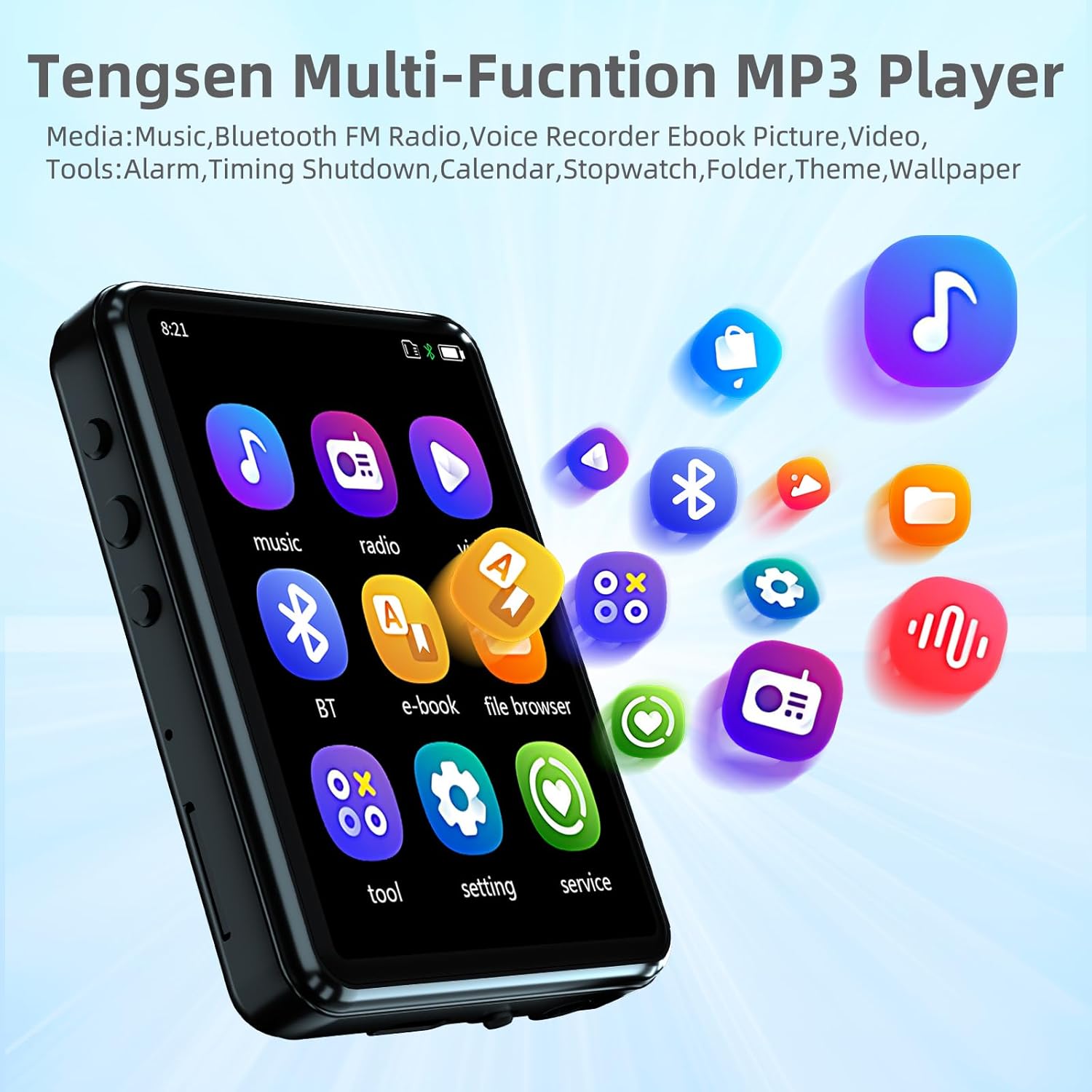
Image: The MP3 player's home screen showing icons for Music, Radio, Video, Bluetooth, E-book, File Browser, Tools, Settings, and Service, indicating its multi-functional capabilities.
Penyelenggaraan
- Pastikan peranti kering. Elakkan pendedahan kepada kelembapan atau cecair.
- Bersihkan skrin dan badan dengan kain lembut dan kering. Jangan gunakan pembersih yang kasar.
- Elakkan suhu yang melampau.
- Do not disassemble the device. This will void the warranty.
- Simpan peranti dalam persekitaran yang bersih dan bebas habuk apabila tidak digunakan.
Menyelesaikan masalah
| Masalah | Kemungkinan Punca | Penyelesaian |
|---|---|---|
| Peranti tidak dihidupkan. | Bateri lemah; Sistem rosak. | Charge the device fully. If unresponsive, press and hold the power button for 10-15 seconds to force a restart. |
| Tidak dapat menyambung ke peranti Bluetooth. | Bluetooth not enabled; Device out of range; Incompatible device. | Ensure Bluetooth is on for both devices. Move devices closer. Remember, the MP3 player does not pair with phones/computers. |
| Tiada bunyi dari fon kepala. | Headphones not properly connected; Volume too low; Corrupt audio file. | Pastikan fon kepala dipasang sepenuhnya. Tingkatkan kelantangan. Cuba audio yang berbeza file. |
| Tidak boleh memindahkan files. | USB cable issue; Driver issue; Device not recognized. | Try a different USB port or cable. Ensure the device is connected as a storage device. Restart computer and MP3 player. |
| Skrin tidak bertindak balas. | Gangguan perisian sementara. | Mulakan semula peranti dengan menahan butang kuasa. |
Spesifikasi
| Ciri | Perincian |
|---|---|
| Model | B0F5TDWTCH |
| Jenama | Tensen |
| Paparan | 2.4-inch Full Touch Screen, LCD |
| Storan Dalaman | 32 GB |
| Storan Boleh Dikembangkan | Micro SD Card up to 128 GB (not included) |
| Ketersambungan | Bluetooth 5.3, Aux (3.5mm headphone jack), USB Type-C |
| Format Audio yang Disokong | MP3, WMA, APE, FLAC, WAV, M4A |
| Format Video yang Disokong | MP4 |
| Format Gambar yang Disokong | JPG, BMP |
| Supported E-book Formats | TXT |
| Ciri Khas | Built-in Speaker, FM Radio, Voice Recorder, Equalizer, Timing Shutdown, Calendar, Alarm, Stopwatch |
| Bateri | 1 bateri Lithium Ion (termasuk) |
| Dimensi Produk | 2.72 x 1.89 x 0.49 inci |
| Berat Barang | 3.52 auns |

Image: The MP3 player highlighting its long battery life, with estimates of 15 hours for music with Bluetooth, 19 hours for music with speaker, and 25 hours for music with headphones.
Waranti dan Sokongan
For warranty information and technical support, please refer to the contact details provided with your purchase or visit the official Tengsen webtapak. Simpan resit pembelian anda sebagai bukti pembelian untuk tuntutan waranti.
For further assistance, you may also refer to the "service" section within the device's menu.