1. Pengenalan
This manual provides essential information for setting up, operating, and maintaining your NIMO 17.3-inch Business Laptop, Model N171. Please read this guide thoroughly to ensure proper use and to maximize the performance and longevity of your device. Keep this manual for future reference.

Image 1.1: NIMO 17.3-inch Business Laptop overview.
2. Kandungan Pakej
Sahkan bahawa semua item terdapat dalam pakej:
- 1 x Nimo N171 Laptop
- 1 x Type-C 65W PD Fast Charger
- 1 x Manual Pengguna (dokumen ini)
- Windows 11 Home Operating System (pre-installed)
3. Persediaan
3.1 Pengecasan Awal
Before first use, connect the provided 65W Type-C PD Fast Charger to the laptop and a power outlet. Allow the battery to charge fully. The charging indicator light will confirm the charging status.

Image 3.1: The 65W Type-C PD Fast Charger.
3.2 Menghidupkan dan Persediaan Windows Awal
- Buka penutup komputer riba.
- Tekan butang kuasa yang terletak pada papan kekunci.
- Follow the on-screen instructions to complete the Windows 11 Home initial setup, including language selection, network connection, and user account creation.
4. Arahan Operasi
4.1 Pengurusan Kuasa
- Hidupkan kuasa: Tekan butang kuasa.
- Mod tidur: Tutup penutup atau tekan butang kuasa sebentar.
- Tutup: Klik butang Mula, kemudian Kuasa > Tutup.
4.2 Pembaca Cap Jari
The laptop features a fingerprint reader integrated into the touchpad for secure login. To set up:
- Navigasi ke Tetapan Windows > Akaun > Pilihan log masuk.
- Select 'Fingerprint recognition (Windows Hello)' and follow the prompts to register your fingerprints.

Image 4.1: Fingerprint reader location on the touchpad.
4.3 Papan Kekunci Bercahaya Belakang
The keyboard features backlighting for improved visibility in low-light conditions. Use the dedicated function key (usually Fn + Fx) to toggle the backlight on/off or adjust its brightness levels.

Image 4.2: The backlit keyboard illuminated for use in dim lighting.
4.4 Ketersambungan
The NIMO N171 laptop offers various connectivity options:
- Wi-Fi 6: Untuk akses internet tanpa wayar berkelajuan tinggi.
- Bluetooth 5.2: Untuk menyambungkan peranti tanpa wayar seperti fon kepala atau tetikus.
- Port USB: Includes USB 3.2 Gen1, USB 2.0, and USB Type-C ports for connecting external devices.
- Port HDMI 2.1: Untuk menyambung ke paparan luaran atau projektor.
- Slot Kad Mikro SD: Untuk mengembangkan storan atau pemindahan files.
- Jack Audio: Untuk fon kepala atau pembesar suara luaran.

Image 4.3: Diagram illustrating the various ports on the NIMO N171 laptop.
4.5 Paparan
The laptop features a 17.3-inch Full HD (1920x1080) IPS anti-glare display, providing clear visuals and wide viewing angles. The narrow bezels contribute to an immersive viewpengalaman dalam.

Image 4.4: The 17.3-inch FHD IPS display with narrow bezels.
4.6 180-degree Lay-Flat Hinge
The laptop is equipped with a 180-degree lay-flat hinge, allowing the screen to be opened completely flat. This feature is useful for sharing content with others or adjusting the viewing angle for various scenarios.

Image 4.5: Illustration of the laptop's 180-degree lay-flat hinge capability.
5. Penyelenggaraan
5.1 Pembersihan
- Gunakan kain lembut dan tidak berbulu sedikit dampdiisi dengan air atau pembersih skrin untuk membersihkan paparan.
- Untuk papan kekunci dan casis, gunakan kain lembut dan kering. Elakkan bahan kimia yang keras atau bahan yang melelas.
- Pastikan komputer riba dimatikan dan dicabut plag sebelum dibersihkan.
5.2 Penyimpanan
Store the laptop in a cool, dry environment away from direct sunlight and extreme temperatures. If storing for an extended period, ensure the battery is charged to approximately 50% to preserve its lifespan.
6. Penyelesaian masalah
Bahagian ini menangani isu biasa yang mungkin anda hadapi.
6.1 Komputer Riba Tidak Dihidupkan
- Ensure the charger is properly connected to both the laptop and a working power outlet.
- Sahkan penyesuai kuasa berfungsi dengan betul.
- Jika bateri telah habis sepenuhnya, ia mungkin mengambil masa beberapa minit untuk mengecas sebelum komputer riba boleh dihidupkan.
6.2 Isu Ketersambungan Wi-Fi
- Semak sama ada Wi-Fi didayakan dalam tetapan Windows.
- Mulakan semula penghala dan modem anda.
- Ensure you are within range of a Wi-Fi network and have entered the correct password.
6.3 Keyboard Backlight Not Working
- Press the dedicated function key combination (e.g., Fn + Fx) to toggle or adjust the backlight.
- Check power settings, as some configurations may disable backlighting to conserve battery.
Untuk bantuan lanjut, sila rujuk bahagian Waranti dan Sokongan.
7. Spesifikasi
Key technical specifications for the NIMO N171 laptop:
| Ciri | Perincian |
|---|---|
| Jenama | NIMO |
| Nama Model | Nimo N171S |
| Saiz Skrin | 17.3 Inci |
| Resolusi Skrin | 1920 x 1080 piksel (FHD) |
| Pemproses | Intel Core i3-1215U (6 Teras, sehingga 4.4 GHz) |
| RAM | 16 GB DDR4 (3200 MHz) |
| Pemacu Keras | 1 TB PCIe SSD |
| Pemproses bersama Grafik | Grafik Bersepadu Intel |
| Sistem Operasi | Windows 11 Home |
| Jenis Wayarles | 802.11a/b/g/n/ac (Wi-Fi 6), Bluetooth 5.2 |
| Pelabuhan | USB 3.0 (x2), USB 2.0 (x1), USB Type-C (x2, one charge only), HDMI 2.1, Micro SD, Audio Jack |
| Ciri Khas | Backlit Keyboard, Fingerprint Reader, HD Audio, Memory Card Slot, Numeric Keypad |
| Purata Hayat Bateri | 5 Hours (53.58 Wh Capacity) |
| Berat Barang | 3.8 paun |
| Dimensi Produk | 15.61 x 9.84 x 0.78 inci |
| warna | Perak Asli |

Image 7.1: Details of the 12th Gen Intel Core i3-1215U Processor.
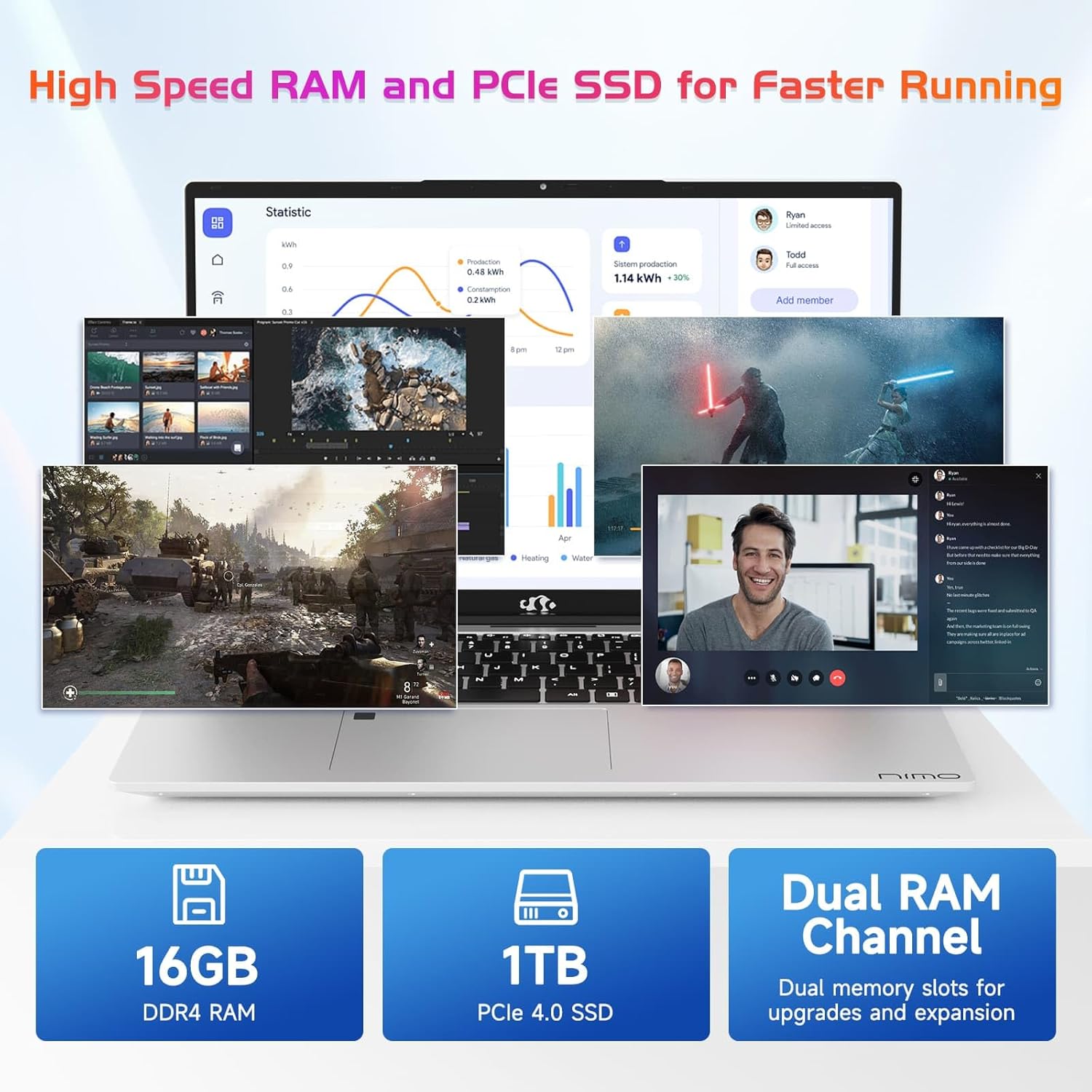
Image 7.2: Information on the 16GB DDR4 RAM and 1TB PCIe SSD.
8. Waranti dan Sokongan
NIMO provides comprehensive support for your laptop:
- Waranti Pengilang 2 Tahun: Meliputi kecacatan bahan dan mutu kerja di bawah penggunaan biasa.
- Polisi Pemulangan 90 Hari: Allows for returns within 90 days of purchase.
- 24/7 Customer Service Support: Contact NIMO customer service for technical assistance or warranty claims. Refer to the contact information provided with your purchase or on the official NIMO webtapak.

Imej 8.1: Selesaiview of NIMO's after-sales support services.
9. Maklumat Keselamatan
To prevent injury or damage to your device, observe the following safety precautions:
- Jangan dedahkan komputer riba kepada suhu yang melampau, cahaya matahari langsung atau kelembapan yang tinggi.
- Elakkan meletakkan objek berat di atas komputer riba.
- Use only the provided charger or a NIMO-approved replacement.
- Jangan cuba membuka atau membaiki komputer riba sendiri. Rujuk kepada kakitangan servis yang berkelayakan.
- Jauhkan cecair daripada peranti.
10. Penafian Undang-undang
This product is subject to Proposition 65 warning. The information in this manual is subject to change without notice. NIMO assumes no responsibility for any errors or omissions that may appear in this document. All trademarks and registered trademarks are the property of their respective owners.


