1. Maklumat Keselamatan Penting
Sila baca semua arahan dengan teliti sebelum mengendalikan penyahlembap. Simpan manual ini untuk rujukan pada masa hadapan.
Keselamatan Elektrik
- Pastikan bekalan kuasa sepadan dengan voltagkeperluan yang dinyatakan pada label penarafan unit.
- Sentiasa pasangkan unit ke soket elektrik yang dibumikan. Jangan gunakan wayar sambungan atau palam penyesuai.
- Do not operate the dehumidifier with a damaged power cord or plug. If damaged, contact qualified service personnel.
- Jangan sekali-kali menyentuh palam kuasa dengan tangan yang basah.
Keselamatan Operasi Am
- Perkakas ini hanya untuk kegunaan dalaman. Jangan gunakan di luar rumah.
- Maintain a minimum clearance of 12 inches (30 cm) around the unit for proper airflow.
- Jangan masukkan objek ke dalam saluran masuk atau keluar udara.
- Keep the unit away from heat sources, flammable materials, and direct sunlight.
- Sentiasa matikan dan cabut plag unit sebelum membersihkan atau melakukan sebarang penyelenggaraan.
- Do not allow children to play with or around the dehumidifier.
2. Produk Lebihview
The Waykar 125 Pint Crawl Space Dehumidifier is designed for efficient moisture removal in large areas up to 6,500 square feet, featuring a robust metal construction and advanced humidity control.
Ciri-ciri Utama
- Kapasiti Tinggi: Removes up to 125 pints of moisture per day (at 95°F, 90% RH).
- Liputan Luas: Suitable for spaces up to 6,500 sq. ft.
- Adjustable Humidity: Range of 10%-98% Relative Humidity (RH).
- Rotary Compressor: High-efficiency design for improved energy savings and lifespan.
- Pilihan Dwi Saliran: Includes a 16.4 ft pump drainage hose for vertical drainage and a 6.6 ft gravity drainage hose.
- Duct Mount Supported: Can be integrated into existing HVAC systems (venting hoses not included).
- Pembinaan Tugas Berat: High-strength metal casing untuk ketahanan.
- Auto Nyahbeku: Prevents frost buildup on coils, maintaining efficiency.
- Memori Matikan: Memulihkan tetapan sebelumnya selepas gangguan bekalan elektrik.
- Penapis yang boleh dibasuh: Easy to clean and reuse, with a cleaning reminder function.
Komponen Unit
Biasakan diri anda dengan bahagian utama dehumidifier anda:

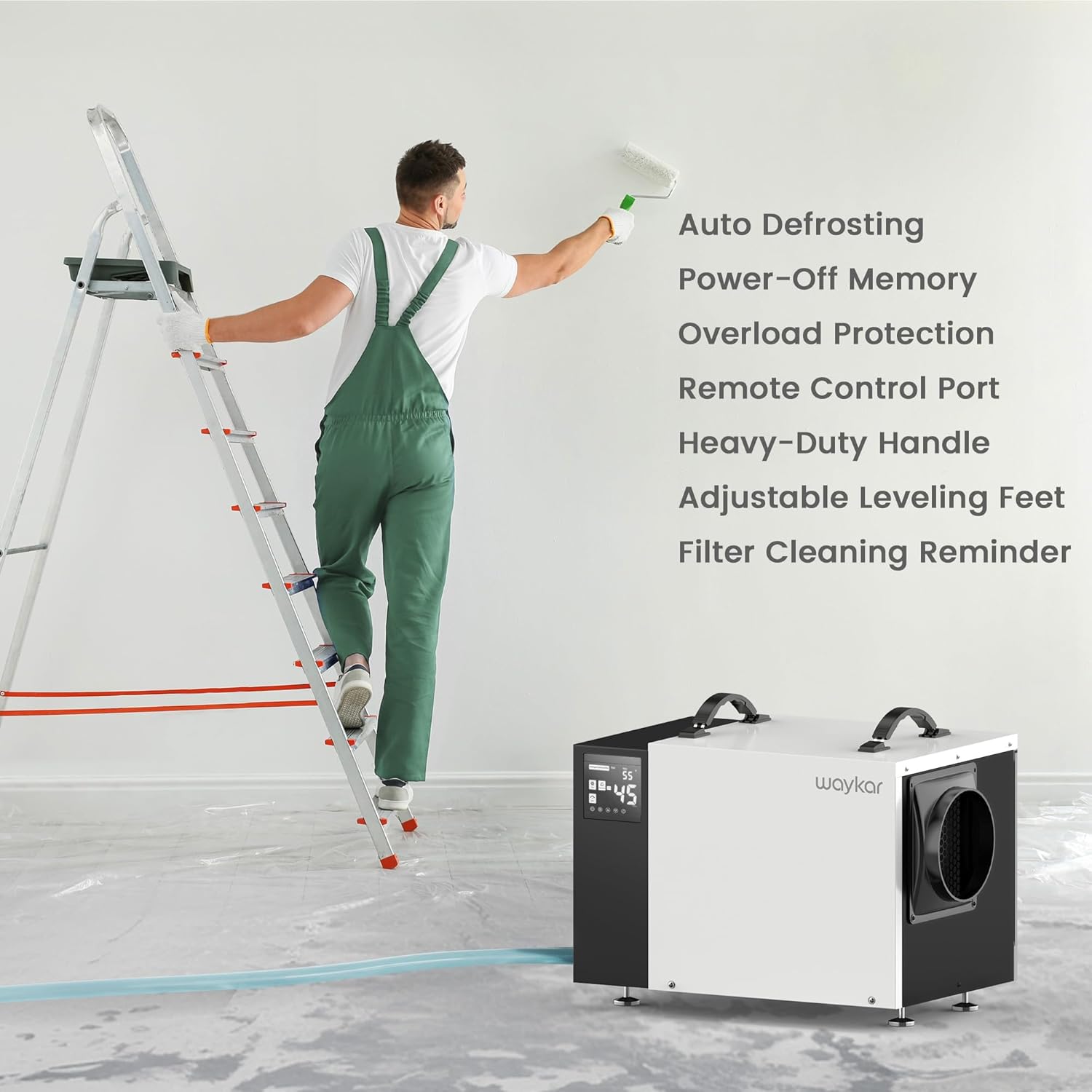
Penerangan Imej: Depan view of the Waykar 125 Pint Crawl Space Dehumidifier, showing the control panel on the left, the main white casing, and the air outlet on the right. A coiled clear drainage hose is visible in the foreground.

Penerangan Imej: Close-up of the dehumidifier's control panel on the left, displaying digital readings and control buttons. The side of the unit with the air outlet is also visible.
- Panel Kawalan: Digital display and buttons for setting humidity, timer, and other functions.
- Saluran masuk udara: Located on the back/side, where humid air enters.
- Saluran Udara: Located on the front/side, where dry air is expelled.
- Drainage Ports: Connections for the pump drainage hose and gravity drainage hose.
- Penapis yang boleh dibasuh: Removable filter for air purification and maintenance.
- Heavy-Duty Handles: Two handles on top for easy transport.
- Kaki Aras Boleh Laras: For stable placement on uneven surfaces.
3. Persediaan
Membongkar
- Keluarkan dehumidifier dengan berhati-hati daripada pembungkusnya.
- Tanggalkan semua bahan pembungkusan, termasuk sebarang pita atau filem pelindung.
- Periksa unit untuk sebarang tanda kerosakan semasa transit. Jika rosak, jangan kendalikan dan hubungi khidmat pelanggan.
Penempatan
Proper placement is crucial for efficient operation and safety.
- Place the dehumidifier on a firm, level surface capable of supporting its weight.
- Ensure there is at least 12 inches (30 cm) of clearance around all sides of the unit for adequate airflow.
- Elakkan meletakkan unit di bawah cahaya matahari langsung atau berhampiran peralatan penjana haba.
- For crawl spaces or basements, ensure the unit is elevated slightly off the ground to prevent contact with standing water, if applicable. The adjustable leveling feet can assist with this.

Penerangan Imej: The Waykar dehumidifier positioned in a crawl space, demonstrating typical installation under a raised floor. The unit is placed on blocks for elevation.
Pilihan Saliran
The unit offers two methods for continuous drainage:

Penerangan Imej: A visual representation illustrating the two drainage options: a pump drain hose extending upwards for vertical drainage and a gravity drain hose extending downwards for horizontal drainage.
A. Pump Drainage (16.4 ft hose included)
- Connect the provided 16.4 ft pump drainage hose to the pump outlet port on the unit.
- Route the hose to a suitable drain location, ensuring it is free of kinks or obstructions. The built-in pump can lift water vertically up to 16.4 ft.
- This option is ideal for draining water to a sink, floor drain, or outside, especially when the drain is higher than the dehumidifier.
B. Gravity Drainage (6.6 ft hose included)
- Connect the provided 6.6 ft gravity drainage hose to the gravity drain outlet port on the unit.
- Ensure the hose is sloped downwards continuously from the unit to the drain point to allow water to flow by gravity.
- This option is suitable when the drain is lower than the dehumidifier.
4. Arahan Operasi
Fungsi Panel Kawalan
Penerangan Imej: The control panel of the dehumidifier, highlighting the digital display and various buttons for power, humidity settings, timer, and filter reminder.
- Butang Kuasa: HIDUPKAN atau MATI unit.
- Butang Tetapan Kelembapan (Anak Panah Atas/Bawah): Adjusts the desired humidity level from 10% to 98% RH.
- Butang Pemasa: Menetapkan pemasa hidup automatik atau mati automatik (0-24 jam).
- Butang Kelajuan Kipas: Melaraskan kelajuan kipas (Tinggi/Rendah).
- Skrin Paparan: Shows current humidity, set humidity, timer settings, and error codes.
- Filter Reminder Indicator: Menyala apabila penapis perlu dibersihkan.
Operasi Awal
- Palamkan kord kuasa ke salur keluar elektrik yang dibumikan.
- Tekan butang Kuasa untuk menghidupkan unit. Paparan akan menunjukkan kelembapan bilik semasa.
- Use the Up/Down arrows to set your desired humidity level. A common comfortable range is 45%-55% RH. The unit will operate until the set humidity is reached, then cycle off. It will restart when the humidity rises above the set level.
Operasi Berterusan
To run the dehumidifier continuously regardless of humidity level, set the target humidity to the lowest possible setting (e.g., 10% RH). The unit will then run continuously, provided the temperature is within its operating range and the drainage system is functioning.
Kawalan Jauh Pilihan
A wired remote control (sold separately) can be connected to the unit for convenient long-distance control, allowing you to adjust settings without directly accessing the dehumidifier, which is particularly useful in crawl spaces or hard-to-reach areas.
Penerangan Imej: An image showing the optional wired remote control panel mounted on a wall, with a hand interacting with its display. The dehumidifier is visible in the background, indicating remote operation.
5. Penyelenggaraan
Penyelenggaraan tetap memastikan prestasi optimum dan memanjangkan jangka hayat penyahlembap anda.
Pembersihan Penapis
The washable filter should be cleaned regularly, typically every two weeks or when the filter reminder indicator illuminates.

Penerangan Imej: A diagram illustrating the location of the washable filter on the dehumidifier, along with the unit's overall dimensions. A separate inset shows the filter being cleaned under running water.
- Matikan unit dan cabut palamnya daripada salur keluar kuasa.
- Locate the filter access panel (usually on the side or back) and remove the filter.
- Rinse the filter under warm, running water. For stubborn dirt, use a mild detergent.
- Biarkan penapis kering sepenuhnya sebelum memasangnya semula. Jangan gunakan pengering atau haba langsung.
- Reinsert the dry filter into the unit and close the access panel.
- Plug in the unit and press the filter reset button (if available) or power cycle the unit to clear the reminder.
Pembersihan Unit
- Lap bahagian luar unit dengan lembut, damp kain. Jangan gunakan bahan kimia yang keras atau pembersih yang kasar.
- Clean the air inlet and outlet grilles with a vacuum cleaner or soft brush to remove dust and debris.
Penyimpanan
Jika menyimpan unit untuk tempoh yang lama:
- Matikan dan cabut palam unit.
- Ensure all water has drained from the unit and hoses.
- Clean the filter and the exterior of the unit.
- Coil the power cord and drainage hoses neatly.
- Simpan unit di tempat yang sejuk dan kering, jauh dari cahaya matahari langsung dan suhu yang melampau.
6. Penyelesaian masalah
Sebelum menghubungi sokongan pelanggan, sila rujuk panduan penyelesaian masalah berikut untuk isu biasa.
| Masalah | Kemungkinan Punca | Penyelesaian |
|---|---|---|
| Unit tidak dihidupkan. | No power supply; Power cord loose; Unit is in standby mode. | Check power outlet and circuit breaker; Ensure power cord is securely plugged in; Press the Power button. |
| Unit sedang berjalan tetapi tidak menyahlembapkan. | Penapis udara tersumbat; Suhu bilik terlalu rendah; Tetapan kelembapan terlalu tinggi; Pintu/tingkap terbuka. | Clean the air filter; Ensure room temperature is above 41°F (5°C); Lower the humidity setting; Close all doors and windows. |
| Kebocoran air. | Drainage hose kinked or blocked; Hose not properly connected; Unit not level. | Check and clear any kinks or blockages in the hose; Ensure hose is securely connected to the drain port; Adjust leveling feet to ensure the unit is stable and level. |
| Unit bising. | Unit tidak rata; Penapis udara tersumbat; Kipas tersumbat. | Ensure unit is on a flat, stable surface; Clean the air filter; Check for any obstructions in the fan area. |
| Pump not draining water. | Pump hose kinked or blocked; Pump malfunction; Water level not high enough to activate pump. | Verify pump hose is clear and properly routed; Ensure the unit has accumulated enough water for the pump to activate; If issue persists, contact customer support. |
7. Spesifikasi
| Spesifikasi | Perincian |
|---|---|
| Nombor Model | AFW2.0DPM |
| Kapasiti Penyingkiran Lembapan | 125 Pint/Hari (95°F, 90% RH) |
| Kawasan Liputan | Sehingga 6500 Kaki Persegi |
| Dimensi Produk (DxWxH) | 19.29" x 13.58" x 12.6" |
| Berat Barang | 49.8 paun |
| Julat Tetapan Kelembapan | 10% - 98% RH |
| Aliran Udara (CFM) | 300 CFM |
| Pilihan Saliran | Built-in Pump (16.4 ft hose), Gravity Drain (6.6 ft hose) |
| Ciri Khas | Automatic Defrost, Automatic Moisture Removal, Automatic Restart, Built-In Pump, Overheat Protection, Washable Filter |
| warna | putih |
8. Waranti dan Sokongan
Waykar provides a 5-Year Quality Coverage for this dehumidifier, demonstrating commitment to product reliability and customer satisfaction.
For technical assistance, warranty claims, or any questions regarding your Waykar dehumidifier, please refer to the contact information provided on the product packaging or the official Waykar website. When contacting support, please have your model number (AFW2.0DPM) and purchase details ready.


