1. Pengenalan
The Mesqool Solar Radio Emergency Hand Crank 12000mAh is a versatile and reliable device designed to keep you connected and informed during emergencies, outdoor activities, or power outages. It features multiple power sources, including solar, hand crank, and a large capacity internal battery, along with AM/FM/NOAA radio reception, a powerful flashlight, a reading lamp, and a mobile phone charging function.
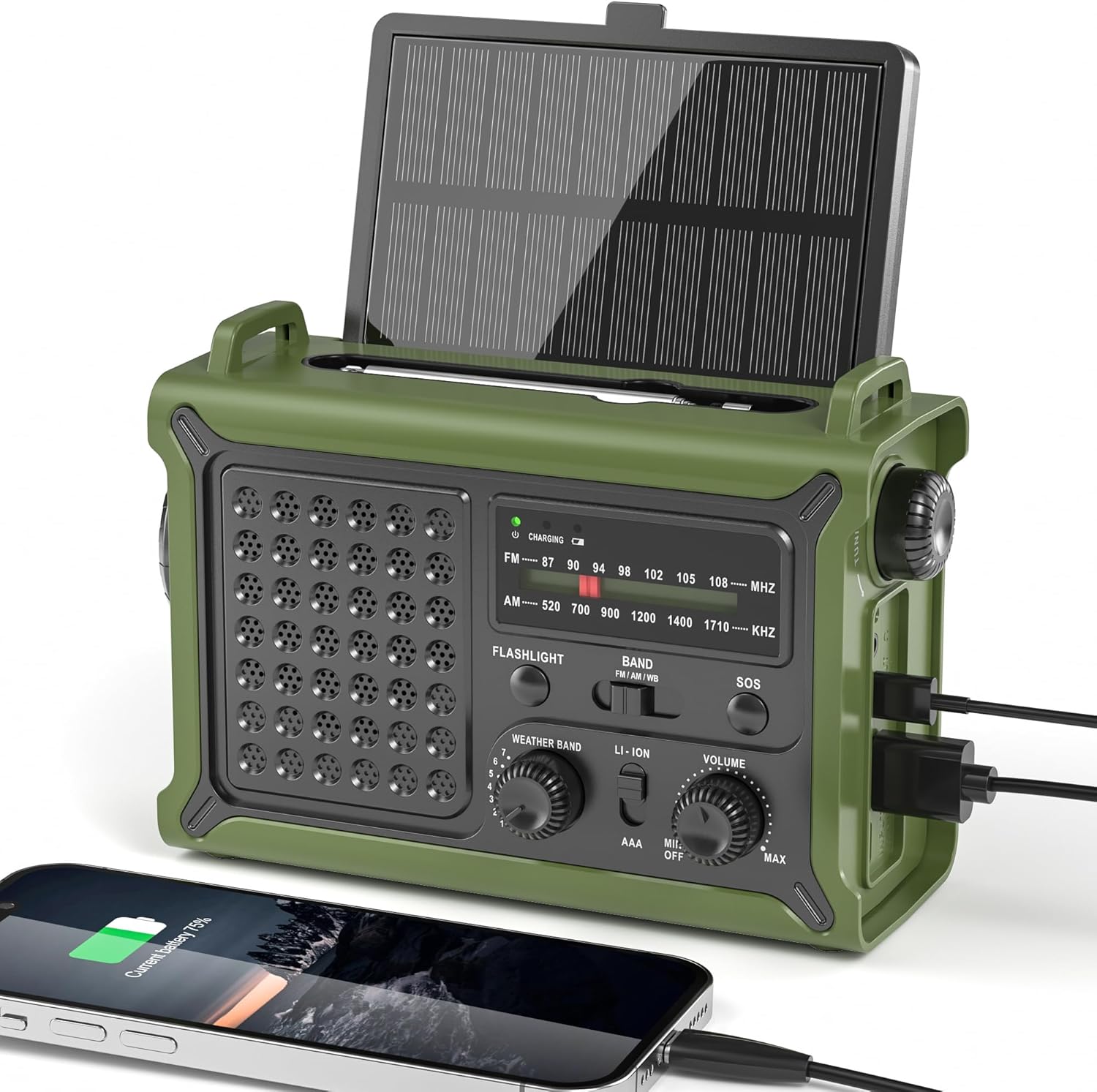
Figure 1.1: Mesqool Solar Radio, showing its compact design and charging capabilities.
2. Ciri-ciri Produk
- Reliable NOAA/AM/FM Reception: Equipped with a high-sensitivity signal chip and noise-reduction circuitry for clear and stable reception across all bands.
- High-Efficiency Solar Charging: Features an extra-large 8500mm² monocrystalline solar panel for faster charging, even in low-light conditions.
- High-Torque Hand Crank Power: Upgraded internal generator with a larger copper coil and reinforced magnet provides efficient manual charging.
- True 12000mAh Power Capacity: A genuine 12000mAh lithium battery ensures long-lasting power for the radio, lights, and external device charging.
- Versatile Emergency Lighting: Includes a powerful LED flashlight with a 260-foot beam distance and a soft, eye-friendly reading lamp, both with two brightness levels.
- Reka bentuk ergonomik: Shaped for comfortable grip and easy operation with a large tuning knob, responsive buttons, and clear labels.
- Multiple Power Outputs: Dual USB-A and USB-C outputs for charging various mobile devices.
- SOS Alarm Function: Activates a loud siren and flashing red light for emergency signaling.
- Bicu Fon Kepala 3.5mm: Untuk mendengar secara peribadi.
- Tahan Air IPX6: Provides protection against strong jets of water, suitable for outdoor use.

Gambar 2.1: Lebihview of the radio's key features, including multi-band reception, solar panel, hand crank, battery capacity, light modes, and dual outputs.
3. Kandungan Pakej
Sila semak kandungan pakej semasa membuka kotak untuk memastikan semua item ada:
- Mesqool Emergency Weather Radio
- USB-C Charging Cable (Power Cord)
- Membawa Tali
- Manual Pemilik (dokumen ini)

Figure 3.1: The radio, charging cable, carrying strap, and owner's manual as included in the package.
4. Gambarajah dan Komponen Produk
Familiarize yourself with the various parts of your Mesqool Emergency Radio:
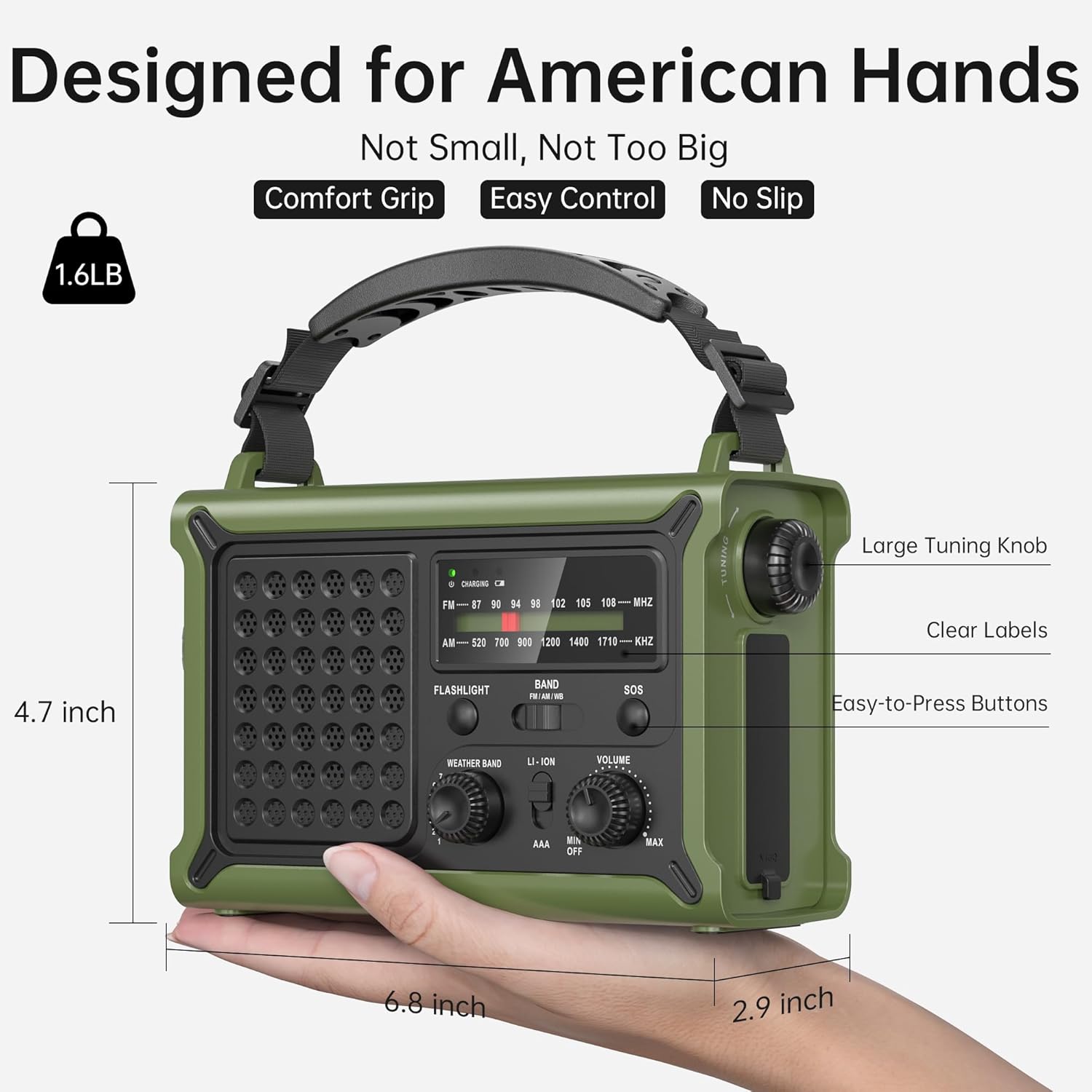
Rajah 4.1: Depan dan sisi view of the radio highlighting key controls and ports such as the large tuning knob, easy-to-press buttons, clear labels, flashlight, and USB ports.
- Panel Suria: Located on top, can be angled for optimal sunlight.
- Antena Teleskopik: Lanjutkan untuk penerimaan radio yang lebih baik.
- Lampu suluh: Lampu LED menghadap hadapan.
- Membaca Lamp: Located on the underside of the solar panel.
- Tombol Penalaan: For selecting AM/FM frequencies.
- Pemilih Band: Switch between AM, FM, and NOAA Weather Band.
- Weather Band Selector: Dedicated knob for NOAA channels.
- Tombol Kelantangan: Adjusts audio output.
- Butang SOS: Mengaktifkan penggera kecemasan.
- Port Output USB-A: Untuk mengecas peranti luaran.
- Port Input/Output USB-C: For charging the radio or external devices.
- Engkol Tangan: Engkol boleh dilipat untuk penjanaan kuasa manual.
- Kompartmen Bateri AAA: Located behind the solar panel (AAA batteries not included).
- Bicu Fon Kepala 3.5mm: Untuk menyambungkan fon kepala.
5. Persediaan
5.1 Caj Permulaan
Before first use, it is recommended to fully charge the internal 12000mAh lithium battery using the USB-C charging cable. Connect the USB-C cable to the radio's USB-C port and the other end to a standard USB power adapter (not included) or a computer USB port. The charging indicator light will illuminate.
5.2 Pemasangan Bateri AAA (Pilihan)
For an additional power backup, you can install 3 AAA batteries (not included) into the compartment located behind the solar panel. Ensure correct polarity. The radio can operate directly from AAA batteries when selected via the power source switch.

Figure 5.1: Location of the AAA battery compartment, requiring 3 AAA batteries (not included).
6. Arahan Operasi
6.1 Hidupkan/Mati Kuasa dan Kelantangan
Putar Tombol Kelantangan clockwise to turn the radio on and increase the volume. Rotate counter-clockwise to decrease volume and turn off.
6.2 Radio Tuning (AM/FM/NOAA)
- Panjangkan Antena teleskop untuk penerimaan yang optimum.
- Gunakan Pemilih Band switch to choose between FM, AM, or Weather Band (WB).
- For FM/AM: Rotate the large Tombol Penalaan to find your desired station.
- For NOAA Weather Band: Switch the Band Selector to WB. Then, use the dedicated Pemilih Jalur Cuaca knob to cycle through the 7 NOAA channels (162.400, 162.425, 162.450, 162.475, 162.500, 162.525, 162.550 MHz) to find the strongest signal in your area.

Figure 6.1: The radio's ability to receive stable signals across NOAA, FM, and AM bands, indicating the telescopic antenna for improved reception.
6.3 Penggunaan Fon Kepala
Insert a 3.5mm headphone jack into the designated port for private listening. The speaker will automatically mute when headphones are connected.

Figure 6.2: A user enjoying private listening with headphones connected to the radio, ideal for quiet environments or not disturbing others.
7. Kaedah Mengecas
The Mesqool Emergency Radio offers five ways to charge its internal 12000mAh battery:

Figure 7.1: Visual representation of the five charging methods: Solar Panel, Type-C Charging, 3 Pcs AAA Battery (Not Included), Rechargeable Battery (internal), and Hand Crank.
7.1 Pengecasan USB-C
Connect the provided USB-C cable to the radio's USB-C input port and a 5V/2A power source. This is the fastest method for a full charge.
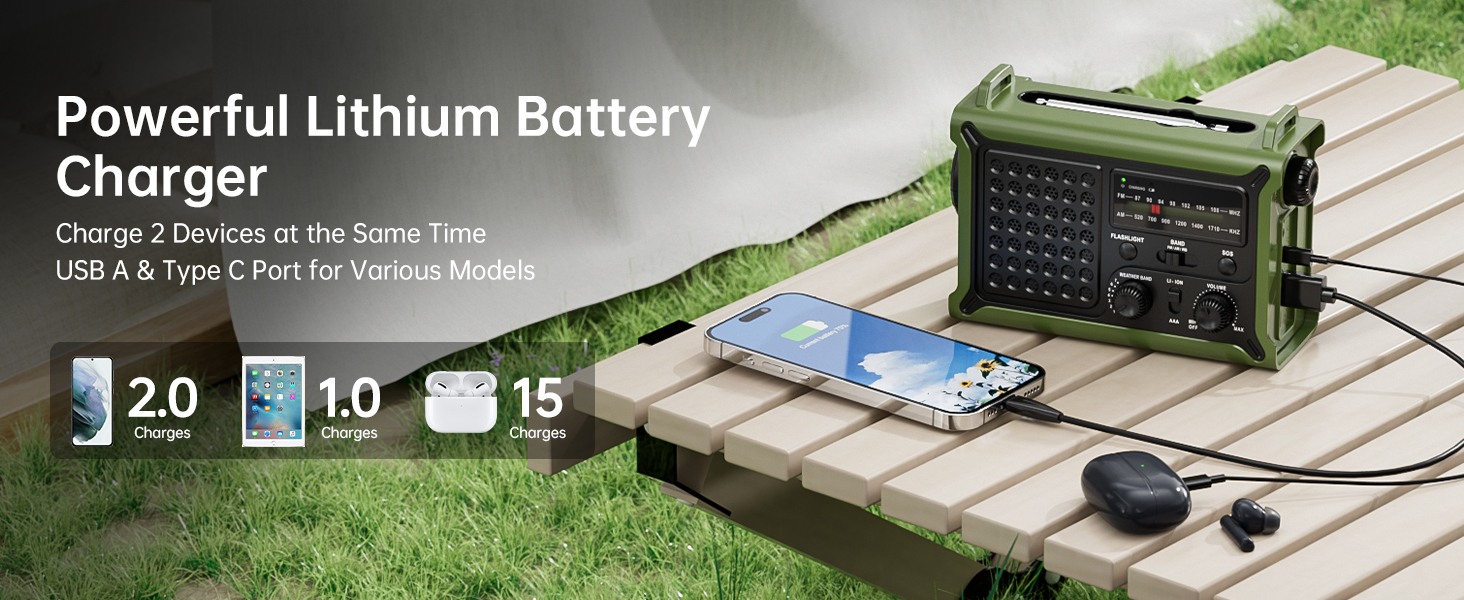
Figure 7.2: The USB-C port on the side of the radio, illustrating its fast charging capability.
7.2 Pengecasan Suria
Place the radio in direct sunlight with the solar panel facing upwards. For best results, angle the solar panel towards the sun. This method is ideal for maintaining charge or slow charging in outdoor environments.
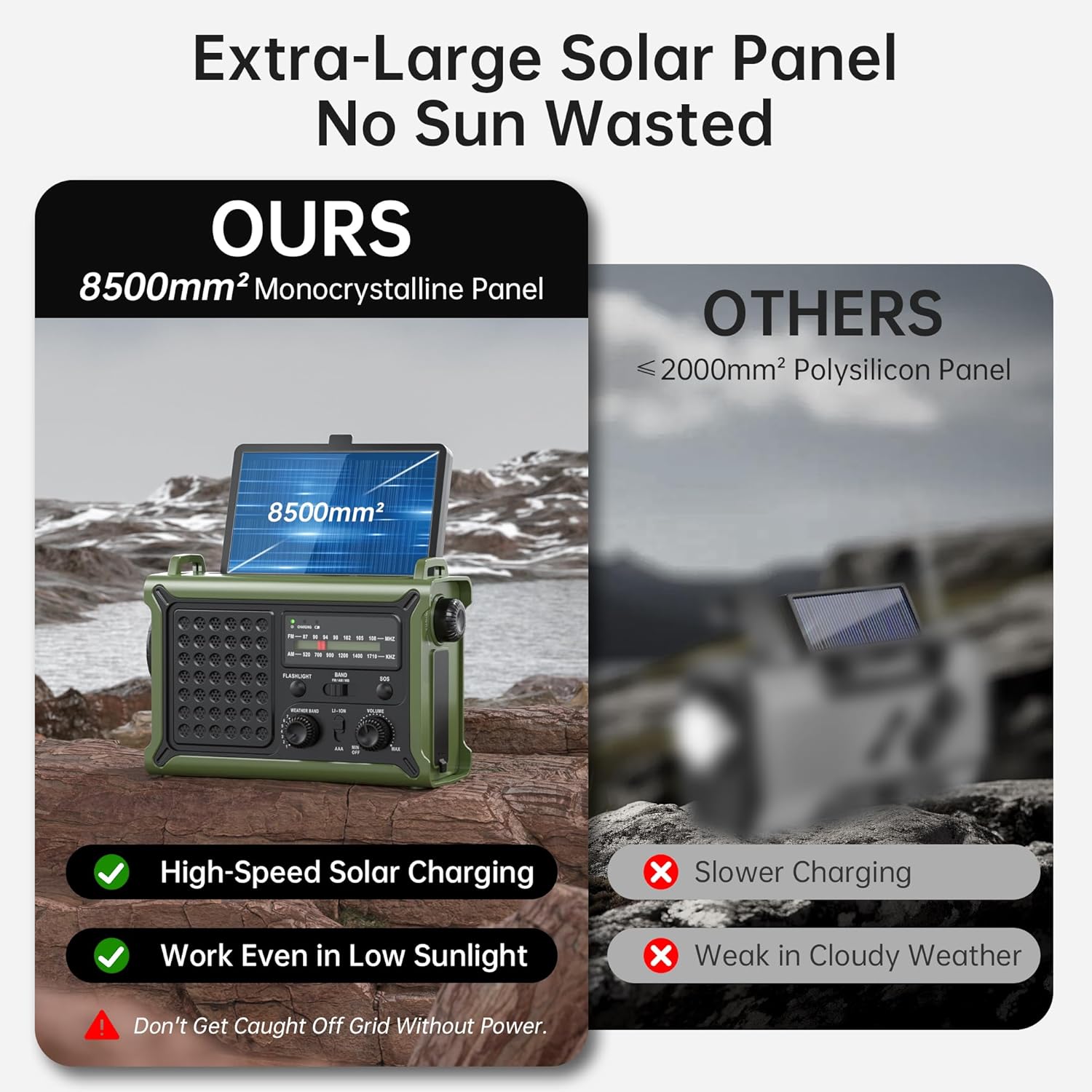
Figure 7.3: The large 8500mm² monocrystalline solar panel on the radio, designed for efficient charging even in low sunlight.
7.3 Hand Crank Charging
Unfold the hand crank located on the bottom of the radio. Rotate the crank clockwise or counter-clockwise at a steady pace (approximately 130-150 RPM) to generate power. A few minutes of cranking can provide enough power for short-term radio use or a quick phone charge.
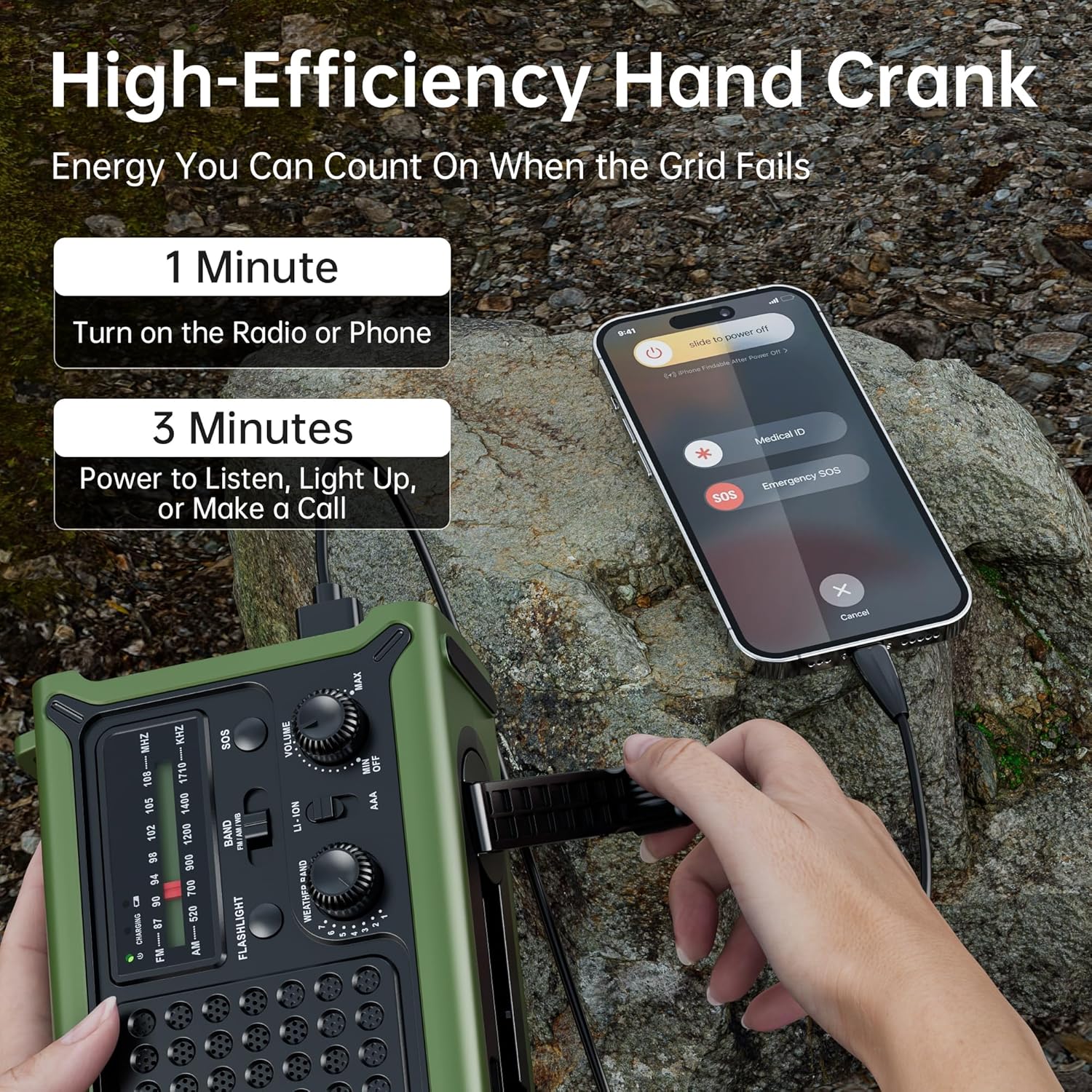
Figure 7.4: A user operating the high-efficiency hand crank to charge the radio and a connected smartphone, demonstrating quick power generation.

Figure 7.5: Internal diagram illustrating the upgraded crank generator with enhanced magnet core, large copper coil, and lengthened crank arm for efficient power generation.
7.4 Bateri AAA
As mentioned in Section 5.2, 3 AAA batteries can be installed for an alternative power source. Ensure the power source switch is set to AAA when using this option.
8. Flashlight and Reading Light Operation
8.1 Lampu suluh
Tekan ke Butang Lampu Suluh once for low brightness, a second time for high brightness, and a third time to turn it off. The flashlight provides a focused beam up to 260 feet.

Figure 8.1: The powerful flashlight illuminating a path, demonstrating its 260ft beam distance and utility in dark environments.
8.2 Lampu Baca
Flip up the solar panel to reveal the reading lamp. Press the dedicated Reading Light Button once for low brightness, a second time for high brightness, and a third time to turn it off. The frosted diffuser provides a soft, warm glow.

Figure 8.2: The reading light providing a gentle, eye-friendly illumination, perfect for reading in low-light conditions.
9. Fungsi Penggera SOS
Dalam keadaan kecemasan, tekan dan tahan Butang SOS for 3 seconds to activate the loud 115dB siren and flashing red light. This feature is designed to attract attention for rescue. Press the button again to deactivate the alarm.

Figure 9.1: A person activating the SOS mode on the radio, which triggers a loud alarm and flashing red light for emergency signaling.
10. Fungsi Power Bank
The Mesqool Emergency Radio can be used as a power bank to charge your mobile devices. Connect your device's charging cable to either the USB-A output port or the USB-C output port on the side of the radio. The radio's 12000mAh battery provides ampkuasa untuk berbilang caj.

Figure 10.1: The radio charging a smartphone, illustrating its long-lasting 12000mAh battery capacity and runtime for various functions.
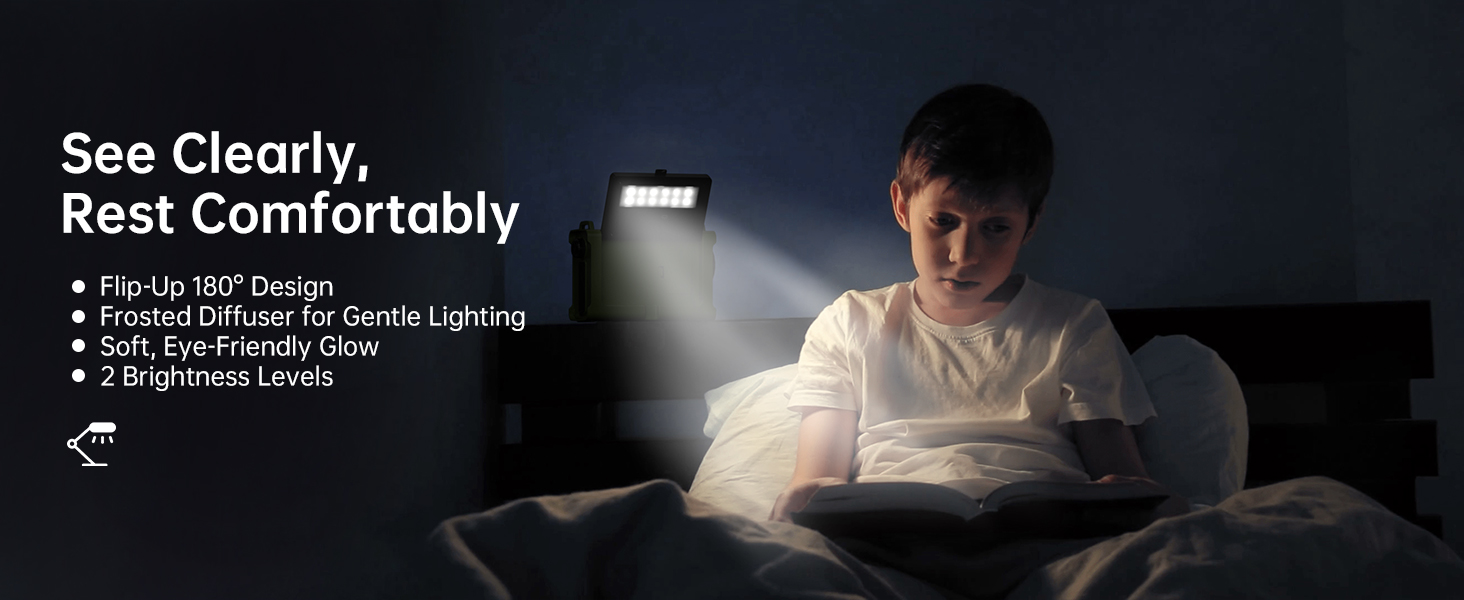
Figure 10.2: The radio's capability to charge two devices simultaneously using its USB-A and Type-C output ports, suitable for various models.
11. Penyelenggaraan
- Pembersihan: Lap radio dengan lembut, damp kain. Jangan gunakan bahan kimia yang keras atau pembersih yang kasar.
- Storan: Store the radio in a cool, dry place away from direct sunlight and extreme temperatures. If storing for extended periods, ensure the battery is charged to at least 50% every 3-6 months to preserve battery life.
- Tahan Air: While the radio is IPX6 water resistant, it is not submersible. Avoid prolonged exposure to heavy rain or submersion in water. Ensure all port covers are securely closed when exposed to moisture.
- Penjagaan Antena: Kendalikan antena teleskopik dengan berhati-hati untuk mengelakkan bengkok atau patah.

Figure 11.1: The radio demonstrating its IPX6 water resistance, suitable for use in rainy conditions but not for submersion.
12. Penyelesaian masalah
| Masalah | Kemungkinan Punca | Penyelesaian |
|---|---|---|
| Radio tidak dihidupkan. | Bateri habis. | Charge the radio using USB-C, solar, or hand crank. Ensure the power source switch is set to LI-ION or AAA if using AAA batteries. |
| Penerimaan radio yang lemah. | Antena tidak dipanjangkan; kawasan isyarat lemah; gangguan. | Fully extend the telescopic antenna. Try repositioning the radio. For NOAA, cycle through all 7 channels to find the strongest signal. |
| Hand crank is stiff or not charging. | Crank mechanism needs lubrication; internal issue. | Ensure the crank arm rotates freely. If persistent, contact customer support. |
| Flashlight/Reading light not working. | Battery depleted; light button not pressed correctly. | Charge the radio. Press the respective light button multiple times to cycle through modes. |
| Tidak boleh mengecas peranti luaran. | Bateri radio terlalu rendah; kabel yang salah; peranti tidak serasi. | Ensure the radio's battery has sufficient charge. Use the correct charging cable for your device. Some high-power devices may not be fully supported. |
13. Spesifikasi
| Ciri | Perincian |
|---|---|
| Nombor Model | CR1030 |
| Dimensi (L x W x H) | 6.8 x 4.7 x 2.9 inci |
| Berat Barang | 1.59 paun |
| Jenis Bateri | 12000mAh Lithium Battery (included), 3 x AAA Batteries (not included) |
| Pancaragam Radio Disokong | NOAA Weather Band (7 channels), FM (87-108 MHz), AM (520-1710 KHz) |
| Saiz Panel Suria | 8500mm² Monocrystalline |
| Flashlight Beam Distance | Sehingga 260 kaki |
| Tahan Air | IPX6 |
| Ketersambungan | USB-A Output, USB-C Input/Output, 3.5mm Headphone Jack |
| Pengeluar | Mesqool E-commerce Co.,Ltd |
| Negara Asal | China |
14. Maklumat Keselamatan
- Do not expose the radio to extreme temperatures, direct flame, or prolonged direct sunlight beyond charging needs.
- Do not disassemble or modify the radio. This will void the warranty and may cause damage or injury.
- Jauhkan daripada kanak-kanak.
- Do not immerse the radio in water, despite its water resistance rating.
- Use only specified charging cables and power adapters.
- Buang bateri secara bertanggungjawab mengikut peraturan tempatan.
15. Waranti dan Sokongan
Mesqool products are designed for reliability and performance. For warranty information, technical support, or any inquiries regarding your Mesqool Emergency Radio, please visit the official Mesqool website or contact their customer service directly. Please retain your purchase receipt for warranty claims.
Anda boleh mendapatkan lebih banyak maklumat dan sokongan di Mesqool Store on Amazon.


