pengenalan
Thank you for choosing the IRRADIO IR-GT710V Portable Speaker. This manual provides essential information for the safe and efficient operation of your device. Please read it carefully before use and retain it for future reference.
Maklumat Keselamatan
- Jangan dedahkan pembesar suara kepada suhu yang melampau, cahaya matahari langsung atau nyalaan api terbuka.
- Elakkan daripada menjatuhkan atau menundukkan pembesar suara kepada impak yang kuat.
- Jangan buka, baiki atau ubah suai pembesar suara itu sendiri. Hubungi kakitangan perkhidmatan yang berkelayakan untuk sebarang pembaikan.
- Jauhkan pembesar suara daripada peranti perubatan.
- Pastikan port pengecasan kering sebelum menyambungkan pengecas.
- This speaker has an IPX6 water resistance rating, meaning it is protected against high-pressure water jets from any direction. It is not designed for submersion.
Kandungan Pakej
- IRRADIO IR-GT710V Portable Speaker
- Pengecas
- Manual Pengguna
Produk Selesaiview
Familiarize yourself with the various parts and controls of your IRRADIO IR-GT710V speaker.

Rajah 1: Depan view of the IRRADIO IR-GT710V speaker. The speaker features a black mesh grille covering the front, with the IRRADIO logo illuminated by RGB lights on the left side. A sturdy handle is visible on top.

Rajah 2: Atas view of the IRRADIO IR-GT710V speaker. This image highlights the integrated carrying handle and the control panel located on the top surface. The control panel includes buttons for power, Bluetooth pairing, volume control, play/pause, and LED light modes.
Fungsi Panel Kawalan
- Butang kuasa (⏻): Tekan dan tahan untuk menghidupkan/mematikan kuasa.
- Bluetooth Pairing Button (🔂): Tekan untuk memasuki mod berpasangan Bluetooth.
- Kelantangan Rendah (−): Kurangkan volum.
- Naikkan Kelantangan (+): Tingkatkan kelantangan.
- Butang Main/Jeda (▶): Mainkan atau jeda main balik audio.
- LED Light Mode Button (✴): Cycle through different RGB LED light modes.
- Butang Penggalak Bass: Activate or deactivate enhanced bass.
Pelabuhan dan Sambungan
Rajah 3: Rear panel of the IRRADIO IR-GT710V speaker. This image shows the various input ports, including a 3.5mm AUX input, a USB port for media playback, and the DC 5V 3A charging port.
- DC 5V 3A Charging Port: Untuk menyambungkan penyesuai kuasa bagi mengecas pembesar suara.
- Port USB: Untuk memainkan audio files terus daripada pemacu USB.
- AUX 3.5mm Input: Untuk menyambungkan peranti audio luaran melalui kabel audio 3.5mm.
Persediaan
Mengecas Speaker
- Connect the provided charger to the DC 5V 3A charging port on the speaker.
- Palamkan pengecas ke salur keluar kuasa.
- Lampu penunjuk pengecasan akan menyala.
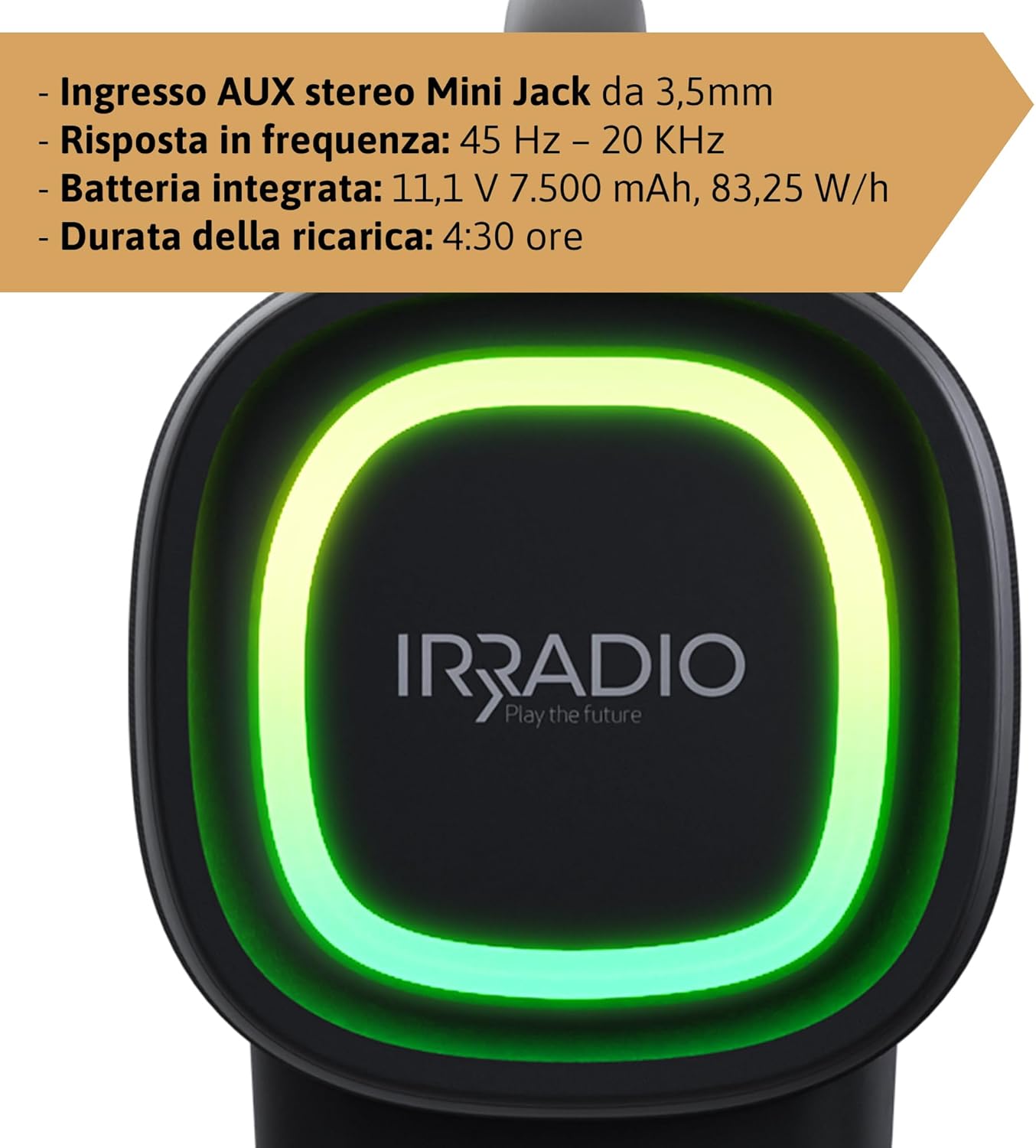
- Cas penuh mengambil masa kira-kira 4.5 jam. Lampu penunjuk akan bertukar atau padam setelah pengecasan selesai.
The integrated 7500 mAh battery provides up to 12 hours of continuous playback at 50% volume.
Hidupkan/Mati Kuasa
- Untuk menghidupkan, tekan dan tahan butang Kuasa (⏻) for a few seconds until you hear an audible prompt or see the indicator lights activate.
- Untuk mematikan kuasa, tekan dan tahan butang Kuasa (⏻) again for a few seconds until the speaker powers down.
Arahan Operasi
Berpasangan Bluetooth
- Ensure the speaker is powered on and within 10 meters of your Bluetooth device.
- The speaker will automatically enter Bluetooth pairing mode, indicated by a flashing Bluetooth indicator light. If not, press the Bluetooth Pairing button (🔂).
- Dayakan Bluetooth pada peranti anda (telefon pintar, tablet, dll.) dan cari peranti yang tersedia.
- Select "IRRADIO IR-GT710V" from the list of devices.
- Once paired, the Bluetooth indicator light will stop flashing and remain solid, and you will hear a confirmation sound.
Pasangan Stereo Tanpa Wayar Sejati (TWS)
The TWS function allows you to connect two IRRADIO IR-GT710V speakers for a more immersive stereo sound experience.
- Ensure both IR-GT710V speakers are powered on and not connected to any Bluetooth device.
- On one of the speakers (this will be the primary speaker), press and hold the Bluetooth Pairing button (🔂) selama beberapa saat sehingga anda mendengar gesaan pasangan TWS.
- Pembesar suara utama akan mencari pembesar suara kedua secara automatik.
- Once successfully paired, you will hear a confirmation sound, and the Bluetooth indicator lights on both speakers will synchronize.
- Now, connect your Bluetooth device to the primary speaker as described in the "Bluetooth Pairing" section. Both speakers will play audio in stereo.
Audio Playback (USB & AUX)
Main Balik USB
- Masukkan pemacu kilat USB yang mengandungi audio MP3 atau WAV files ke dalam port USB.
- The speaker will automatically detect the USB drive and begin playing audio.
- Use the Play/Pause and Volume buttons on the speaker to control playback.
Main Balik AUX
- Sambungkan satu hujung kabel audio 3.5mm ke port input AUX pada pembesar suara.
- Sambungkan hujung kabel yang satu lagi ke bicu output audio peranti luaran anda (cth., pemain MP3, komputer).
- Pembesar suara secara automatik akan bertukar kepada mod AUX.
- Kawal main balik dan kelantangan terutamanya daripada peranti luaran anda.
Mod Lampu LED
The IR-GT710V features dynamic RGB LED lighting. Press the LED Light Mode button (✴) to cycle through various lighting effects. The lights can synchronize with the music or display ambient patterns.

Rajah 4: The IRRADIO IR-GT710V speaker shown outdoors, emphasizing its key features. These include True Wireless Stereo functionality, IPX6 water resistance, vibrant RGB LED lighting, and a powerful 100W audio output.
Bass Booster Function
Press the Bass Booster button to enhance the bass output for a deeper, more impactful sound. Press it again to deactivate the function.
Penyelenggaraan
- Bersihkan pembesar suara dengan kain lembut dan kering. Jangan gunakan pembersih atau pelarut yang melelas.
- If the speaker gets wet, wipe it dry thoroughly before charging or using it again.
- Simpan pembesar suara di tempat yang sejuk dan kering apabila tidak digunakan untuk tempoh yang lama.
- Charge the battery at least once every three months to maintain its lifespan.
Menyelesaikan masalah
| Masalah | Kemungkinan Punca | Penyelesaian |
|---|---|---|
| Speaker tidak dihidupkan. | Bateri habis. | Cas pembesar suara selama sekurang-kurangnya 30 minit. |
| Tidak boleh berpasangan melalui Bluetooth. | Pembesar suara tidak berada dalam mod berpasangan atau sudah disambungkan ke peranti lain. | Ensure the speaker is in pairing mode (flashing indicator). Disconnect from other devices. Restart both speaker and Bluetooth device. |
| Tiada bunyi semasa main balik. | Volume is too low or muted. Incorrect input source. | Increase volume on both the speaker and the connected device. Ensure the correct input mode (Bluetooth, USB, AUX) is selected. |
| Gandingan TWS gagal. | Speakers are too far apart or already paired. | Ensure both speakers are close to each other and not connected to any other Bluetooth device. Try resetting both speakers. |
| Main balik USB tidak berfungsi. | Tidak disokong file format or corrupted USB drive. | pastikan files are MP3 or WAV format. Try a different USB drive or reformat the current one. |
Spesifikasi
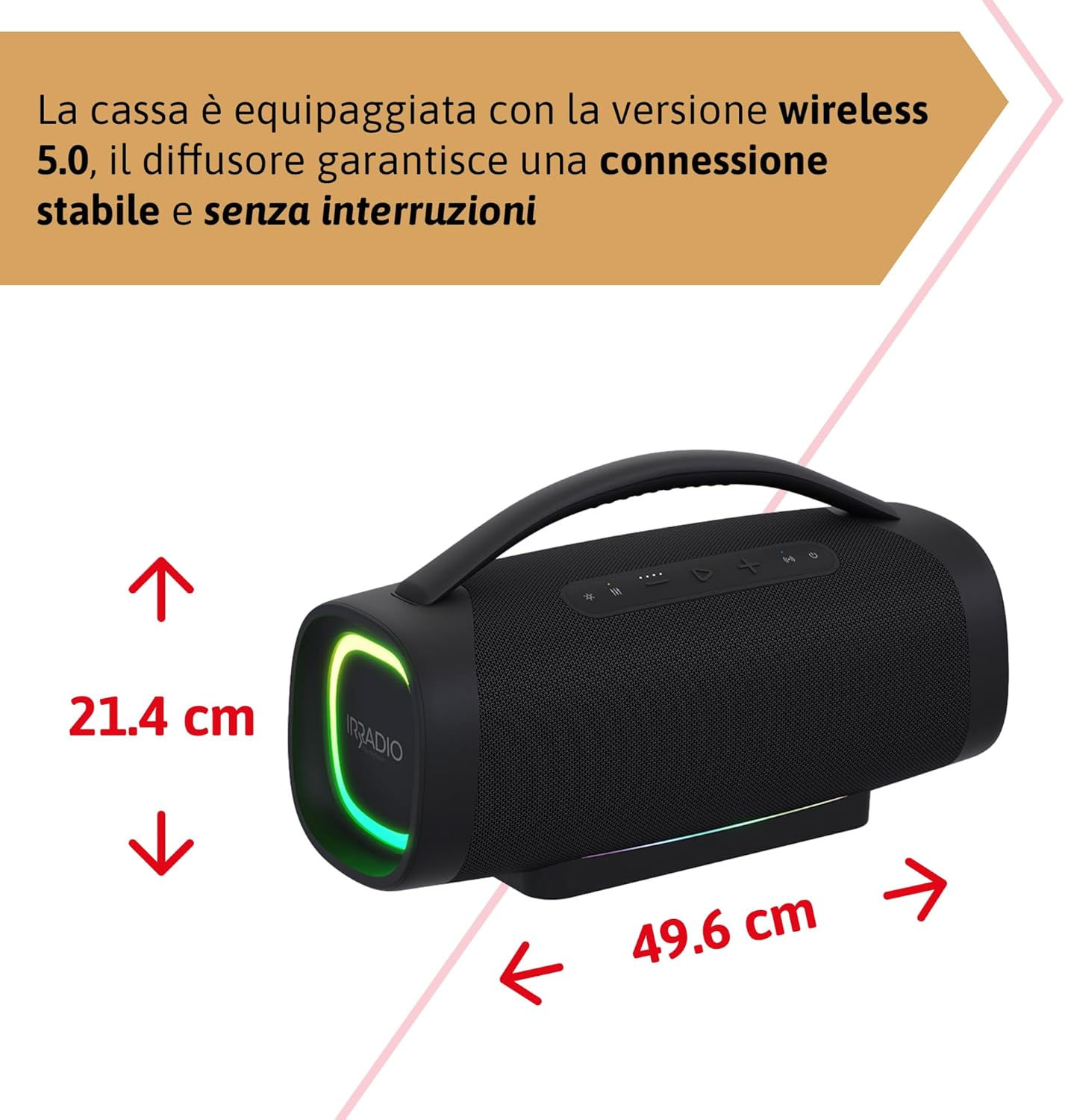
Rajah 5: Dimensions of the IRRADIO IR-GT710V speaker. The speaker measures 49.6 cm in width and 21.4 cm in height.
| Ciri | Spesifikasi |
|---|---|
| Jenama | IRRADIO |
| Model | IR-GT710V |
| Jenis Pembesar Suara | Boombox |
| Output Kuasa | 100W RMS |
| Ketersambungan | Bluetooth 5.0, USB, AUX 3.5mm |
| Julat Bluetooth | Sehingga 10 meter (33 kaki) |
| Tahan Air | IPX6 |
| Kapasiti Bateri | 11.1V 7500 mAh (83.25 Wj) |
| Masa Main Semula | Sehingga 12 jam (pada volum 50%) |
| Masa Mengecas | Lebih kurang 4.5 jam |
| Respons Kekerapan | 45 Hz - 20 KHz |
| Format Audio yang Disokong | MP3, WAV |
| Dimensi Produk (L x W x H) | 49.6 x 21.4 x 21.4 cm (19.5 x 8.4 x 8.4 inci) |
| Berat Bersih | 6.22 kg (13.7 lbs) |
| Komponen yang Disertakan | Pengecas |
| Jenis Palam Kuasa | Type D – 3-pin (India) |
Waranti dan Sokongan
IRRADIO products are designed and manufactured to the highest quality standards. For warranty information, technical support, or service inquiries, please refer to the warranty card included with your product or visit the official IRRADIO webtapak. Sila simpan bukti pembelian anda untuk tuntutan waranti.


