pengenalan
The IRRADIO IR-M9 Charge Classic is a versatile device combining a high-quality wireless speaker with a convenient wireless charger for smartphones, tablets, and smartwatches. Designed for both indoor and outdoor use, it delivers powerful audio and features IPX7 water resistance. This manual provides essential information for the safe and effective operation of your IR-M9 device.
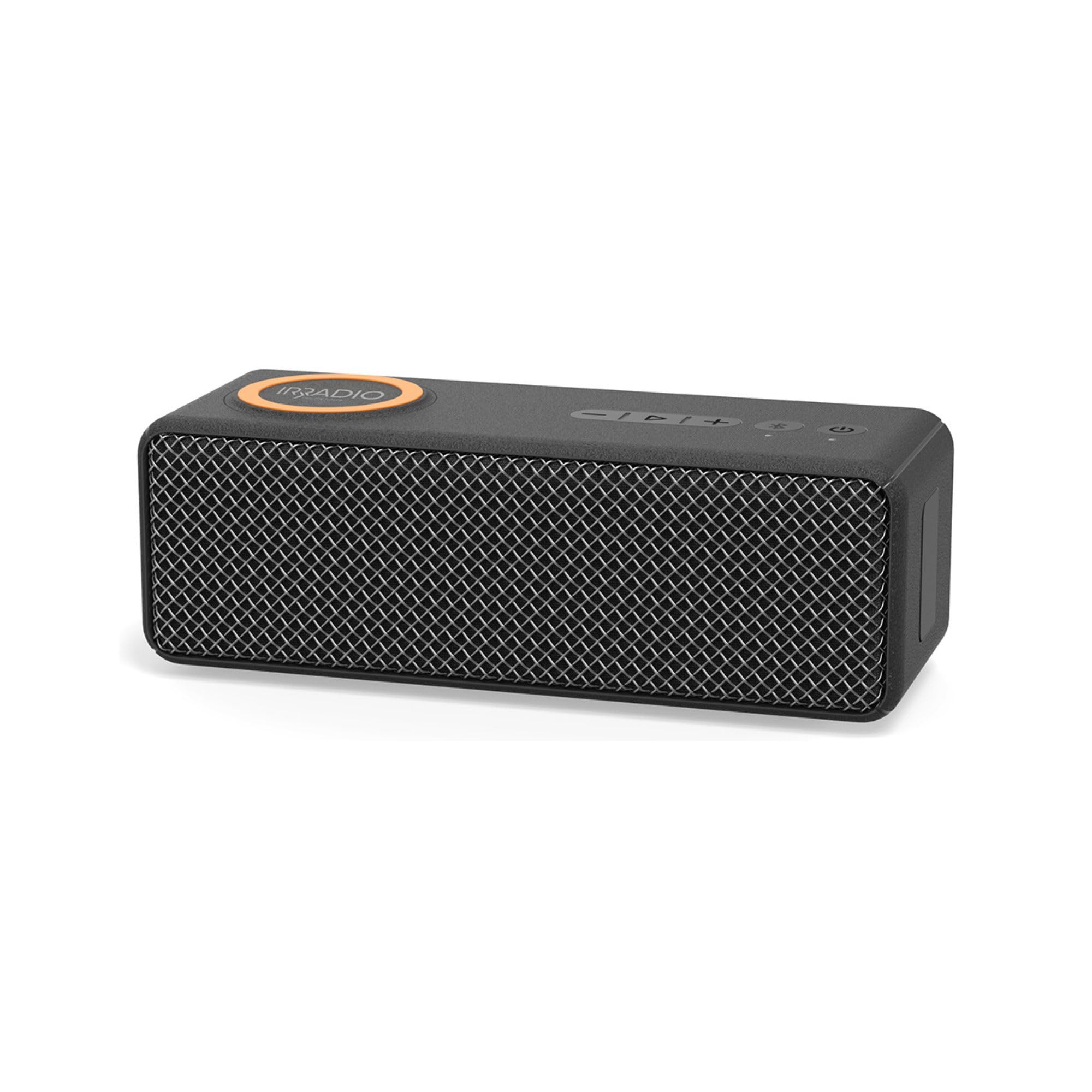
Image: The IRRADIO IR-M9 speaker, showcasing its dual functionality as a wireless speaker and charger.
Maklumat Keselamatan Penting
- Rintangan Air (IPX7): The device is protected against immersion in water up to 1 meter for up to 30 minutes. Ensure all port covers are securely closed before exposure to water. Do not submerge in saltwater or other liquids.
- Sumber Kuasa: Use only the provided charging cable with a certified DC 5V 2A power adapter. Incorrect voltage boleh merosakkan peranti dan membatalkan jaminan.
- Penjagaan Bateri: Do not expose the battery to excessive heat, direct sunlight, or fire. Do not disassemble, puncture, or short-circuit the battery. Dispose of batteries according to local regulations.
- Persekitaran Operasi: Operate the device within the specified temperature range of 0°C to 40°C and relative humidity of 0% to 75%.
- Pembersihan: Disconnect the device from power before cleaning. Use a soft, dry cloth. Do not use abrasive cleaners or solvents.
- Kanak-kanak: Jauhkan peranti dan aksesorinya daripada kanak-kanak.
Kandungan Pakej
Sila semak pakej untuk item berikut:
- IRRADIO IR-M9 Wireless Speaker and Charger
- Charging Cable (USB-C to USB-A, typically)
- Manual Pengguna (dokumen ini)
Note: A power adapter (DC 5V 2A) is required for charging the speaker and for the wireless charging function to operate.
Produk Selesaiview
Familiarize yourself with the buttons and ports on your IRRADIO IR-M9 speaker.

Image: Top panel of the IRRADIO IR-M9 speaker, showing the power button, volume controls, play/pause, Bluetooth, and TWS buttons.
Kawalan dan Penunjuk:
- Butang kuasa (⏻): Tekan dan tahan untuk menghidupkan/mematikan kuasa.
- Butang Main/Jeda (▶︎/⏸︎): Tekan untuk memainkan atau menjeda muzik.
- Kelantangan Rendah / Trek Sebelumnya (-): Press to decrease volume. Hold to go to the previous track.
- Naikkan Kelantangan / Trek Seterusnya (+): Press to increase volume. Hold to go to the next track.
- Butang Bluetooth (Ⓑ): Tekan untuk memasuki mod berpasangan Bluetooth.
- True Wireless Stereo (TWS) Button (Ⓣ): Press to initiate TWS pairing with another IR-M9 speaker.
- Penunjuk LED: Indicate power status, charging status, and Bluetooth connection.
Pelabuhan:
- Port Pengecasan USB-C: Untuk mengecas bateri dalaman pembesar suara.
- Slot Kad MicroSD: Untuk memainkan muzik terus daripada kad memori.
Persediaan
1. Pengecasan Awal
- Connect the provided charging cable to the USB-C port on the speaker.
- Connect the other end of the cable to a DC 5V 2A power adapter (not included) or a compatible USB power source.
- Penunjuk LED akan menunjukkan status pengecasan. Pengecasan penuh mengambil masa kira-kira 3.5 jam.
- Disconnect the speaker once fully charged.
2. Menghidupkan/Mematikan
- Untuk Menghidupkan: Tekan dan tahan butang Kuasa (⏻) for a few seconds until the indicator light illuminates and you hear an audible prompt.
- Untuk Mematikan: Tekan dan tahan butang Kuasa (⏻) for a few seconds until the indicator light turns off and you hear an audible prompt.
3. Berpasangan Bluetooth
- Ensure the speaker is powered on and within 10 meters of your Bluetooth device.
- The speaker will automatically enter Bluetooth pairing mode, indicated by a flashing LED. If not, press the Bluetooth button (Ⓑ).
- Pada peranti anda (telefon pintar, tablet), dayakan Bluetooth dan cari peranti yang tersedia.
- Select "IRRADIO IR-M9" from the list.
- Once paired, the LED indicator will become solid, and you will hear a confirmation sound.
4. Penggandingan Stereo Tanpa Wayar Sejati (TWS) (Pilihan)
To achieve a more immersive stereo sound, you can pair two IRRADIO IR-M9 speakers together.
- Ensure both IR-M9 speakers are powered on and not connected to any other Bluetooth device.
- On one speaker (this will be the primary speaker), press the TWS button (Ⓣ). It will enter TWS pairing mode.
- The primary speaker will automatically search for and connect to the second IR-M9 speaker.
- Once successfully paired, both speakers will emit a confirmation sound, and their LED indicators will synchronize.
- Now, connect your Bluetooth device to the primary IR-M9 speaker as described in "3. Bluetooth Pairing". Audio will play in stereo through both speakers.
Arahan Operasi
Main balik Muzik
- Main/Jeda: Tekan butang Main / Jeda (▶︎/⏸︎).
- Pelarasan Kelantangan: Press the Volume Up (+atau Kelantangan Kelantangan (-) butang.
- Lagu Seterusnya: Hold the Volume Up (+) butang.
- Trek Sebelumnya: Hold the Volume Down (-) butang.
Menggunakan Kad MicroSD
The IR-M9 supports playing MP3 and WAV audio files terus daripada kad MicroSD.

Image: The IRRADIO IR-M9 speaker highlighting its compatibility with external memory cards for music playback.
- Insert a MicroSD card with MP3 or WAV files into the MicroSD card slot.
- The speaker will automatically switch to MicroSD card mode and begin playing music.
- Use the Play/Pause and Volume/Track buttons to control playback.
Fungsi Pengecasan Tanpa Wayar
The IR-M9 features an inductive wireless charger for compatible smartphones, tablets, and smartwatches.
- Penting: The wireless charging function operates only when the IR-M9 speaker is connected to a power source (DC 5V 2A adapter). The internal battery is solely for audio playback.
- Place your Qi-compatible device on the designated wireless charging area on top of the speaker.
- Ensure the device is centered on the charging area for optimal charging.
- The device's screen or indicator will show that it is charging. The IR-M9 provides up to 9V 1.2A wireless charging output.
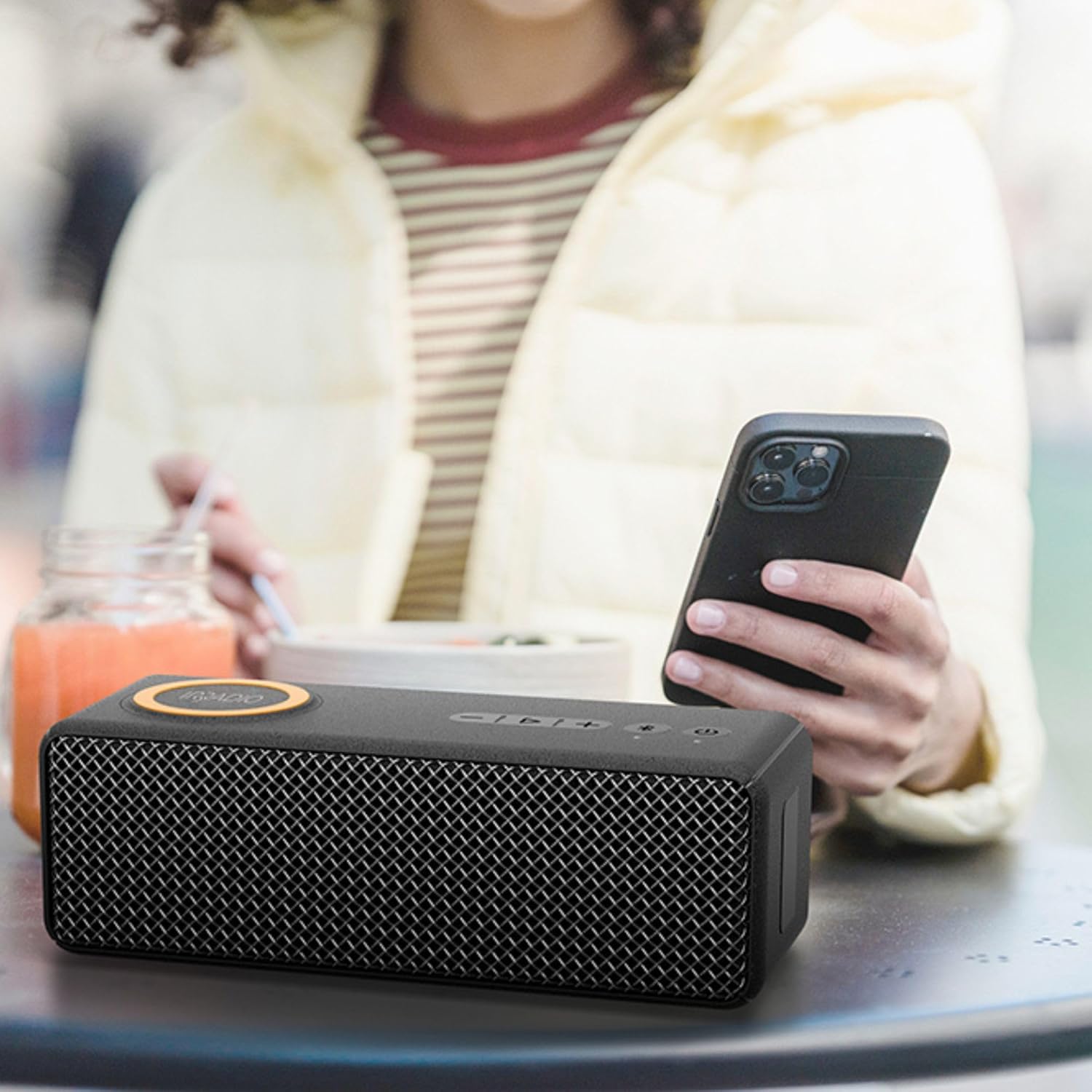
Image: The IRRADIO IR-M9 speaker in use, wirelessly charging a smartphone placed on its top surface.
Penyelenggaraan
- Pembersihan: Gunakan yang lembut, sedikit damp cloth to clean the exterior of the speaker. Do not use harsh chemicals, cleaning solvents, or strong detergents. Ensure all port covers are closed during cleaning.
- Storan: Apabila tidak digunakan untuk tempoh yang lama, simpan pembesar suara di tempat yang sejuk dan kering jauh dari cahaya matahari langsung dan suhu yang melampau.
- Ketahanan Bateri: To prolong battery life, fully charge the speaker before storing it for long periods and recharge it every 3-6 months.
- Pendedahan Air: After exposure to water, ensure the speaker is completely dry before charging or opening any port covers.
Menyelesaikan masalah
| Masalah | Kemungkinan Punca | Penyelesaian |
|---|---|---|
| Speaker tidak dihidupkan. | Bateri lemah. | Cas pembesar suara selama sekurang-kurangnya 30 minit. |
| Tiada bunyi dari pembesar suara. | Volume too low; device not paired; incorrect source. | Increase volume on speaker and connected device. Re-pair Bluetooth. Ensure correct input (Bluetooth/MicroSD). |
| Gandingan Bluetooth gagal. | Pembesar suara tidak dalam mod berpasangan; peranti terlalu jauh; gangguan. | Ensure speaker is in pairing mode (flashing LED). Move device closer. Turn off other Bluetooth devices. |
| Pengecasan tanpa wayar tidak berfungsi. | Speaker not connected to power; device not Qi-compatible; device not centered. | Connect speaker to a DC 5V 2A power adapter. Verify device compatibility. Reposition device on charging area. |
| Gandingan TWS gagal. | Speakers already paired to other devices; too far apart. | Disconnect both speakers from any Bluetooth devices. Ensure they are close to each other. Try pairing again. |
Spesifikasi

Image: Dimensions of the IRRADIO IR-M9 speaker: 22.2 cm length, 7.5 cm height, 8.5 cm width.

Image: Key specifications of the IRRADIO IR-M9, including battery, speaker, wireless charging, and playback duration.
| Nama Model: | IR-M9 Charge |
| Kuasa Output: | 20W (up to 30W music playback) |
| Pemandu: | 52 x 91 mm full-range driver with passive subwoofer |
| Respons Kekerapan: | 60 Hz - 20 kHz |
| Versi Bluetooth: | 5.0 + EDR |
| Julat Bluetooth: | Sehingga 10 meter |
| Tahan Air: | IPX7 |
| Bateri: | 7.4V 2000 mAh (14.8 Wj) |
| Masa Main Balik Muzik: | Sehingga 11 jam (pada volum 50%) |
| Masa Pengecasan: | Lebih kurang 3.5 jam |
| Output Pengecasan Tanpa Wayar: | 9V sehingga 1.2A |
| Input Kuasa: | DC 5V 2A |
| Dimensi (L x W x H): | 22.2 x 8.5 x 7.5 cm |
| Berat Bersih: | 856 g |
| Suhu Operasi: | 0°C hingga 40°C |
| Kelembapan Relatif: | 0% hingga 75% |
| Supported Audio Formats (MicroSD): | MP3, WAV |
Waranti dan Sokongan
For warranty information and customer support, please refer to the documentation provided at the time of purchase or contact your retailer. You may also visit the official IRRADIO webtapak untuk bantuan lanjut.
Sila simpan bukti pembelian anda untuk sebarang tuntutan waranti.


