1. Maklumat Keselamatan Penting
Sila baca dan fahami semua arahan sebelum memulakan pemasangan dan penggunaan. Simpan manual ini untuk rujukan pada masa hadapan.
- Kapasiti Berat: Do not exceed the maximum weight capacity of 350 lbs for the loft bed.
- Bucu tajam: Exercise caution around sharp edges during assembly and use to prevent injury.
- Perhimpunan: Follow all assembly instructions carefully. Improper assembly can lead to instability and potential hazards. It is recommended that two adults assemble this product.
- Pengawal: Ensure all guardrails are securely installed to prevent falls. The top bunk is not suitable for children under 6 years of age.
- Tilam: Use only a mattress that is 6-8 inches thick. The mattress surface must be at least 5 inches below the upper edge of the guardrails.
- Pengudaraan: Pastikan pengudaraan yang mencukupi di sekitar stesen pengecasan untuk mengelakkan terlalu panas.
- Keselamatan Elektrik: Do not overload the electrical outlets. Disconnect power during cleaning or if any electrical component is damaged.

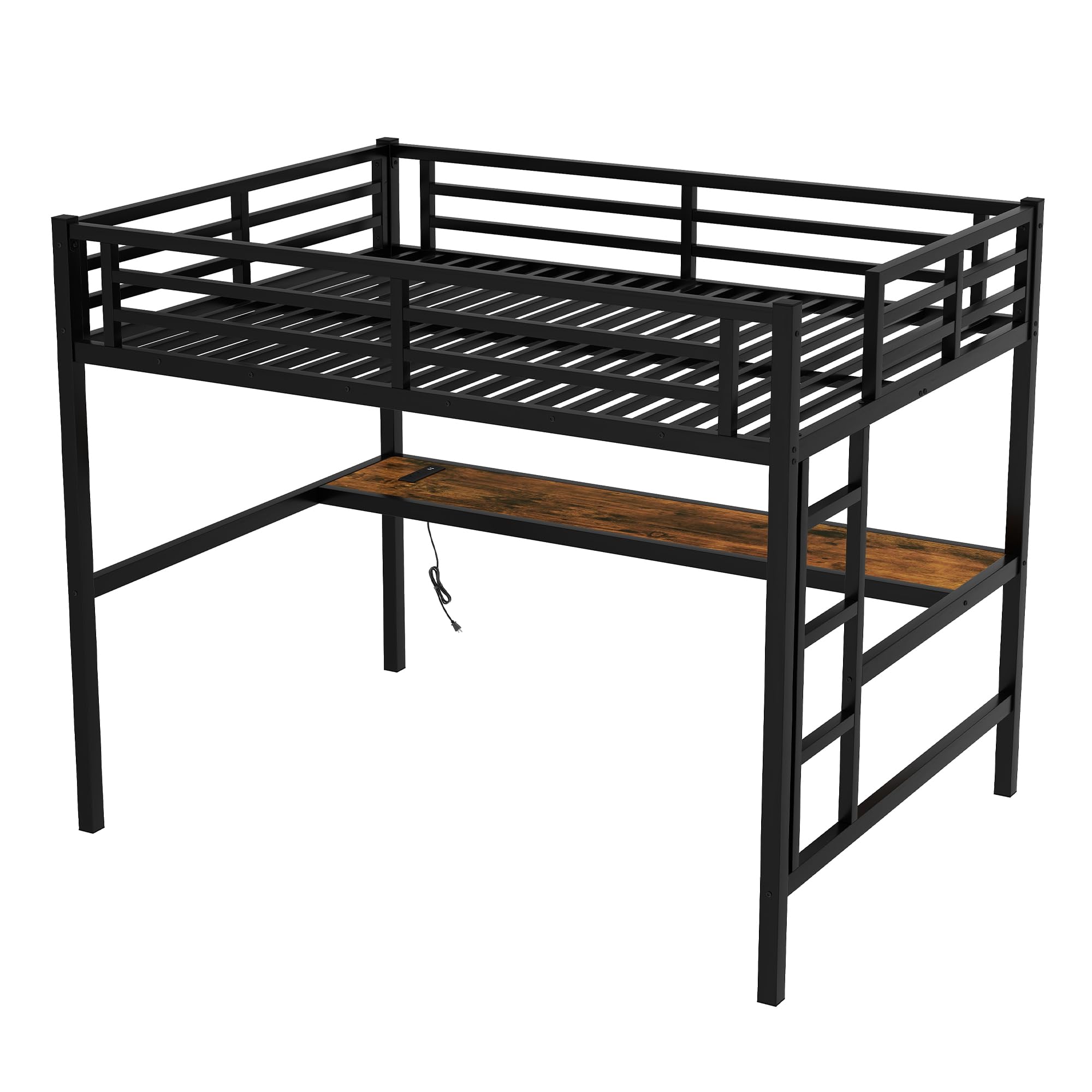
This image illustrates the protective guardrails designed to prevent accidental falls from the loft bed. Ensure these are properly installed and maintained.
2. Kandungan Pakej
Sahkan bahawa semua komponen hadir sebelum memulakan pemasangan. Jika mana-mana bahagian yang hilang atau rosak, hubungi sokongan pelanggan.
- Bed Frame Components (Headboard, Footboard, Side Rails, Slats)
- Desk Surface
- Tangga
- Integrated Charging Station (USB ports, AC outlets)
- Jalur Lampu LED RGB
- Hardware Pack (Screws, bolts, washers, Allen wrench)
- Manual Arahan

This image displays the main components of the Bellemave Full Loft Bed, including the metal frame and desk. Ensure all parts are accounted for before assembly.
3. Arahan Perhimpunan
Ikuti langkah-langkah ini dengan teliti untuk pemasangan yang betul. Adalah disyorkan untuk mempunyai dua orang untuk perhimpunan.
- Penyediaan: Kosongkan kawasan yang luas untuk perhimpunan. Susun semua komponen dan perkakasan.
- Pasang Rangka Asas: Connect the main vertical and horizontal support beams using the provided hardware. Do not fully tighten screws until all parts are aligned.
- Install Bed Platform: Attach the bed frame side rails and slat supports to the main frame. Securely fasten the bed slats.
- Pasang Pengawal: Install the guardrails around the top bunk for safety.
- Mount Desk: Secure the desk surface to the designated supports beneath the loft bed.
- Pasang Tangga: Attach the ladder securely to the bed frame.
- Install Charging Station: Integrate the charging station into the desk surface as indicated in the detailed diagram. Connect the power cable.
- Pasang Lampu LED: Adhere the RGB LED light strip to the desired location, typically under the bed frame or along the desk. Connect its power source.
- Pengetatan Akhir: Setelah semua komponen berada di tempatnya dan sejajar, ketatkan sepenuhnya semua skru dan bolt.

This image highlights the robust construction of the bed frame, including heavy-duty steel, plastic stoppers for stability, and the type of screws used for assembly. Ensure all connections are secure.
4. Arahan Operasi
4.1. RGB LED Light
The integrated RGB LED light provides customizable illumination for your workspace or sleeping area.
- Hidupkan/Mati Kuasa: Use the included remote control or integrated switch to turn the LED light on or off.
- Pilihan Warna: The remote control allows you to select various static colors (Red, Green, Blue, White, etc.) or color-changing modes.
- Pelarasan Kecerahan: Adjust the brightness levels using the remote control.

This image shows the loft bed with the RGB LED light strip activated, illuminating the desk area. The light can be customized to various colors and brightness levels.
4.2. Charging Station (USB Ports & AC Outlets)
Stesen pengecasan bersepadu menyediakan akses kuasa yang mudah untuk peranti elektronik anda.
- Cawangan AC: Plug in standard electronic devices (laptops, lamps, etc.) into the two AC outlets. Ensure devices do not exceed the station's maximum power rating.
- Port USB: Use the two USB ports to charge smartphones, tablets, and other USB-powered devices.
- Sambungan Kuasa: Ensure the charging station's power cable is securely plugged into a wall outlet.
This image details the charging station, showing the two AC outlets and two USB ports integrated into the desk surface for convenient device charging.
5. Penyelenggaraan
- Pembersihan: Wipe down the metal frame and desk surface with a soft, damp kain. Elakkan bahan kimia yang keras atau pembersih yang kasar.
- Pemeriksaan perkakasan: Periodically check all screws, bolts, and connections to ensure they remain tight. Retighten as necessary to maintain stability.
- Komponen Elektrik: Keep the charging station and LED light free from dust. Do not expose electrical components to moisture.
- Pengagihan Berat: Distribute weight evenly on the bed and desk to prevent stress on the frame.
6. Penyelesaian masalah
| Masalah | Kemungkinan Punca | Penyelesaian |
|---|---|---|
| Katil goyah atau tidak stabil. | Perkakasan longgar. Lantai tidak rata. | Check and tighten all screws and bolts. Move the bed to a level surface or use shims if necessary. |
| Bunyi-bunyi berdecit. | Loose connections. Friction between metal parts. | Tighten all hardware. Apply a small amount of lubricant (e.g., silicone spray) to contact points if needed. |
| Lampu LED tidak berfungsi. | Power cable disconnected. Remote battery dead. Faulty light strip. | Ensure power cable is securely plugged in. Replace remote battery. Contact support if the light strip is faulty. |
| Stesen pengecasan tidak menyediakan kuasa. | Power cable disconnected. Wall outlet not working. Overloaded circuit. | Check power cable connection to wall outlet. Test wall outlet with another device. Reduce the number of devices plugged in. |
7. Spesifikasi
- Nombor Model: GZZ000169FB
- Saiz: penuh
- Dimensi Produk: 77.6"L x 56.7"W x 68.9"H
- Bahan: logam
- warna: Hitam
- Berat: Kira-kira 44 paun
- Kapasiti Berat: 350 paun
- Ciri Khas: RGB LED Light, Integrated Desk, USB Ports, AC Outlets
- Perhimpunan Diperlukan: ya
This diagram provides precise measurements for the Bellemave Full Loft Bed, including length, width, and height, as well as desk and ladder dimensions.
8. Waranti dan Sokongan
Bellemave products are designed for quality and durability. For any questions, missing parts, or concerns regarding your Full Loft Bed, please contact Bellemave customer support through your retailer or the official Bellemave webtapak.
Sila simpan resit pembelian anda untuk tuntutan waranti.


