1. Pengenalan
Thank you for choosing the Acekool 12,000 BTUs Portable Air Conditioner. This appliance is designed to provide efficient cooling, dehumidification, and fan functions for indoor spaces up to 550 square feet. Please read this manual thoroughly before operation to ensure proper use, maintenance, and safety.
2. Arahan Keselamatan
Sentiasa ikuti langkah berjaga-jaga keselamatan asas apabila menggunakan peralatan elektrik untuk mengurangkan risiko kebakaran, renjatan elektrik atau kecederaan.
- Baca semua arahan sebelum menggunakan perkakas.
- Pastikan bekalan kuasa sepadan dengan voltage dinyatakan pada label penilaian.
- Jangan kendalikan unit dengan kord atau palam yang rosak.
- Jangan sekat saluran keluar atau saluran masuk udara. Kekalkan sekurang-kurangnya 20 inci kelegaan di sekeliling unit.
- Jangan masukkan jari atau objek asing ke dalam saluran masuk atau alur keluar udara.
- Sentiasa letakkan unit di atas permukaan yang rata dan stabil.
- Cabut plag unit sebelum membersihkan atau menservis.
- Jangan gunakan unit dalam persekitaran basah seperti bilik mandi atau bilik dobi.
- Jauhkan unit dari sumber haba dan cahaya matahari langsung.
- Perkakas ini tidak dimaksudkan untuk digunakan oleh orang (termasuk kanak-kanak) yang kurang keupayaan fizikal, deria atau mental, atau kurang pengalaman dan pengetahuan, melainkan mereka telah diberi pengawasan atau arahan mengenai penggunaan perkakas oleh orang yang bertanggungjawab untuk keselamatan mereka.
3. Produk Lebihview
3.1 Komponen Unit
Familiarize yourself with the main parts of your portable air conditioner.

Rajah 3.1: Depan view of the Acekool Portable Air Conditioner, showing the main unit with its sleek design and air outlet at the top.
Rajah 3.2: Atas view of the Acekool Portable Air Conditioner, highlighting the control panel and the adjustable air louvers.

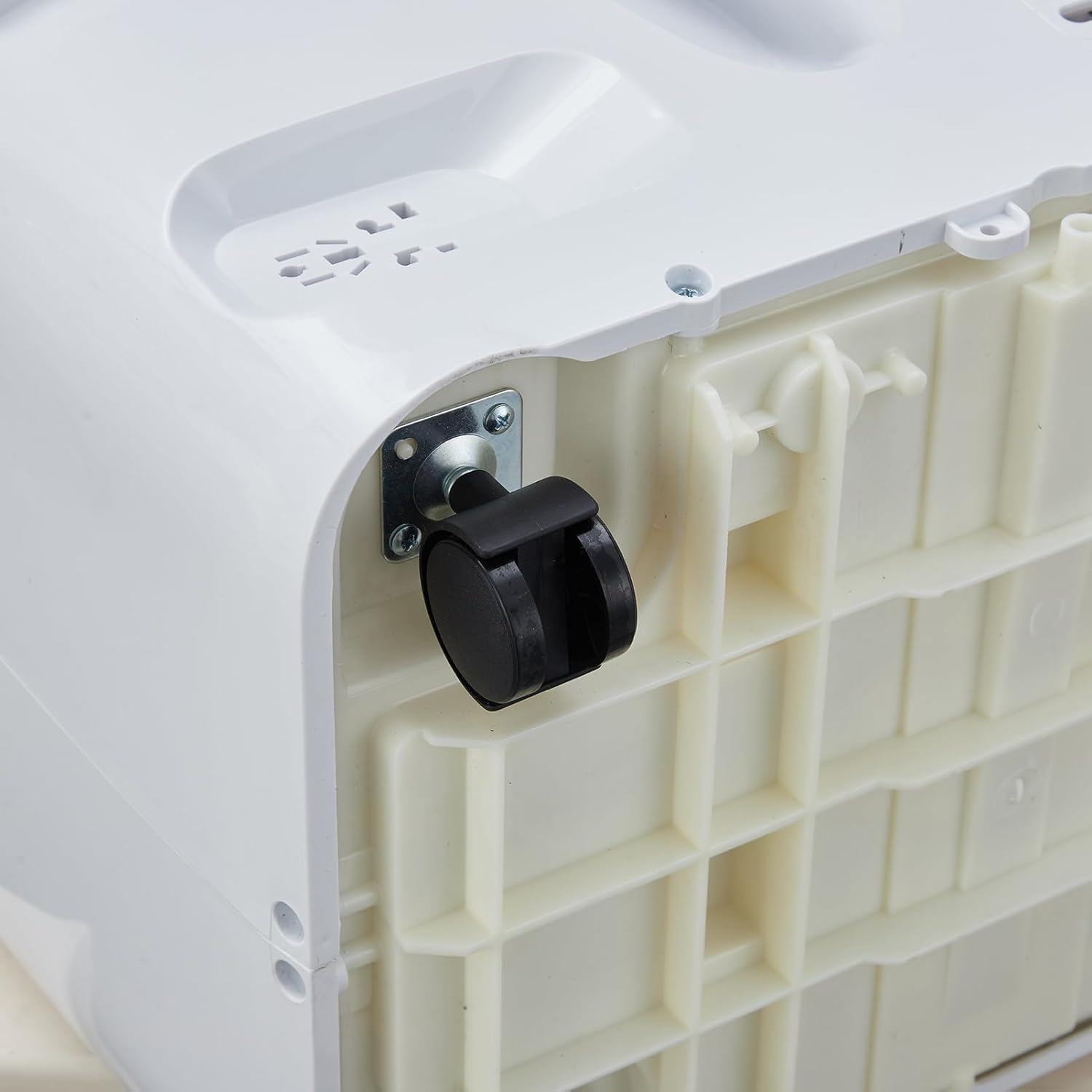
Rajah 3.3: Jarak dekat view of a 360-degree swivel caster wheel on the base of the portable air conditioner, facilitating easy movement.
3.2 Panel Kawalan
The control panel is located on the top of the unit. It features buttons for power, mode selection, temperature adjustment, fan speed, and timer settings. An LED display shows the current temperature and settings.
3.3 Alat Kawalan Jauh
The remote control allows you to operate all functions of the air conditioner from a distance. It includes buttons for Power, Mode, Temperature Up/Down, Fan Speed, Sleep, and Timer. Ensure batteries are correctly inserted.
4. Persediaan dan Pemasangan
Proper installation is crucial for the efficient operation of your portable air conditioner. The unit comes with a window kit for exhaust ventilation.
4.1 Membongkar
Carefully remove the air conditioner and all accessories from the packaging. Retain the packaging for future storage or transport. Check for any damage during transit.
4.2 Pemasangan Kit Tingkap
The window kit is designed for most standard vertical and horizontal sliding windows. It includes a slider bracket, exhaust hose, inlet and outlet hoses, and locking screws.
- Adjust the slider bracket to fit your window opening. Secure it with the provided locking screws.
- Connect the exhaust hose to the exhaust outlet on the back of the air conditioner. Twist clockwise to secure.
- Attach the other end of the exhaust hose to the window kit adapter.
- Place the unit near the window, ensuring the exhaust hose is extended and not kinked.
Rajah 4.1: Sisi view of the Acekool Portable Air Conditioner, showing the flexible exhaust hose connected to the rear of the unit.

Figure 4.2: The Acekool Portable Air Conditioner positioned in a room, with its exhaust hose properly installed in a window using the provided window kit.
4.3 Sambungan Kuasa
Plug the power cord into a grounded electrical outlet. Ensure the outlet meets the electrical requirements of the unit.
5. Arahan Operasi
Your Acekool Portable Air Conditioner offers three primary operating modes: Cool, Dehumidifier, and Fan.
5.1 Hidupkan/Mati Kuasa
Tekan ke KUASA butang pada panel kawalan atau alat kawalan jauh untuk menghidupkan atau mematikan unit.
5.2 Pemilihan Mod
Tekan ke MODE butang berulang kali untuk mengitar melalui mod yang tersedia:
- Mod Sejuk: Provides powerful cooling. Set your desired temperature between 59°F and 88°F using the temperature adjustment buttons.
- Mod Penyahlembapan: Removes excess moisture from the air, up to 60 pints per day. The fan speed is fixed in this mode.
- Mod Kipas: Circulates air without cooling. You can select different fan speeds.
- Mod Pintar: The unit automatically adjusts between Cool mode and Fan mode based on the room temperature to optimize energy efficiency.
5.3 Pelarasan Suhu
Dalam mod Sejuk, gunakan UP dan TURUN arrow buttons to set your desired temperature. The temperature range is 59°F to 88°F.
5.4 Kelajuan Kipas
Tekan ke KELAJUAN KIPAS butang untuk memilih antara kelajuan kipas Rendah, Sederhana dan Tinggi. Fungsi ini tersedia dalam mod Sejuk dan Kipas.
5.5 Mod Tidur
Aktifkan TIDUR mode for quiet operation and energy saving during nighttime. In this mode, the unit maintains an optimal temperature at a low fan speed, gradually increasing the set temperature by 1°F after 30 minutes and another 1°F after another 30 minutes, then maintaining this temperature for 7 hours before returning to the original setting.
5.6 Fungsi Pemasa
The 24-hour timer allows you to set the unit to turn on or off automatically after a specified period. Press the PEMASA button and use the temperature adjustment buttons to set the desired hours.
6. Penyelenggaraan dan Penjagaan
Penyelenggaraan tetap memastikan prestasi optimum dan memanjangkan jangka hayat penghawa dingin anda.
6.1 Pembersihan Penapis
Penapis udara hendaklah dibersihkan setiap dua minggu atau lebih kerap bergantung pada penggunaan dan kualiti udara.
- Cabut palam unit daripada salur keluar kuasa.
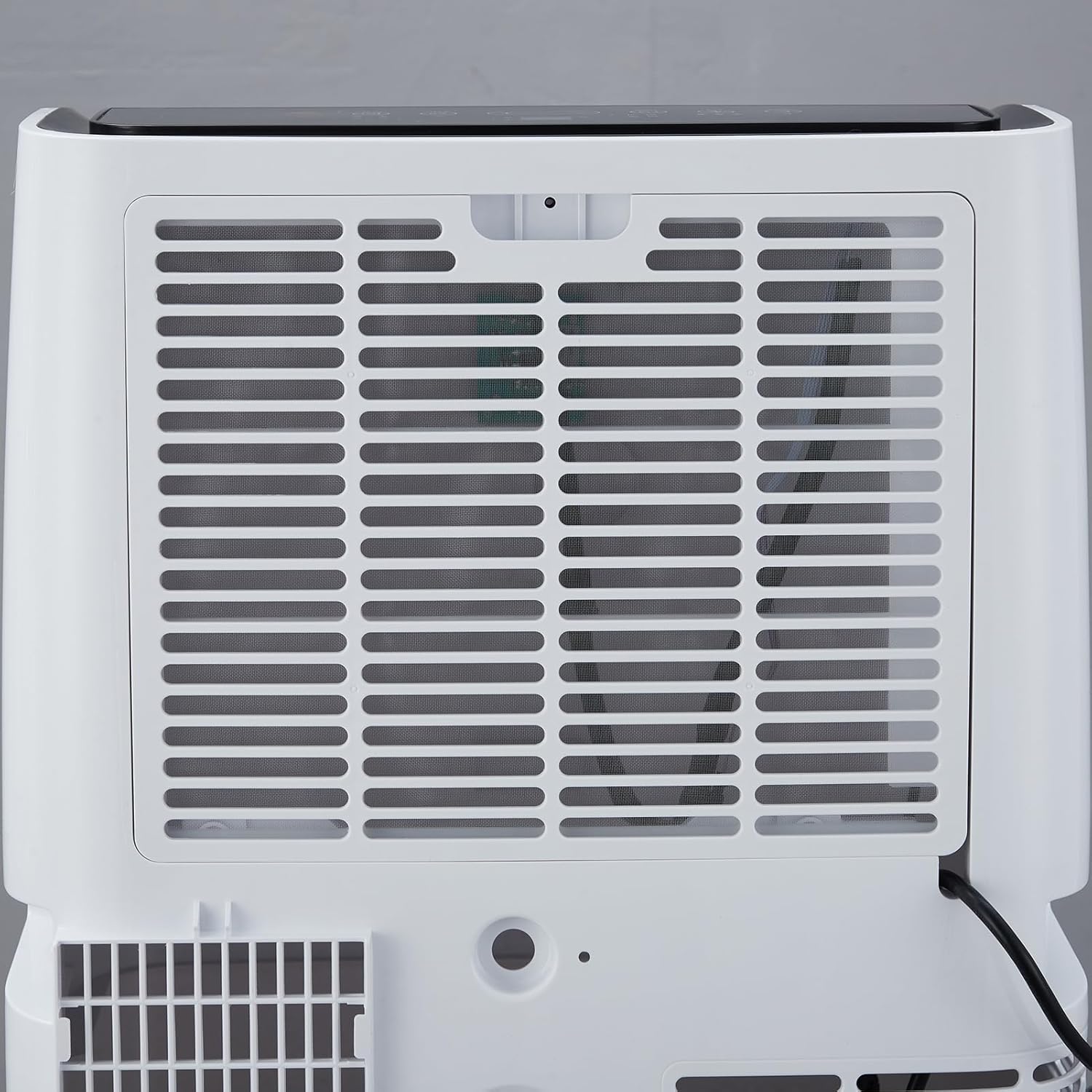
- Locate the air filter on the rear of the unit.
- Keluarkan penapis dengan menariknya keluar perlahan-lahan.
- Basuh penapis dengan air suam dan sabun. Bilas dengan teliti dan biarkan ia kering sepenuhnya sebelum dimasukkan semula.
- Pasang semula penapis kering ke dalam unit.

Rajah 6.1: Belakang view of the Acekool Portable Air Conditioner, showing the removable air filter grille for easy access and cleaning.
6.2 Saliran Air
The unit has a self-evaporation system, but in high humidity conditions, excess water may accumulate. The unit will indicate when drainage is needed.
- Cabut palam unit.
- Letakkan kuali atau dulang cetek di bawah port longkang di bahagian bawah belakang unit.
- Tanggalkan palam longkang untuk membolehkan air mengalir keluar.
- Setelah disalirkan, pasangkan palam saliran dengan selamat.
6.3 Penyimpanan
When storing the unit for an extended period, ensure it is completely drained and the filter is clean and dry. Store it in a cool, dry place, preferably in its original packaging.
7. Penyelesaian masalah
Rujuk jadual di bawah untuk isu biasa dan penyelesaiannya.
| Masalah | Kemungkinan Punca | Penyelesaian |
|---|---|---|
| Unit tidak dihidupkan | Tiada bekalan kuasa; Kord kuasa tidak dipasang; Pemutus litar tersandung. | Periksa salur keluar kuasa; Pastikan palam dimasukkan sepenuhnya; Tetapkan semula pemutus litar. |
| Unit tidak menyejukkan dengan berkesan | Air filter is dirty; Room size too large; Doors/windows open; Exhaust hose blocked or improperly installed; Temperature setting too high. | Clean air filter; Ensure room size is within specifications; Close all doors and windows; Check exhaust hose for kinks or blockages; Lower the set temperature. |
| Unit bising | Unit not on a level surface; Air filter dirty; Foreign object in fan. | Place unit on a flat, stable surface; Clean air filter; Turn off and unplug unit, then check for obstructions. |
| Kebocoran air | Drain plug not securely closed; Unit tilted; High humidity causing excess condensation. | Ensure drain plug is tightly closed; Place unit on a level surface; Drain the unit if the water tank is full. |
8. Spesifikasi Teknikal
| Spesifikasi | Nilai |
|---|---|
| Nombor Model | FDP35-3034R3 |
| Kuasa Penyejukan | 12,000 BTU |
| Kawasan Liputan | Sehingga 550 kaki persegi. |
| Voltage | 115V |
| Wattage | 1200 watt |
| Kapasiti Dehumidifikasi | 60 Pint/hari |
| Tahap Kebisingan | 51 dB |
| Dimensi Produk (D x W x H) | 18.5" x 15.35" x 35.24" |
| Berat Barang | 75.8 paun |
| Julat Suhu | 59°F - 88°F |
9. Maklumat Waranti
Acekool products are manufactured to the highest quality standards. This product is covered by a limited warranty against defects in materials and workmanship from the date of purchase. Please refer to the warranty card included with your product for specific terms and conditions. Keep your proof of purchase for warranty claims.
10. Sokongan Pelanggan
If you have any questions, require technical assistance, or need to make a warranty claim, please contact Acekool customer support.
- Webtapak: Visit the official Acekool webtapak untuk Soalan Lazim dan sumber sokongan.
- e-mel: Rujuk pembungkusan produk atau kad jaminan anda untuk e-mel khidmat pelanggan.
- telefon: Refer to your product packaging or warranty card for customer service phone number.
Please have your model number (FDP35-3034R3) and purchase date ready when contacting support.


