pengenalan
This manual provides comprehensive instructions for the installation, operation, and maintenance of your Avidsen 4-Button 433.92 MHz Rolling Code Remote Control. Please read this manual carefully before use to ensure proper function and safety.
The Avidsen remote control is designed to operate various Avidsen gate and garage door motorizations. It features a 16-bit rolling code technology for enhanced security, generating 65,536 unique combinations for each command. With four independent buttons, it can control up to four different automated systems.
Persediaan dan Pengaturcaraan
Before using your new remote control, it must be programmed to your Avidsen motorization system. The programming procedure may vary slightly depending on your specific motorization model. Refer to your motorization's instruction manual for detailed programming steps. Generally, the process involves placing your motorization receiver into learning mode and then transmitting a signal from the new remote control.
General Programming Steps (Consult your motorization manual for specifics):
- Access the Receiver: Locate the control unit or receiver on your gate or garage door motorization.
- Aktifkan Mod Pembelajaran: Press and hold the programming button (often labeled "PROG," "LEARN," or similar) on the motorization's receiver. An indicator light (LED) will typically illuminate or flash to confirm learning mode is active.
- Transmit from Remote: While the receiver is in learning mode, press and hold the desired button on your new Avidsen remote control for a few seconds. The receiver's indicator light may change (e.g., flash rapidly, turn solid, or turn off) to confirm successful pairing.
- Keluar dari Mod Pembelajaran: Release the programming button on the receiver. Some systems automatically exit learning mode after a short period or after a successful pairing.
- Operasi Ujian: Press the programmed button on your remote control to verify that it operates the motorization correctly.

Image: An Avidsen remote control in a hand, sending a signal to open a wooden gate. This illustrates the remote in active use with a gate motorization system.
Kawalan Berbilang Peranti:
This remote features four independent buttons, allowing you to control up to four different Avidsen motorizations (e.g., a gate, a garage door, an additional gate). Repeat the programming steps for each button with its respective motorization.
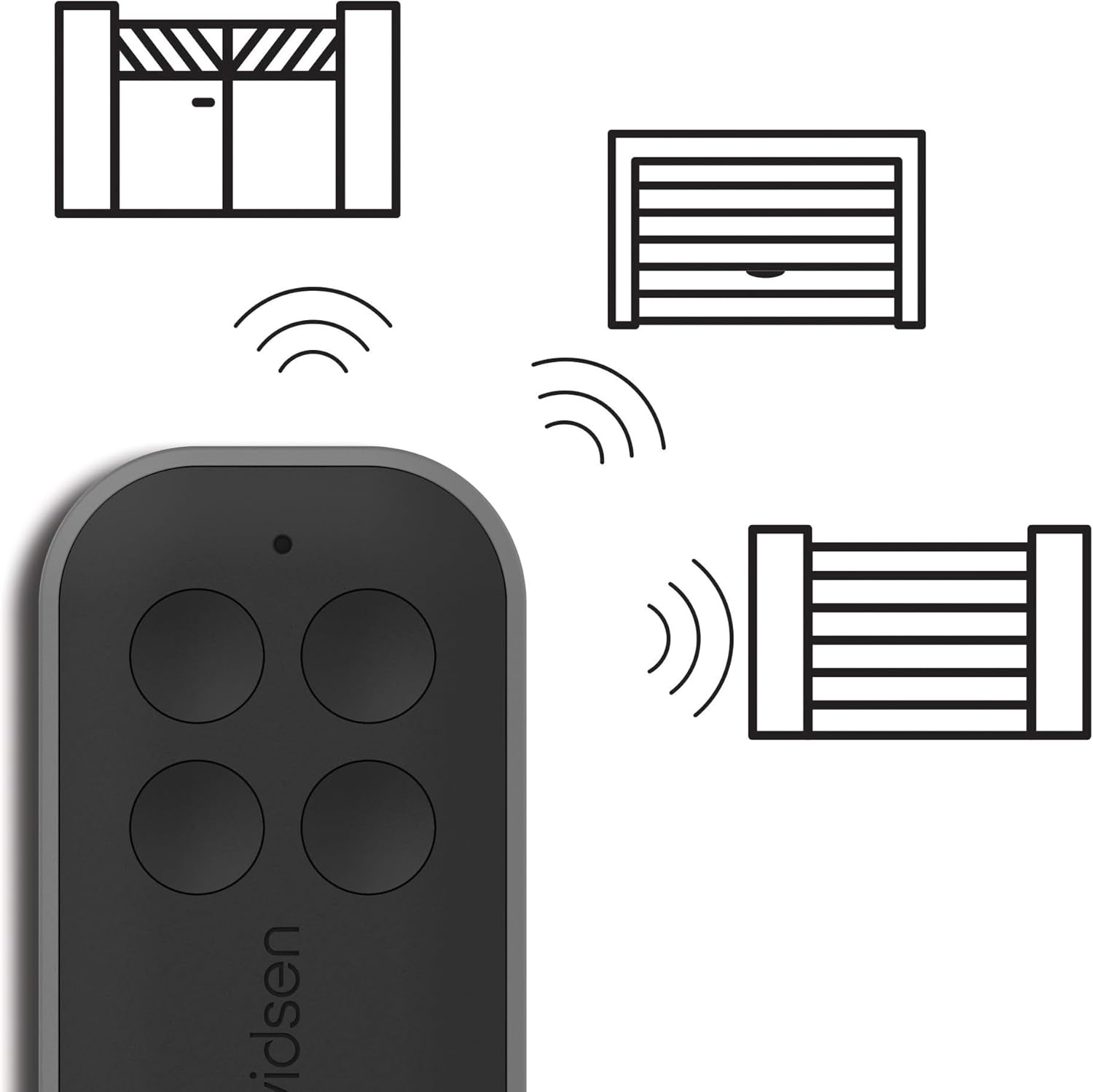
Image: An Avidsen remote control shown with graphical representations of a swing gate, a garage door, and a sliding gate, indicating its multi-device control capability.
Arahan Operasi
Once programmed, operating your Avidsen remote control is straightforward:
- Pengaktifan: Press the corresponding button on the remote control that has been programmed to your specific gate or garage door motorization.
- Penghantaran Isyarat: The remote will send a 433.92 MHz radio signal with a unique 16-bit rolling code to the receiver.
- Julat: Ensure you are within the operational range of your motorization's receiver for reliable signal transmission. Environmental factors can affect range.
- Keselamatan: The rolling code technology ensures that each signal transmitted is unique, preventing unauthorized duplication and enhancing the security of your access points.
Penyelenggaraan
Penggantian Bateri:
The remote control is powered by a CR2032 lithium coin cell battery, which is included. The battery typically provides up to 2 years of autonomy, depending on usage frequency. When the remote's range decreases significantly or the indicator light (if present) fails to illuminate, it's time to replace the battery.
- Buka Casing: Buka alat kawalan jauh dengan berhati-hati casing. There is usually a small notch or screw to facilitate this.
- Keluarkan Bateri Lama: Tanggalkan bateri CR2032 lama, perhatikan kekutubannya (+/-).
- Masukkan Bateri Baharu: Masukkan bateri CR2032 baharu dengan polariti yang betul.
- Tutup Casing: Tutup alat kawalan jauh dengan selamatasing.

Image: An Avidsen remote control displayed alongside a CR2032 coin cell battery, illustrating the type of battery required for the device.
Pembersihan dan Penyimpanan:
- Bersihkan alat kawalan jauh dengan kain lembut dan kering. Jangan gunakan pembersih atau pelarut yang kasar.
- Simpan alat kawalan jauh di tempat yang kering, jauh daripada suhu ekstrem dan cahaya matahari langsung.
- The remote is designed for outdoor use and is resistant to water splashes and common weather conditions, but it is not fully submersible.
Menyelesaikan masalah
| Masalah | Kemungkinan Punca | Penyelesaian |
|---|---|---|
| Remote does not operate the motorization. |
|
|
| Mengurangkan julat operasi. |
|
|
| Motorization responds intermittently. |
|
|
Spesifikasi
- model: 114258X2
- Jenama: Avidsen
- Kekerapan: 433.92 MHz
- Pengekodan: 16-bit Rolling Code (65,536 combinations)
- Butang: 4 independent buttons
- Bateri: 1x CR2032 Lithium Coin Cell (included)
- Hayat Bateri: Approximately 2 years (depending on usage)
- Dimensi (L x W x H): 6.5 x 3.7 x 1 cm (2.56 x 1.46 x 0.39 inci)
- Berat: 90 gram (lebih kurang 3.17 oz)
- Persekitaran Operasi: Outdoor use, resistant to water splashes and common weather conditions.

Image: A technical drawing showing the dimensions of the Avidsen remote control: 65 mm in length, 37 mm in width, and 10 mm in thickness.
Waranti dan Sokongan
For warranty information, technical support, or assistance with programming, please refer to the documentation provided with your Avidsen motorization system or contact Avidsen customer service directly. Keep your proof of purchase for warranty claims.
Pengeluar: Avidsen
Webtapak: www.avidsen.com


