1. Pengenalan
This manual provides essential information for the safe and efficient operation of your BLUETTI Apex 300 Solar Generator and B300K Expansion Batteries. Please read this manual thoroughly before using the product and retain it for future reference.

Figure 1: BLUETTI Apex 300 Solar Generator with two B300K Expansion Batteries.
2. Produk Lebihview
2.1 Ciri-ciri Utama
- Storm-Ready Power: The Apex 300 combined with two B300K batteries provides 8.3kWh capacity, 3840W continuous output, and 7680W surge power, capable of sustaining homes or RVs for 2-4 days during outages. It reliably powers essential appliances like refrigerators and medical equipment.
- Direct Plug & Play: Equipped with 6 AC outputs, the Apex 300 allows direct powering of RV appliances and indoor AC units without requiring shore power hookups. Its 7680W surge capability handles heavy loads efficiently.
- Dwi-Jilidtage Keluaran: Offers simultaneous 120V/240V output, enabling the operation of various appliances including refrigerators, AC units, and EV chargers without voltage compromises.
- Multi-Charging Options: Supports diverse charging methods including solar (2400W built-in, expandable to 6400W), AC (80% charge in 45 minutes), and generator (compatible with 95% of generators) for flexible and rapid power restoration.
- Industry-Leading Efficiency: Achieves a low 20W idle loss, providing 200% better efficiency and up to 3 times more runtime for low-power devices compared to standard units.
2.2 Komponen yang Disertakan
- BLUETTI Apex 300 Power Station (x1)
- BLUETTI B300K Expansion Batteries (x2, shipped separately)
- Kabel Pengecas AC (x1)
- Kabel Pengecas Kereta (x1)
- Grounding Screw (x1)
- Manual Pengguna (x1)
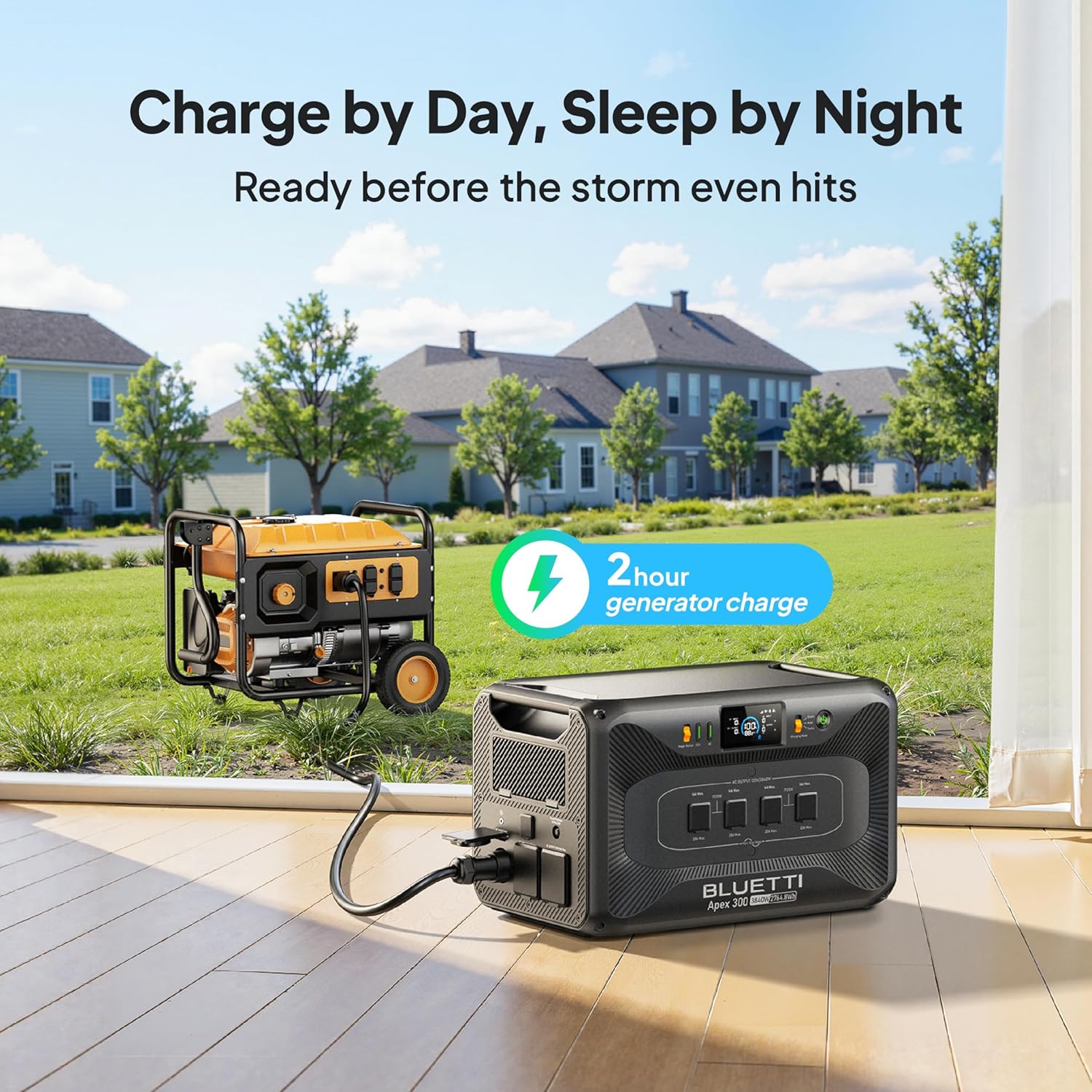
Figure 2: All components included in the BLUETTI Apex 300 and B300K High-Capacity Expansion Kit.
3. Maklumat Keselamatan
Sentiasa patuhi garis panduan keselamatan berikut untuk mengelakkan kecederaan atau kerosakan pada produk:
- Jangan membongkar, memperbaiki atau mengubah unit.
- Jauhkan unit ini daripada api, air dan suhu yang melampau.
- Pastikan pengudaraan yang betul semasa penggunaan dan pengecasan.
- Use only BLUETTI-approved accessories and cables.
- Jauhkan daripada kanak-kanak dan haiwan peliharaan.
- Sekiranya berlaku kebakaran, gunakan alat pemadam api serbuk kering.
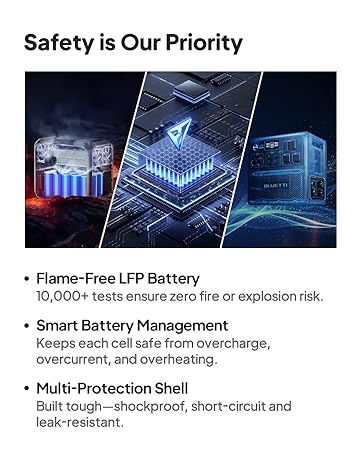
Figure 3: Safety features of the BLUETTI Apex 300, including Flame-Free LFP Battery and Smart Battery Management.
4. Persediaan
4.1 Membuka Kotak dan Pemeriksaan Awal
Carefully remove all components from the packaging. Inspect for any damage during transit. If any damage is found, contact customer support immediately.
Video 1: Unboxing of a BLUETTI B300 expansion battery, demonstrating packaging and initial contents. The B300K is similar in design and unboxing process.
4.2 Connecting Expansion Batteries (B300K)
To expand the capacity of your Apex 300, connect the B300K expansion batteries using the provided cables. Ensure the connections are secure. The Apex 300 can be expanded with multiple B300K units for increased power storage.
Video 2: Demonstration of connecting BLUETTI Apex 300 with B500K batteries, illustrating the modular connection process applicable to B300K units.
4.3 Pembumian
For safety, connect the grounding screw to an appropriate ground source as per local electrical codes.
5. Operasi
5.1 Menghidupkan/Mematikan
Press and hold the main power button on the Apex 300 to turn the unit on or off. The display will illuminate upon activation.
5.2 AC Output and Voltage Pemilihan
The Apex 300 provides 6 AC outlets. Use the voltage selector switch to choose between 120V or 240V output depending on your appliance requirements. The unit supports simultaneous dual-voltagkeluaran e.
Video 3: Illustrates the 120V/240V dual voltage output capability of the BLUETTI Apex 300.
5.3 ECO Mode and Charging Modes
The Apex 300 features an ECO mode to conserve energy when loads are low. You can also select between Silent, Auto, and Turbo charging modes to optimize charging speed and noise levels.

Figure 4: Front panel display of the BLUETTI Apex 300, showing operational status and settings.
6. Mengecas
The Apex 300 offers multiple flexible charging options:
- Pengecasan AC: Connect the AC charging cable to a standard wall outlet. The unit can reach 80% charge in approximately 45 minutes.
- Pengecasan Suria: Connect compatible solar panels to the DC/PV input ports. The Apex 300 has a 2400W built-in solar input and can be expanded to 6400W with additional accessories.
- Pengecasan Penjana: The unit is compatible with 95% of generators, providing another reliable charging method.
- Pengecasan Kereta: Use the car charging cable to charge from your vehicle's 12V outlet.

Figure 5: Solar fast charging setup for the BLUETTI Apex 300.

Figure 6: BLUETTI Apex 300 charging from a generator.
7. Spesifikasi
| Spesifikasi | Nilai |
|---|---|
| Jenama | BLUETTI |
| Nombor Model | Apex300+2xB300K |
| Wattage (Berterusan) | 3840 Watt |
| Output Wattage (Lonjakan) | 7680 Watt |
| Kapasiti Bateri | 8294.4Wh (Apex 300: 2764.8Wh + 2x B300K: 2764.8Wh each) |
| Jenis Bateri | LFP (Lithium Iron Phosphate) |
| Voltage | 120 Volt (AC) / 240 Volt (AC) |
| Total AC Power Outlets | 6 |
| Sumber Kuasa | Solar Powered, Electric |
| Idle Loss | 20W |
8. Penyelenggaraan
To ensure the longevity and optimal performance of your BLUETTI Apex 300 and B300K batteries, follow these maintenance guidelines:
- Pembersihan: Gunakan kain kering dan lembut untuk membersihkan bahagian luar unit. Jangan gunakan bahan kimia yang keras atau bahan yang melelas.
- Storan: Store the unit in a cool, dry place away from direct sunlight and extreme temperatures. For long-term storage, charge the unit to approximately 50-80% every 3-6 months.
- Kesihatan Bateri: Avoid fully discharging the batteries frequently. Regular partial discharges and recharges are beneficial for LFP battery health.
- Kemas kini Firmware: Regularly check for and install firmware updates via the BLUETTI app to ensure optimal performance and access to new features.
9. Penyelesaian masalah
If you encounter any issues with your BLUETTI Apex 300, refer to the following common troubleshooting steps:
- Unit Tidak Dihidupkan: Ensure the unit is charged. Check all cable connections.
- Tiada Output AC: Verify that the AC output is enabled on the control panel. Check the circuit protector for any trips. Ensure the connected appliance is within the unit's wattage had.
- Isu Pengecasan: Confirm that charging cables are securely connected. For solar charging, ensure panels are correctly oriented and receiving sufficient sunlight. Check input voltage dan spesifikasi semasa.
- Perlindungan Lebihan: If the unit shuts down due to overload, disconnect some appliances and restart the unit.
Untuk isu yang berterusan, sila hubungi sokongan pelanggan BLUETTI.
10. Waranti dan Sokongan
BLUETTI products come with a manufacturer's warranty. Please refer to the warranty card included with your product for specific terms and conditions. For technical support, service, or warranty claims, please contact BLUETTI customer service through their official webtapak atau maklumat hubungan yang diberikan dalam dokumentasi produk anda.

Figure 7: BLUETTI customer support is available for assistance.


