1. Produk Lebihview
The EWEADN S9 Pro is a high-performance wireless gaming mouse designed for precision and comfort. Featuring a lightweight 59g ergonomic design, triple connectivity modes (2.4G wireless, Bluetooth 5.0, USB-C wired), and an advanced PAW3395 optical sensor with up to 26,000 DPI, it offers a superior gaming and work experience. The mouse is equipped with durable Kailh micro switches and a long-lasting 500mAh battery.

Imej: Selesaiview of the EWEADN S9 Pro Lightweight Mouse Pro, highlighting ultra-low latency, precise control, 8K polling rate, PAW3395 PixArt PAR2862 sensor, Kailhua Microswitch for PRO Performance, and a 500mAh battery for extended life.
2. Apa yang ada di dalam Kotak
Your EWEADN S9 Pro Wireless Gaming Mouse package includes the following items:
- EWEADN S9 Pro Wireless Gaming Mouse
- Manual Arahan
- Penerima USB Tanpa Wayar
- Paracord USB-C Cable (1.5M)
- Beg PE
- Extra Foot Pads
- Anti-slip Protection Stickers

Image: A visual representation of the EWEADN S9 Pro package contents, including the mouse, instruction manual, wireless USB receiver, paracord cable, PE bag, foot pads, and anti-slip protection stickers.
3. Persediaan
3.1 Mod Kesambungan
The EWEADN S9 Pro supports three connection modes: 2.4G Wireless, Bluetooth 5.0, and USB-C Wired. You can switch between these modes using the switch located on the bottom of the mouse.
- Mod Wayarles 2.4G: For blazing-fast speed and minimal latency, ideal for gaming. Insert the wireless USB receiver into your computer's USB port.
- Mod Bluetooth 5.0: For convenience and compatibility with laptops and tablets. Pair the mouse via your device's Bluetooth settings.
- Mod Berwayar USB-C: For zero delay and charging simultaneously. Connect the provided USB-C cable from the mouse to your computer.
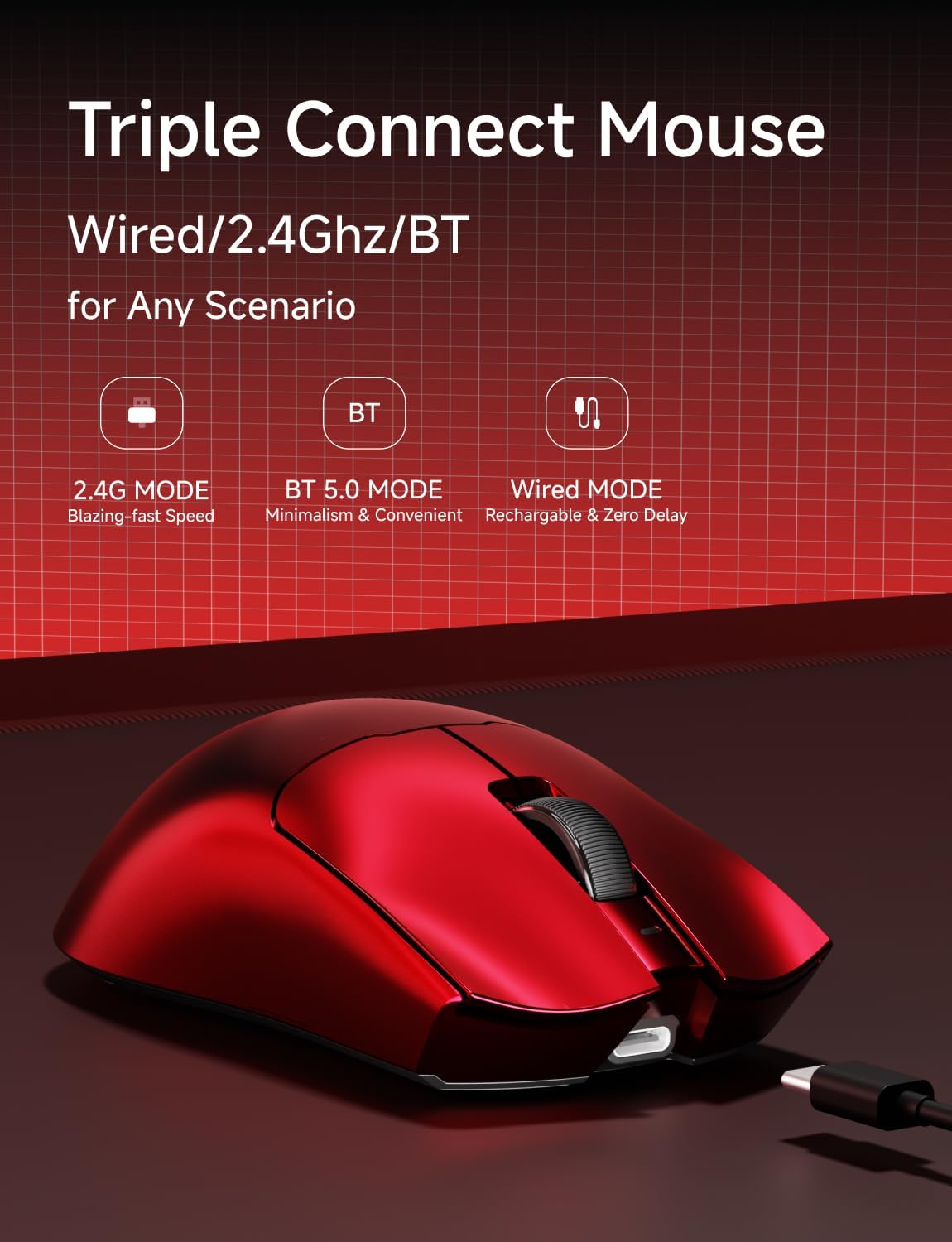
Image: The EWEADN S9 Pro mouse showcasing its triple connect modes: 2.4G, BT 5.0, and Wired, suitable for any scenario.
3.2 Pelarasan DPI
The mouse features 6 customizable DPI settings, ranging from 800 to 26,000 DPI. You can adjust the DPI using the dedicated DPI switch on the bottom of the mouse to match your preference for different tasks or games.
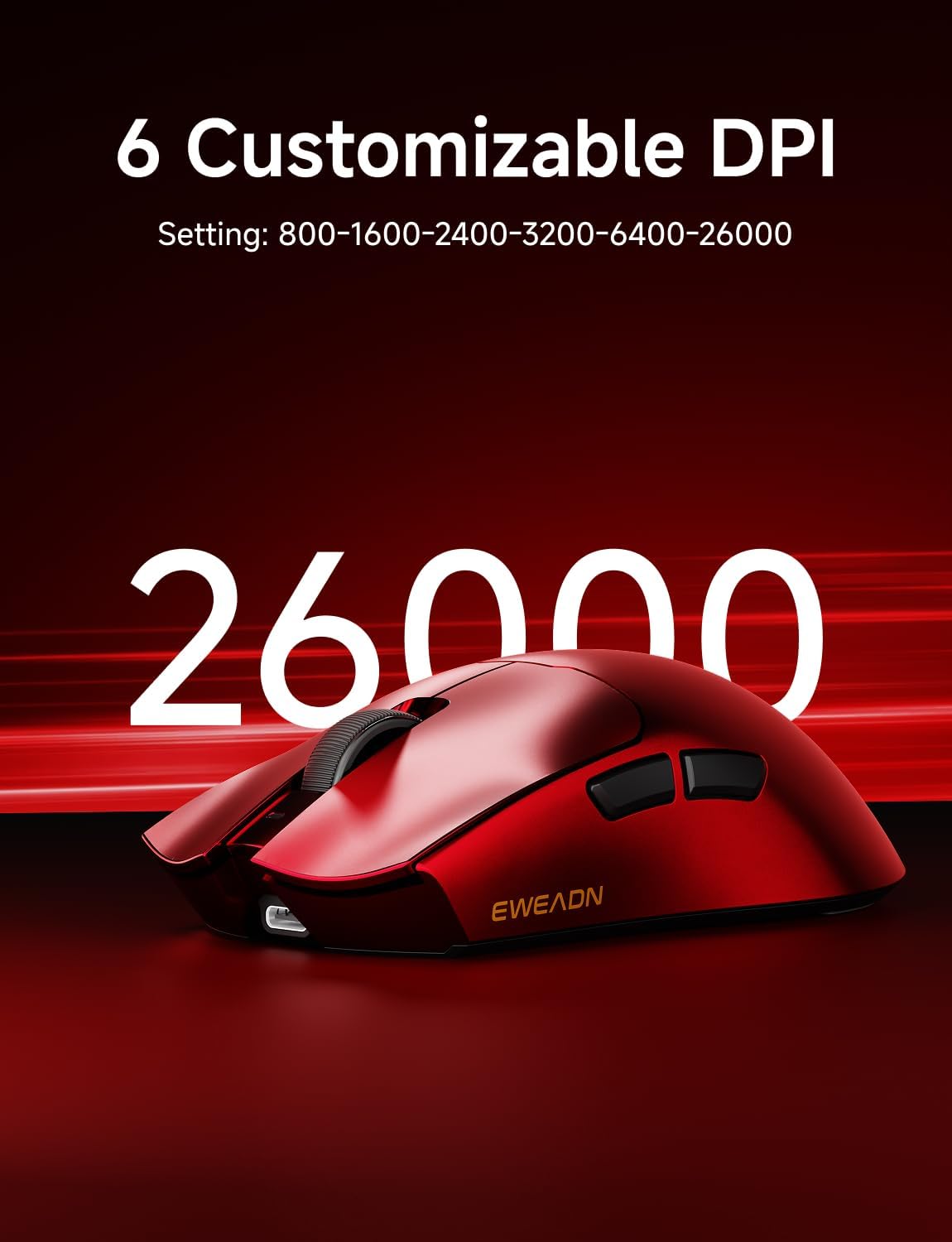
Image: The EWEADN S9 Pro mouse highlighting its 6 customizable DPI settings: 800-1600-2400-3200-6400-26000.
3.3 Butang Boleh Aturcara
The EWEADN S9 Pro includes programmable buttons. You can configure these buttons, DPI/IPS settings, lift distance, and powerful macro settings using the dedicated software. Refer to the official EWEADN website for software downloads and detailed instructions.
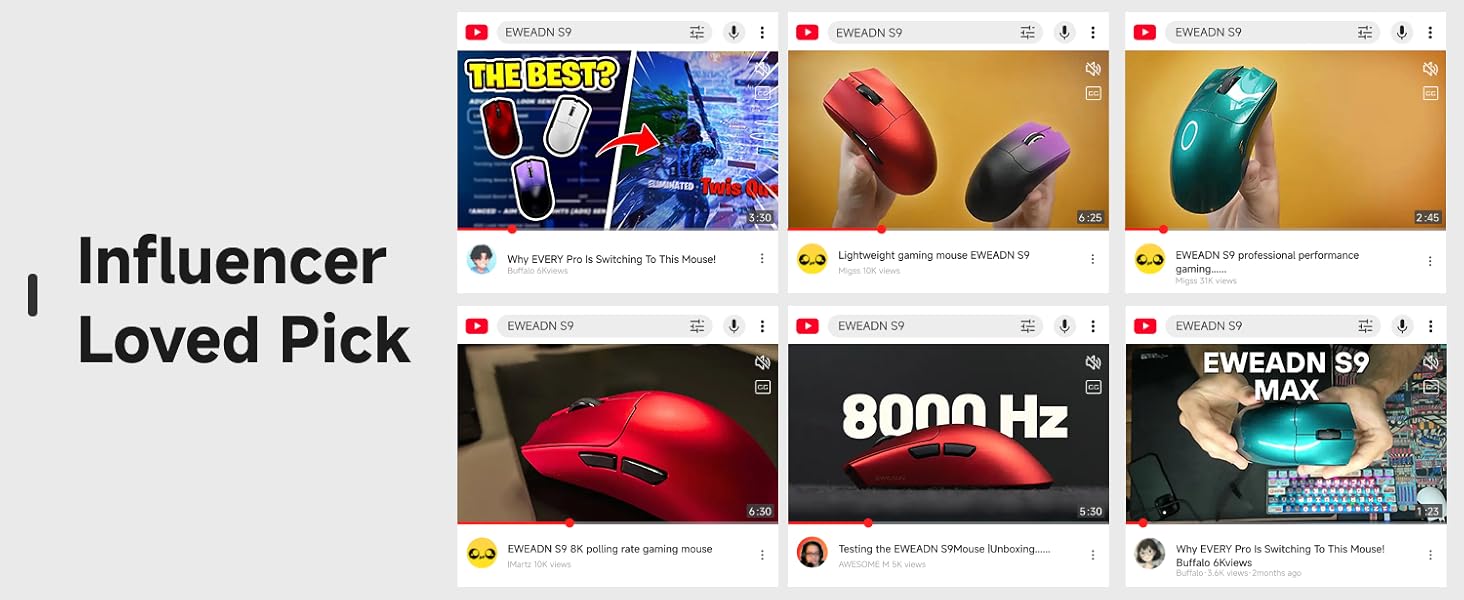
Image: A graphic illustrating the EWEADN S9 Pro's custom web driver interface, allowing users to customize DPI per button, adjust polling rates, and map buttons.
3.4 Sambungan Awal
To connect the mouse for the first time:
- Hidupkan tetikus menggunakan suis di bahagian bawah.
- Select your desired connection mode (2.4G, BT, or OFF for wired).
- For 2.4G, insert the USB receiver. For Bluetooth, initiate pairing on your device and select 'EWEADN S9 Pro'. For wired, connect the USB-C cable.
- The mouse should be recognized by your system.
Video: A short demonstration by EWEADN Store titled "S9 Pro-Make your gaming experience longer and immersive." This video highlights the mouse's features and ease of use, including its lightweight design and responsive clicks, which contribute to an immersive gaming experience.
4. Mengendalikan Tetikus
4.1 Ergonomics and Lightweight Design
The EWEADN S9 Pro is designed for users with right-handed medium and large hands, weighing only 59g. Its ergonomic shape significantly reduces fatigue and tension in the palms, wrists, and arms during prolonged use. The mouse features a sweat-proof nano ice skin coating for a comfortable matte feel, ensuring easy cleaning and a secure grip.

Image: The EWEADN S9 Pro mouse emphasizing its lightweight design of 59g, promoting a comfortable grip and reduced burden during use.

Image: The EWEADN S9 Pro mouse illustrating its design for medium-large handed players, with visual examples of palm grip, claw grip, and fingertip grip.
4.2 Hayat Bateri
Equipped with an upgraded 500mAh battery, the S9 Pro offers ultra-long staying power, providing up to 100 hours of use on a single charge. This extended battery life ensures a longer and more immersive gaming experience without frequent interruptions for charging.

Image: The EWEADN S9 Pro mouse highlighting its upgraded 500mAh battery, offering ultra-long staying power of up to 100 hours.
4.3 Kailh Micro Switches
The S9 Pro features professional-grade Kailh white blade micro switches, offering seamless gaming performance with gold contacts and no double-click issues. These switches have an ultra-high life expectancy of over 100 million clicks, providing low latency and anti-interference performance.

Imej: A terperinci view of the Kailh White Blade Microswitch used in the EWEADN S9 Pro, emphasizing its snappy tactile feel, lightning-fast rebound, precise actuation, and 100 million click lifespan.
Video: A short video by EWEADN Store titled "Super Cool S9 Lightweight Mouse!" showcasing the mouse's lightweight design and smooth operation.
5. Penyelenggaraan
Proper maintenance ensures the longevity and optimal performance of your EWEADN S9 Pro mouse.
- Pembersihan: The nano ice skin coating is sweat-proof and easy to clean. Use a soft, dry cloth to wipe the mouse regularly. Avoid harsh chemicals or abrasive materials.
- Replacing Grip Tapes/Feet: If the anti-slip protection stickers or Teflon feet wear out, you can replace them with the provided extras. Carefully peel off the old ones and apply the new ones, ensuring a smooth surface for optimal glide.
- Penjagaan Kabel: The upgraded nylon braided paracord cable is designed for durability. Avoid sharp bends or excessive pulling to prevent damage.
Image: A graphic detailing the excellent design features of the EWEADN S9 Pro, including anti-slip protective film, paracord cable, nano coating, and Teflon feet, all contributing to a more comfortable feel.
6. Penyelesaian masalah
If you encounter any issues with your EWEADN S9 Pro mouse, please refer to the following common troubleshooting steps:
- Isu Ketersambungan: Ensure the mouse is charged and the correct mode (2.4G, BT, or wired) is selected. For 2.4G, try re-inserting the USB receiver. For Bluetooth, ensure your device's Bluetooth is on and the mouse is paired correctly.
- DPI Tidak Berubah: Press the DPI button on the bottom of the mouse to cycle through settings. If using custom software, ensure it's running and settings are applied.
- Bateri Tidak Dicas: Ensure the USB-C cable is securely connected to both the mouse and a power source. Try a different USB port or cable if necessary.
- Butang Tidak Responsif: Check for any physical obstructions. If the issue persists, try resetting the mouse (refer to the full manual for specific reset procedures).
For further assistance, please contact EWEADN customer support.
7. Spesifikasi
Here are the detailed specifications for the EWEADN S9 Pro Wireless Gaming Mouse:
| Ciri | Spesifikasi |
|---|---|
| Model | S9 Pro |
| Jenama | EWEADN |
| Teknologi Ketersambungan | 2.4Ghz Wireless, Bluetooth, USB-C Wired |
| Sensor | PAW3395 Penderia Optik |
| DPI | Up to 26,000 (Programmable) |
| Kadar Mengundi | 8K (Wired & 2.4G Wireless) |
| Kelajuan Penjejakan | 650IPS |
| Suis | Kailh White Blade Micro Switch (100 Million Clicks) |
| Berat badan | 59g (Ultra ringan) |
| Bateri | 500mAh (Up to 100 hours battery life) |
| Keserasian | Windows 7/8/10/XP/Vista, Mac OS, Linux, Android |
| Ciri Khas | Tri-Mode Connection, Programmable Buttons, PixArt PAW3395 Sensor, Rechargeable, Portable, Nano Ice Skin Coating |
8. Waranti dan Sokongan
EWEADN products come with manufacturer support. For any questions or assistance, please reach out to EWEADN customer service. Details regarding specific warranty periods and claims can be found on the official EWEADN weblaman web atau dengan menghubungi sokongan secara langsung.

Image: A graphic with the message "HELLO :) EWEADN is always here!" indicating 24-hour reply and 360 days of manufacturer brand support.
Video: A video by EWEADN Store titled "EWEADN S9 Pro- Meet your various usage needs" demonstrating the mouse's versatility for different applications.


