1. Pengenalan
Thank you for choosing the VILTROX EF-E5 Lens Adapter. This adapter is designed to allow Canon EF/EF-S series lenses to be mounted on Sony E-mount cameras and camcorders, providing enhanced functionality such as autofocus, aperture control, and image stabilization. The EF-E5 features an upgraded design from previous generations, incorporating an OLED display for real-time information.
Please read this manual thoroughly before using the product to ensure proper operation and to maximize its capabilities.
2. Produk Lebihview
2.1 Ciri-ciri Utama
- New Upgraded Design: Enhanced performance based on previous models.
- Paparan OLED: Clearly shows focal length, aperture, adapter ring mode, and manual aperture mode.
- EXIF Information Transmission: Records digital photo attribute information and shooting data, supporting camera view of aperture, shutter, and exposure compensation.
- Lens IS Anti-Shake Support: Maintains image stabilization functionality for compatible lenses.
- Dual Focus Mode (PDAF & CDAF): Supports both Phase Detection Autofocus and Contrast Detection Autofocus for improved focusing speed and accuracy.
- Eye Auto Focus Support: Accurately identifies and tracks subjects for precise eye recognition.
- Naik Taraf Perisian Tegar USB: Allows for future software updates to enhance compatibility and performance.
- Integrated Tripod Socket: Features a Cu 1/4" x1 tripod socket for stable mounting.
2.2 Kandungan Pakej
The VILTROX EF-E5 Lens Adapter package includes the following items:
- 1 x EF-E5 Lens Mount Adapter
- 1 x Front Cap
- 1 x Rear Cap
- 1 x Manual Pengguna
- 1 x Kotak Pembungkusan

Figure 2.2.1: Package Contents of the EF-E5 Lens Adapter.

Rajah 2.2.2: Depan view of the VILTROX EF-E5 Lens Adapter.
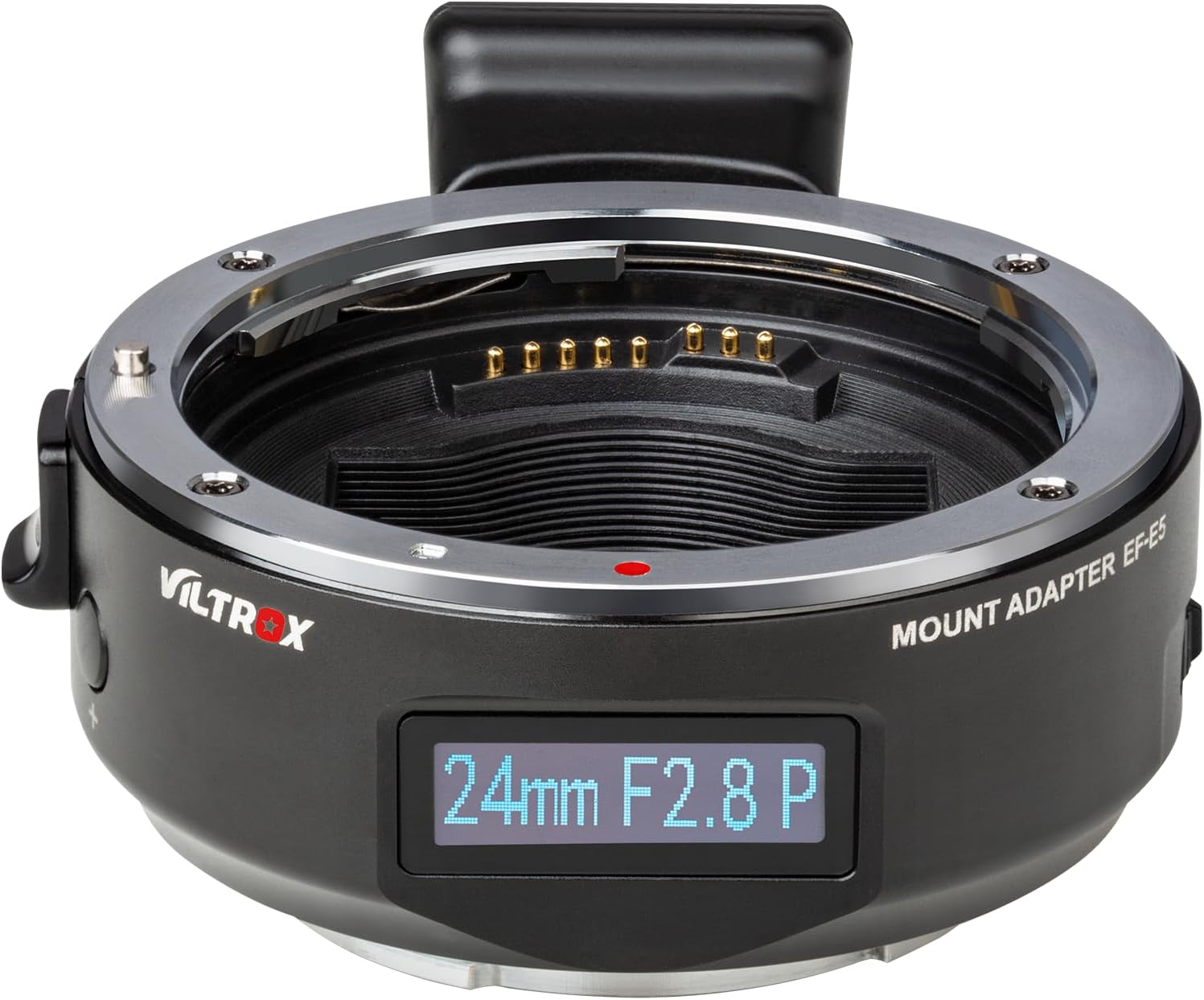
Figure 2.2.3: Detail of the EF-E5 Lens Adapter's OLED display.
3. Keserasian
The VILTROX EF-E5 Lens Adapter is designed for compatibility with Canon EF/EF-S series lenses and Sony E-mount cameras. It supports a wide range of camera models including Sony A9III, A9II, A9, A7V, A7IV, A7III, A7II, A7, a6700, a6400, and NEX Series cameras.
For detailed lens and camera compatibility, please refer to the compatibility chart below. Note that some features like video autofocus may not be supported with all lens/camera combinations.

Figure 3.1: EF-E5 Lens Adapter Compatibility Chart.
4. Persediaan dan Pemasangan
Follow these steps to properly attach the VILTROX EF-E5 Lens Adapter to your camera and lens:
- Prepare Camera and Lens: Ensure your camera is turned off. Remove the rear lens cap from your Canon EF/EF-S lens and the body cap from your Sony E-mount camera.
- Attach Adapter to Lens: Align the red dot on the VILTROX EF-E5 adapter with the red dot on your Canon EF/EF-S lens. Gently insert the adapter into the lens mount and rotate clockwise until it clicks into place.
- Attach Lens and Adapter to Camera: Align the white dot on the VILTROX EF-E5 adapter with the white dot on your Sony E-mount camera body. Gently insert the combined lens and adapter into the camera mount and rotate clockwise until it clicks into place.
- Hidupkan kuasa: Turn on your camera. The OLED display on the adapter should illuminate, showing current lens information.
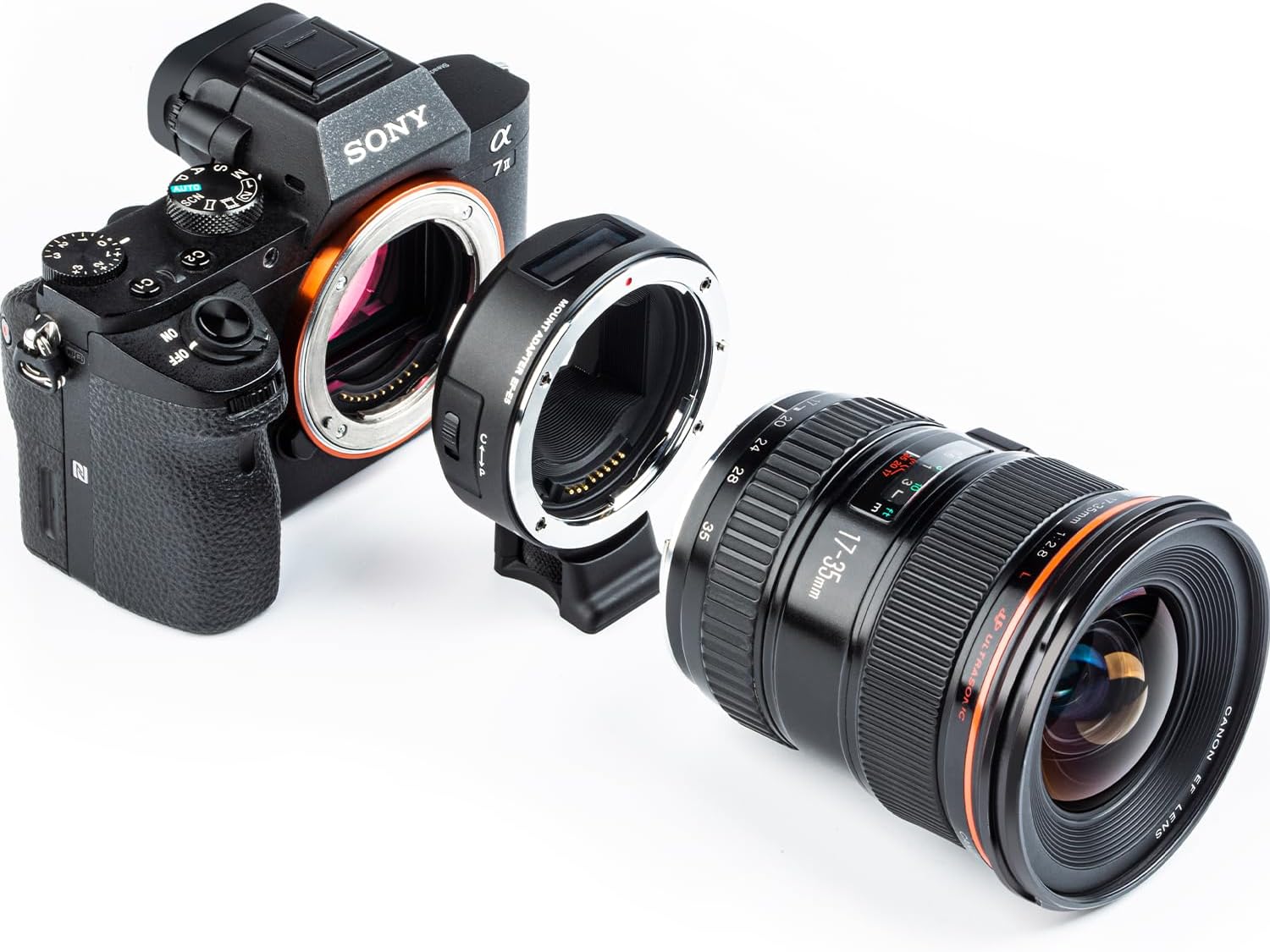
Figure 4.1: Components ready for assembly.
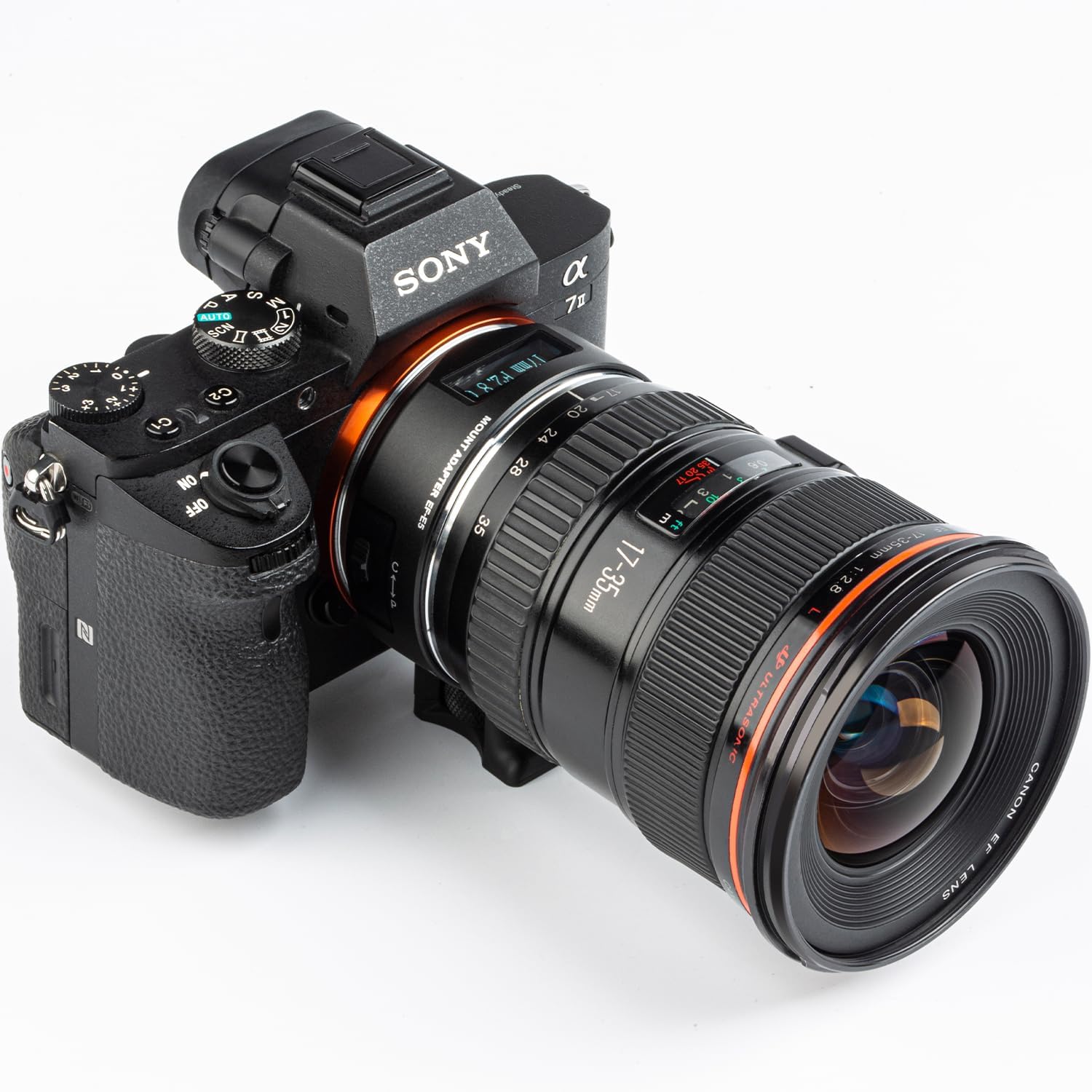
Figure 4.2: Fully assembled camera, adapter, and lens.
5. Arahan Operasi
5.1 Autofocus and Eye Autofocus
The EF-E5 adapter supports both Phase Detection Autofocus (PDAF) and Contrast Detection Autofocus (CDAF) modes. In PDAF mode, focusing speed is generally faster, while CDAF mode can improve focusing accuracy in certain situations. The adapter also supports Eye Autofocus for precise tracking of subjects.
Nota: On "PDAF" mode, the auto focus function may not be available in video mode for some camera/lens combinations. Refer to the compatibility chart for specific limitations.

Figure 5.1.1: Eye Auto Focus in operation.
5.2 Maklumat Paparan OLED
The integrated OLED display provides real-time information about your current shooting settings. This includes:
- Panjang Fokus: Displays the current focal length of the attached lens.
- Apertur: Shows the current aperture setting.
- Adapter Ring Mode: Indicates the current operating mode of the adapter.
- Manual Aperture Mode: If applicable, indicates when manual aperture control is active.
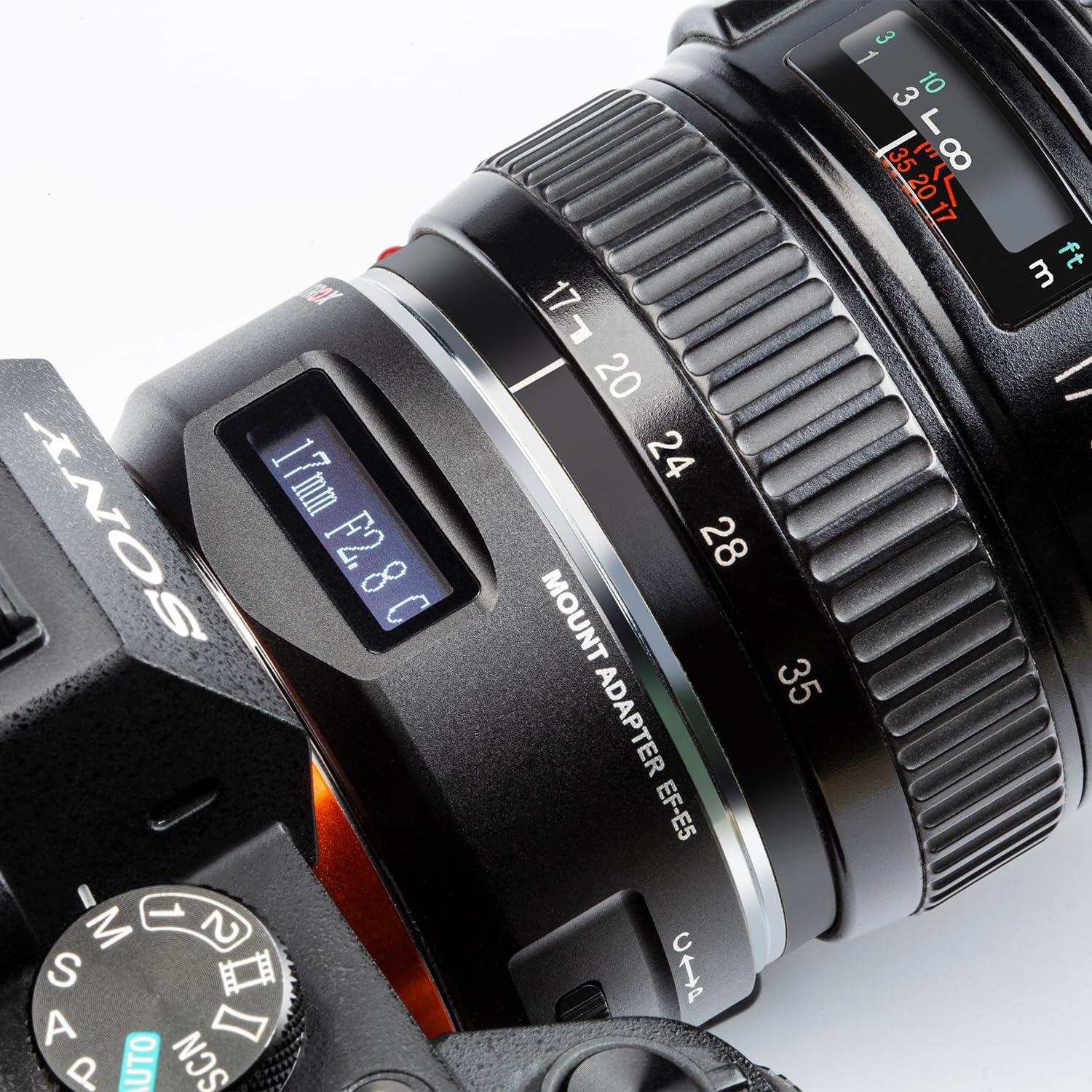
Figure 5.2.1: OLED display showing lens information.
5.3 EXIF Data Transmission
The EF-E5 adapter ensures that EXIF data from the lens is transmitted to the camera. This allows your camera to record and display important shooting information such as aperture, shutter speed, ISO, and exposure compensation, just as it would with a native E-mount lens.
6. Penyelenggaraan
To ensure the longevity and optimal performance of your VILTROX EF-E5 Lens Adapter, please follow these maintenance guidelines:
- Pembersihan: Use a soft, dry, lint-free cloth to clean the exterior of the adapter. For the electronic contacts, use a clean, dry cotton swab. Do not use solvents or abrasive cleaners.
- Storan: When not in use, store the adapter with both the front and rear caps attached to prevent dust and debris from entering. Store in a cool, dry place away from direct sunlight and extreme temperatures.
- Pengendalian: Avoid dropping or subjecting the adapter to strong impacts, as this can damage the internal electronics or mechanical components.
- Kemas kini Firmware: Periodically check the official VILTROX website for new firmware updates. Keeping the firmware updated can improve compatibility and performance. Use the Micro USB port for firmware upgrades.
7. Penyelesaian masalah
If you encounter issues while using the VILTROX EF-E5 Lens Adapter, please refer to the following common troubleshooting steps:
| Masalah | Kemungkinan Punca | Penyelesaian |
|---|---|---|
| Autofocus is slow or not working. | Incompatible lens/camera firmware; dirty electronic contacts; low light conditions; incorrect focus mode. | Check compatibility chart. Clean electronic contacts on both adapter and lens. Ensure sufficient lighting. Switch between PDAF and CDAF modes. Update adapter firmware. |
| OLED display is blank. | Adapter not properly mounted; camera not powered on; adapter malfunction. | Ensure adapter is securely mounted and clicked into place. Turn camera on. If problem persists, contact support. |
| Lens information not displayed on camera. | Poor connection; incompatible lens. | Re-mount the lens and adapter. Clean electronic contacts. Verify lens compatibility with the adapter. |
| Image stabilization not functioning. | Lens IS switch off; incompatible lens. | Ensure Image Stabilizer (IS) switch on the lens is set to ON. Check lens compatibility. |
If the problem persists after trying these solutions, please contact VILTROX customer support for further assistance.
8. Spesifikasi
| Ciri | Perincian |
|---|---|
| Model | EF-E5 |
| Kanta Serasi | Canon EF/EF-S Series Lenses |
| Kamera yang Serasi | Sony E-mount Cameras (e.g., A9III, A9II, A9, A7V, A7IV, A7III, A7II, A7, a6700, a6400, NEX Series) |
| Mod Fokus | Auto Focus (PDAF & CDAF) |
| Port Peningkatan Firmware | USB mikro |
| Dimensi | 3.9 x 3.6 x 1.8 inci (83 x 72 x 36.5 mm) |
| Berat badan | 5.3 auns (158g) |
| Soket Tripod | Cu 1/4" x1 |
| Tarikh Mula-mula Tersedia | 31 Mac 2025 |

Figure 8.1: Product Information Summary.
9. Waranti dan Sokongan
9.1 Maklumat Waranti
Specific warranty details for the VILTROX EF-E5 Lens Adapter are typically provided with the product packaging or on the official VILTROX website. Please refer to the warranty card included in your package for terms and conditions, including warranty period and coverage.
9.2 Sokongan Pelanggan
For technical assistance, troubleshooting beyond this manual, or warranty claims, please contact VILTROX customer support through their official webtapak atau maklumat hubungan yang diberikan dalam dokumentasi produk anda.


