1. Pengenalan
This manual provides essential instructions for the installation, operation, and maintenance of your WUPRO QuadraArc Electric Automatic Drop Projection Screen. This screen features Black Crystal Ambient Light Rejecting (ALR) technology, designed to deliver a superior viewing experience for 4K and 8K HD content, compatible with Short Throw (ST) and Long Throw (LT) projectors. Please read this manual thoroughly before use to ensure proper setup and optimal performance.
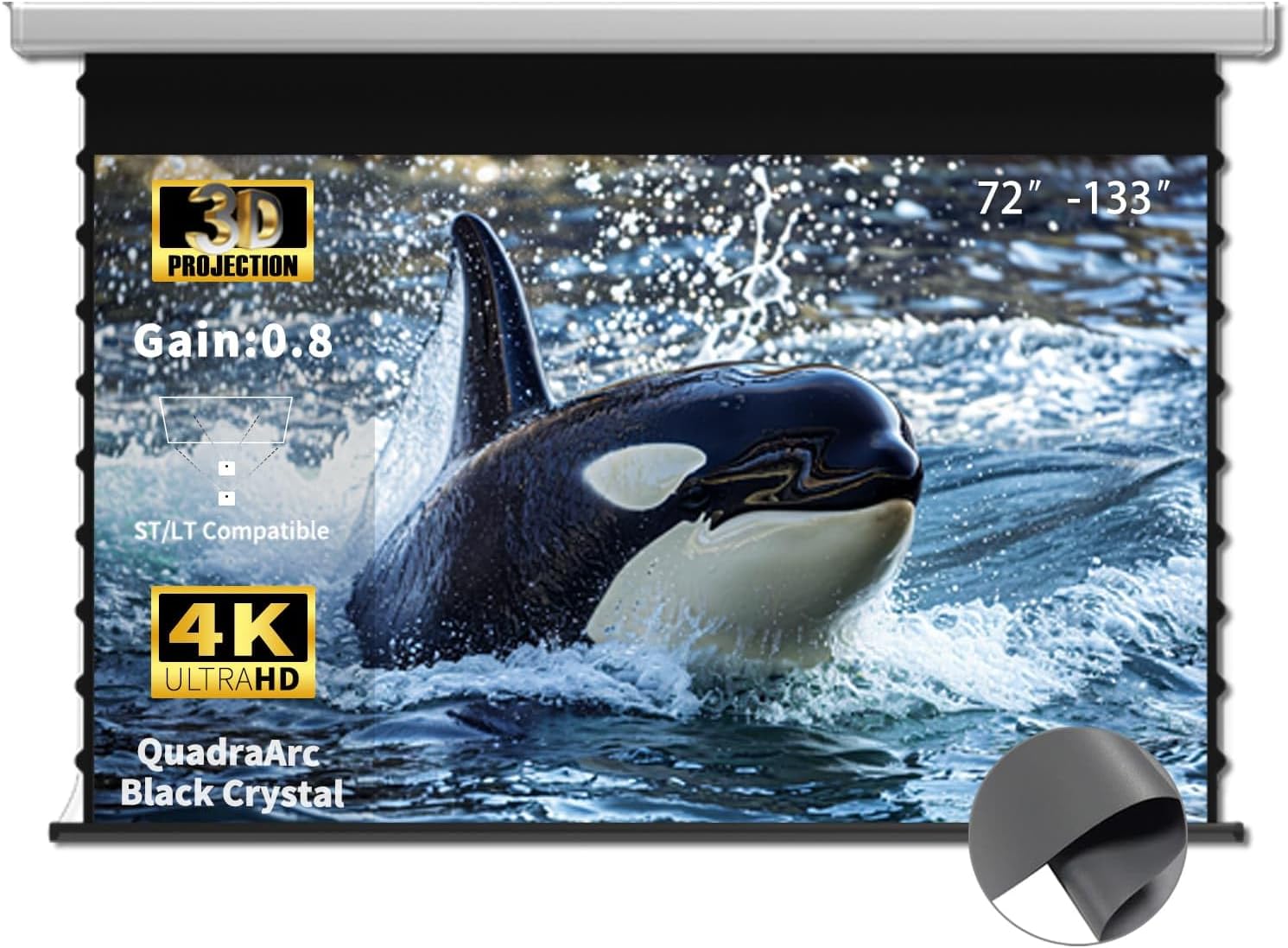
Image 1.1: WUPRO QuadraArc 110-inch projection screen in use, showcasing keupayaan visualnya.
2. Maklumat Keselamatan
Sila patuhi langkah berjaga-jaga keselamatan berikut untuk mengelakkan kerosakan pada produk atau kecederaan diri:
- Ensure the screen is installed by at least two people due to its size and weight.
- Verify that the mounting surface (wall or ceiling) can support the screen's weight.
- Do not attempt to disassemble or modify the screen's motor or electrical components.
- Keep the screen away from direct heat sources, open flames, and excessive moisture.
- Cabut palam kord kuasa sebelum membersihkan atau melakukan sebarang penyelenggaraan.
- Keep children and pets away from the screen during operation.
3. Kandungan Pakej
Buka bungkusan kotak dengan berhati-hati dan pastikan semua item ada:
- WUPRO QuadraArc Electric Automatic Drop Projection Screen
- Alat Kawalan Jauh
- Kabel Kuasa
- Mounting Brackets (for Wall/Ceiling)
- Perkakasan Pemasangan (skru, sauh)
- Manual Pengguna (dokumen ini)
4. Ciri-ciri
- Black Crystal ALR Screen: Features a gain of 0.8, enhancing image fullness and color vibrancy.
- Penolakan Cahaya Ambient: Excellent rejection of ceiling ambient light (≥70%), allowing for clear viewing even in bright environments (1800 ANSI lumens or higher telephoto projectors recommended).
- High Definition Support: Optimized for Full HD 4K/8K movie-like picture quality.
- lebar Viewsudut: A 160° viewing angle ensures a broad field of view, suitable for various room layouts.
- Keserasian Projektor: Designed for compatibility with both Short Throw (ST) and Long Throw (LT) projectors.
- Pelbagai Pilihan Kawalan: Includes remote control, wired control, and projector sync capabilities for convenience.
- Reka bentuk Minimalis: White rectangular casing for easy integration into any decor.

Image 4.1: Key features of the WUPRO QuadraArc screen.

Image 4.2: Visual representation of Black Crystal screen benefits.

Image 4.3: Compatibility with ST/LT projectors.

Image 4.4: Explanation of 70% Ambient Light Rejection (ALR).

Imej 4.5: Ilustrasi lebar 160° viewsudut ing.
5. Persediaan dan Pemasangan
The WUPRO QuadraArc screen is designed for manual installation. Please follow these steps carefully. It is recommended that two people perform the installation.
5.1 Memilih Lokasi
Select a flat, sturdy wall or ceiling area that can safely support the screen's weight. Ensure there is a power outlet nearby and sufficient space for the screen to fully extend.
5.2 Pilihan Pemasangan
The screen supports both wall and ceiling mounting.

Image 5.1: Wall Mount and Ceiling Mount options.
5.3 Langkah Pemasangan
- Ukur dan Tandakan: Determine the desired position for the screen. Use a level to mark the drilling points for the mounting brackets on the wall or ceiling.
- Lubang gerudi: Drill pilot holes at the marked locations. Insert appropriate wall anchors if necessary.
- Lampirkan Kurungan: Securely fasten the mounting brackets to the wall or ceiling using the provided screws. Ensure they are level and firmly attached.
- Mount Screen: With assistance, carefully lift the projection screen and hook it onto the installed mounting brackets. Ensure the screen is securely seated in the brackets.
- Sambungkan Kuasa: Plug the power cable into the screen and then into a power outlet.
6. Operasi
Your WUPRO QuadraArc screen offers multiple ways to control its extension and retraction.

Image 6.1: Multiple control options for the screen.
6.1 Alat Kawalan Jauh
Use the included remote control to operate the screen wirelessly.
- Panjangkan: Tekan ke TURUN button to lower the screen.
- Tarik balik: Tekan ke UP button to raise the screen.
- Berhenti: Tekan ke BERHENTI button to pause the screen at any desired position.
6.2 Kawalan Berwayar
The screen may also feature a wired control panel, typically located on the screen casing or a wall switch. The buttons function identically to the remote control (UP, DOWN, STOP).
6.3 Projector Sync
If your projector supports it, you can connect the screen to your projector for automatic synchronization. When the projector is turned on, the screen will automatically extend; when the projector is turned off, the screen will retract. Refer to your projector's manual for specific connection instructions for screen synchronization.
7. Penyelenggaraan
Proper maintenance ensures the longevity and optimal performance of your projection screen.
7.1 Cleaning the Screen Surface
- Gently wipe the screen surface with a soft, lint-free cloth.
- Untuk tanda degil, ringankan dampen kain dengan sabun lembut dan air. Jangan gunakan bahan kimia yang keras, pembersih yang melelas, atau kelembapan yang berlebihan.
- Elakkan menyentuh permukaan skrin dengan tangan kosong untuk mengelakkan pemindahan minyak.
7.2 Membersihkan Casing
Wipe the screen casing dengan kering atau sedikit damp kain untuk menghilangkan habuk dan kotoran.
7.3 Penjagaan Am
- Ensure the screen retracts fully when not in use to protect the surface.
- Avoid placing heavy objects on the screen casing.
- Regularly check mounting hardware for tightness.
8. Penyelesaian masalah
If you encounter issues with your projection screen, refer to the following common problems and solutions:
| Masalah | Kemungkinan Punca | Penyelesaian |
|---|---|---|
| Screen does not extend/retract | No power; Remote control battery low; Motor malfunction | Check power connection; Replace remote batteries; Contact support if motor issue persists. |
| Screen stops midway | Obstruction; Limit switch setting; Power interruption | Remove any obstructions; Consult manual for limit switch adjustment (if applicable); Check power. |
| Kualiti gambar kurang baik | Projector settings; Ambient light; Screen surface dirt | Adjust projector focus/resolution; Reduce ambient light; Clean screen surface as per maintenance section. |
| Alat kawalan jauh tidak berfungsi | Batteries dead/incorrectly inserted; Remote out of range; Interference | Replace batteries, ensure correct polarity; Move closer to screen; Remove sources of interference. |
9. Spesifikasi
The following table outlines the technical specifications for the WUPRO QuadraArc 110-inch Electric Automatic Drop Projection Screen.

Image 9.1: Detailed dimensions and parameters for the QuadraArc screen series.
| Ciri | Perincian |
|---|---|
| Jenama | WUPRO |
| Model | QuadraArc Electric Automatic Drop Projection Screen |
| Saiz Skrin (Pepenjuru) | 110 inci |
| Nisbah Aspek | 16:9 |
| Permukaan Skrin | Black Crystal ALR (Matte) |
| Keuntungan | 0.8 |
| Penolakan Cahaya Ambien | ≥70% (ceiling light) |
| Viewsudut | 160° |
| Keserasian | ST/LT Projectors, 4K/8K HD |
| Jenis Pemasangan | Pelekap Dinding, Pemasangan Siling |
| Dimensi Produk (W x H) | 95.86" x 53.89" (Display Area) |
| Panjang Perumahan (L1) | 2730 mm (for 110" screen) |
| Berat Kasar | 22.4 kg (for 110" screen) |
10. Waranti dan Sokongan
10.1 Waranti Produk
WUPRO products are covered by a manufacturer's warranty against defects in materials and workmanship. Please refer to the warranty card included with your product for specific terms and conditions. Keep your purchase receipt as proof of purchase for warranty claims.
10.2 30-Day Price Protection
If the price of your WUPRO screen drops within 30 days of purchase on Amazon, you may be eligible for a refund of the difference. To claim, purchase the screen on Amazon, spot a lower price within 30 days, take a screenshot, and contact WUPRO customer support. This applies solely to Amazon store prices.

Image 10.1: Details on the 30-Day Price Protection policy.
10.3 Sokongan Pelanggan
For technical assistance, warranty claims, or any questions regarding your WUPRO product, please contact WUPRO customer support through the Amazon platform or visit the official WUPRO webtapak untuk maklumat hubungan.


