1. Pengenalan
The Futaba T6PV is an ultra-modern 6-channel remote control system designed for both hobbyists and professional drivers. New for 2025, this system boasts advanced technology and versatile functions. Its F-4G system delivers exceptionally fast response times and high precision, elevating the driving experience. Key features include a user-friendly high-resolution color screen and extensive customization options, allowing for individual adjustment of your driving behavior.
The T6PV utilizes the F-4G system, offering response speeds comparable to high-end models like the T10PX. This system provides exceptional stability and directivity during control, crucial for drivers demanding maximum precision.
2. Ciri-ciri Utama
- Multi-Mode Compatibility: The T6PV transmitter is compatible with F-4G, T-FHSS, S-FHSS, and MINIZ modes, including MINI-Z EVO, MINI-Z EVO2, and MINI-Z FHSS.
- Keserasian Penerima: The included R404SBS receiver is compatible with the F-4G system.
- High-Speed Communication: F-4G mode enables high-speed communication for precise control.
- Sensitive Servo Control: UR mode allows for sensitive control of servos and receivers.
- Crawler Settings: Equipped with dedicated parameters for crawler vehicles.
- Antara Muka Intuitif: Features a clear wide-angle color LCD screen and a Jog button for easy configuration and navigation.
- Data Telemetri: Access the telemetry menu to monitor real-time data from your model (e.g., battery voltage, temperature, RPM) if your receiver and sensors support it.
- Response/Feeling Adjustment: Customize driving behavior by attenuating or intensifying control sensitivity.
- Slot Kad Mikro SD: For data storage and updates.
3. Kandungan Pakej
Sila pastikan semua barang ada dan dalam keadaan baik semasa membuka bungkusan.
- Futaba T6PV 6-Channel RC Transmitter
- Futaba R404SBS F-4G Receiver
- Manual Arahan (dokumen ini)
- (Other accessories may vary by region or specific combo)
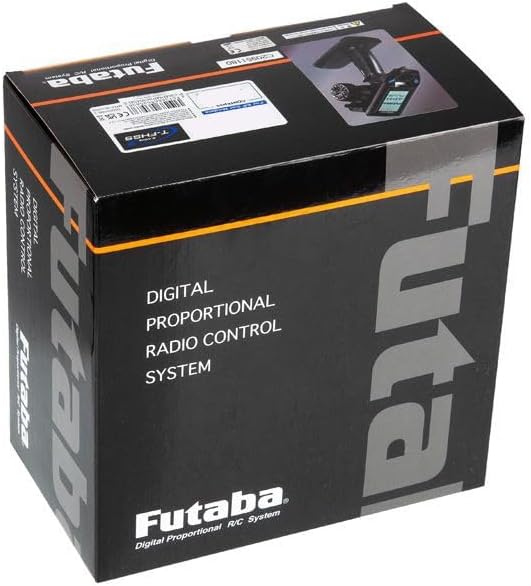
Rajah 3.1: The Futaba T6PV product packaging. This image shows the black box with "Futaba Digital Proportional Radio Control System" printed on it, indicating the product's branding and type.
4. Garis Panduan Keselamatan
Always operate your RC equipment responsibly and safely. Failure to follow these guidelines may result in injury or damage to property.
- Baca Manual: Thoroughly read and understand this entire manual before operating the system.
- Keselamatan Bateri: Gunakan hanya bateri dan pengecas yang disyorkan. Ikuti semua arahan pengecasan dan pengendalian bateri untuk mengelakkan kebakaran atau letupan.
- Persekitaran Operasi: Do not operate your RC model in public areas, near people, or in adverse weather conditions. Avoid areas with strong electromagnetic interference.
- Pre-Flight/Run Checks: Always perform a range check and verify all control surfaces/functions are operating correctly before each use.
- Urutan Hidupkan/Mati Kuasa: Always turn on the transmitter first, then the receiver. When turning off, turn off the receiver first, then the transmitter.
- Kanak-kanak: This product is not a toy. Adult supervision is required for users under 14 years of age.
5. Persediaan Awal
5.1. Pemasangan Bateri Pemancar
The T6PV transmitter requires batteries for operation. Refer to the battery compartment markings for correct polarity.
- Open the battery cover on the back of the transmitter.
- Insert the recommended batteries, ensuring correct polarity (+/-).
- Tutup penutup bateri dengan selamat.
5.2. Receiver Installation and Connection (R404SBS)
Install the R404SBS receiver in your RC model according to the model's instructions. Ensure it is securely mounted and protected from vibrations and moisture.
- Connect the servos and ESC (Electronic Speed Controller) to the appropriate channels on the R404SBS receiver. Refer to the receiver's port labels (e.g., CH1, CH2, etc.).
- Ensure the receiver's antenna is positioned correctly for optimal signal reception, away from metal parts and other electronics.
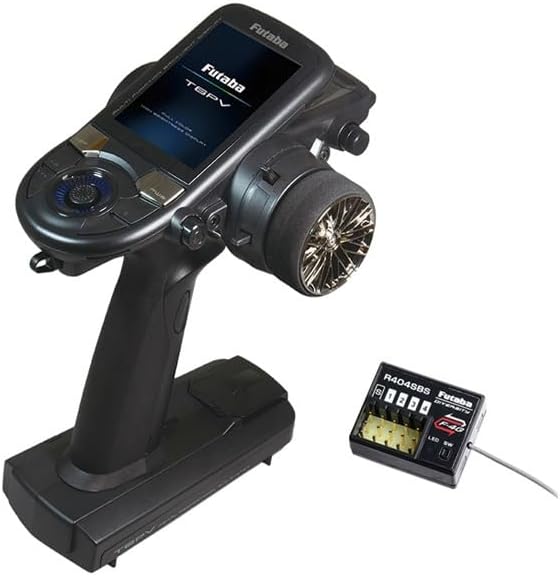
Rajah 5.1: The Futaba T6PV transmitter and the R404SBS receiver. This image displays the primary components of the RC system, showing the ergonomic design of the transmitter and the compact size of the receiver with its channel ports.
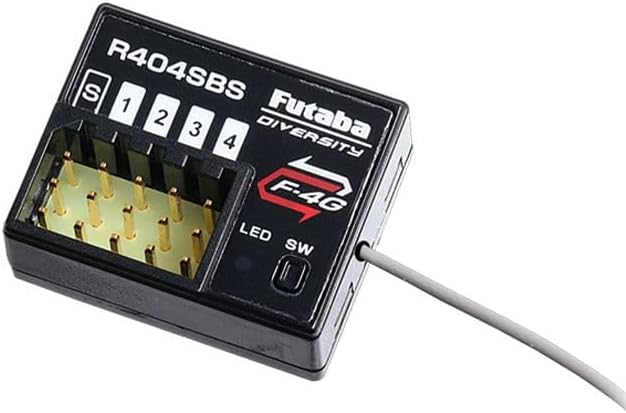
Rajah 5.2: A terperinci view of the Futaba R404SBS receiver. This image highlights the channel ports (S, 1, 2, 3, 4), the F-4G logo, and the LED/SW indicators, crucial for proper wiring and binding.
5.3. Mengikat Pemancar dan Penerima
Binding establishes a secure communication link between your T6PV transmitter and the R404SBS receiver.
- Hidupkan pemancar.
- Power on the receiver. The receiver's LED will indicate its status (e.g., blinking for waiting to bind).
- Access the binding function on the T6PV transmitter's menu (refer to Section 6.1 for menu navigation).
- Follow the on-screen prompts to initiate the binding process.
- Once bound, the receiver's LED should indicate a solid connection.
6. Operating the T6PV System
6.1. Menu Navigation and Display
The T6PV features a high-resolution color LCD screen and a Jog switch for intuitive menu navigation and parameter adjustment.
- Gunakan Suis joging (rotary dial) to scroll through menu options.
- Tekan ke Suis joging untuk memilih pilihan atau mengesahkan tetapan.
- Dedicated buttons (e.g., DSP, PWR, +/-) provide quick access to common functions or adjustments.

Rajah 6.1: The T6PV transmitter's screen displaying the main System menu. This image shows options like Display, Information, Buzzer, Battery, Total time, LED setting, and Calibration, indicating the range of configurable parameters.
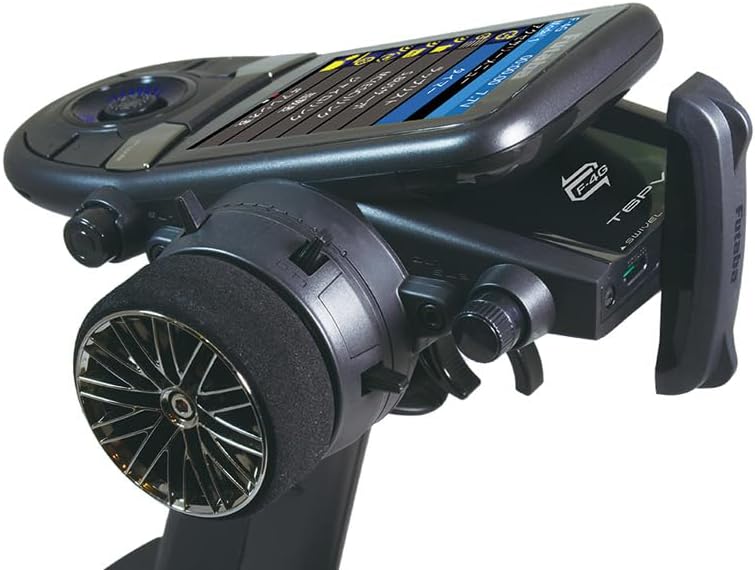
Rajah 6.2: Satu sisi view of the Futaba T6PV transmitter, highlighting the angled screen for better visibility during operation. This perspective also shows the ergonomic grip and the steering wheel.
6.2. Memilih Mod Pengendalian
The T6PV supports multiple communication modes to ensure compatibility with various Futaba receivers and models.
- Navigate to the "System" menu on the transmitter.
- Select "Receiver System" or a similar option.
- Choose the desired mode: F-4G, T-FHSS, S-FHSS, or MINI-Z (EVO, EVO2, FHSS).
- Ensure the selected mode matches your receiver's capabilities.
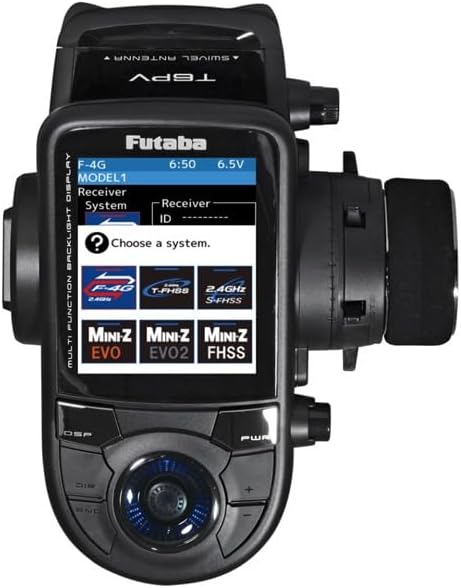
Rajah 6.3: The T6PV transmitter's screen displaying the receiver system selection menu. This image clearly shows the selectable modes: F-4G, T-FHSS, S-FHSS, MINI-Z EVO, MINI-Z EVO2, and MINI-Z FHSS, allowing users to match their receiver type.
6.3. Advanced Settings (Telemetry, Response/Feeling, Crawler)
The T6PV offers advanced settings for fine-tuning your RC experience.
- Data Telemetri: Access the telemetry menu to monitor real-time data from your model (e.g., battery voltage, temperature, RPM) if your receiver and sensors support it.
- Response / Feeling Adjustment: This feature allows you to customize the sensitivity of the controls. Adjust this setting to make the steering and throttle response more aggressive or smoother, depending on your driving style and track conditions.
- Crawler Settings: Dedicated settings are available for crawler models, optimizing control for low-speed precision and torque.

Rajah 6.4: The T6PV transmitter's screen displaying a "Racing menu" with "Drag Racing" selected. This indicates the specialized settings available for different racing disciplines, allowing for optimized performance.
7. Penyelenggaraan
Proper maintenance ensures the longevity and reliable performance of your Futaba T6PV system.
- Pembersihan: Lap pemancar dan penerima dengan kain lembut dan kering. Jangan gunakan pelarut atau pembersih yang kasar.
- Storan: Store the system in a cool, dry place, away from direct sunlight and extreme temperatures. Remove batteries if storing for extended periods.
- Penjagaan Bateri: Follow the battery manufacturer's guidelines for charging, discharging, and storage.
- Kemas kini Firmware: Check the official Futaba website periodically for firmware updates for your T6PV transmitter. Use the micro SD card slot for updates as per instructions.
8. Penyelesaian masalah
Bahagian ini menangani isu biasa yang mungkin anda hadapi.
| Masalah | Kemungkinan Punca | Penyelesaian |
|---|---|---|
| Pemancar tidak boleh dihidupkan. | Bateri mati atau tidak dipasang dengan betul. | Periksa kekutuban bateri. Gantikan dengan bateri baharu. |
| Tiada respons daripada model. | Receiver not bound, incorrect mode, or power issue to receiver/servos. | Ensure transmitter and receiver are bound (Section 5.3). Verify selected operating mode (Section 6.2). Check power supply to receiver and connections. |
| Erratic control or short range. | Interference, damaged antenna, or low battery. | Operate in an open area away from interference. Check transmitter and receiver antennas for damage. Ensure batteries are fully charged. |
| Skrin kosong atau beku. | Gangguan perisian atau bateri lemah. | Try restarting the transmitter. Ensure batteries are fully charged. If issue persists, contact support. |
9. Spesifikasi
| Ciri | Perincian |
|---|---|
| Nombor Model | T6PV |
| Saluran | 6 Saluran |
| Compatible Modes | F-4G, T-FHSS, S-FHSS, MINI-Z (EVO, EVO2, FHSS) |
| Receiver Included | R404SBS (F-4G compatible) |
| Paparan | High-resolution Color LCD |
| Navigasi | Suis Jog |
| Ingatan | Slot Kad SD Mikro |
| ASIN | B0F2W6YRBM |
| Ketersediaan Alat Ganti | Maklumat tidak tersedia |
| Tarikh Disenaraikan di Amazon.com.be | 26 Mac 2025 |
10. Waranti dan Sokongan
For warranty information and technical support, please refer to the official Futaba website or contact your local Futaba distributor. Keep your proof of purchase for warranty claims.
Sumber Dalam Talian:
- Official Futaba Webtapak: www.futabarc.com (Sila semak untuk serantau webtapak)
- Product Support Pages: Look for the T6PV model on the support section of the Futaba website for FAQs, firmware updates, and additional resources.


