pengenalan
Thank you for choosing the ToolkitRC M8D Dual Channel Smart Charger. This manual provides essential information for the safe and efficient operation of your device. Please read it thoroughly before use and keep it for future reference.
Item Termasuk:
- M8D Charger × 1
- Kabel USB-C × 1
- XT90 Input Cable × 1
- Manual × 1
- Screen Protector × 1
Maklumat Keselamatan
Always operate the charger in a well-ventilated area, away from flammable materials. Do not disassemble or modify the charger. Ensure correct battery type and cell count settings to prevent damage or injury. Supervise charging at all times.
Produk Selesaiview
The ToolkitRC M8D is a high-performance dual-channel smart charger featuring a touch screen interface and versatile charging capabilities for various battery types.
Ciri-ciri Utama:
- Touch screen interface for intuitive operation.
- Dual-channel charging (800W@MAX 30A per channel) or synchronous mode (1600W@MAX 50A).
- Supports LiPo, LiHV, LiFe, LiIon, LTO (1-8S), NiMh (1-20S), and Pb (1-12S) batteries.
- 65W USB-C output for fast charging external devices.
- Folding screen for adjustable viewsudut-sudut.
- Dual fans with stepless speed adjustment for efficient cooling.
- TF card logging for data storage and analysis.
Dimensi Fizikal:

Image: ToolkitRC M8D Charger with dimensions labeled. The charger measures 130.0mm in length, 97.0mm in width, and 42.0mm in height.
Sambungan Panel Belakang:

Imej: Belakang view of the ToolkitRC M8D Charger, highlighting the balance ports and main output ports for connecting batteries.
Persediaan
Kuasa Penyambung:
Connect the XT90 Input Cable to the charger's input port and to a compatible DC power source (10-49V). Alternatively, for AC input, use the appropriate power cable (not specified in product details, but implied for AC/DC dual charger in title). Ensure the power source meets the charger's requirements.
Konfigurasi Awal:
Upon first power-up, the charger may guide you through initial settings. Use the touch screen and scroll wheel to navigate menus and confirm selections.
Arahan Operasi
Pengecasan Asas:
- Connect your battery to the appropriate main output port (CHA or CHB) and the balance port.
- Select the desired channel (CH1 or CH2) on the touch screen.
- Choose 'Charge' from the task settings.
- Select the correct battery type (LiPo, NiMh, etc.) and cell count (e.g., 6S for a 6-cell LiPo).
- Set the desired charging current (e.g., 1.0A for a 1000mAh battery for 1C charge rate).
- Confirm settings and start the charging task.
Pengecasan Baki:
Balance charging ensures all cells in a multi-cell battery pack are charged to the same voltage, prolonging battery life and improving safety. This is typically the default 'Charge' mode when a balance lead is connected.
Pengecasan Storan:
For long-term storage, batteries should be charged or discharged to a specific voltage (e.g., 3.8V per cell for LiPo). Select 'Storage' from the task settings and the charger will automatically adjust the battery to the optimal storage voltage.
Pelepasan:
To discharge a battery, select 'Discharge' from the task settings. Set the desired discharge current and voltage. The charger will safely discharge the battery.
Pengecasan Cepat:
The charger supports fast charging modes. Select 'Fast Charge' from the task settings for quicker charging, though balance charging is generally recommended for optimal battery health.
USB-C Output (65W Fast Charging):

Image: The ToolkitRC M8D Charger connected to a laptop, demonstrating its 65W fast charging capability via the USB-C port.
The USB-C port provides up to 65W of power (5.0-20.0V) for fast charging compatible electronic devices. This feature is available when the charger's input is between 10-36V.
Battery Destruction Function:

Image: The ToolkitRC M8D Charger's screen displaying the 'Battery Destruction Function' menu, which provides options for safer disposal of used batteries.
For safe disposal of old or damaged batteries, the M8D includes a 'Battery Destruction Function'. Follow the on-screen prompts carefully to safely discharge batteries to zero volts before disposal.
TF Card Logging:
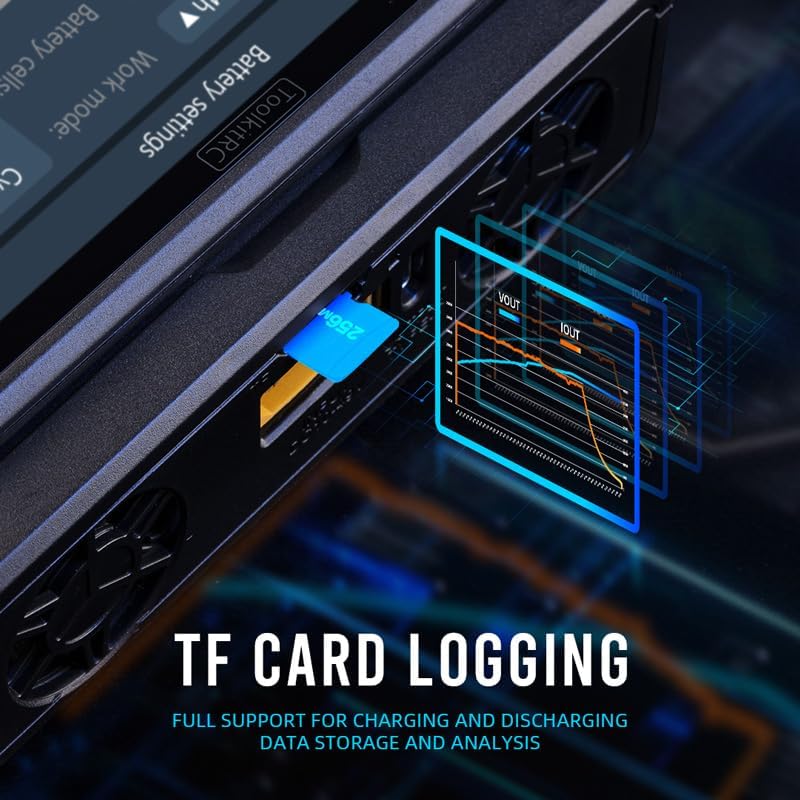
Image: The ToolkitRC M8D Charger with a TF card inserted into its slot, indicating support for charging and discharging data storage and analysis.
Insert a TF card into the designated slot to enable data logging of charging and discharging cycles. This data can be used for analysis of battery performance and health.
Dwi Peminat:
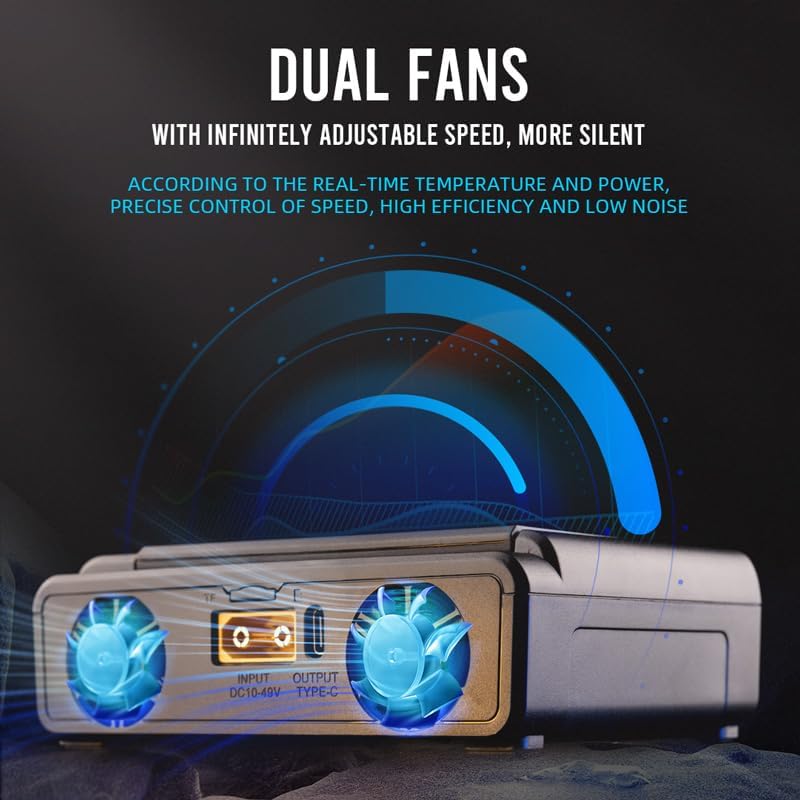
Image: The ToolkitRC M8D Charger showcasing its dual cooling fans, which feature infinitely adjustable speed for precise temperature control and low noise operation.
The charger is equipped with dual fans that offer infinitely adjustable speed. Fan speed is precisely controlled based on real-time temperature and power output to ensure high efficiency and low noise.
Video Produk Rasmi:
HOTA D6 PRO Unboxing & Features
Video: Unboxing dan ciri-ciri seterusnyaview of the HOTA D6 PRO, a dual-channel smart charger. This video demonstrates connecting batteries, navigating the menu, and setting up charge and storage tasks. It highlights the charger's ability to display individual cell voltages and adjust charging parameters.
ISDT D2 MARK 2 Dual Charger Overview
Video: Akhir terperinciview of the ISDT D2 MARK 2 dual charger, showcasing its compact size, dual fan cooling, and user interface. The video demonstrates connecting batteries, accessing system settings, and initiating a charge cycle, including a self-test function.
HOTA T6 RC Smart Battery Charger with 300W XT60/PD Dual Input
Video: An unboxing and demonstration of the HOTA T6 RC Smart Battery Charger. The video highlights the charger's compact size, USB-C PD input, and XT60 input. It shows how to connect a battery and navigate the menu to select charging parameters.
Gens Ace IMARS D300 Battery Charger G-Tech Series
Video: A promotional video for the Gens Ace IMARS D300 Battery Charger, highlighting its G-Tech smart chip for automatic battery recognition and dual-channel charging capabilities with both AC and DC input.
Spesifikasi
| Ciri | Spesifikasi |
|---|---|
| Input Voltage | 10-49V DC @MAX 60A |
| Jenis Bateri Disokong | LiPo, LiHV, LiFe, LiIon, LTO (1-8S); NiMh (1-20S); Pb (1-12S) |
| Imbangan Semasa | 2000mA @ 4.2V |
| Charging Power (Asynchronous) | 800W @MAX 30A * 2 |
| Charging Power (Synchronous) | 1600W @MAX 50A |
| Discharging Power (Recycle Mode) | 800W @MAX 30A * 2 |
| Discharging Power (Normal Mode) | 40W @ 10A |
| Output USB-C | 65W @ 5.0-20.0V (available with 10-36V input) |
| Paparan LCD | IPS 3.5” LCD, 320*480 pixel |
| Panel Sentuh | Kapasitif |
| Dimensi Produk | 130.0 x 97.0 x 42.0mm (5.1 x 3.8 x 1.7 inci) |
| Berat Produk | 450g (1.54 paun) |
Penyelenggaraan
Keep the charger clean and free from dust. Regularly check for any damage to cables or connectors. Ensure proper ventilation by keeping the fan vents clear. Firmware updates may be available from the manufacturer's website to enhance features and performance.
Menyelesaikan masalah
- Pengecas tidak dihidupkan: Ensure the input power cable is securely connected and the power source is active and within the specified voltagjulat e.
- Bateri tidak dicas: Verify the battery type and cell count settings match the connected battery. Check all connections for proper seating.
- Terlalu panas: Ensure the charger's fan vents are clear and the device is in a well-ventilated area. Reduce charging current if overheating persists.
- Mesej ralat: Refer to the on-screen error codes for specific troubleshooting steps. If the issue persists, contact customer support.
Waranti dan Sokongan
Untuk maklumat waranti dan sokongan teknikal, sila rujuk kepada pegawai pengilang webtapak atau hubungi peruncit anda. Simpan resit pembelian anda sebagai bukti pembelian untuk tuntutan waranti.


