1. Produk Lebihview
The ATTACK SHARK X98 is a versatile mechanical keyboard designed for various uses, including gaming, office work, and programming. It features tri-mode connectivity, hot-swappable switches, a gasket mount design, PBT keycaps, and customizable RGB backlighting.
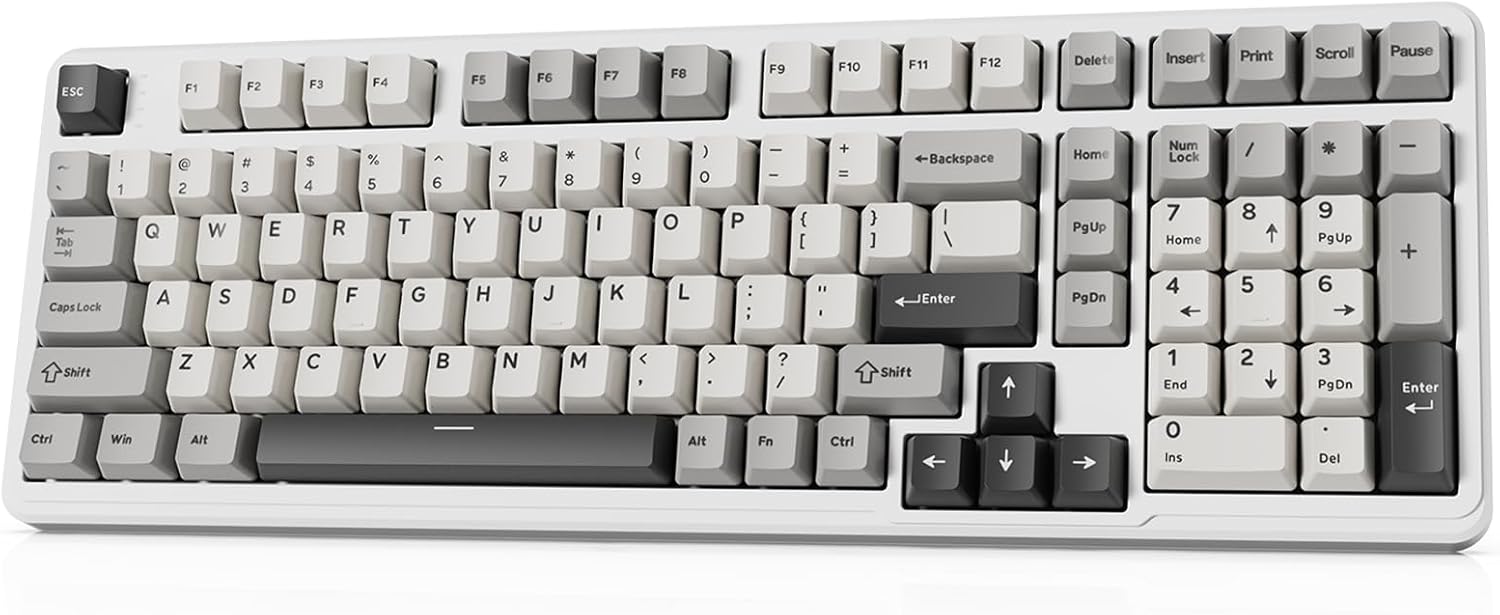
Image 1.1: The ATTACK SHARK X98 Wireless Mechanical Keyboard in Starlight White.
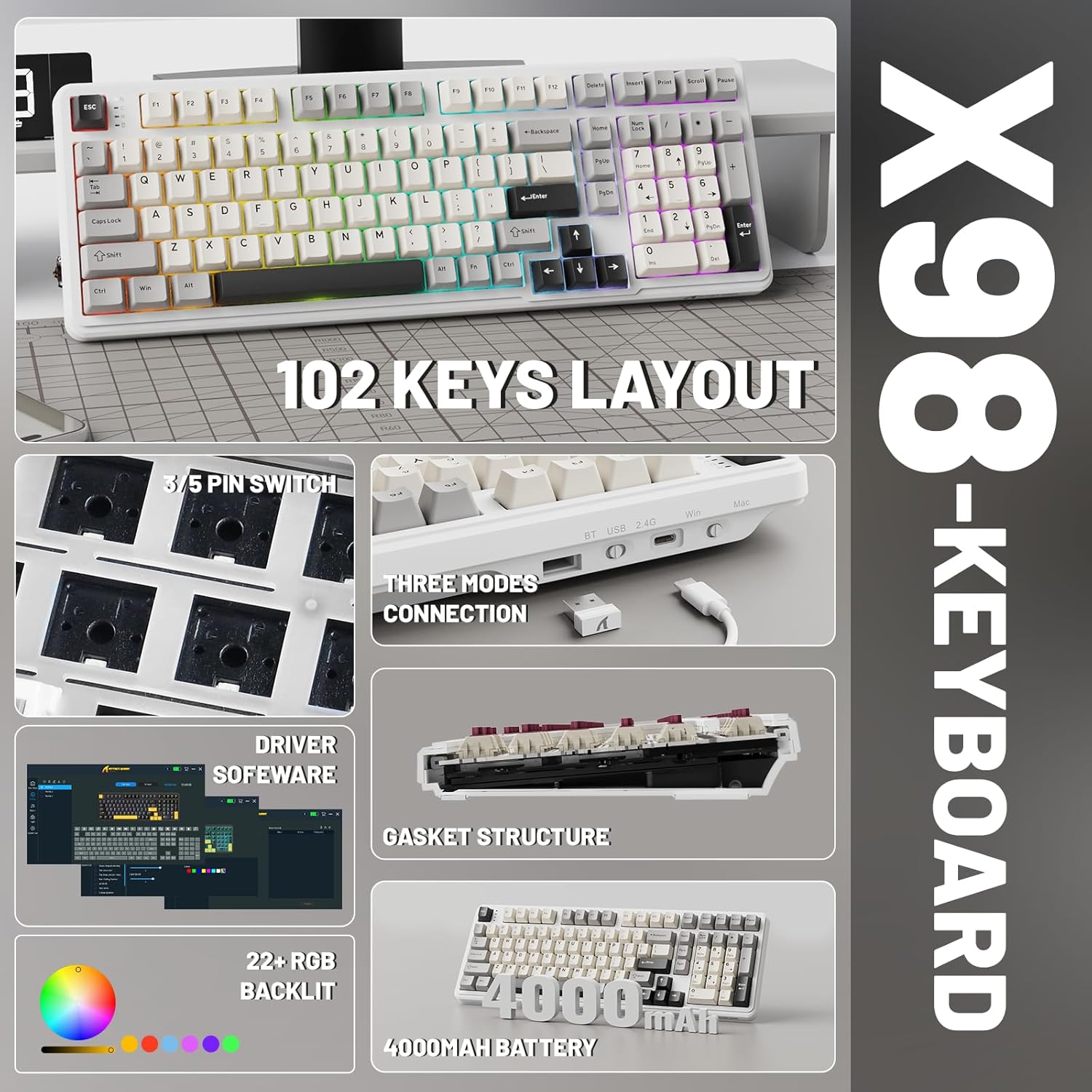
Imej 1.2: Selesaiview of key features including 102-key layout, 3/5 pin switch support, three modes connection, driver software, gasket structure, 22+ RGB backlight, and 4000mAh battery.
2. Kandungan Pakej
Sila sahkan bahawa semua item terdapat dalam pakej:
- ATTACK SHARK X98 Wireless Mechanical Keyboard
- Kabel USB-C
- Penarik Kekunci
- Extra Switches (typically 2)
- Manual Pengguna (dokumen ini)
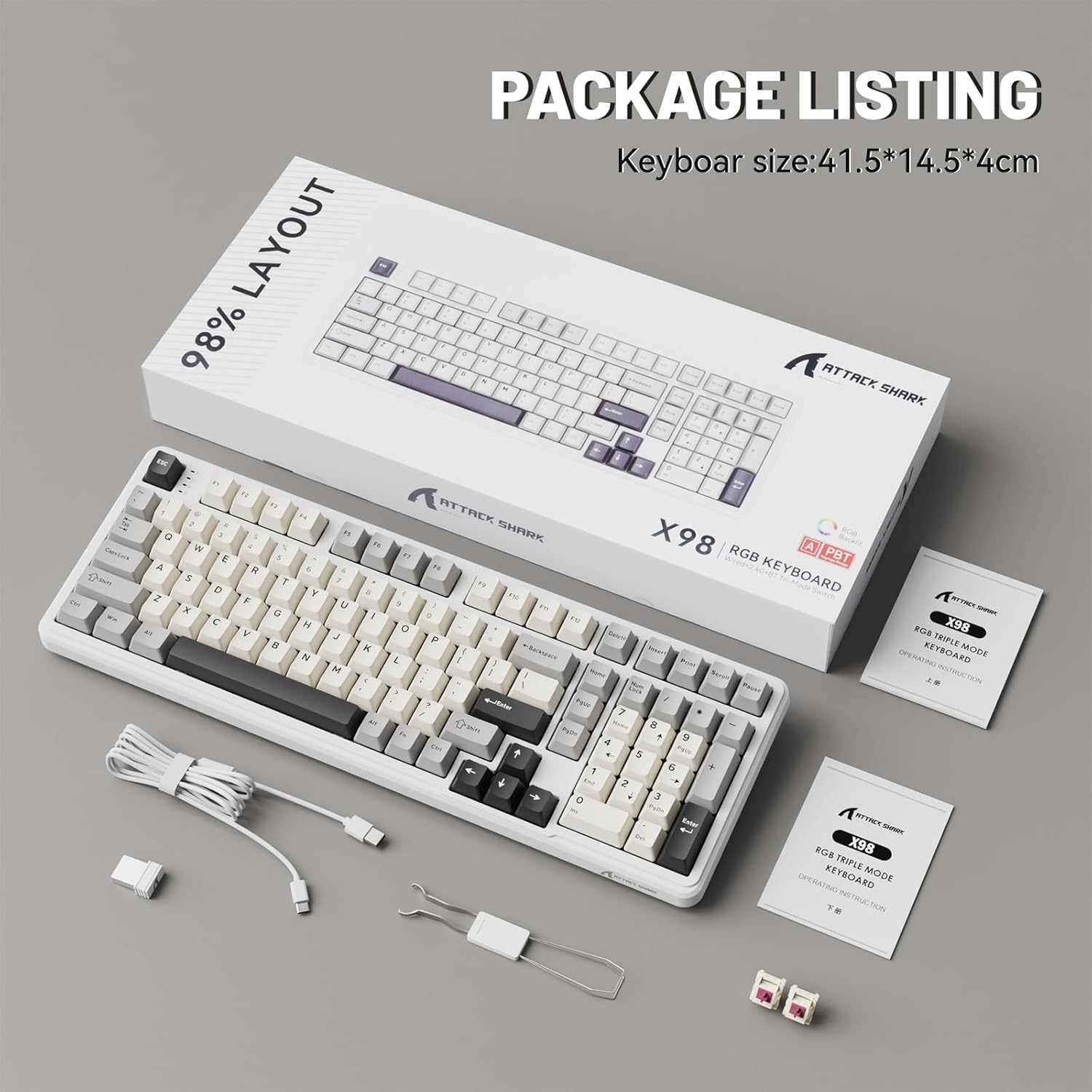
Image 2.1: Contents of the ATTACK SHARK X98 keyboard package, including the keyboard, USB-C cable, keycap puller, and extra switches.
3. Ciri-ciri Utama
- Kesambungan Tri-Mod: Supports Bluetooth 5.0, 2.4GHz wireless, and USB-C wired connections for versatile use across various devices.
- Suis Boleh Tukar Panas: Equipped with sockets compatible with both 3-pin and 5-pin mechanical switches, allowing for easy customization and replacement of switches without soldering. Features pre-lubed linear switches for a smooth and quiet typing experience.
- Reka Bentuk Pemasangan Gasket: Incorporates a 5-layer sound-absorbing foam structure (PORON Foam, IXPE Switch Pad, PET Noise Cancellation Pad, EPDM Dampening Pad, Silicone Pad) to reduce cavity sound and provide a pure, thocky sound profile.
- Lampu Latar RGB yang Cerah: Offers 16.8 million RGB colors with 21 lighting effects and 7 single-color options, enhancing the aesthetic of your setup. Full Anti-Ghosting N-key rollover ensures accurate input during intense gaming sessions.
- Kekunci PBT Tahan Lama: Features doubleshot PBT keycaps that resist shine and fading, ensuring long-lasting durability and a premium feel.
- Bateri Tahan Lama: Built-in 4000mAh battery provides extended wireless usage, capable of continuous operation for up to 7 days on a single charge.

Image 3.1: Diagram illustrating the 5-layer gasket structure for sound absorption and improved typing feel.
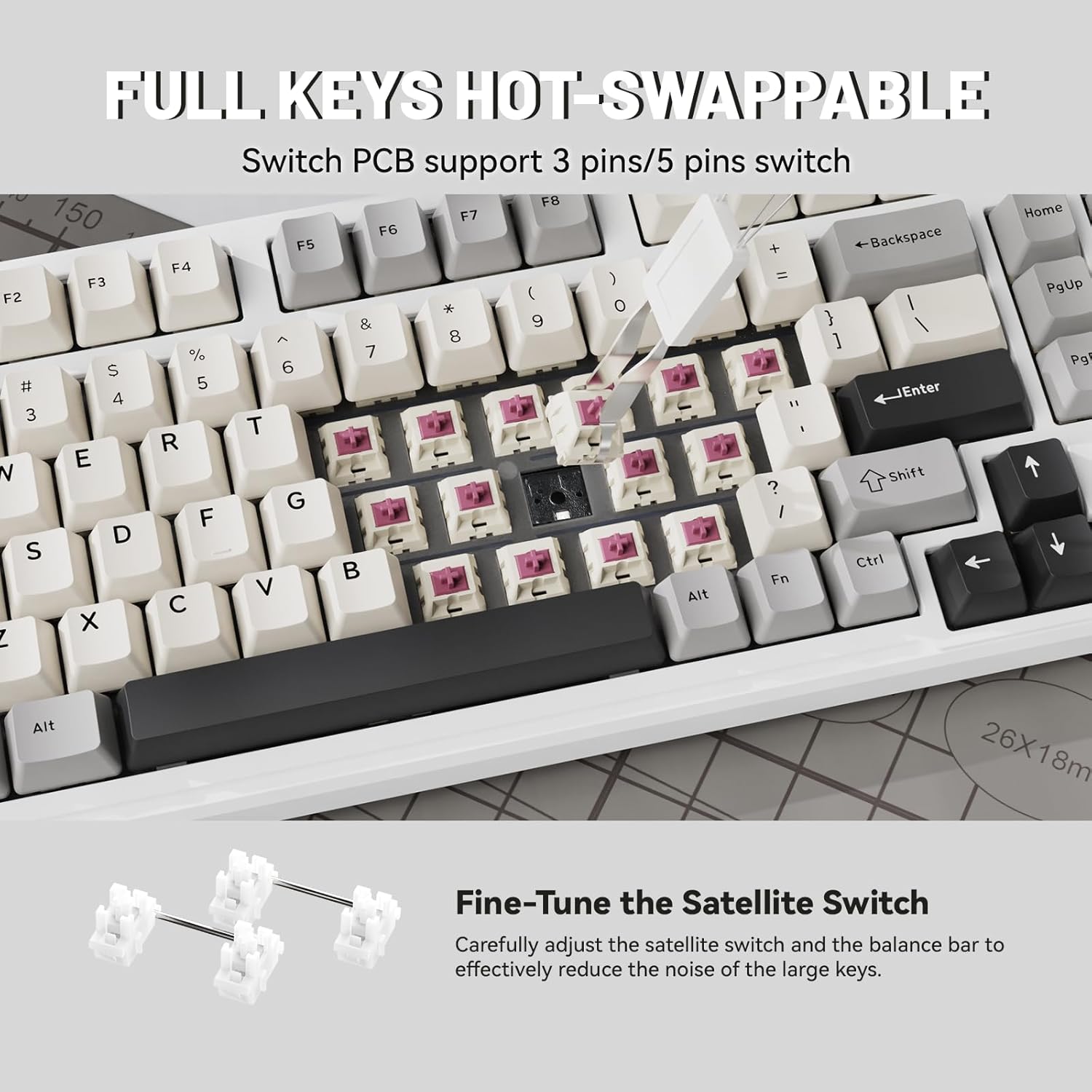
Imej 3.2: Jarak dekat view demonstrating the hot-swappable switch sockets, supporting both 3-pin and 5-pin switches.
4. Persediaan dan Ketersambungan
4.1. Wired Connection (USB-C)
- Sambungkan kabel USB-C yang disediakan ke port USB-C papan kekunci.
- Connect the other end of the USB-C cable to an available USB port on your computer or device.
- The keyboard will automatically be recognized and ready for use. The keyboard will also charge in this mode.
4.2. Sambungan Wayarles 2.4GHz
- Locate the 2.4G wireless receiver (USB dongle), typically stored in a magnetic compartment on the keyboard.
- Pasangkan penerima 2.4G ke port USB yang tersedia pada komputer atau peranti anda.
- On the keyboard, locate the connectivity switch (usually on the top edge or bottom) and slide it to the "2.4G" position.
- The keyboard should automatically connect. If not, refer to the troubleshooting section.
4.3. Sambungan Bluetooth 5.0
- On the keyboard, locate the connectivity switch and slide it to the "BT" position.
- The keyboard will enter pairing mode. The indicator light may flash.
- On your device (PC, tablet, smartphone), open Bluetooth settings.
- Cari untuk new devices and select "ATTACK SHARK X98" (or similar name) from the list.
- Follow any on-screen prompts to complete the pairing process. The indicator light on the keyboard will become solid once connected.

Image 4.1: The ATTACK SHARK X98 keyboard demonstrating its three connection modes: 2.4GHz Wireless, Bluetooth Wireless, and Type-C Wired.
Video 4.2: An official product video demonstrating the features and connectivity options of the ATTACK SHARK X98 Wireless Mechanical Keyboard. This video highlights the keyboard's design, hot-swappable switches, RGB lighting, and tri-mode connectivity.
5. Arahan Operasi
5.1. System Switching (Windows/Mac)
The keyboard features a dedicated switch to toggle between Windows and Mac layouts. Locate the "WIN/MAC" switch on the keyboard and slide it to the appropriate operating system for optimal key mapping.
5.2. Kawalan Pencahayaan Latar RGB
The ATTACK SHARK X98 offers various RGB lighting effects. Use the following key combinations to control the backlighting:
- Fn + [Key]: Specific key combinations (refer to keyboard legends or software) control lighting modes, brightness, and speed.
- Perisian Penyesuaian: For advanced customization of RGB lighting and key functions, download and install the official driver software. The driver link is typically provided in the product packaging or on the manufacturer's webtapak.
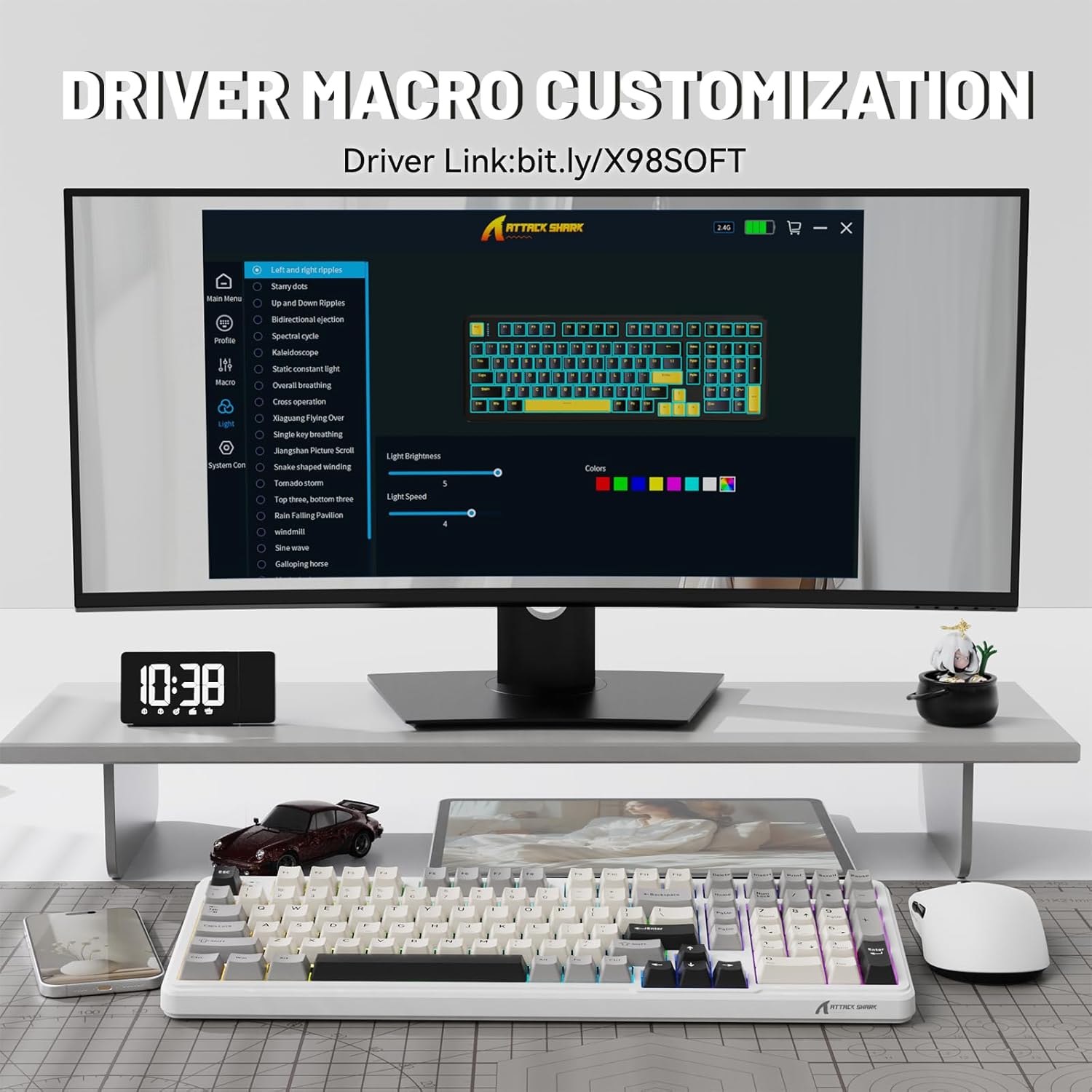
Image 5.1: Screenshot of the driver software interface, showing options for macro customization and RGB lighting control.
5.3. Menyemak Tahap Bateri
To check the battery level in wireless mode, press and hold Fn + Backspace. The indicator lights on the keyboard will illuminate to show the approximate battery percentage:
- Lampu Merah: 20% or less battery remaining.
- Cahaya Kuning: Baki bateri 50%.
- Lampu Hijau: Baki bateri 60%.
- Full Green Lights: Baki bateri 100%.

Image 5.2: Visual guide for checking the battery level using Fn + Backspace, showing different light indicators for battery percentage.
6. Penyelenggaraan
- Membersihkan Kap Kunci: Gunakan penarik penutup kekunci yang disediakan untuk menanggalkan penutup kekunci dengan berhati-hati. Bersihkannya dengan kain lembutamp cloth and mild soap if necessary. Ensure keycaps are completely dry before reattaching.
- Membersihkan Badan Papan Kekunci: Use a soft, lint-free cloth to wipe down the keyboard body. For stubborn dirt, a slightly damp kain boleh digunakan. Elakkan kelembapan berlebihan.
- Penyelenggaraan Suis: The hot-swappable design allows for easy switch replacement. If a switch malfunctions, use the keycap puller and switch puller (if included, or a small tool) to remove the faulty switch and insert a new one.
- Storan: Apabila tidak digunakan untuk tempoh yang lama, simpan papan kekunci di persekitaran yang kering dan bebas habuk.
7. Penyelesaian masalah
| Masalah | Kemungkinan Punca | Penyelesaian |
|---|---|---|
| Papan kekunci tidak bertindak balas (berwayar) | Loose cable connection; faulty USB port; driver issue. | Ensure USB-C cable is securely connected. Try a different USB port. Restart your computer. |
| Keyboard not connecting (2.4GHz wireless) | Receiver not plugged in; keyboard not in 2.4G mode; low battery. | Ensure 2.4G receiver is plugged in. Slide switch to "2.4G". Charge the keyboard. |
| Papan kekunci tidak bersambung (Bluetooth) | Keyboard not in BT mode/pairing mode; device Bluetooth off; interference. | Slide switch to "BT" and ensure it's in pairing mode. Enable Bluetooth on your device. Move closer to the device. Remove other Bluetooth devices. |
| RGB lights not working/customizing | Software not installed/running; incorrect key combination; low battery. | Install/run the driver software. Refer to operating instructions for key combinations. Charge the keyboard. |
| Keys not registering/double-typing | Faulty switch; debris under keycap. | Remove keycap and clean. If issue persists, replace the switch using the hot-swap feature. |
8. Spesifikasi
| Nombor Model | X98 |
| Jenama | SERANGAN JEUNG |
| Teknologi Ketersambungan | Bluetooth 5.0, 2.4G Wireless, USB-C |
| Bilangan Kunci | 102 |
| Backlighting papan kekunci | RGB (16.8 million colors, 21 effects) |
| Bahan Kekunci | Doubleshot PBT |
| Jenis Suis | Pre-lubed Linear Switches (Hot-swappable 3/5-pin) |
| Gaya Pemasangan | Pemasangan Gasket |
| Kapasiti Bateri | 4000mAh |
| Dimensi Produk | 16 x 5.6 x 1.5 inci |
| Berat Barang | 2.71 paun |
| Peranti Serasi | Laptop, Gaming Console, PC, Tablet, Smartphone |
9. Waranti dan Sokongan
The ATTACK SHARK X98 Wireless Mechanical Keyboard comes with a standard manufacturer's warranty. Please refer to the warranty card included in your package for specific terms and conditions, including warranty duration and coverage details.
For technical support, troubleshooting assistance, or warranty claims, please contact ATTACK SHARK customer service through their official webtapak atau maklumat hubungan yang diberikan dalam dokumentasi produk anda.
rasmi website for driver software and further support: cn.attackshark.pro


